
 GDPR compliant
 HIPAA compliant









Pylon migration
Pylon migration
Pylon, the B2B customer support platform at usepylon.com, is built around Slack Connect, Microsoft Teams, email, chat and a customer portal, with issues, accounts and a knowledge base. MigrateX migrates your history into Pylon, with AI-powered mapping and 100% data fidelity.Last updated
Scope my migrationFree sample migration of 100 of your records, plus a fixed quote within 24 hours.
- 1000+migrations
- 15 yearsof collective experience
 SOC 2 Type IIGDPR compliantHIPAA compliant
Pylon migration at a glance
- Who it is for
- B2B support teams moving into Pylon from Zendesk, Intercom, Freshdesk, HubSpot Service Hub, Salesforce Service Cloud, Front or Help Scout.
- What moves
- Accounts, contacts, issues with their replies and internal notes, attachments, custom fields, tags, knowledge base collections and articles, matched to your Pylon users and teams.
- What does not move as-is
- Triggers, macros, SLA policies, CSAT surveys, AI agent setup and live Slack or Teams channel connections are configuration, so we list each one for your team to set up again.
- What sets the scope
- Ticket count and thread length, attachment volume, the custom fields to create first, knowledge base size, and Pylon's per-endpoint rate limits.
- Ways in
- Pylon's own migration service, its self-serve importer, its import API, or a managed run with MigrateX.
- Category
- A help desk platform built for B2B support in shared Slack channels, listed with the AI-native platforms.AI-native platformsHelp desk platforms
What moves
What moves into Pylon?
MigrateX maps your current platform's records onto Pylon's own objects: organizations or companies become accounts, end users become contacts, tickets or conversations become issues with every reply and internal note, agents and groups are matched to Pylon users and teams, and knowledge base categories and articles become collections and articles, with custom fields, tags and attachments alongside.
- Accounts
- Contacts
- Issues
- Replies and internal notes
- Attachments
- Custom fields
- Tags
- Users and teams
- Knowledge base collections and articles
What does not move
What does not move unchanged into Pylon?
Configuration, not data. We list each item in scope so your team can rebuild it in the target.
Triggers, macros, automations and views
What we do: Configuration, not data. We list each one from the platform you are leaving with what it does, and your team rebuilds the ones you use as Pylon triggers and workflows.SLA policies and CSAT surveys
What we do: Rebuilt in Pylon on the migrated fields. Your admin keeps them switched off during the migration window and turns them on after sign-off.AI agent and bot setup
What we do: Bot flows and AI agent settings are configuration. We document them for your team to set up Pylon's AI agents, which can then draw on the migrated knowledge base.Live Slack, Teams and email channel connections
What we do: Pylon says the underlying channels, such as email routing and Slack connections, are not transferred with historical tickets. Your admin links each customer channel to its Pylon account after go-live.Source: Pylon Help Center, checked 21 Nov 2026
Agent accounts and seats
What we do: Pylon's migration guides ask you to invite agents before a run. Your admin invites the team, and we match each agent by email.Source: Pylon Help Center, checked 21 Nov 2026
Reports and dashboards
What we do: Rebuilt in Pylon on the migrated fields and tags. We hand over the list of reports in use, so none is missed at cutover.
What does a Pylon migration have to handle?
A migration into Pylon has to keep customers and agents from being messaged, create fields before values, work within Pylon's per-endpoint limits and keep old help centre links alive. Here is how MigrateX handles each point, agreed with your Pylon admin before the free sample.
No message reaches your customers
MigrateX never sends customer notifications during a migration. Any account setting that would notify someone on a new issue or message is switched off for the migration window, from a checklist we hand your admin, and switched back on after sign-off.
Agents are invited by you, then matched
Through Pylon's public API, a user is created by invitation, and every invitation emails that person. Pylon's migration guides ask you to invite agents before a run. Your admin invites the team, and MigrateX matches each agent by email.
Source: Pylon developer documentation, checked 21 Nov 2026
Custom fields and options exist first
Pylon custom fields for issues, accounts and contacts can be created through the API. MigrateX creates the fields and select options from the approved mapping before any value is written.
Source: Pylon developer documentation, checked 21 Nov 2026
Every reply and note is carried
Every comment in a thread is migrated, never the first one skipped, and nothing is dropped silently. Any field that needs a default, a fallback or a truncation is recorded as a warning on that record and listed in the run report you sign off.
Pylon's limits set the pace
Pylon limits requests per organization, per endpoint and per minute, and every token in your workspace shares that allowance. MigrateX paces each run from the limits Pylon reports, runs one worker per workspace, and posts the messages of each issue in order.
Source: Pylon developer documentation, checked 21 Nov 2026
Old help centre links can keep working
Pylon knowledge base redirects send an old article path to its new article or collection, so links in emails, docs and search results can survive the move. The knowledge base itself must exist before articles load, because the API creates collections and articles, not knowledge bases.
Source: Pylon documentation, checked 21 Nov 2026
US or EU workspace
Pylon runs separate US and EU API hosts, and a token works only in its own region. We confirm your region on the scoping call, so your data is written to the right workspace from the first record.
Source: Pylon developer documentation, checked 21 Nov 2026
Free sample migration of 100 of your records. Fixed quote within 24 hours.
Scope my migrationWays to migrate
What are the ways to migrate into Pylon?
Pylon documents three ways in: its own migration service, a self-serve importer in its settings, and an import API for teams that build their own. MigrateX is a fourth, a managed run from any source. Each suits a different history, so compare them on who does the work and what arrives.
| Option | Who runs it | What it brings | Ticket state on arrival | Suits |
|---|---|---|---|---|
| Pylon Data Migration service | Pylon's migrations team, with a setup call and async Q&A | Closed ticket migration and knowledge base article migration. Pylon says it does not include a full implementation | Pylon says tickets come over in a closed state, so nobody replies on them from Pylon | Teams that want Pylon to move closed history and articles. Quote from Pylon's account team Source: Pylon Help Center |
| Pylon's self-serve importer | Your Pylon admin, under Settings > Data migration | Tickets with their full conversation and attachments, plus accounts, contacts and agents (agents can be imported as deactivated, without invite emails), from Zendesk, Intercom, Jira Service Management, Salesforce Service Cloud, Front, HubSpot and Freshdesk, or a CSV file. New fields can be created during the import | Original status kept, as read-only history | Admins who want to run the import themselves from a listed help desk. Pylon recommends importing at most the last two years Source: Pylon Help Center |
| Pylon's import API | Your own engineers | Issues with threaded messages, built by your team on Pylon's documented import endpoints | Set by your team | Teams with engineering time. Pylon asks bulk importers to contact its migrations team first Source: Pylon Help Center |
| MigrateX | MigrateX's AI, with your Pylon admin | Accounts, contacts, issues with every reply and internal note, attachments, custom fields, tags, knowledge base collections and articles | Agreed with your team on the scoping call and checked in the free sample | A managed run from any source, with a free sample of 100 records and a fixed quote within 24 hours |
Pylon Data Migration service
- Who runs it
- Pylon's migrations team, with a setup call and async Q&A
- What it brings
- Closed ticket migration and knowledge base article migration. Pylon says it does not include a full implementation
- Ticket state on arrival
- Pylon says tickets come over in a closed state, so nobody replies on them from Pylon
- Suits
- Teams that want Pylon to move closed history and articles. Quote from Pylon's account team
Source: Pylon Help Center
Pylon's self-serve importer
- Who runs it
- Your Pylon admin, under Settings > Data migration
- What it brings
- Tickets with their full conversation and attachments, plus accounts, contacts and agents (agents can be imported as deactivated, without invite emails), from Zendesk, Intercom, Jira Service Management, Salesforce Service Cloud, Front, HubSpot and Freshdesk, or a CSV file. New fields can be created during the import
- Ticket state on arrival
- Original status kept, as read-only history
- Suits
- Admins who want to run the import themselves from a listed help desk. Pylon recommends importing at most the last two years
Source: Pylon Help Center
Pylon's import API
- Who runs it
- Your own engineers
- What it brings
- Issues with threaded messages, built by your team on Pylon's documented import endpoints
- Ticket state on arrival
- Set by your team
- Suits
- Teams with engineering time. Pylon asks bulk importers to contact its migrations team first
Source: Pylon Help Center
MigrateX
- Who runs it
- MigrateX's AI, with your Pylon admin
- What it brings
- Accounts, contacts, issues with every reply and internal note, attachments, custom fields, tags, knowledge base collections and articles
- Ticket state on arrival
- Agreed with your team on the scoping call and checked in the free sample
- Suits
- A managed run from any source, with a free sample of 100 records and a fixed quote within 24 hours
Ways to migrate into Pylon, as of 21 November 2026. Source: Pylon Help Center, linked per row. The MigrateX row describes our own service.
Migration paths
Which routes run into Pylon?
Routes we run into Pylon. Open a route to see what migrates, or ask us about one that is not listed yet.
Into Pylon
191 connectors, all live
Every connector is live, so any of them can be migrated into Pylon. Some of the help desk platforms:
- HubSpot Service Hub
- Dynamics 365 Customer Service
- HappyFox
Platform not listed?
We build new connectors on request. Tell us what you run and we scope the route with you.
Timeline
Your Pylon migration, step by step
Set on the scoping call. Record volume, API rate limits and how fast your team reviews the sample all shape the plan. See how it works in detail
Preparation
Scope
Confirm what moves and where
Migration
Free sample
100 records, checked by you
Full run
AI maps, moves and verifies
Delta sync
Catches changes at cutover
Validation
Sign-off
Your team signs off
Export and backup
How do I export and back up data from Pylon?
Pylon documents two ways to take a copy of your data: its REST API and a warehouse export. Teams use them to keep a backup, to report on support data in their own warehouse, and to answer audit or compliance requests.
| Path | What it gives you | Plan |
|---|---|---|
| Pylon REST API | Issues created within a window of up to 365 days per request, newest first, with their messages through the issue endpoints. Listing issues is limited to 30 requests a minute. | All plans Source: Pylon developer documentation |
| Warehouse export (Snowflake, BigQuery, Redshift, Amazon S3) | A one-way sync of the issue data columns you select, on a cadence you set, for reporting and backup in your own warehouse. | Advanced and Enterprise Source: Pylon website |
Pylon REST API
- What it gives you
- Issues created within a window of up to 365 days per request, newest first, with their messages through the issue endpoints. Listing issues is limited to 30 requests a minute.
- Plan
- All plans
Source: Pylon developer documentation
Warehouse export (Snowflake, BigQuery, Redshift, Amazon S3)
- What it gives you
- A one-way sync of the issue data columns you select, on a cadence you set, for reporting and backup in your own warehouse.
- Plan
- Advanced and Enterprise
Source: Pylon website
Ways to export and back up data from Pylon, as of 21 November 2026. Sources: Pylon documentation, linked per row.
Data model
Pylon data model and limits
How Pylon holds the records that move, and the vendor limits that set the pace of the migration.
How does Pylon store support data?
Pylon stores support work as issues that carry messages, around accounts and the contacts who belong to them. Users and teams own the work, tags and custom fields classify it, and the knowledge base holds collections of articles. A migration into Pylon creates each of these in a fixed order, accounts and fields first.
| Object | What it holds | How it links |
|---|---|---|
| Account | The customer company: name, domains, account type, owner, tags, custom fields and external IDs. | Parent of contacts and their issues. Lands from organizations or companies in the platform you are leaving. Source: Pylon developer documentation |
| Contact | A customer person: name, email, phone numbers, custom fields and external IDs. | Belongs to one account and requests issues. Lands from end users, customers or contacts. Source: Pylon developer documentation |
| Issue | A support request: title, state, priority, assignee, team, requester, tags and custom fields, with its creation date. | Holds the messages of the thread. Lands from tickets, conversations or cases. Source: Pylon developer documentation |
| Message | One customer-facing reply or internal note on an issue, with its author and attachments. | Child of one issue. Lands from replies, comments and internal notes. Source: Pylon developer documentation |
| Issue status | New, waiting on you, waiting on customer, on hold and closed, plus custom statuses. | Used by issues. How your current statuses map is agreed with your team on the scoping call. Source: Pylon developer documentation |
| User and team | The agents who work in Pylon and the teams they belong to. | Assignees and authors. Through the API a user is created by invitation, so agents are invited first and then matched. Source: Pylon developer documentation |
| Tag | A label for accounts, articles or issues. | Applied to issues and accounts. Lands from tags on tickets and organizations. Source: Pylon developer documentation |
| Custom field | A field definition for issues, accounts or contacts, with its options. | Created through the API before values are written. Lands from ticket, user and organization fields. Source: Pylon developer documentation |
| Knowledge base, collection and article | Articles with a title, body, author, translations and visibility, in collections that can nest. | An article sits in a collection inside an existing knowledge base. Lands from categories, sections and articles. Source: Pylon developer documentation |
| Attachment | A file uploaded to Pylon, or fetched by Pylon from a public URL, stored as Pylon's own copy. | Attached to an issue's messages. Source: Pylon developer documentation |
Account
- What it holds
- The customer company: name, domains, account type, owner, tags, custom fields and external IDs.
- How it links
- Parent of contacts and their issues. Lands from organizations or companies in the platform you are leaving.
Source: Pylon developer documentation
Contact
- What it holds
- A customer person: name, email, phone numbers, custom fields and external IDs.
- How it links
- Belongs to one account and requests issues. Lands from end users, customers or contacts.
Source: Pylon developer documentation
Issue
- What it holds
- A support request: title, state, priority, assignee, team, requester, tags and custom fields, with its creation date.
- How it links
- Holds the messages of the thread. Lands from tickets, conversations or cases.
Source: Pylon developer documentation
Message
- What it holds
- One customer-facing reply or internal note on an issue, with its author and attachments.
- How it links
- Child of one issue. Lands from replies, comments and internal notes.
Source: Pylon developer documentation
Issue status
- What it holds
- New, waiting on you, waiting on customer, on hold and closed, plus custom statuses.
- How it links
- Used by issues. How your current statuses map is agreed with your team on the scoping call.
Source: Pylon developer documentation
User and team
- What it holds
- The agents who work in Pylon and the teams they belong to.
- How it links
- Assignees and authors. Through the API a user is created by invitation, so agents are invited first and then matched.
Source: Pylon developer documentation
Tag
- What it holds
- A label for accounts, articles or issues.
- How it links
- Applied to issues and accounts. Lands from tags on tickets and organizations.
Source: Pylon developer documentation
Custom field
- What it holds
- A field definition for issues, accounts or contacts, with its options.
- How it links
- Created through the API before values are written. Lands from ticket, user and organization fields.
Source: Pylon developer documentation
Knowledge base, collection and article
- What it holds
- Articles with a title, body, author, translations and visibility, in collections that can nest.
- How it links
- An article sits in a collection inside an existing knowledge base. Lands from categories, sections and articles.
Source: Pylon developer documentation
Attachment
- What it holds
- A file uploaded to Pylon, or fetched by Pylon from a public URL, stored as Pylon's own copy.
- How it links
- Attached to an issue's messages.
Source: Pylon developer documentation
Pylon objects that hold support data, as of 21 November 2026. Source: Pylon developer documentation, linked per row.
Which Pylon rate limits set the pace?
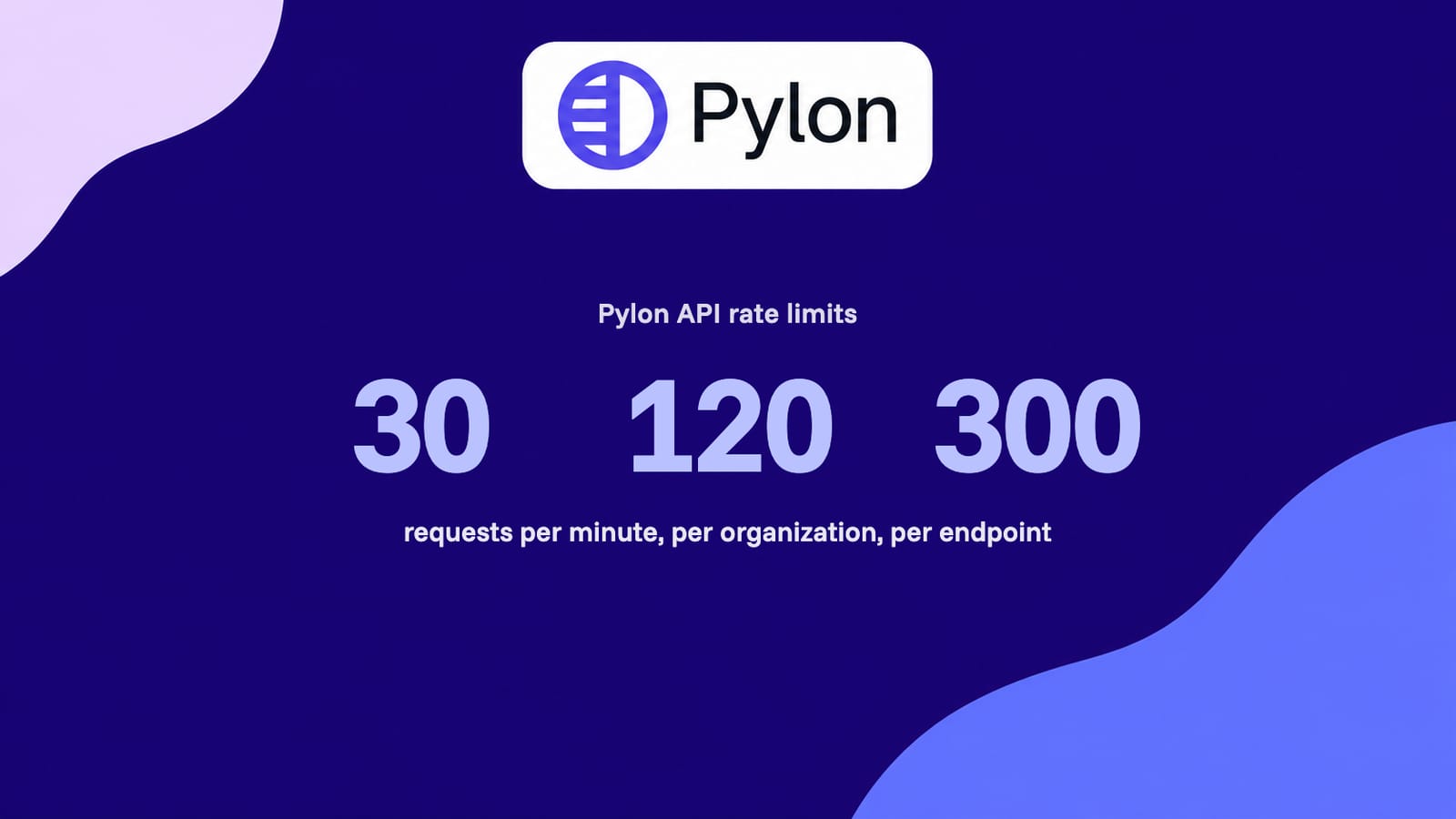
Pylon's rate limits are set per organization and per endpoint, at one of three tiers a minute, and every token and integration in your workspace shares them. These are the allowances that decide how fast accounts, issues, messages and articles load into Pylon.
| Limit | Allowance |
|---|---|
| Rate limit model | Per organization, per endpoint and per minute, at 30, 120 or 300 requests, unless Pylon has raised the limit for your organization. All tokens share it. Source: Pylon developer documentation |
| Create an issue (POST /issues) | 30 requests a minute. Source: Pylon developer documentation |
| Post a reply (POST /issues/{id}/reply) | 30 requests a minute. Source: Pylon developer documentation |
| Post an internal note (POST /issues/{id}/note) | 30 requests a minute. Source: Pylon developer documentation |
| Upload an attachment (POST /attachments) | 30 requests a minute. Source: Pylon developer documentation |
| Update an issue (PATCH /issues/{id}) | 120 requests a minute. Source: Pylon developer documentation |
| Create a custom field (POST /custom-fields) | 120 requests a minute. Source: Pylon developer documentation |
| Create an account (POST /accounts) | 300 requests a minute. Source: Pylon developer documentation |
| Create a contact (POST /contacts) | 300 requests a minute. Source: Pylon developer documentation |
| Create a tag (POST /tags) | 300 requests a minute. Source: Pylon developer documentation |
| Knowledge base | Creating articles, collections and redirects is limited to 30 requests a minute each. Source: Pylon developer documentation |
| Create a team (POST /teams) | 30 requests a minute. Source: Pylon developer documentation |
| List issues (GET /issues) | 30 requests a minute, with a created-date window of up to 365 days per request. Source: Pylon developer documentation |
| Attachment size | Up to 100 MB a file. Executables and script files are rejected, and email and chat channels may have smaller limits. Source: Pylon developer documentation |
| Agent invitations | Inviting a user emails them an invitation, at 30 requests a minute. Source: Pylon developer documentation |
| API hosts and tokens | api.usepylon.com for the United States and api.eu.usepylon.com for the European Union. Tokens are region-specific, only admins create them, and they do not expire. Source: Pylon developer documentation |
| Higher limits | Pylon says to contact Pylon support for a higher limit on a specific endpoint. Source: Pylon developer documentation |
Rate limit model
- Allowance
- Per organization, per endpoint and per minute, at 30, 120 or 300 requests, unless Pylon has raised the limit for your organization. All tokens share it.
Source: Pylon developer documentation
Post a reply (POST /issues/{id}/reply)
- Allowance
- 30 requests a minute.
Source: Pylon developer documentation
Post an internal note (POST /issues/{id}/note)
- Allowance
- 30 requests a minute.
Source: Pylon developer documentation
Upload an attachment (POST /attachments)
- Allowance
- 30 requests a minute.
Source: Pylon developer documentation
Update an issue (PATCH /issues/{id})
- Allowance
- 120 requests a minute.
Source: Pylon developer documentation
Create a custom field (POST /custom-fields)
- Allowance
- 120 requests a minute.
Source: Pylon developer documentation
Create an account (POST /accounts)
- Allowance
- 300 requests a minute.
Source: Pylon developer documentation
Create a contact (POST /contacts)
- Allowance
- 300 requests a minute.
Source: Pylon developer documentation
Knowledge base
- Allowance
- Creating articles, collections and redirects is limited to 30 requests a minute each.
Source: Pylon developer documentation
List issues (GET /issues)
- Allowance
- 30 requests a minute, with a created-date window of up to 365 days per request.
Source: Pylon developer documentation
Attachment size
- Allowance
- Up to 100 MB a file. Executables and script files are rejected, and email and chat channels may have smaller limits.
Source: Pylon developer documentation
Agent invitations
- Allowance
- Inviting a user emails them an invitation, at 30 requests a minute.
Source: Pylon developer documentation
API hosts and tokens
- Allowance
- api.usepylon.com for the United States and api.eu.usepylon.com for the European Union. Tokens are region-specific, only admins create them, and they do not expire.
Source: Pylon developer documentation
Higher limits
- Allowance
- Pylon says to contact Pylon support for a higher limit on a specific endpoint.
Source: Pylon developer documentation
Pylon rate limits that shape a migration, per endpoint, as of 21 November 2026. Source: Pylon developer documentation, linked per row.
Facts checked 21 Nov 2026. Sources: Pylon developer documentation, Pylon documentation, Pylon Help Center, Pylon website and g2.com.
Plans and pricing
Pylon plans, pricing and AI
Pylon's standard plans are priced per seat on an annual contract (monthly billing is also offered), plus AI credits, and several things a migration touches sit on the higher plans: Microsoft Teams, the customer portal, warehouse export and HIPAA support. These are Pylon's published terms and a dated review rating, so you can budget the move with the platform.
| Item | What the vendor publishes |
|---|---|
| Professional | $89 per seat on an annual contract. Includes the REST API, automations, MCP and integrations. Source: Pylon website |
| Advanced | $139 per seat on an annual contract. Adds Microsoft Teams support, the customer portal, custom reporting, RBAC, warehouse export, audit logs and HIPAA support. A BAA is arranged through Pylon sales. Source: Pylon website |
| Enterprise | Custom quote. Adds SCIM provisioning and data retention controls, and includes SAML SSO, which is a paid add-on on Advanced. Source: Pylon website |
| Seat minimum | Pylon says there is a minimum seat count for new customers. The number is not published. Source: Pylon website |
| AI pricing | AI features run on credits, bought for a year or as you go, with top-ups in the product. Pylon charges for seats and credits, never per ticket, and does not publish a credit rate. Source: Pylon website |
| Security on every plan | Pylon lists SOC 2 Type II, GDPR support, ISO 27001 and EU data residency on all three plans. Source: Pylon website |
| G2 rating | 4.7 out of 5 from 111 reviews. Source: g2.com |
Professional
- What the vendor publishes
- $89 per seat on an annual contract. Includes the REST API, automations, MCP and integrations.
Source: Pylon website
Advanced
- What the vendor publishes
- $139 per seat on an annual contract. Adds Microsoft Teams support, the customer portal, custom reporting, RBAC, warehouse export, audit logs and HIPAA support. A BAA is arranged through Pylon sales.
Source: Pylon website
Enterprise
- What the vendor publishes
- Custom quote. Adds SCIM provisioning and data retention controls, and includes SAML SSO, which is a paid add-on on Advanced.
Source: Pylon website
Seat minimum
- What the vendor publishes
- Pylon says there is a minimum seat count for new customers. The number is not published.
Source: Pylon website
AI pricing
- What the vendor publishes
- AI features run on credits, bought for a year or as you go, with top-ups in the product. Pylon charges for seats and credits, never per ticket, and does not publish a credit rate.
Source: Pylon website
Security on every plan
- What the vendor publishes
- Pylon lists SOC 2 Type II, GDPR support, ISO 27001 and EU data residency on all three plans.
Source: Pylon website
Pylon plans and pricing as published on 21 November 2026, and the G2 rating on the same date. Sources: Pylon pricing page and G2, linked per row.
Pylon migration questions
Still unsure? Ask us on the scoping call.
What does a Pylon migration cost?
The cost of a Pylon migration follows how many tickets or conversations you bring in, how long each thread is, the attachment volume, the custom fields to create first and the size of your knowledge base. Before any commitment, MigrateX migrates 100 of your records free, then sends a fixed quote within 24 hours.
How long does a Pylon migration take?
It depends mostly on Pylon's own rate limits. Pylon sets an allowance per organization, per endpoint and per minute, and creating issues, posting messages and uploading attachments sit on its lowest tier. The pace is measured on your free sample, and you can ask Pylon support to raise a limit for the migration window.
Which platforms can I move into Pylon from?
MigrateX migrates history into Pylon from Zendesk, Intercom, Freshdesk, HubSpot Service Hub, Salesforce Service Cloud, Front and Help Scout, and scopes other sources on a call. Organizations or companies become Pylon accounts, end users become contacts, and tickets or conversations become issues with their replies, internal notes, attachments, tags and custom fields.
Will customers or agents get emails during the import?
Customers, no. MigrateX never sends customer notifications during a migration, and any account setting that would notify someone is switched off for the window, from a checklist we give your admin. Agents are different: Pylon emails an invitation whenever a user is invited, so your admin invites the team first and we match each agent by email.
Do Slack and Teams channel links move into Pylon?
The conversation history moves, but live channel connections do not. Pylon's own migration guidance says the underlying channels, such as email routing and Slack connections, are not transferred with historical tickets. Your admin links each customer's Slack or Microsoft Teams channel to its Pylon account after go-live, so new messages start creating issues there.
Should we use Pylon's own migration service or MigrateX?
Both are sound choices, and the right one depends on your history. Pylon's service moves closed tickets and knowledge base articles, and its self-serve importer covers several platforms for an admin to run. MigrateX runs the whole move for you from any source, with every reply and note carried and each exception listed in a run report.
How do I back up or export data from Pylon?
Pylon's REST API is on every plan and returns issues created within a window of up to a year per request, with their messages. Warehouse export to Snowflake, BigQuery, Redshift and other warehouses starts on the Advanced plan, for teams that want a backup or a reporting copy of their support data in their own warehouse.
What access and security does a Pylon migration need?
An API token created by a Pylon admin, because only admins can create one, plus read access to the platform you are leaving. Pylon tokens belong to one region, the US or the EU, and each region has its own API host. MigrateX is SOC 2 Type II, GDPR and HIPAA compliant, and works only with the access your admin grants.
Guides
Guides for a Pylon migration
 Platform comparisons
Pylon vs Plain vs Unthread vs Thena: Which B2B Slack Help Desk to Pick (2026)
25 min read
 Tools and alternatives
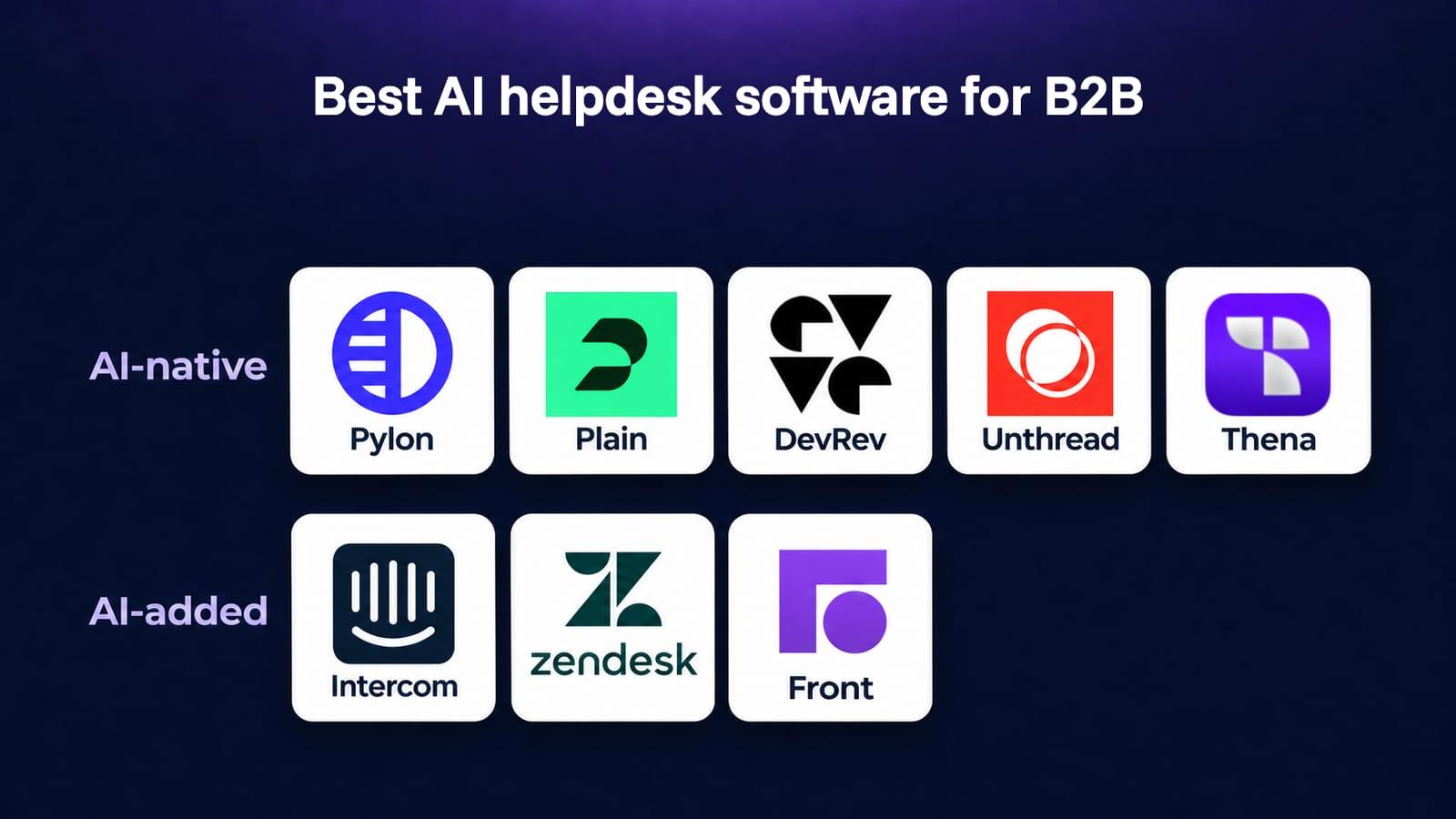
Best Support Tools for AI and Dev-Tool Companies in 2026: 11 Compared
28 min read

Keep exploring
More on Pylon migrations
Routes into Pylon
- Freshdesk to Pylon migration
- Front to Pylon migration
- Gorgias to Pylon migration
- Help Scout to Pylon migration
- HubSpot to Pylon migration
- Intercom to Pylon migration
- Jira Service Management to Pylon migration
- Kayako to Pylon migration
- Kustomer to Pylon migration
- Salesforce Service Cloud to Pylon migration
- Zendesk to Pylon migration
- Zoho Desk to Pylon migration
Related platforms
- Zendesk migration
- Freshdesk migration
- Salesforce Service Cloud migration
- Gorgias migration
- Intercom migration
- Help Scout migration
- Front migration
- Kustomer migration
- Zoho Desk migration
- Kayako migration
- ServiceNow migration
- Freshservice migration
- ManageEngine migration
- Jira Service Management migration
- HaloITSM migration
- Cherwell migration
- BMC Helix ITSM migration
- Dynamics 365 Sales migration
- HubSpot migration
- Pipedrive migration
- Salesforce Sales Cloud migration
- Zoho CRM migration
- ActiveCampaign migration
- Keap migration
- Redtail migration
- Wealthbox migration











Start with 100 of your records.
Scope my migrationFree sample migration of 100 of your records, plus a fixed quote within 24 hours.