
 GDPR compliant
 HIPAA compliant




HubSpot migration
HubSpot migration for Smart CRM and Service Hub
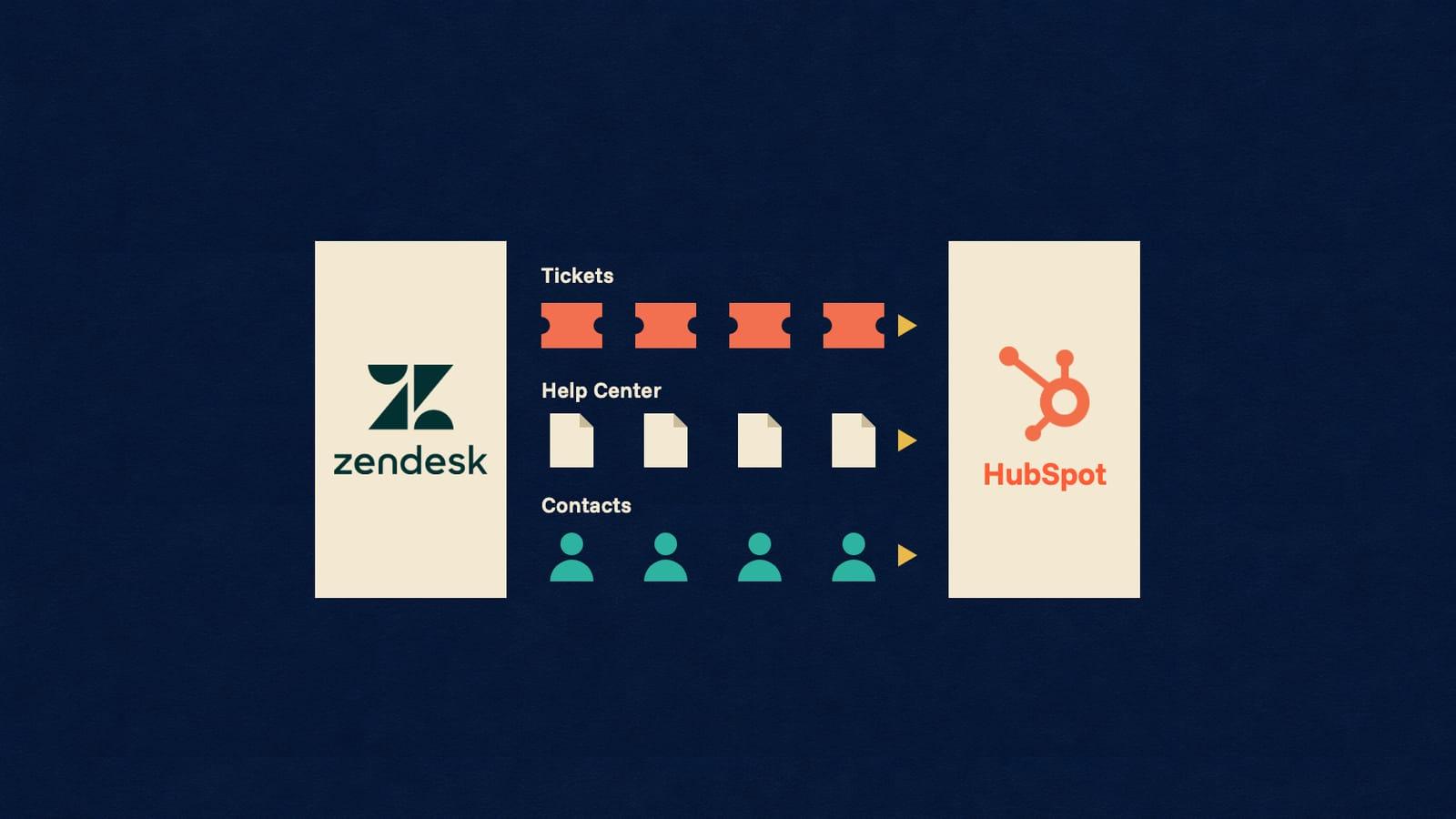
HubSpot keeps every customer record in Smart CRM, where contacts, companies, deals and tickets are linked by associations and each email, note and call sits on a record's timeline. Service Hub adds the help desk workspace, inbox conversations and a knowledge base on that same CRM. We bring Zendesk and Freshdesk support history into Service Hub, and move sales records between HubSpot and Salesforce, Pipedrive or Zoho CRM.
Scope my migrationFree sample migration of 100 of your records, plus a fixed quote within 24 hours.
- 1000+migrations
- 15 yearsof collective experience
 SOC 2 Type IIGDPR compliantHIPAA compliant
HubSpot migration at a glance
- Who it is for
- Support teams moving tickets and help articles into HubSpot Service Hub, and sales or revenue teams moving contacts, companies and deals into HubSpot Smart CRM or out of it.
- What moves
- For sales: contacts, companies, deals, pipelines, custom objects and timeline activities. For support: tickets, ticket pipelines, replies, internal notes, files and knowledge base articles. Associations and owners move for both.
- What does not move as-is
- Workflows, sequences, snippets and templates, help desk SLAs, reports, dashboards, views and survey responses. They are configuration or read-only data, so we list each one for rebuilding.
- What sets the scope
- Record counts per object, the activities and associations on each record, ticket conversations, file volume, knowledge base size, and how many apps already draw on the account's daily API limit.
What moves
What moves from HubSpot?
MigrateX moves HubSpot sales records (contacts, companies, deals and custom objects) and Service Hub support history (tickets, conversations, emails, notes, files and knowledge base articles), with the associations that link them.
- Contacts
- Companies
- Deals
- Custom objects
- Tickets
- Emails and notes
- Conversations
- Files
- Knowledge base articles
What does not move
What does not move from HubSpot as-is
Configuration, not data. We list each item in scope so your team can rebuild it in the target.
- Workflows
- What we do: HubSpot's workflow export omits each workflow's history, performance data and the emails it sends, so we list every workflow in scope with its trigger and actions for rebuilding in the destination.
Source: HubSpot Knowledge Base, checked 15 Nov 2026
- Survey responses (NPS, CSAT, CES)
- What we do: Read-only in HubSpot's API, so they cannot be recreated as responses. Past scores and comments move as ticket or contact properties instead.
Source: HubSpot developer documentation, checked 15 Nov 2026
- Sequences, snippets and email templates
- What we do: Documented with their text and steps, then rebuilt as sequences, snippets or templates, or as the destination's own equivalent.
- Help desk SLAs and business hours
- What we do: Set up again in the destination. SLA results on closed tickets can move as properties for reporting.
- Reports, dashboards and saved views
- What we do: Rebuilt on the migrated properties. Source record IDs are kept in a property so old reports can be matched.
- WhatsApp and Facebook Messenger channels
- What we do: Reconnected, not moved: HubSpot cannot move these two channels into help desk even inside one account. We list each connected channel so it is set up again at cutover.
Source: HubSpot Knowledge Base, checked 15 Nov 2026
What does a HubSpot migration have to handle?
A HubSpot migration is decided by five rules: associations have to be rebuilt link by link, Create date is fixed on every object except deals, imported activities cannot be corrected by a second import, inbox history cannot be replayed through a channel, and the knowledge base sits outside the CRM. Each is settled before the free sample.
- Associations are data in their own right
- In HubSpot a contact, its company, its deals and its tickets are separate records joined by associations. Batch association creates take 2,000 inputs per request and run on their own daily allowance, so a load writes records first and their links second, and an export has to read the links explicitly.
Source: HubSpot developer documentation, checked 15 Nov 2026
- Original dates have a home outside Create date
- HubSpot's Create date property is read-only for every object except deals, although its ticket property page says users can edit a ticket's Create date. Every source record keeps its created and closed dates in dedicated date properties, deals also take the original date in Create date, and Create date on contacts, companies and tickets is confirmed during your free sample. Emails and notes keep their real time through hs_timestamp.
Source: HubSpot Knowledge Base, checked 15 Nov 2026
- An activity load is final
- HubSpot cannot update existing emails, meetings, notes or tasks through an import, however the import is run. A conversation history loaded with the wrong author or date has to be deleted and loaded again, which is why the sample is signed off before the production run.
Source: HubSpot Knowledge Base, checked 15 Nov 2026
- Inbox history cannot be replayed
- A message posted to a HubSpot thread through the Conversations API is sent from the channel to the customer. Moving into HubSpot, past replies therefore land as email activities and notes on the ticket. Moving out, we read each thread's full message history, then fetch the original content of emails whose quoted reply history HubSpot cuts off.
Source: HubSpot developer documentation, checked 15 Nov 2026
- Help desk and inbox are different homes
- The help desk workspace is a Service Hub Professional and Enterprise feature, and HubSpot accounts created after 1 April 2024 have no tickets in the conversations inbox. We check which one your team works in before mapping a single ticket.
Source: HubSpot Knowledge Base, checked 15 Nov 2026
- Knowledge base articles arrive as drafts
- HubSpot's Knowledge base API is in beta and creates every new article in a DRAFT state, so imported articles are published in a reviewed batch. Categories and tags cannot be created through it; they are set up in the knowledge base settings first.
Source: HubSpot developer documentation, checked 15 Nov 2026
Free sample migration of 100 of your records. Fixed quote within 24 hours.
Scope my migrationMigration paths
Where can I move to or from HubSpot?
Routes we run from and into HubSpot. Open a route to see what migrates, or ask us about one that is not listed yet.
From HubSpot
Sales CRM routes into HubSpot
Support routes into HubSpot
191 connectors, all live
Every connector is live, so HubSpot can be paired with any of them. Some of the CRM platforms:
- Dynamics 365 Sales
- Freshsales
- monday CRM
- Zendesk Sell
- Attio
- Copper
- Close
- Insightly
Platform not listed?
We build new connectors in 2 to 3 days. Tell us what you run and we scope the route with you.
Timeline
Your HubSpot migration, step by step
Estimated total
About 10 business days
end to end
- MigrateXwe run it
- Youyour team acts
- Bothon a call together
Preparation
Day 1-2
Scoping call
Both0.5 dayA 30 minute call with the engineer who will run the migration, to agree the objects, date ranges and volumes in scope.
Connect both platforms
You0.5 dayYou create scoped API credentials on the source and the destination. Nothing is written until you sign off the mapping.
Field mapping review
Both1 dayWe walk through every field, pipeline stage and owner mapping with your team and note the ones that need a decision.
Migration
Day 3-7
Free sample migration of 100 records
MigrateX1 dayA sample of your real records is migrated end to end so you can see the result before the full run.
You review the sample
You1 dayYour team opens the migrated records and tells us what to adjust. We rerun the sample until it is right.
Full migration
MigrateX2-3 daysThe bulk pass runs in dependency order, paced to the destination rate limit. Your team keeps working normally.
Delta sync
MigrateX0.5 dayEverything created or changed during the bulk pass is synced at cutover so nothing falls between the two systems.
Validation
Day 8-10
Validation report
MigrateX1 dayRecord counts per object and per status on both sides, plus every record that needed a default or a placeholder.
Spot checks and sign-off
You1-2 daysYour sales managers check a random sample and sign off. We stay available for two weeks after go-live.
An estimate. Record volume, API rate limits and how fast your team reviews the sample all move it.
See how it works in detailData model
HubSpot data model and limits
How HubSpot holds the records that move, and the vendor limits that set the pace of the migration.
How does HubSpot store sales and support data?
HubSpot stores sales and support data as CRM records joined by associations: contacts, companies, deals and tickets, each with emails, notes, calls and tasks on its timeline. Service Hub adds inbox threads and knowledge base articles beside the CRM. Rows marked sales or Service Hub matter to one team; the rest move for both.
| Object | What it holds | How it links |
|---|---|---|
| Contacts and companies | People and the organisations they belong to, with standard and custom properties. | A record can have several associated companies but only one primary company. Source: HubSpot developer documentation |
| Deals (sales) | Sales opportunities, each in a deal pipeline and at one of its stages. | Associated to contacts and companies. Deals are the only HubSpot object whose Create date can be edited. Source: HubSpot Knowledge Base |
| Tickets (Service Hub) | Support requests: subject, status (hs_pipeline_stage) and, where there are several pipelines, hs_pipeline. | Associated to contacts, companies, conversations and activities. Without a pipeline, the default one is used. Source: HubSpot developer documentation |
| Pipelines and stages | The ordered stages of deals, tickets and custom objects; ticket stages are their statuses. | Each ticket stage carries a ticketState of OPEN or CLOSED. More than one ticket pipeline needs a Service Hub subscription. Source: HubSpot developer documentation |
| Email and note activities | Logged emails (body in hs_email_text, and hs_email_html for emails sent from a record) and internal notes (hs_note_body). | Associated to records; files attach through hs_attachment_ids, several IDs separated by semicolons. Source: HubSpot developer documentation |
| Calls, meetings and tasks | The other timeline activities, each with its own required fields. | Associated to records. The import file accepts them alongside emails and notes. Source: HubSpot Knowledge Base |
| Conversations (Service Hub) | Inbox and help desk threads from email, chat, forms and other channels, with their messages and internal comments. | Threads associate to contacts and tickets. Comments only appear in the inbox and are never sent to the customer. Source: HubSpot developer documentation |
| Owners | The users that records and activities are assigned to, through hubspot_owner_id. | Created automatically from HubSpot users. The Owners API is read-only, so users exist before any record is loaded. Source: HubSpot developer documentation |
| Associations and association labels | The links between any two records, optionally labelled (for example a billing contact on a company). | Typed by associationTypeId. Custom objects and custom labels get account-specific typeId values that have to be looked up. Source: HubSpot developer documentation |
| Custom objects (sales) | Business-specific records with their own properties, pipelines and associations. | Need an Enterprise tier of Sales Hub, Service Hub, Data Hub, Content Hub, Smart CRM or Revenue Hub. Source: HubSpot Knowledge Base |
| Knowledge base articles (Service Hub) | Help articles, organised by knowledge base, category and subcategory, with tags. | Content outside the CRM. The Knowledge base API is in beta and reads categories and tags without creating them. Source: HubSpot developer documentation |
| Survey responses (feedback_submissions) | NPS, CSAT, CES and custom survey answers. | Linked to their survey. The API is read-only: responses can be exported but not created. Source: HubSpot developer documentation |
Contacts and companies
- What it holds
- People and the organisations they belong to, with standard and custom properties.
- How it links
- A record can have several associated companies but only one primary company.
Source: HubSpot developer documentation
Deals (sales)
- What it holds
- Sales opportunities, each in a deal pipeline and at one of its stages.
- How it links
- Associated to contacts and companies. Deals are the only HubSpot object whose Create date can be edited.
Source: HubSpot Knowledge Base
Tickets (Service Hub)
- What it holds
- Support requests: subject, status (hs_pipeline_stage) and, where there are several pipelines, hs_pipeline.
- How it links
- Associated to contacts, companies, conversations and activities. Without a pipeline, the default one is used.
Source: HubSpot developer documentation
Pipelines and stages
- What it holds
- The ordered stages of deals, tickets and custom objects; ticket stages are their statuses.
- How it links
- Each ticket stage carries a ticketState of OPEN or CLOSED. More than one ticket pipeline needs a Service Hub subscription.
Source: HubSpot developer documentation
Email and note activities
- What it holds
- Logged emails (body in hs_email_text, and hs_email_html for emails sent from a record) and internal notes (hs_note_body).
- How it links
- Associated to records; files attach through hs_attachment_ids, several IDs separated by semicolons.
Source: HubSpot developer documentation
Calls, meetings and tasks
- What it holds
- The other timeline activities, each with its own required fields.
- How it links
- Associated to records. The import file accepts them alongside emails and notes.
Source: HubSpot Knowledge Base
Conversations (Service Hub)
- What it holds
- Inbox and help desk threads from email, chat, forms and other channels, with their messages and internal comments.
- How it links
- Threads associate to contacts and tickets. Comments only appear in the inbox and are never sent to the customer.
Source: HubSpot developer documentation
Owners
- What it holds
- The users that records and activities are assigned to, through hubspot_owner_id.
- How it links
- Created automatically from HubSpot users. The Owners API is read-only, so users exist before any record is loaded.
Source: HubSpot developer documentation
Associations and association labels
- What it holds
- The links between any two records, optionally labelled (for example a billing contact on a company).
- How it links
- Typed by associationTypeId. Custom objects and custom labels get account-specific typeId values that have to be looked up.
Source: HubSpot developer documentation
Custom objects (sales)
- What it holds
- Business-specific records with their own properties, pipelines and associations.
- How it links
- Need an Enterprise tier of Sales Hub, Service Hub, Data Hub, Content Hub, Smart CRM or Revenue Hub.
Source: HubSpot Knowledge Base
Knowledge base articles (Service Hub)
- What it holds
- Help articles, organised by knowledge base, category and subcategory, with tags.
- How it links
- Content outside the CRM. The Knowledge base API is in beta and reads categories and tags without creating them.
Source: HubSpot developer documentation
Survey responses (feedback_submissions)
- What it holds
- NPS, CSAT, CES and custom survey answers.
- How it links
- Linked to their survey. The API is read-only: responses can be exported but not created.
Source: HubSpot developer documentation
HubSpot objects that hold sales and support data, as of November 2026. Source: HubSpot developer documentation and HubSpot Knowledge Base, linked per row.
Which HubSpot limits set the pace?
HubSpot limits depend on the subscription tier and are counted per account, so a migration shares them with every app already connected. These are the allowances that set how fast records, activities, associations and files move into or out of HubSpot, and what its own export, backup and import features can carry.
| Limit | Allowance |
|---|---|
| Daily API limit per account | 250,000 requests on Free and Starter, 625,000 on Professional and 1,000,000 on Enterprise, shared by every app in the account and reset at midnight in the account's time zone. Source: HubSpot developer documentation |
| Burst limit per privately distributed app | 100 requests per 10 seconds on Free and Starter, 190 on Professional and Enterprise. Each API Limit Increase raises it to 250 and adds 1,000,000 requests a day, with at most two increases. Source: HubSpot developer documentation |
| Batch create, update and upsert | 100 records per request, matched on Record ID or on a custom unique identifier property through idProperty. Source: HubSpot developer documentation |
| Associations API | 500,000 requests a day on Professional and Enterprise (1,000,000 at most with a limit increase), and 100 or 150 requests per 10 seconds by tier. Batch reads take 1,000 inputs. Source: HubSpot developer documentation |
| CRM Search API | Five requests a second per account, 200 records a page and 10,000 results per query. Archived records never appear, and recent writes can take a few moments to show. Source: HubSpot developer documentation |
| File imports on paid accounts | Files up to 512 MB, 500 imports and 10,000,000 rows a rolling 24 hours, at most 1,048,576 rows per file. Three imports run at once, and only two of them above 10,000 rows. Source: HubSpot Knowledge Base |
| Imports API | 80,000,000 rows a day, with each file still limited to 1,048,576 rows or 512 MB; above that HubSpot returns HTTP 429. Source: HubSpot developer documentation |
| Record exports from the app | 300 exports a rolling 24 hours and three at once, with Export permissions. Activities such as calls and notes are not included, and download links expire after 30 days. Source: HubSpot Knowledge Base |
| Exports API | Thirty exports a rolling 24 hours, one at a time, with up to four associated objects per request exported as record IDs and 1,000 associations per row by default. Source: HubSpot developer documentation |
| CRM data backup | Weekly on Starter and Professional, every 24 hours on Enterprise, for Super Admins. It leaves out associations and activity data, so it is a backup, not a migration source. Source: HubSpot Knowledge Base |
| Note body | 65,536 characters per note (hs_note_body). Source: HubSpot developer documentation |
| Files | Up to 2 GB per file on paid plans (HubSpot warns of issues from 1 GB) and 20 MB on the free plan, with no total storage limit. Source: HubSpot Knowledge Base |
| Pipelines | Up to 100 stages per deal, ticket or custom object pipeline. Custom pipelines are one allowance across objects: 15 on Starter, 100 on Professional (350 on Flexible Seats & Credits portals) and 350 on Enterprise. Source: HubSpot Knowledge Base |
| Association labels | Up to 50 labels per object pair, on Professional and Enterprise subscriptions. Source: HubSpot Knowledge Base |
| Knowledge base import | 400 articles per import, from a Freshdesk, Help Scout, Zendesk or Intercom knowledge base or a CSV file. Tables are not supported and every article lands in the primary language. Source: HubSpot Knowledge Base |
Daily API limit per account
- Allowance
- 250,000 requests on Free and Starter, 625,000 on Professional and 1,000,000 on Enterprise, shared by every app in the account and reset at midnight in the account's time zone.
Source: HubSpot developer documentation
Burst limit per privately distributed app
- Allowance
- 100 requests per 10 seconds on Free and Starter, 190 on Professional and Enterprise. Each API Limit Increase raises it to 250 and adds 1,000,000 requests a day, with at most two increases.
Source: HubSpot developer documentation
Batch create, update and upsert
- Allowance
- 100 records per request, matched on Record ID or on a custom unique identifier property through idProperty.
Source: HubSpot developer documentation
Associations API
- Allowance
- 500,000 requests a day on Professional and Enterprise (1,000,000 at most with a limit increase), and 100 or 150 requests per 10 seconds by tier. Batch reads take 1,000 inputs.
Source: HubSpot developer documentation
CRM Search API
- Allowance
- Five requests a second per account, 200 records a page and 10,000 results per query. Archived records never appear, and recent writes can take a few moments to show.
Source: HubSpot developer documentation
File imports on paid accounts
- Allowance
- Files up to 512 MB, 500 imports and 10,000,000 rows a rolling 24 hours, at most 1,048,576 rows per file. Three imports run at once, and only two of them above 10,000 rows.
Source: HubSpot Knowledge Base
Imports API
- Allowance
- 80,000,000 rows a day, with each file still limited to 1,048,576 rows or 512 MB; above that HubSpot returns HTTP 429.
Source: HubSpot developer documentation
Record exports from the app
- Allowance
- 300 exports a rolling 24 hours and three at once, with Export permissions. Activities such as calls and notes are not included, and download links expire after 30 days.
Source: HubSpot Knowledge Base
Exports API
- Allowance
- Thirty exports a rolling 24 hours, one at a time, with up to four associated objects per request exported as record IDs and 1,000 associations per row by default.
Source: HubSpot developer documentation
CRM data backup
- Allowance
- Weekly on Starter and Professional, every 24 hours on Enterprise, for Super Admins. It leaves out associations and activity data, so it is a backup, not a migration source.
Source: HubSpot Knowledge Base
Note body
- Allowance
- 65,536 characters per note (hs_note_body).
Source: HubSpot developer documentation
Files
- Allowance
- Up to 2 GB per file on paid plans (HubSpot warns of issues from 1 GB) and 20 MB on the free plan, with no total storage limit.
Source: HubSpot Knowledge Base
Pipelines
- Allowance
- Up to 100 stages per deal, ticket or custom object pipeline. Custom pipelines are one allowance across objects: 15 on Starter, 100 on Professional (350 on Flexible Seats & Credits portals) and 350 on Enterprise.
Source: HubSpot Knowledge Base
Association labels
- Allowance
- Up to 50 labels per object pair, on Professional and Enterprise subscriptions.
Source: HubSpot Knowledge Base
Knowledge base import
- Allowance
- 400 articles per import, from a Freshdesk, Help Scout, Zendesk or Intercom knowledge base or a CSV file. Tables are not supported and every article lands in the primary language.
Source: HubSpot Knowledge Base
HubSpot limits that shape a migration, as of 15 November 2026. Source: HubSpot developer documentation and HubSpot Knowledge Base, linked per row.
Facts checked 15 Nov 2026. Sources: HubSpot developer documentation and HubSpot Knowledge Base.
HubSpot migration questions
Still unsure? Ask us on the scoping call.
What does a HubSpot migration cost?
The cost of a HubSpot migration follows what moves for each team. For sales, that is contacts, companies, deals and custom objects with their associations and timeline activities. For support, it is tickets with their replies, notes and files, plus knowledge base articles. MigrateX migrates 100 of your records as a free sample, and a fixed quote follows within 24 hours.
How long does a HubSpot migration take?
Our default plan is about 10 business days end to end. On HubSpot the pace is set by the account's daily API limit, which every connected app shares, and by the separate associations allowance, because each email, note and link is its own call. Adding an API Limit Increase speeds a large load. The free sample measures the pace on your data.
How do I export all my data from HubSpot, emails and notes included?
Through the API, not the export button. HubSpot's record export leaves out activities such as emails, calls and notes, its CRM backup leaves out associations and activity data, and inbox conversations have no file export at all. MigrateX reads records, associations, activities and threads through HubSpot's APIs, so nothing depends on a spreadsheet.
Should we use HubSpot Smart Transfer instead of a migration service?
Smart Transfer works when your source is on its list and your data is simple. It moves data one way into HubSpot, only a Super Admin can run it, custom field mappings need a Data Hub subscription, and it creates workflows that it switches on automatically. MigrateX also moves data out of HubSpot, covers sources beyond that list, and switches nothing on in your account.
Do original created dates and owners carry over into HubSpot?
Owners and activity times do, and every original record date is kept in a dedicated property. Each email and note sits on the HubSpot timeline at its original time, with its owner shown as the author. Deals, the one object whose Create date HubSpot lets you edit, also take the original date there; for contacts, companies and tickets, Create date is confirmed during your free sample.
Does the HubSpot free plan allow CSV import, and is that enough to migrate?
Yes, HubSpot's free plan imports CSV files of up to 20 MB, with up to 50 imports and 500,000 rows a day. It suits a contact list, not a full history: associations, files, inbox threads and knowledge base structure need the API, which is how MigrateX loads them on any HubSpot tier.
Can we move from HubSpot to another CRM without losing record links?
Yes. MigrateX reads HubSpot contacts, companies, deals, tickets and custom objects through the CRM APIs together with their associations and timeline activities, then rebuilds every link in the destination. A spreadsheet export is the step that loses them, since the Exports API gives associated records only as IDs.
What access do you need to our HubSpot account?
A privately distributed app with read scopes on the objects in scope, plus write scopes when HubSpot is the destination, so we never need anyone's login. Its calls count towards the daily limit your other apps share, and we pace to it. MigrateX is SOC 2 Type II, GDPR and HIPAA compliant, signs a DPA or BAA, and isolates each migration.
Guides
Guides for a HubSpot migration





Keep exploring
More on HubSpot migrations
Routes from HubSpot
Routes into HubSpot
Related platforms
- Dynamics 365 Sales migration
- Pipedrive migration
- Salesforce Sales Cloud migration
- Zoho CRM migration
- Zendesk migration
- Freshdesk migration
- ServiceNow migration
- Freshservice migration
- ManageEngine migration
- Jira Service Management migration
- HaloITSM migration
- Cherwell migration
- BMC Helix ITSM migration
- Salesforce Service Cloud migration
- Gorgias migration
- Intercom migration











Start with 100 of your records.
Scope my migrationFree sample migration of 100 of your records, plus a fixed quote within 24 hours.