
 GDPR compliant
 HIPAA compliant





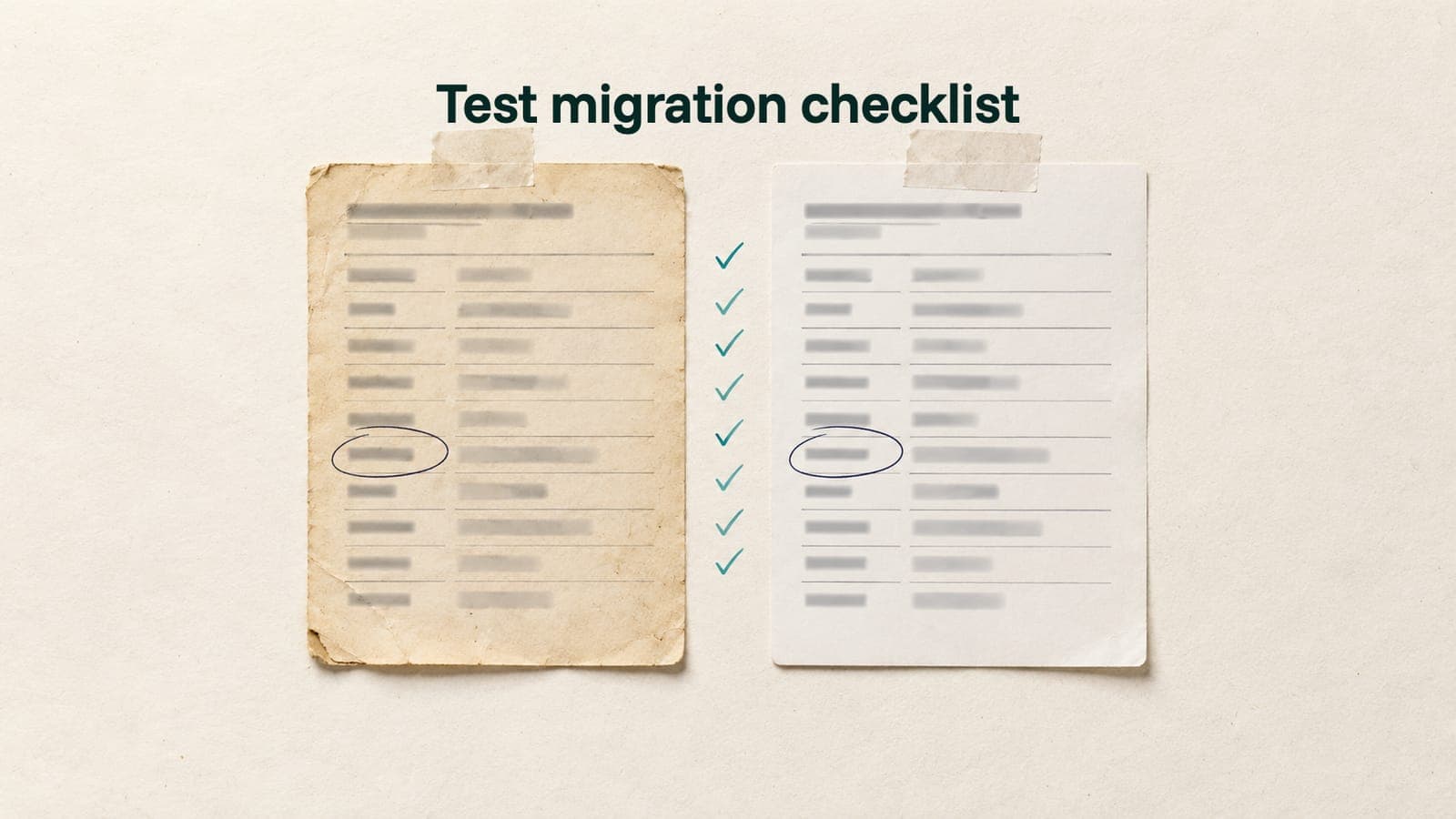
Keap migration
Keap migration
Keap is a CRM and automation platform built around the contact: notes, tasks, opportunities, orders and emails all hang off one contact, and tags drive the automations contacts move through. MigrateX migrates your CRM history into Keap or out of it, with AI-powered mapping and 100% data fidelity.Last updated
Scope my migrationFree sample migration of 100 of your records, plus a fixed quote within 24 hours.
- 1000+migrations
- 15 yearsof collective experience
 SOC 2 Type IIGDPR compliantHIPAA compliant
Keap migration at a glance
- Who it is for
- Sales and marketing teams moving contacts, companies and opportunities into Keap or out of it, including teams whose tags and custom fields drive their automations.
- What moves
- Contacts, companies, opportunities with pipeline stages, tags, notes, tasks, appointments, emails, files, products, product interests, custom fields and record owners, plus custom objects out of Keap and orders into it.
- What does not move as-is
- Automations and campaigns, with their goals and sequences, are configuration, so we list each one for your team to set up again.
- What sets the scope
- Contact and company counts, how many notes, tasks, emails and files sit on each contact, the number of tags and custom fields, whether products and orders come too, and Keap's per-account throttle.
- Export
- Keap's contacts export carries contacts and custom fields but leaves out tags and notes. Those come out through the Keap API, and tags can be matched through the Tag Tracker report.Export and backupRate limits
- Category
- A CRM and marketing automation platform, listed with the CRM platforms.CRM platforms
What moves
What moves from Keap?
MigrateX maps Keap's records onto the platform on the other side: companies become companies or accounts, contacts become contacts or people with their company link, opportunities become deals in matching pipeline stages, notes, tasks, appointments and emails stay on the contact they belong to, and owners are matched by email, with tags, products, product interests, files and custom fields alongside.
- Contacts
- Companies
- Opportunities
- Notes
- Tasks and appointments
- Orders and subscriptions
- Products
- Emails
- Files
- Tags
- Custom fields
What does not move
What does not move from Keap as-is
Configuration, not data. We list each item in scope so your team can rebuild it in the target.
Automations and campaigns
What we do: Configuration, not data. Keap automations are goals and sequences that contacts move through, so your team documents the ones you use and rebuilds them in the destination.Source: Keap developer documentation, checked 22 Nov 2026
Tag goals
What we do: When Keap is the destination, a tag applied through the API satisfies tag goals. Your admin reviews them before the run, and switches them on again after sign-off.Source: web.archive.org, checked 22 Nov 2026
Webhooks (REST Hooks)
What we do: Keap's REST Hooks belong to its v1 API, with no v2 equivalent. We hand over the list in use, so your team points the destination's equivalents at the same systems after go-live.Source: Keap developer documentation, checked 22 Nov 2026
Affiliates and referrals
What we do: Affiliates, their commission programs and referrals are listed in the mapping review, and your team decides whether the destination has a home for them.Source: Keap developer documentation, checked 22 Nov 2026
Reports and dashboards
What we do: Reports are built from the data, so they are rebuilt in the destination once the run is signed off.
What does a Keap migration have to handle?
A Keap migration has to share one per-account throttle, read the sales pipeline from a separate API, carry tags and notes that the contacts export leaves out, and keep applied tags from starting automations. Here is how MigrateX handles each point, agreed with your Keap admin before the free sample.
One throttle for the whole account
Keap throttles each account at 500 calls a minute, on top of each key's own quota and a spike policy of 25 calls a second. MigrateX paces each run against those layers, with a filter or paging window on every list request, as Keap asks.
Source: Keap developer documentation, checked 22 Nov 2026
The sales pipeline sits in its own API
Keap serves deals, pipelines and stages through the Keap Services API, separate from the Keap CRM API that holds contacts and opportunities. When Keap is the source, both are read, so no pipeline data is missed.
Source: Keap developer documentation, checked 22 Nov 2026
Tags and notes come from the API
Keap's contacts export does not include tags or notes. When Keap is the source, tags and notes are read through the Keap API and filed on the contact they belong to.
Source: web.archive.org, checked 22 Nov 2026
Applied tags can start automations
Keap counts a tag goal as met whenever a tag is applied, by the API too, and the sequence keeps running even if the tag is removed. When Keap is the destination, tag goals are reviewed with your admin first, and MigrateX never sends customer notifications during a migration.
Source: web.archive.org, checked 22 Nov 2026
Every contact needs a way to reach it
Keap requires a new contact to carry at least one email address, phone number or address. Source records with none are listed before the run, and any default or fallback is a warning on that record in the run report you sign off.
Source: Keap developer documentation, checked 22 Nov 2026
A key that sees all the data
A Keap personal access token sees what its user sees and no more, while a service account key, created by admins, reaches all stored data. MigrateX asks for a service account key, so no record is skipped for visibility.
Source: Keap developer documentation, checked 22 Nov 2026
A one-off migration, not a continuous sync
Keap restricts continuous or very frequent sync and export over its API. A MigrateX run reads each record for the migration and stops, so it stays inside Keap's guidance.
Source: Keap developer documentation, checked 22 Nov 2026
Free sample migration of 100 of your records. Fixed quote within 24 hours.
Scope my migrationMigration paths
Where can I move to or from Keap?
Routes we run from and into Keap. Open a route to see what migrates, or ask us about one that is not listed yet.
From Keap
191 connectors, all live
Every connector is live, so any of them can be migrated into Keap or out of it. Some of the CRM platforms:
- Salesforce Sales Cloud
- Dynamics 365 Sales
- Pipedrive
- Freshsales
- monday CRM
- Zendesk Sell
- Attio
- Copper
- Close
- Insightly
Platform not listed?
We build new connectors on request. Tell us what you run and we scope the route with you.
Timeline
Your Keap migration, step by step
Set on the scoping call. Record volume, rate limits and how fast your team reviews the sample all shape the plan. See how it works in detail
Preparation
Scope
Confirm what moves and where
Migration
Free sample
100 records, checked by you
Full run
AI maps, moves and verifies
Delta sync
Catches changes at cutover
Validation
Sign-off
Your team signs off
Export and backup
How do I export and back up data from Keap?
Keap offers a contacts export in the app and its REST API for full records. Teams use these paths to keep a backup, to report on CRM data elsewhere, and to answer audit or compliance requests.
| Path | What it gives you | Plan |
|---|---|---|
| Contacts export | Selected or all contacts with custom fields. Up to 1,000 download as a CSV, and larger exports arrive as an emailed link, valid 24 hours, for someone who can log into Keap. Tags and notes are not included. | Keap (the help article is tagged Keap Pro and Keap Max) Source: web.archive.org |
| Tag Tracker report | Matches exported contact IDs with their applied tags, since tags cannot be exported with contacts. | Keap Pro and Keap Max Source: web.archive.org |
| REST API v2 (and v1, XML-RPC) | Contacts, companies, notes, tasks, opportunities, orders, subscriptions, products, files, emails, tags and custom fields as JSON. Deals live in the separate Keap Services API. | OAuth app, personal access token or service account key Source: Keap developer documentation |
Contacts export
- What it gives you
- Selected or all contacts with custom fields. Up to 1,000 download as a CSV, and larger exports arrive as an emailed link, valid 24 hours, for someone who can log into Keap. Tags and notes are not included.
- Plan
- Keap (the help article is tagged Keap Pro and Keap Max)
Source: web.archive.org
Tag Tracker report
- What it gives you
- Matches exported contact IDs with their applied tags, since tags cannot be exported with contacts.
- Plan
- Keap Pro and Keap Max
Source: web.archive.org
REST API v2 (and v1, XML-RPC)
- What it gives you
- Contacts, companies, notes, tasks, opportunities, orders, subscriptions, products, files, emails, tags and custom fields as JSON. Deals live in the separate Keap Services API.
- Plan
- OAuth app, personal access token or service account key
Source: Keap developer documentation
Ways to export and back up data from Keap, as of 22 November 2026. Sources: Keap developer documentation and an archived Keap help article, linked per row.
Data model
Keap data model and limits
How Keap holds the records that move, and the vendor limits that set the pace of the migration.
How does Keap store CRM data?
Keap stores CRM work on the contact. A contact can belong to a company and owns its notes, tasks, opportunities, orders and emails. Tags and custom fields describe contacts, and the sales pipeline of deals and stages sits in a separate Keap Services API.
| Object | What it holds | How it links |
|---|---|---|
| Contact | A person with names, email addresses, phone and fax numbers, addresses, company, owner, lead source, tags, score, social accounts, UTM parameters and custom fields. | Optionally tied to a company, owns notes, tasks, opportunities, orders and emails, and can be linked to other contacts by link type. Lands as a contact or person. Source: Keap developer documentation |
| Company | A B2B organisation with name, address, phone, fax, email, website and custom fields. | Contacts belong to a company, and companies can carry tags. Lands as a company, account or organization. Source: Keap developer documentation |
| Opportunity | A sales opportunity moving through stages, with custom fields. | Tied to a contact, and stage moves are recorded. Lands as a deal or opportunity. Source: Keap developer documentation |
| Deal (sales pipeline) | Deals in pipelines and stages, with custom fields, served by the separate Keap Services API. | Belongs to a pipeline stage and can be listed per contact. Lands as a deal in a matching pipeline. Source: Keap developer documentation |
| Note | A title, text, type, assigned user, pinned flag and custom fields. | Child of one contact. Lands as a note on the same record. Source: Keap developer documentation |
| Task and appointment | A task's title, description, type, priority, due and completion times, reminder and assignee, and task appointments. | Child of a contact, optionally tied to an opportunity. Lands as a task or meeting. Source: Keap developer documentation |
| Records of emails sent to contacts. | Tied to a contact. Lands as an email activity. Source: Keap developer documentation | |
| File | Uploaded files. | Tied to a contact or attached to an order invoice. Lands as an attachment on the same record. Source: Keap developer documentation |
| Order and subscription | Orders with items, payments and custom fields, and recurring subscriptions with custom fields. | Orders are tied to a contact. Mapped to the destination's orders or custom records in the mapping review. Source: Keap developer documentation |
| Product | Products, categories and subscription plans. | Referenced by orders and product interests. Lands as products or line items. Source: Keap developer documentation |
| Tag | Tags and tag categories. | Applied to contacts and companies. Lands as tags or a multi-value field. Source: Keap developer documentation |
| Custom field | Field definitions with groups and tabs for contacts, companies, notes, tasks, opportunities, orders, subscriptions and affiliates. | Values sit on each record. Rebuilt as custom properties or fields in the destination. Source: Keap developer documentation |
| User | App users and user groups. | Own contacts, notes and tasks. Matched to the destination's users by email. Source: Keap developer documentation |
Contact
- What it holds
- A person with names, email addresses, phone and fax numbers, addresses, company, owner, lead source, tags, score, social accounts, UTM parameters and custom fields.
- How it links
- Optionally tied to a company, owns notes, tasks, opportunities, orders and emails, and can be linked to other contacts by link type. Lands as a contact or person.
Source: Keap developer documentation
Company
- What it holds
- A B2B organisation with name, address, phone, fax, email, website and custom fields.
- How it links
- Contacts belong to a company, and companies can carry tags. Lands as a company, account or organization.
Source: Keap developer documentation
Opportunity
- What it holds
- A sales opportunity moving through stages, with custom fields.
- How it links
- Tied to a contact, and stage moves are recorded. Lands as a deal or opportunity.
Source: Keap developer documentation
Deal (sales pipeline)
- What it holds
- Deals in pipelines and stages, with custom fields, served by the separate Keap Services API.
- How it links
- Belongs to a pipeline stage and can be listed per contact. Lands as a deal in a matching pipeline.
Source: Keap developer documentation
Note
- What it holds
- A title, text, type, assigned user, pinned flag and custom fields.
- How it links
- Child of one contact. Lands as a note on the same record.
Source: Keap developer documentation
Task and appointment
- What it holds
- A task's title, description, type, priority, due and completion times, reminder and assignee, and task appointments.
- How it links
- Child of a contact, optionally tied to an opportunity. Lands as a task or meeting.
Source: Keap developer documentation
Email
- What it holds
- Records of emails sent to contacts.
- How it links
- Tied to a contact. Lands as an email activity.
Source: Keap developer documentation
File
- What it holds
- Uploaded files.
- How it links
- Tied to a contact or attached to an order invoice. Lands as an attachment on the same record.
Source: Keap developer documentation
Order and subscription
- What it holds
- Orders with items, payments and custom fields, and recurring subscriptions with custom fields.
- How it links
- Orders are tied to a contact. Mapped to the destination's orders or custom records in the mapping review.
Source: Keap developer documentation
Product
- What it holds
- Products, categories and subscription plans.
- How it links
- Referenced by orders and product interests. Lands as products or line items.
Source: Keap developer documentation
Tag
- What it holds
- Tags and tag categories.
- How it links
- Applied to contacts and companies. Lands as tags or a multi-value field.
Source: Keap developer documentation
Custom field
- What it holds
- Field definitions with groups and tabs for contacts, companies, notes, tasks, opportunities, orders, subscriptions and affiliates.
- How it links
- Values sit on each record. Rebuilt as custom properties or fields in the destination.
Source: Keap developer documentation
User
- What it holds
- App users and user groups.
- How it links
- Own contacts, notes and tasks. Matched to the destination's users by email.
Source: Keap developer documentation
Keap objects that hold CRM data, as of 22 November 2026. Source: Keap developer documentation, linked per row.
Which Keap rate limits set the pace?
Keap protects its API with three layers: daily and per-minute quotas for each credential, per-second spike protection, and a throttle for each Keap account. These are the limits that decide how fast contacts and their history can be read from Keap or written into it.
| Limit | Allowance |
|---|---|
| Per-account throttle | 500 calls a minute for each Keap account, set by Keap. Source: Keap developer documentation |
| Spike protection | 25 calls a second for every consumer. It is not reported in response headers. Source: Keap developer documentation |
| OAuth app requests | 1,500 queries a minute and 150,000 a day for each OAuth key and secret pair, across every Keap application it reaches. The daily quota resets at 00:00 UTC. Source: Keap developer documentation |
| Personal and service account keys | 10 queries a second, 240 a minute and 30,000 a day for each key, which reaches one Keap application. The daily quota resets at 00:00 UTC. Source: Keap developer documentation |
| List and search requests | Keap asks for a filter or paging window on every list and search request, and holds back unbounded queries. Source: Keap developer documentation |
| API access | Admins create a service account key under Settings > API Settings. Keap shows the full key once, and a lost key is replaced with a new one. Source: Keap developer documentation |
Per-account throttle
- Allowance
- 500 calls a minute for each Keap account, set by Keap.
Source: Keap developer documentation
Spike protection
- Allowance
- 25 calls a second for every consumer. It is not reported in response headers.
Source: Keap developer documentation
OAuth app requests
- Allowance
- 1,500 queries a minute and 150,000 a day for each OAuth key and secret pair, across every Keap application it reaches. The daily quota resets at 00:00 UTC.
Source: Keap developer documentation
Personal and service account keys
- Allowance
- 10 queries a second, 240 a minute and 30,000 a day for each key, which reaches one Keap application. The daily quota resets at 00:00 UTC.
Source: Keap developer documentation
List and search requests
- Allowance
- Keap asks for a filter or paging window on every list and search request, and holds back unbounded queries.
Source: Keap developer documentation
API access
- Allowance
- Admins create a service account key under Settings > API Settings. Keap shows the full key once, and a lost key is replaced with a new one.
Source: Keap developer documentation
Keap rate limits that shape a migration, as of 22 November 2026. Source: Keap developer documentation, linked per row.
Facts checked 22 Nov 2026. Sources: Keap developer documentation, web.archive.org and Keap website.
Plans and pricing
Keap plans, pricing and AI
Keap sells one plan with the whole platform, priced by number of contacts. These are Keap's published terms, so you can see what applies before an export or import.
| Item | What the vendor publishes |
|---|---|
| Keap | One plan with the whole platform, priced by number of contacts. 2 user licences included, and extra users are $39 a month each. Source: Keap website |
| Annual contract | A $299 early termination fee applies when an annual contract is cancelled before the end of its term. Source: Keap website |
Keap
- What the vendor publishes
- One plan with the whole platform, priced by number of contacts. 2 user licences included, and extra users are $39 a month each.
Source: Keap website
Annual contract
- What the vendor publishes
- A $299 early termination fee applies when an annual contract is cancelled before the end of its term.
Source: Keap website
Keap plan and contract terms as published on 22 November 2026. Source: Keap pricing page.
Keap migration questions
Still unsure? Ask us on the scoping call.
What does a Keap migration cost?
Keap migration pricing follows the contacts, companies and opportunities in scope, how many notes, tasks, emails and files sit on each contact, the number of tags and custom fields, and whether products and orders are included. The first step is a free sample migration of 100 of your records, with a fixed quote sent within 24 hours of it.
How long does a Keap migration take?
It depends mostly on volume and on Keap's limits. Each Keap account has a throttle of 500 calls a minute, on top of each key's own quota and a spike policy of 25 calls a second. Notes, tasks, emails and files each add calls per contact, so the pace is set on the scoping call once volumes are known.
Can I export all my data from Keap?
Records, yes, through the Keap API. Keap's contacts export carries contacts and custom fields but leaves out tags and notes, and Keap Pro and Max users can match tags through the Tag Tracker report. Notes, tasks, opportunities, orders, files and emails come out through the REST API, which is the path MigrateX reads when Keap is the source.
Do Keap tags and notes move?
Yes. Tags and tag categories move with the contacts and companies they are applied to, and every note moves with its title, type and assigned user onto the same contact. Because Keap's contacts export leaves both out, MigrateX reads them through the Keap API, and the run report shows the counts read and written.
Will importing into Keap start my automations?
Not from MigrateX. Keap counts a tag goal as met whenever a tag is applied, by the API too, and the sequence keeps running even if the tag is removed. When Keap is the destination, your admin reviews tag goals before the run, and MigrateX never sends customer notifications during a migration. Automations are switched on after sign-off.
Do Keap opportunities and the sales pipeline move?
Yes. Opportunities move with their stage, contact and custom fields. Keap serves deals, pipelines and stages through the separate Keap Services API, so when Keap is the source both APIs are read, and pipeline stages are rebuilt in the destination before deals land in their matching stage, as agreed in the mapping review.
What access and security does a Keap migration need?
A service account key, created by a Keap admin under Settings > API Settings, which reaches all stored data. A personal access token sees what its user sees and no more, so it can miss records. Keap shows the full key once. MigrateX is SOC 2 Type II, GDPR and HIPAA compliant, and works with the access your admin grants.
Guides
Guides for a Keap migration


Keep exploring
More on Keap migrations
Routes from Keap
Stories and connectors
Related platforms
- Dynamics 365 Sales migration
- HubSpot migration
- Pipedrive migration
- Salesforce Sales Cloud migration
- Zoho CRM migration
- ActiveCampaign migration
- Redtail migration
- Wealthbox migration
- Zendesk migration
- Freshdesk migration
- ServiceNow migration
- Freshservice migration
- ManageEngine migration
- Jira Service Management migration
- HaloITSM migration
- Cherwell migration
- BMC Helix ITSM migration
- Salesforce Service Cloud migration
- Gorgias migration
- Intercom migration
- Pylon migration
- Help Scout migration
- Front migration
- Kustomer migration
- Zoho Desk migration
- Kayako migration


















Start with 100 of your records.
Scope my migrationFree sample migration of 100 of your records, plus a fixed quote within 24 hours.