



 GDPR compliant
 HIPAA compliant


FreshdeskPylon
Freshdesk to Pylon migration
Pylon is the B2B support platform at usepylon.com. MigrateX migrates your Freshdesk tickets, contacts and knowledge base into it with AI-powered migration and 100% data fidelity.
Scope my migration
Free sample migration of 100 of your records, plus a fixed quote within 24 hours.
Last updated · 14 object types mapped
- 1000+migrations
- 15 yearsof collective experience
 SOC 2 Type IIGDPR compliantHIPAA compliant
Freshdesk to Pylon at a glance
MigrateX migrates your Freshdesk companies, contacts, tickets and solution articles into Pylon's accounts, contacts, issues and knowledge base, with AI-powered mapping and 100% data fidelity. Your team checks a free sample of 100 records before the full run.
Details
- What moves
- Companies, contacts, agents, groups, and tickets with their replies, notes and attachments, plus ticket fields, tags and solution articles.
- What stays behind
- Automations, canned responses and SLA policies. They are configuration, not records, and your admin rebuilds them in Pylon.
- What sets the pace
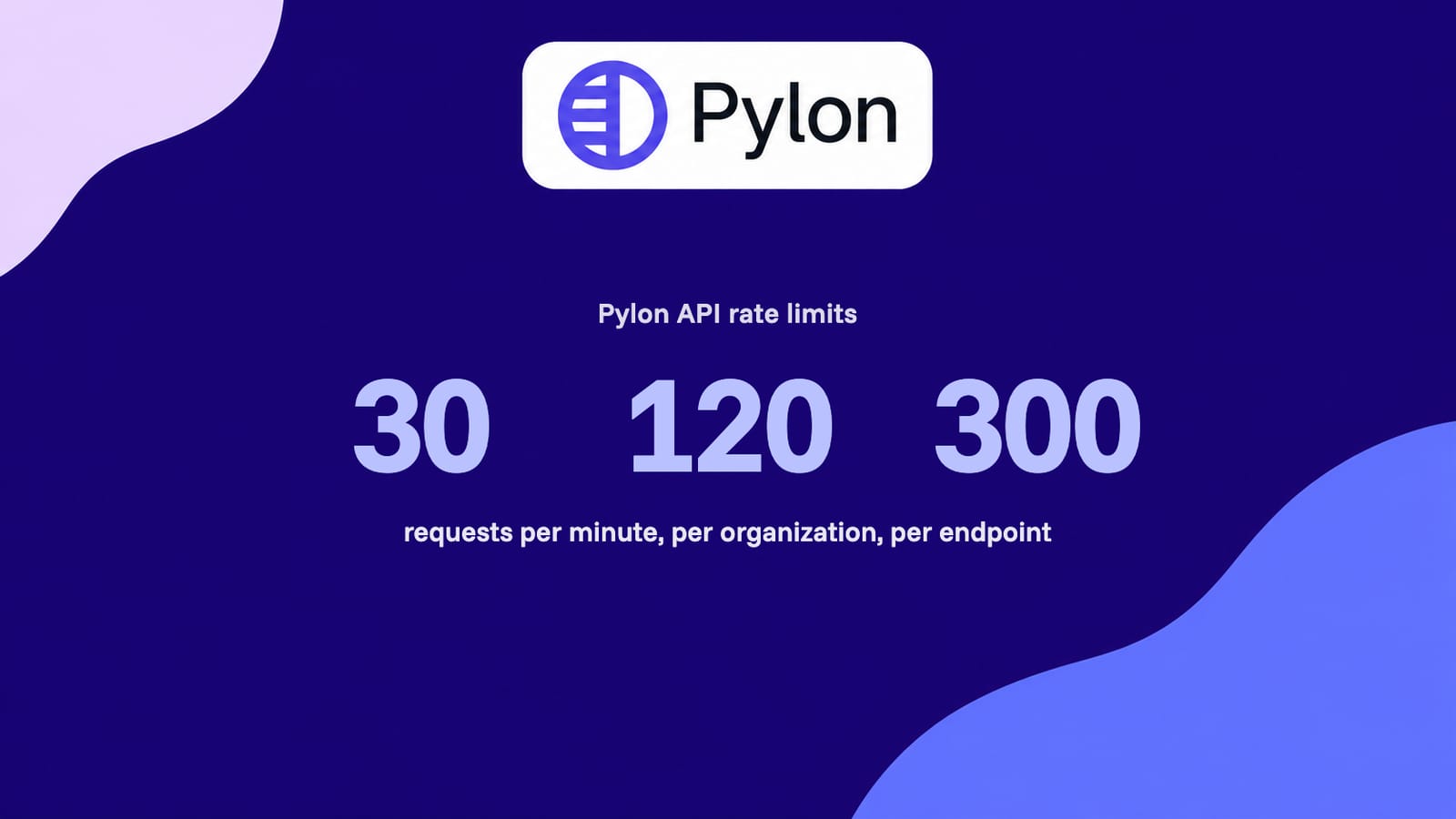
- Your Freshdesk plan's account-wide limit, and Pylon's documented writes: 30 a minute each for issues, messages and attachments.
- What you prepare
- Your plan, renewal date and archived history on Freshdesk. Region, admin token, agent invitations, fields and statuses on Pylon.
- Objects mapped
- 14
- in this route's mapping
- Data fidelity
- 100%
- AI maps, moves and verifies
- Free sample
- 100 records
- checked by your team first
- Quote
- Fixed
- within 24 hours
How does each Freshdesk object land in Pylon?
Each Freshdesk object and the Pylon object it becomes. Records move; configuration is rebuilt in Pylon by your admin. Field-level mapping is reviewed with you before the free sample.
- 14 moves
- 2 rebuild
Companies becomes Accounts
MovesPylon's own Freshdesk guide maps companies to accounts.
Contacts becomes Contacts
MovesAgents becomes Users
MovesYour Pylon admin invites each agent before the run. Pylon emails every invitation.
Groups becomes Teams
MovesPylon's own Freshdesk guide maps groups to teams.
Tickets becomes Issues
MovesReplies becomes Messages on the issue
MovesPrivate notes becomes Internal notes
MovesPublic notes becomes Messages on the issue
MovesWhether each public note shows to the customer or stays internal in Pylon is agreed in the mapping review.
Attachments becomes Message attachments
MovesPylon accepts files up to 100 MB each.
Ticket fields becomes Issue custom fields
MovesPylon's own Freshdesk guide maps ticket fields to custom fields, which can be created through Pylon's API.
Tags becomes Issue tags
MovesSolution categories becomes Knowledge base collections
MovesPylon's own Freshdesk guide maps categories to collections and folders to sub-collections.
Solution folders becomes Sub-collections
MovesSolution articles becomes Knowledge base articles
MovesTicket statuses becomes Pylon issue states
RebuildPylon custom statuses sit in its On Hold and Closed categories. Which state each Freshdesk status takes is agreed in the mapping review.
Automations, canned responses and SLA policies becomes Rebuilt by your admin
RebuildConfiguration, not records. Your admin rebuilds them in Pylon, with the Freshdesk set-up as the reference.
Sources(7), checked 21 Nov 2026
What stays behind, and why?
Automations, canned responses and SLA policies stay behind as configuration, and your admin rebuilds them in Pylon. Two things that help:
Good to know
Old help centre links can keep working
Pylon's knowledge base supports redirects from old paths to articles and collections.
Keep a backup if you want one
A Freshdesk account administrator can export the account's data as XML, under Admin, Account, Account Details.
Sources(2), checked 21 Nov 2026
Which limits set the pace?
Freshdesk limits how fast tickets can be read, and Pylon limits how fast they can be written. These are the documented allowances on each side.
Freshdesk reads
| Limit | Value |
|---|---|
| Account limit, calls a minute | Growth 100, Pro 400, Enterprise 700, for the whole account whatever the number of agents |
| Tickets list, calls a minute | Growth 40, Pro 100, Enterprise 200 |
| What counts | Invalid requests count, and some custom apps use calls from the same limit |
| API access | Growth, Pro and Enterprise include an API key; the Free plan does not |
Pylon writes
| Limit | Value |
|---|---|
| How limits apply | Per organization and per endpoint, a minute, shared by every token in the workspace |
| Issues, replies, notes and attachments | 30 a minute each |
| Knowledge base, teams and user invitations | 30 a minute each |
| Issue updates and custom fields | 120 a minute each |
| Accounts, contacts and tags | 300 a minute each |
| Higher limits | Pylon support can raise the limit on a specific endpoint |
What this means
Both sides set the pace: Freshdesk's limit is per account and depends on your plan, and Pylon's documented writes for issues, messages and attachments are 30 a minute each. Ask Pylon support early about a raised limit for your migration window; the run is planned around both sides on the scoping call.
Sources(13), checked 21 Nov 2026
- Freshdesk API documentation, api
- Freshdesk support documentation, “How to find your API key”
- Pylon developer documentation, rate limits
- Pylon developer documentation, issues
- Pylon developer documentation, messages
- Pylon developer documentation, attachments
- Pylon developer documentation, knowledge base
- Pylon developer documentation, teams
- Pylon developer documentation, users
- Pylon developer documentation, custom fields
- Pylon developer documentation, accounts
- Pylon developer documentation, contacts
- Pylon developer documentation, tags
Timeline
Freshdesk to Pylon migration timeline
Dates are set with your team on the scoping call. Record volume, both platforms' rate limits and your review of the sample shape them.
Preparation
Scope
Confirm what moves and where
- Share an admin API key
- Create the API token
- Invite every agent
Migration
Free sample
100 records, checked by you
Full run
AI maps, moves and verifies
Delta sync
Catches changes at cutover
Validation
Sign-off
Your team signs off
Details · what to prepare on Freshdesk and Pylon
Two short lists, in order. Most of it is admin work and a few decisions your team makes once, before the free sample.
On Freshdesk
Stay on a paid plan
Freshdesk's Free plan has no API key; Growth, Pro and Enterprise include one. Keep the paid plan until the migration is signed off.
Start any export well before renewal
Freshdesk deletes the account and its data 14 days after the subscription end date, and its own export can take up to 10 business days.
Check how much history is archived
Freshdesk says closed tickets are archived after 120 days of inactivity, read-only, in a separate Archive view and left out of global search by default. Look at the archived view and bring a rough count to the scoping call.
Share a key from an admin
The API key belongs to an agent and carries that agent's permissions, so it should come from an admin who can see every ticket in scope.
Pause heavy custom apps
Some custom apps use calls from the same account-wide limit as the migration.
On Pylon
Confirm your region
US or EU. Pylon API tokens are specific to a region.
Create the API token
Only a Pylon admin can create one.
Invite every agent
Pylon's own Freshdesk guide says your users should already be invited. Each invitation emails that agent.
Create custom fields and their options
Pylon says setting up the destination fields is the customer's responsibility.
Create any custom statuses
In the On Hold or Closed categories, the only two that take them.
Make sure a knowledge base exists
Pylon's API cannot create one.
Ask about raised limits
Contact Pylon support early about higher limits for the migration window.
Sources(10), checked 21 Nov 2026
- Freshdesk support documentation, “How to find your API key”
- Freshdesk support documentation, “How do I delete or cancel my account?”
- Freshdesk support documentation, “Ticket archiving”
- Freshdesk API documentation, api
- Pylon developer documentation, authentication
- Pylon Help Center, “Data Migration from Freshdesk”
- Pylon Help Center, “Data Migration to Pylon”
- Pylon documentation, statuses
- Pylon developer documentation, knowledge base
- Pylon developer documentation, rate limits
Known risks
Known risks, all handled
- 4 handled
- Handled
Freshdesk archives older closed tickets
The problem
Freshdesk says closed tickets are archived after 120 days of inactivity, read-only, in a separate Archive view and left out of global search by default. A customer reply to an archived ticket opens a new ticket.
How we handle it
Archived tickets are read differently from the normal ticket list, so whether any are in scope is settled with you on the scoping call, before the free sample, and written into your fixed quote.
- Handled
Plan the move well before your Freshdesk renewal
The problem
Freshdesk permanently deletes the account and its data 14 days after the subscription end date, and says its own data export can take up to 10 business days.
How we handle it
The full run is planned inside your active subscription, from the renewal date you share on the scoping call.
- Handled
Your Freshdesk plan decides API access
The problem
Freshdesk's Free plan has no API key; Growth, Pro and Enterprise include one. The key belongs to an agent and carries that agent's permissions.
How we handle it
Your plan and its API access are confirmed on the scoping call, and the key comes from an admin who can see every ticket in scope.
- Handled
Both platforms share their limits across the account
The problem
Freshdesk sets one per-minute limit for the whole account, by plan, and some custom apps draw on it. Pylon sets its limits per organization and per endpoint.
How we handle it
The load is paced from measured signals, each platform's responses and rate-limit replies, never from fixed delays alone, with one worker per Pylon workspace.
Get your fixed quote
Tell us roughly how many tickets you have and what should move. The quote is set by record volume, the objects in scope and both platforms' rate limits, and you get a fixed quote within 24 hours.
Freshdesk to Pylon questions
Still unsure? Ask the MigrateX team, not a sales rep.
Before you start
Can we use Pylon's Data migration tool for Freshdesk?
Yes. Freshdesk is one of the sources listed in Pylon's self-serve Data migration tool, and Pylon's Freshdesk guide asks you to talk to your account executive about a data migration. That guide also says the API token needs a paid Freshdesk plan (Pylon Help Center, checked 21 November 2026). MigrateX also migrates Freshdesk into Pylon as a managed migration, starting with a free sample of 100 records.
When should we migrate, given our renewal?
Well before it. Freshdesk permanently deletes the account and its data 14 days after the subscription end date, and says its own data export can take up to 10 business days. Share your renewal date on the scoping call and the full run is planned inside your active subscription.
Which Freshdesk plan do we need for the migration?
A paid one. Freshdesk's Free plan has no API key, while Growth, Pro and Enterprise include one, and the key carries the permissions of the agent it belongs to. Share a key from an admin who can see every ticket in scope, and stay on a paid plan until the migration is signed off.
Who runs the migration?
MigrateX's AI maps, moves and verifies your data, with 100% data fidelity. Your admins set up access on both sides, and your team reviews the free sample of 100 records, tells us what to adjust and signs off before the full run starts.
Your data
What moves from Freshdesk to Pylon?
Companies become accounts, contacts stay contacts, agents become users and groups become teams. Tickets become issues with their replies, notes and attachments, plus ticket fields and tags. Solution categories, folders and articles move into Pylon's knowledge base. The full mapping is reviewed with you before the free sample.
Do automations, canned responses and SLA policies move?
No. Automations, canned responses and SLA policies are configuration, not records, so they are rebuilt in Pylon by your admin, using the Freshdesk set-up as the reference. Doing it before go-live means the rules your team relies on are in place on the first day in Pylon.
Security and cost
How much does a Freshdesk to Pylon migration cost?
You get a fixed quote within 24 hours of the scoping call. It is set by your record volume, the objects and options in scope and the rate limits on both platforms. Before you commit, MigrateX runs a free sample migration of 100 of your records so your team can check the result.
What does the free sample include?
100 of your Freshdesk records, migrated into Pylon so your team can open them and check the mapping, including any files. You tell us what to adjust before the full run starts. The sample is free and is built from your own records.
Is our support data safe during the migration?
MigrateX is SOC 2 Type II, GDPR compliant and HIPAA compliant, with a data processing agreement and a business associate agreement available. Access to Freshdesk and Pylon is set up with your admins, and nothing is written to Pylon until you sign off the mapping.
Guides
Guides for a Freshdesk to Pylon migration
Related routes
Other routes we run



SOC 2 Type II · GDPR compliant · HIPAA compliant.Read how we handle your data

Start your Pylon move with 100 of your records.
Scope my migrationFree sample migration of 100 of your records, plus a fixed quote within 24 hours.