Migrating to Pylon? 19 Things to Check Before You Switch
A Pylon migration checklist: 19 checks by team, from open tickets and read-only history to CRM order, notice dates and plan gates. Checked 21 Nov 2026.
 Ayush BothraFounding Member, MigrateX
Published 25 min read
On this page
- Pylon migration checklist: all 19 checks at a glance
- What changed for Pylon migrations in 2026
- Pylon's three migration paths, compared
- How we built this checklist
- Support team checks
- Customer success checks
- RevOps checks
- Finance checks
- Security and compliance checks
- Engineering checks
- Source-side notes by platform
- A three-stage plan
- Where a migration partner fits
- Pylon migration FAQ
Before you migrate to Pylon, check 19 things across six teams: how your open tickets will move, what your imported history can and can't do, how accounts and your CRM will match, when your contracts start and end, which Pylon plan your security needs, and how your engineers will connect the old platform. Pylon documents almost all of this in its own help centre. It is just spread across more than a dozen articles, and each team needs a different part of it.
This checklist pulls those caveats into one list, with an owner for each check. Each one has the same four parts: why it matters, the evidence (Pylon's own help article or the source vendor's docs, checked on 21 November 2026), what to check, and how to handle it. It also covers the part most guides skip: the old platform's side, from renewal notice dates to export windows and expiring API tokens. Still deciding on Pylon? Read our Pylon vs Plain vs Unthread vs Thena comparison or our Pylon alternatives guide first.
Pylon migration checklist: all 19 checks at a glance
The table lists every check, the team that should own it, and when it bites. "Before signing" means it changes your contract or plan choice. "Before cutover" means it changes how you move. The order follows the team sections below, not a ranking.
| # | Check | Owner | When |
|---|---|---|---|
| 1 | Decide which Pylon migration path you are using | Support ops | Before signing |
| 2 | Count open tickets and pick a cutover pattern | Support | Before cutover |
| 3 | Check how open email threads move from your source | Support | Before signing |
| 4 | Re-ticket open Slack and Teams threads | Support | At cutover |
| 5 | Plan for read-only imported history | Support | Before cutover |
| 6 | List the processes you will rebuild | Support ops | Before cutover |
| 7 | Map knowledge base redirects and freeze edits | Support, marketing | Before cutover |
| 8 | Clean Intercom leads, anonymous users and generic domains | Customer success | Before import |
| 9 | Check customer channels after the move | Customer success | Before signing |
| 10 | Set account and contact match rules | RevOps | Before import |
| 11 | Decide the CRM connection order | RevOps | Before import |
| 12 | Protect the source platform's API budget | RevOps, engineering | During import |
| 13 | Time the Pylon signature | Finance | Before signing |
| 14 | Price what each Pylon service covers | Finance | Before signing |
| 15 | Diary the old platform's renewal notice | Finance | Before signing |
| 16 | Choose the history window and keep a full export | Security and compliance | Before import |
| 17 | Match security needs to the Pylon plan | Security and compliance | Before signing |
| 18 | Prepare source connections and credentials | Engineering | Before import |
| 19 | Run a test import and line up engineering work | Engineering | Before import |
Seven of the 19 checks belong before you sign, not before you cut over. That is the main reason to run this list early.
What changed for Pylon migrations in 2026
Four changes matter if you are planning a move to Pylon now.
Pylon refreshed its Data migration tool guide. Pylon's help article "How to migrate your tickets to Pylon with the Data migration tool" shows a last-updated date of 21 November 2026. It covers Zendesk, Intercom, Jira Service Management, Salesforce Service Cloud, Front, HubSpot and Freshdesk, plus CSV uploads (Pylon help centre, as of 21 Nov 2026).
Pylon's import API is now documented. Its help article "How do I import issues using the API?" describes import endpoints built for migrations, separate from its standard API, that keep threaded messages, authors and timestamps (Pylon help centre, as of 21 Nov 2026).
Zendesk is removing API tokens. Zendesk says accounts can no longer create new API tokens from 27 October 2026, and all remaining tokens will be deactivated permanently on 30 April 2027. OAuth is the replacement (Zendesk help, as of 21 Nov 2026).
Pylon publishes its migration packages and their scope. Its "Overview of Offerings" article lists the Data Migration service (volume-based pricing), two implementation packages ($1,000 Standard, $5,000 Hightouch) and Professional Services by statement of work (Pylon help centre, as of 21 Nov 2026).
Pylon's three migration paths, compared
Most confusion about migrating to Pylon comes from mixing up three different things. Pylon offers a paid migration service, a self-serve tool and an import API. They differ in who does the work, which sources they take, and what state your tickets arrive in.
| Pylon Data Migration service | Self-serve Data migration tool | Import API | |
|---|---|---|---|
| Who runs it | Pylon's migrations team | Your Pylon admin, in Settings > Data migration | Your own engineers (Pylon calls it self-service) |
| Sources | "A wide range of platforms"; ask Pylon whether yours is covered | Zendesk, Intercom, Jira Service Management, Salesforce Service Cloud, Front, HubSpot, Freshdesk, CSV. Help Scout is not listed | Any source you can read |
| What it brings | Closed tickets (plus open email threads with the Hightouch package) and knowledge base articles | Tickets with full conversation and attachments; accounts, contacts and users by your match rules | Issues and threaded messages, with author, timestamp, private flag, state, tags, custom fields and source ticket references |
| Ticket state | "Only closed tickets are migrated by Pylon"; open email threads too with the Hightouch package | Keeps original status, but as read-only history | You set the state, open or closed |
| History window | "By default we pull all tickets from all of history" (Intercom guide) | Pylon recommends "max the last 2 years" | Your choice |
| Price | Volume-based: tickets and/or articles, quote from your account team | Not one of Pylon's paid services; no fee listed | Not one of Pylon's paid services; no fee listed |
| Hands-on work | Data movement only; "does not include a full implementation" | Self-serve | Self-built |
Sources: Pylon help articles "Data Migration", "How to migrate your tickets to Pylon with the Data migration tool", "How do I import issues using the API?" and "Data Migration from Intercom", as of 21 November 2026.
Pylon also gets several things right that buyers should weigh fairly:
- Safe imports into a live workspace. Pylon says a tool import "never messages your customers or runs your automations". Triggers, notifications, AI automations and CRM syncs don't run on imported records.
- Delta re-imports. To bring over tickets created since your last import, you choose "Duplicate migration" and retrieve again. Tickets already imported are skipped, "so nothing is duplicated".
- Field hygiene built in. The mapping screen shows what share of records has a value for each field, so you can leave unused fields behind. Every import is auto-tagged.
- Import API without side effects. Pylon says imported messages "keep the timestamps you send and don't start triggers, notifications, or AI side effects".
- Transparent docs. Every caveat in this checklist comes from Pylon's own help centre. Few vendors publish their migration limits this openly.
How we built this checklist
We read every Pylon help article in its Migrations collection that applies to a move, plus the Pylon developer docs for redirects, rate limits, Teams and CRM sync, and the pricing page. On the source side we read each vendor's own terms, export and API docs for Zendesk, Intercom, Freshdesk, Front, Help Scout, HubSpot and Salesforce. All pages were checked on 21 November 2026. Where a fact could change (plans, prices, deadlines), we give the date. Where we could not confirm something, we say so and tell you what to ask.
Support team checks
The support lead owns the checks that change what customers and agents see on day one.
1. Decide which Pylon migration path you are using
Why it matters. The three paths behave differently. The service brings closed tickets (plus open email threads with the Hightouch package). The tool keeps original statuses as read-only history. The import API lets you set any state. A plan built on the wrong path can break on day one.
Evidence. Pylon's "Data Migration" article: the service "does not include a full implementation", and "Only closed tickets are migrated by Pylon. Open ticket cutover is managed by your team." The import API article lists the states it accepts, from "new" and "waiting_on_you" to "closed" (Pylon help centre, as of 21 Nov 2026).
What to check. Whether your source is on the self-serve tool's list. How much history you have. Whether you have engineers who could use the import API.
How to handle it. Small, listed sources: try the self-serve tool first. Large volumes, knowledge base articles or a need for guidance: ask your Pylon account team for a Data Migration quote. Unlisted sources, or history you want in a specific shape: the import API, built by your own team. Tell Pylon first (migrations@usepylon.com).
2. Count open tickets and pick a cutover pattern
Why it matters. Imports are for history. Your open tickets move at cutover, and how smoothly depends on your channels.
Evidence. Pylon's "Migrating Open vs. Closed Tickets" article explains that a migration creates "historical snapshots", while "the underlying communication channels (email routing, Slack connections, etc.) are not transferred". Its "Migrating your Team Over to Pylon" article describes three cutover options: immediate, duration (allow "1 week to 1 month" for old tickets to close) and working out of both systems (Pylon help centre, as of 21 Nov 2026).
What to check. Open, pending and on-hold tickets per channel, and how old they are. Your typical time to resolution. Whether you use a customer portal.
How to handle it. Pylon recommends immediate cutover for every customer of Pylon's. Choose duration cutover if your tickets stay open for weeks. Choose both systems only for small teams with low volume. Pylon's own advice for email: let low-priority tickets resolve in the old system, CC Pylon on active high-priority threads, and "Test this flow with 1-2 test tickets".
| Cutover pattern | Best for (Pylon's view) | Watch out for |
|---|---|---|
| Immediate | Most teams; Pylon "will always" push this option | Without a Seamless Migration path for email, customers must reopen tickets in Pylon |
| Duration (1 week to 1 month) | Long resolution times, large teams, minimal customer disruption | Agents work in two systems; customer portal visibility gap; not every source supports it |
| Work out of both systems | Small teams (under 5 people), low volume | Replies don't sync between systems; overlap emails are duplicated at import |
Source: Pylon help article "Migrating your Team Over to Pylon", as of 21 November 2026.
3. Check how open email threads move from your source
Why it matters. Pylon can keep open email conversations live with a "Seamless Migration", but each source works differently, and one has no open path at all.
Evidence. Pylon's "Seamless Migrations" article: Zendesk "has the simplest seamless migration", using a script that sets up a checkbox field, webhook and trigger in your Zendesk. Help Scout uses a custom Zap. Jira Service Management: "We currently do not have any way to migrate JSM tickets as open." Pylon's team cutover article lists Zendesk, Front and Intercom as the email sources where a Seamless Migration is an option. Its "Implementation Packages" article says that with a Data Migration, the Standard package can "only migrate tickets in a closed state", while the Hightouch package "can migrate open email ticket threads" (Pylon help centre, as of 21 Nov 2026).
What to check. Your source platform. Your share of email tickets. Which implementation package, if any, you are buying.
How to handle it. On Zendesk, plan for the scripted path and turn off old-platform automations while it runs. On Jira Service Management, tell customers how to reach you in Pylon for open requests. Anywhere else, you can CC your Pylon support address on each active thread; Pylon says this "does not require involvement from Pylon". If open email continuity matters to you, price the Hightouch package (check 14).
4. Re-ticket open Slack and Teams threads
Why it matters. Slack and Teams are often net new channels in Pylon. But if another tool already tracks threads as tickets, those threads have to be picked up again in Pylon one by one.
Evidence. Pylon's "Seamless Migrations" article: "Find all threads currently tracked as tickets in your platform and add the ticket emoji to them." And: "we cannot backfill the Metadata on these migrated threads as of now" (Pylon help centre, as of 21 Nov 2026).
What to check. How many open Slack or Teams threads are tracked as tickets today. Which fields they carry (priority, assignee, SLA, tags). That the Pylon bot is in each channel.
How to handle it. Export the list of open threads with their fields before cutover. Assign an owner per channel to add the ticket emoji. Re-apply priority and assignee by hand on the threads that matter.
5. Plan for read-only imported history
Why it matters. Imported tickets are history, not work. Agents can search them and Pylon's AI can learn from them, but nobody can reply on them.
Evidence. Pylon's Data migration tool article: "Imported tickets are read-only history, so you can't reply to them from Pylon. You can still add internal notes." Every per-platform migration guide says the service brings tickets "in a closed state, meaning neither you or the customer can reply on these tickets from Pylon" (Pylon help centre, as of 21 Nov 2026).
What to check. Which closed tickets customers tend to reopen, and how often. Reports that count reopened or historic tickets. Whether imported tickets will show in your customer portal: Pylon says imported issues whose first message was public can appear there.
How to handle it. Agree a reopen rule: a customer reply on an old topic becomes a new Pylon ticket that links to the imported one. Tell agents where imported tickets live (the import tag view). Rebuild history reports on the imported tag.
6. List the processes you will rebuild
Why it matters. Migration moves data, not behaviour. Pylon expects most of your time to go into rebuilding processes.
Evidence. Pylon's "[Overview] Migrating to Pylon" article splits a move into three milestones and says "around 80% of your time should go into Milestone 1": recreating "custom fields, SLAs, triggers, views". It names "custom fields, SLAs, Triggers, Macros, CSAT, and Views" as the major features to check, and says custom analytics must be rebuilt. Pylon's Zendesk guide maps customers, tickets, groups, agents, custom fields, tags, attachments and knowledge base content; macros, triggers, SLA policies and views are not in that list (Pylon help centre, as of 21 Nov 2026).
What to check. An inventory of triggers, macros, SLA policies, views, CSAT surveys and dashboards, with how often each is used.
How to handle it. Rebuild only what you use. Pylon's mapping screen shows each field's fill rate; it calls migration "a great opportunity to start fresh". Use that number to drop empty fields. Create custom fields and their options in Pylon before a service-led import. Our test migration checklist covers how to sample a run before the full import.
7. Map knowledge base redirects and freeze edits
Why it matters. Old help-centre links live in emails, docs, search results and your product. Without redirects, they break at DNS cutover.
Evidence. Pylon's redirects doc: "Create a page redirect for each old article URL you want to keep, since Zendesk article IDs don't match Pylon's." Pylon's knowledge base migration guide says that once you migrate, "you will want to freeze doing changes to your KB", then set up redirects and cut over DNS. For fewer than 50 articles, Pylon recommends migrating by hand (Pylon docs and help centre, as of 21 Nov 2026).
What to check. Article count. Articles with inbound links or search traffic. Whether you use a custom help-centre domain.
How to handle it. Build a redirect map from old URL to new article. Freeze knowledge base edits from migration to cutover. Repoint the custom domain's CNAME last. Bring marketing or SEO in for the top articles.
Customer success checks
Customer success owns how accounts look in Pylon and how customers reach you after the move.
8. Clean Intercom leads, anonymous users and generic domains
Why it matters. Pylon is account-based. Intercom data is often person-based, so a straight import can fill Pylon with single-person accounts.
Evidence. Pylon's Intercom guide: "Intercom data inherently is messy since a lot of users are anonymous who use your chat and they aren't tied to any account." For generic email domains, "we will create a separate account just for that person", so "you will end up with a lot of accounts with a single contact in them". It also lists edge cases: comments with more than five attachments are split, and agent-requested tickets create a new contact with the agent's email (Pylon help centre, as of 21 Nov 2026).
What to check. The share of Intercom contacts that are leads, anonymous, or on gmail-style domains. Tickets an agent opened on a customer's behalf.
How to handle it. Filter the import. Pylon suggests recent tickets only or a relevant subset, such as tickets assigned to the support team. Pre-map known contacts to companies. Leave unconverted leads behind. If you are still deciding on Intercom's replacement, our Intercom alternatives guide compares the options, and our Intercom platform page covers what moves.
9. Check customer channels after the move
Why it matters. Customers notice channel gaps first: a Teams channel that stops creating tickets, or a portal with no history.
Evidence. Pylon's Teams doc says channel auto-linking doesn't backfill existing channels, and private channels, archived channels and group chats are excluded. Pylon's pricing page shows Microsoft Teams support, Google Chat support and the customer portal on Advanced ($139 per seat per month on an annual contract) and Enterprise, not on Professional ($89). Pylon's team cutover article warns that with a customer portal, a duration cutover leaves "a large gap in customer ticket visibility" (Pylon docs, pricing page and help centre, as of 21 Nov 2026).
What to check. Existing Teams channels per customer. Whether you need the portal at go-live. The plan you have budgeted.
How to handle it. Link existing Teams channels to accounts by hand. Confirm the plan with Pylon sales before you sign. Send customers one short note on what changes for them and when.
RevOps checks
RevOps owns how Pylon's accounts line up with the CRM, and stops the migration from flooding either system.
10. Set account and contact match rules
Why it matters. If accounts already exist in Pylon, an import decides whether to merge, overwrite or create. Wrong rules create duplicates or overwrite good data.
Evidence. Pylon's Data migration tool article: "Accounts usually match on domain, and you can add conditions such as an external ID." You choose merge, overwrite or skip on a match, and create or skip on no match. "This is especially important if you have existing data in Pylon (i.e. through a CRM sync)." Pylon's team cutover article warns: "Upon data migration, emails created in the overlap will be duplicated" (Pylon help centre, as of 21 Nov 2026).
What to check. Whether a CRM sync has already created accounts in Pylon. Whether your source accounts carry an external ID or CRM ID.
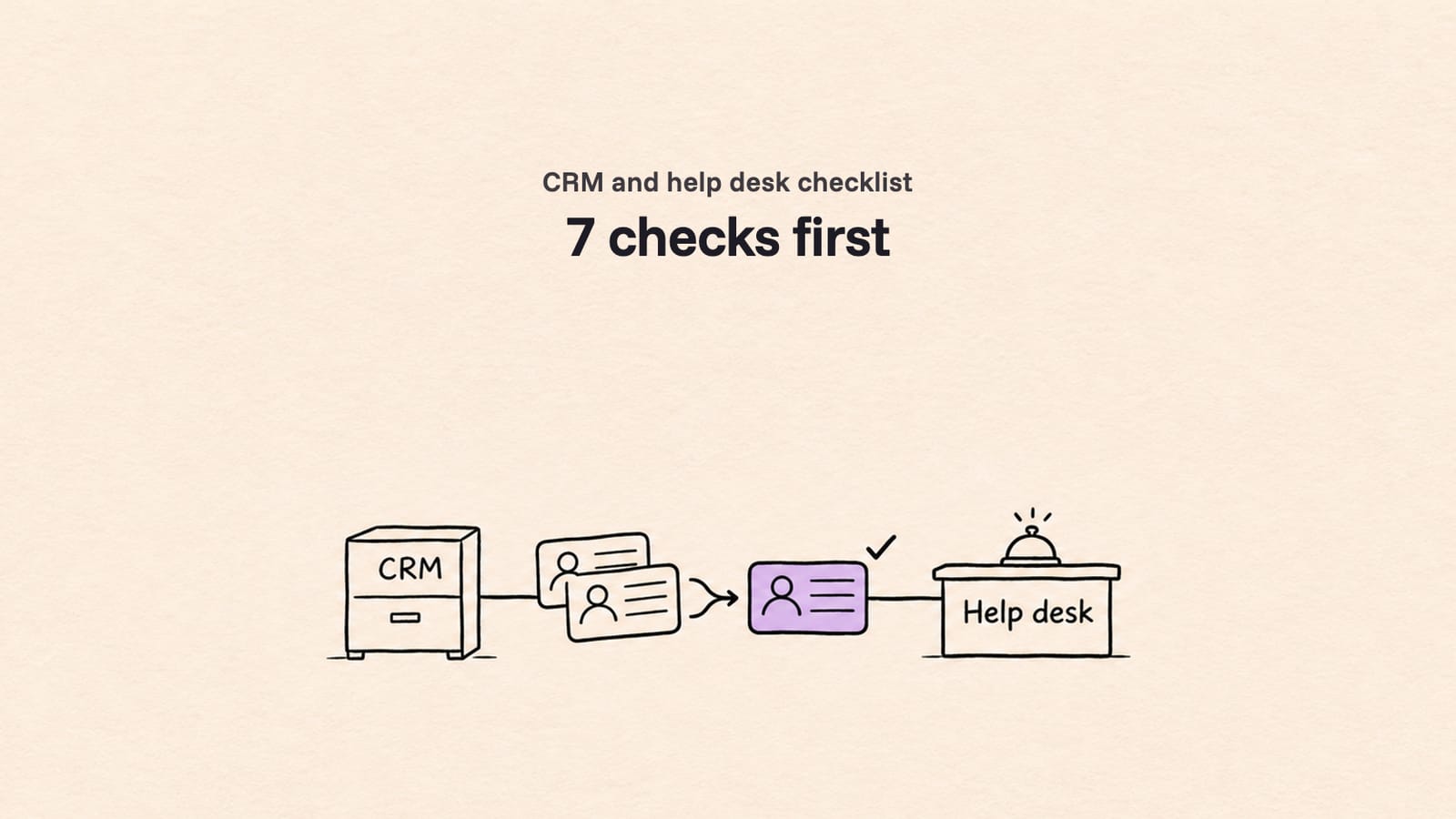
How to handle it. Match on an external ID where you have one, then domain. Keep any parallel-running window short. Our checklist on connecting a CRM and help desk without duplicates covers the matching keys in detail.
11. Decide the CRM connection order
Why it matters. Pylon writes to and reads from your CRM. Connect it at the wrong moment and it can overwrite migrated values, or leave history out of the CRM.
Evidence. Pylon's CRM docs say an account stays linked to its CRM record by the record's ID, not by domain. Pylon's CRM attribute sync article: "Syncs replace existing Pylon values with data from your CRM. If accounts don't have values in your CRM, their Pylon values will be cleared." Pylon's Salesforce doc: changing filters does not "backfill historical activity". Pylon's tool says CRM syncs don't run on imported records (Pylon docs and help centre, as of 21 Nov 2026).
What to check. Which account fields the CRM sync will own. Whether CSMs rely on historical support activity in Salesforce or HubSpot.
How to handle it. Decide, field by field, whether the CRM or the migration wins. Don't migrate values the sync will overwrite. Keep old support activity in the CRM where it already is. Ask Pylon when to connect your CRM integration relative to the import.
12. Protect the source platform's API budget
Why it matters. Migrations read through the source platform's API. On some platforms that budget is shared with every other integration you run.
Evidence. Salesforce sets a daily allocation of "100,000 + (number of licenses x calls per license type) + purchased API Call Add-Ons", enforced against all API calls to the org. HubSpot's daily limit is shared by all apps in the account. Freshdesk counts invalid requests against the per-minute budget, and some custom apps share it (vendor developer docs, as of 21 Nov 2026).
What to check. Your current daily API use, and which integrations draw on it (CPQ, marketing tools, Pylon's own CRM sync).
How to handle it. Agree a daily cap with whoever runs the migration. Pause or slow heavy integrations during the run. Our guides to Salesforce case export and HubSpot export cover each platform's export routes.
Finance checks
Finance owns three dates and three price lines. Getting them wrong means paying for two platforms longer than planned.
13. Time the Pylon signature
Why it matters. Your Pylon contract starts when you sign. Every month the migration runs, you pay for both platforms.
Evidence. Pylon's "[Overview] Migrating to Pylon": "Your contract start date begins when you sign, not after migration completion." Pylon's pricing FAQ says there is a minimum seat count for new customers (Pylon help centre and pricing page, as of 21 Nov 2026). The minimum is not published.
What to check. The old platform's renewal date. How much of the move you can plan before you sign.
How to handle it. Plan the migration, cutover pattern and field rebuild before signature. Sign so that Pylon's start date sits close to the old platform's renewal.
14. Price what each Pylon service covers
Why it matters. Pylon's migration help comes in separate pieces. Buyers sometimes assume one covers another.
Evidence. Pylon's "Overview of Offerings" lists Data Migration (volume-based: number of tickets and/or articles), implementation packages at $1,000 (Standard) and $5,000 (Hightouch), and Professional Services by statement of work. The implementation package "does not include a Data Migration". And: "Pylon does not do hands-on work for you. You are setting up your business processes, Pylon will give you best practices" (Pylon help centre, as of 21 Nov 2026).
What to check. Your ticket and article counts, so you can get a Data Migration quote. Who on your side will do the setup work.
How to handle it. Ask your Pylon account team for a quote early, and compare it with the self-serve tool and the import API. If you want hands-on help with the history Pylon's scope leaves to you, such as custom fields, unlisted sources or delta runs, price a migration partner alongside it.
15. Diary the old platform's renewal notice
Why it matters. Most help desk contracts renew automatically. Miss the notice date and you pay for another full term.
Evidence. The Zendesk Customer Agreement (§7.2) says the term "will automatically renew for an equivalent term and Zendesk may apply then-current rates" unless you give "at least 30 days' prior written notice", sent to revops@zendesk.com. Intercom's terms (§7.1) renew yearly and multi-year plans for "successive twelve month periods" unless notice is given "at least thirty (30) days" before expiry, and Intercom's promotional offer terms say discounted pricing renews at the then-current list price (vendor terms, as of 21 Nov 2026).
What to check. Your renewal date, term length and notice address. Any Order Form wording that overrides the standard terms.
How to handle it. Diary the notice date at least 30 days out, plus a buffer. Send notice before cutover, not after. Keep read access to the old platform until you have checked the imported history.
Security and compliance checks
Security owns what history goes into Pylon, what stays in an archive, and which plan your controls need.
16. Choose the history window and keep a full export
Why it matters. Pylon recommends importing less than you may have. Whatever you leave out has to live somewhere you can still reach after the old platform closes.
Evidence. Pylon's Data migration tool article: "We recommend importing max the last 2 years", because older tickets "often describe how your product used to work". For audits or records, "keep a full export from your old help desk (we recommend this anyways)" (Pylon help centre, as of 21 Nov 2026). On the source side, export windows differ:
- Freshdesk permanently deletes account data 14 days after the subscription ends, and an export "can take up to 10 business days" (Freshdesk help).
- Intercom says "You will need an active subscription in order to export your data" (Intercom help).
- Front account exports go through Front Support, are acknowledged within 72 hours, and exclude individual inboxes, contact data, message templates and tags (Front help).
- Help Scout says exporting through the API "is currently the only means of obtaining data" (Help Scout docs).
- HubSpot says inbox conversations can be exported "using the Conversations API", by manual copy, or with a third-party tool (HubSpot knowledge base).
All source facts as of 21 November 2026.
What to check. Your legal and audit retention needs. How many years you actually search.
How to handle it. Take a full export of everything before access ends, and store it where your retention policy says. Import the window your agents and Pylon's AI will use. Write the decision down. For Zendesk, our guide on how to export tickets from Zendesk covers each route.
17. Match security needs to the Pylon plan
Why it matters. Some controls that a security review assumes sit only on higher Pylon plans.
Evidence. Pylon's pricing page shows HIPAA support, audit logs and custom roles on Advanced and Enterprise, not Professional. A BAA is "Talk to sales" on Advanced and included on Enterprise. SAML SSO is a $125 per month add-on on Advanced. SCIM provisioning, data retention controls and a sandbox environment are Enterprise only (Pylon pricing page, as of 21 Nov 2026).
What to check. Your requirements for HIPAA, SSO, SCIM, retention controls and a test environment.
How to handle it. Map each requirement to a plan before signing. Get the BAA into the order form if you need one. If a migration partner will handle your data, ask for its security posture too. MigrateX is SOC 2 Type II, GDPR and HIPAA compliant; our security page has the details.
Engineering checks
Engineering owns the connections into the old platform and the code that points customers at it.
18. Prepare source connections and credentials
Why it matters. Every path needs admin access to the old platform. Some credentials are about to expire, some can't be recovered once lost, and some sources aren't in the self-serve tool.
Evidence.
- Zendesk: no new API tokens since 27 October 2026, and all remaining tokens deactivated on 30 April 2027 (Zendesk help). Pylon's tool offers "Sign in with Zendesk (recommended)" or a subdomain, admin email and API token.
- Freshdesk: Pylon says "You must be on a paid tier of Freshdesk to access the API token".
- Front: a company API token's full value is shown only once, at creation, and private inboxes need each teammate to enable API access (Front API news and developer docs).
- Salesforce Service Cloud: Pylon's tool needs your My Domain plus a Connected App's consumer key and secret. HubSpot connects with a service key.
- Help Scout: not on the self-serve tool's list. Pylon has a Help Scout guide for its migration service, which brings tickets in closed (open email threads can also move with the Hightouch package).
All as of 21 November 2026.
What to check. Which credential each path needs, who can create it, and when it expires.
How to handle it. On Zendesk, use Sign in with Zendesk or OAuth rather than a new token. Keep Freshdesk and Help Scout on a paid plan until the export is done. Store Front tokens in a secrets manager the moment you create them. For Help Scout or another unlisted source, use Pylon's service, a CSV upload, or the import API. Our Zendesk and Freshdesk platform pages list what each source holds.
19. Run a test import and line up engineering work
Why it matters. A bad import is harder to undo than to prevent, and some cutover work needs code changes.
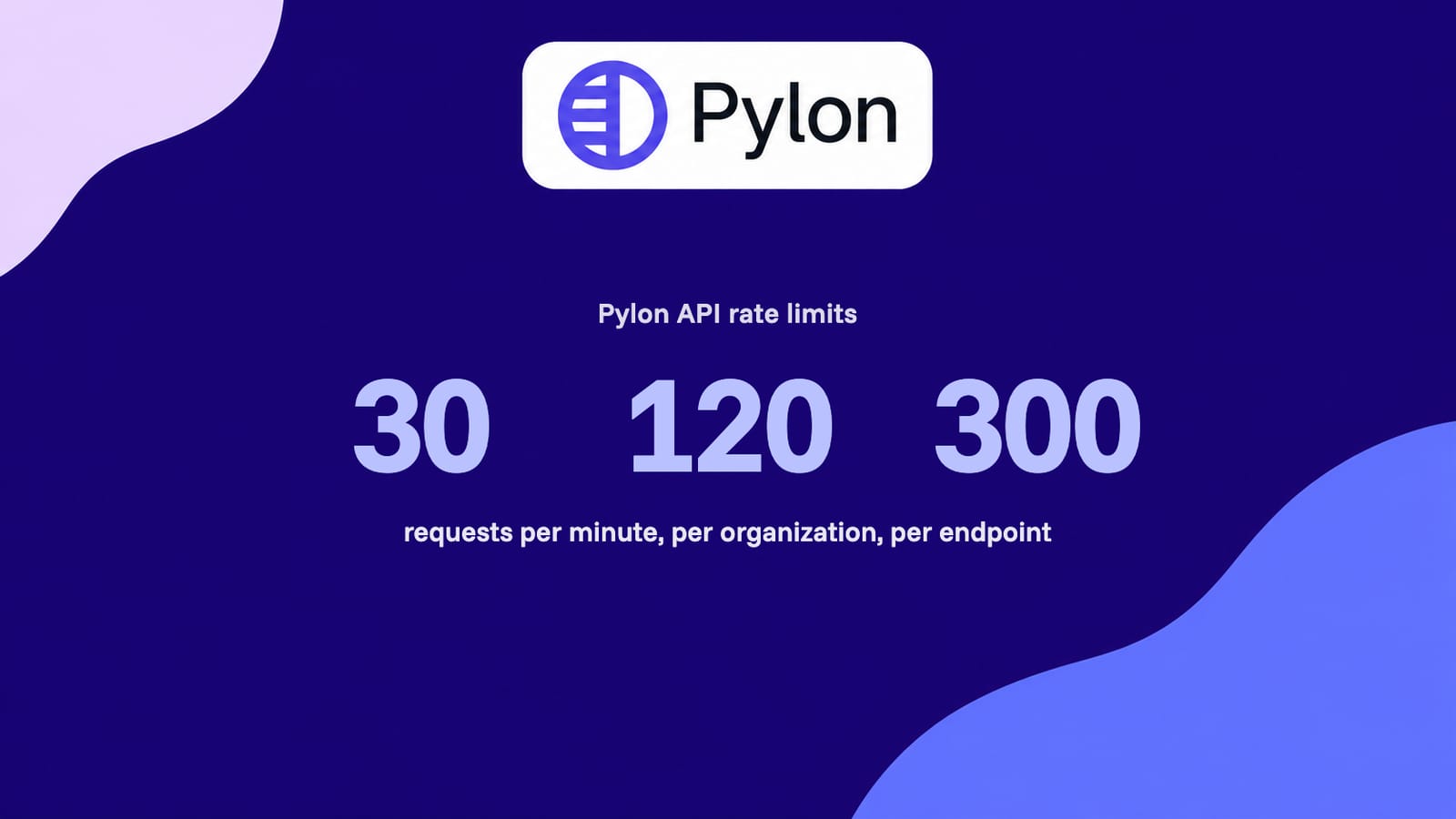
Evidence. Pylon's tool article: "Contact Pylon support if you need to remove the tickets an import created." Pylon's migration overview: swapping the in-app chat widget "will require someone to modify the code in your product, usually an engineer", and existing integrations or homegrown ticket forms need engineering. Pylon's API rate limits are set per organization, per endpoint, at 30, 120 or 300 requests per minute, "unless Pylon has raised the limit for your organization". The import endpoint's limit is not published. For bulk use of the import API, Pylon asks you to contact migrations@usepylon.com (Pylon docs and help centre, as of 21 Nov 2026).
What to check. Engineering time for the chat widget, ticket forms and API integrations. Whether you have a sandbox (Enterprise only, check 17).
How to handle it. Run a small test import first and spot-check old and recent tickets, as Pylon's preview step suggests. Use a distinct migration name so the auto-tag finds every imported ticket. Book engineering time early. If you plan bulk use of the import API, tell Pylon first.
Source-side notes by platform
Your source platform shapes half of this checklist. The table gathers the source-specific rules in one place.
| Source | In Pylon's self-serve tool? | Open email cutover (Pylon) | Notice or exit rule | Credential note |
|---|---|---|---|---|
| Zendesk | Yes | Scripted Seamless Migration, "the simplest" | 30 days' written notice to revops@zendesk.com | API tokens end 30 Apr 2027; Sign in with Zendesk offered |
| Intercom | Yes | Listed as a Seamless Migration email option | 30 days' notice; active subscription needed to export | Access token |
| Jira Service Management | Yes | None: "no way to migrate JSM tickets as open" | Not checked for this guide | Site, admin email and API token |
| Salesforce Service Cloud | Yes | General email method (CC Pylon + external ID); no source-specific script | Not checked for this guide | Connected App key and secret; shared daily API allocation |
| Front | Yes | Listed as a Seamless Migration email option | Account export through Front Support | Token shown once |
| HubSpot | Yes | General email method (CC Pylon + external ID); no source-specific script | Not checked for this guide | Service key; daily limit shared by all apps |
| Freshdesk | Yes | General email method (CC Pylon + external ID); no source-specific script | Data deleted 14 days after subscription end | Paid tier needed for API key |
| Help Scout | No | Custom Zap | API is the only export route | Paid plan needed for API |
Sources: Pylon help articles "How to migrate your tickets to Pylon with the Data migration tool", "Seamless Migrations" and "Migrating your Team Over to Pylon"; vendor terms and docs listed above. All as of 21 November 2026. "General email method" means Pylon's articles don't name a source-specific Seamless Migration path; the general email method applies (CC your Pylon support email and add the ticket's external ID, and Pylon's vendor backfills the metadata). Ask Pylon to confirm for your source. "Not checked" means we did not review that vendor's renewal terms for this guide.
A three-stage plan
The checks fall into three stages. Use them as an order of work, not a timeline.
Before you sign Pylon. Choose your path (1). Check open email cutover for your source (3). Confirm the plan for Teams and the portal (9) and for security (17). Time the signature (13). Get quotes (14). Diary the renewal notice (15).
Before cutover. Count open tickets and choose a pattern (2). Plan read-only history (5). Rebuild processes (6). Map redirects (7). Clean Intercom data (8). Set match rules (10) and the CRM order (11). Choose the history window and take the full export (16). Prepare credentials (18). Run a test import (19).
During and after cutover. Re-ticket open Slack and Teams threads (4). Watch the source API budget during the run (12). Run a delta import for tickets created since the first one. Keep read access to the old platform until you have checked the history.
Where a migration partner fits
Pylon's own paths cover a lot. A migration partner fits where Pylon's scope leaves the work to you: history in a specific shape, sources the tool doesn't list, custom fields and edge cases, and repeat delta runs. Whoever you use, ask them:
- Which Pylon path will you write through, and what state will tickets arrive in?
- Do authors, timestamps and internal notes survive, and how will we check?
- How do you handle tickets that change after the first import?
- How do you report records that fail, and who re-runs them?
- How much of our source platform's API budget will you use per day?
If you want a partner for the parts Pylon's paths leave to you, MigrateX migrates your history into Pylon and Plain. MigrateX runs AI-powered migrations with 100% data fidelity, and gives a fixed quote within 24 hours. We are SOC 2 Type II, GDPR and HIPAA compliant. Pylon is listed on our AI-native platforms page, and how it works shows our process. Browse all help desk platforms or migration routes, or scope my migration to talk it through.
No two moves to Pylon look the same. A Zendesk team with mostly email has a different list from an Intercom team with years of anonymous chats. Run all 19 checks anyway, give each one an owner, and settle the seven before-signing checks before you put your name on the contract.
Facts checked November 21, 2026 from Pylon help: Data Migration (service), Pylon help: Overview of Offerings, Pylon help: Implementation Packages, Pylon help: How to migrate your tickets to Pylon with the Data migration tool, Pylon help: How do I import issues using the API?, Pylon help: [Overview] Migrating to Pylon, Pylon help: Migrating Open vs. Closed Tickets, Pylon help: Seamless Migrations, Pylon help: Migrating your Team Over to Pylon, Pylon help: Data Migration from Intercom, Pylon help: Data Migration from Zendesk, Pylon help: Data Migration from Freshdesk, Pylon help: Data Migration from Help Scout, Pylon help: Migrating your Knowledge Base, Pylon help: How does CRM attribute syncing work, Pylon docs: Knowledge base redirects, Pylon docs: Microsoft Teams integration, Pylon docs: Salesforce integration, Pylon docs: CRM integrations, Pylon docs: API rate limits, Pylon pricing, Zendesk Customer Agreement (§7.2 renewal notice), Zendesk help: API tokens as an authentication method, Intercom Terms of Service (§7.1 renewal), Intercom promotional offer terms, Intercom help: Inactive workspace deletion, Freshdesk help: Cancel your Freshdesk account, Front help: Account data export, Front developer docs: Create and revoke API tokens, Front community: API news & updates, Help Scout docs: Data export options, HubSpot: Export your content and data, HubSpot developer docs: API usage guidelines, Salesforce: API request limits and allocations and Freshdesk API: Rate limit. No vendor paid for this article. How we research
Pylon migration FAQ
Can Pylon migrate my open tickets?
Pylon's paid Data Migration service migrates closed tickets only; Pylon says "Open ticket cutover is managed by your team". Bought together with the $5,000 Hightouch implementation package, Pylon says the Data Migration can also move open email ticket threads. Otherwise, for open email threads, Pylon describes a "Seamless Migration" (scripted for Zendesk, a custom Zap for Help Scout) or CCing your Pylon support address on each thread. It says there is no way to migrate Jira Service Management tickets as open. Pylon's import API accepts open states for teams that build their own import (Pylon help centre, as of 21 Nov 2026).
How much does Pylon charge for data migration?
Pylon says its Data Migration service "is priced based on volume", meaning the number of tickets and/or knowledge base articles, with a quote from your account team. Its implementation packages are separate: $1,000 for Standard and $5,000 for Hightouch, and neither includes a Data Migration. The self-serve Data migration tool and the import API are not among Pylon's three paid services, and Pylon lists no separate fee for them (Pylon help centre, as of 21 Nov 2026).
What happens to my Slack Connect threads when I move to Pylon?
New Slack and Teams conversations start flowing into Pylon once its bot is in the channel. Threads another tool already tracks as tickets must be re-ticketed one by one with Pylon's ticket emoji, and Pylon says it "cannot backfill the Metadata on these migrated threads as of now". Export the open-thread list with its priority and assignee first (Pylon help centre, as of 21 Nov 2026).
Will my Intercom leads and anonymous users become Pylon accounts?
They can. Pylon's Intercom guide says it matches or creates an account from each person's email domain, and for generic domains like Gmail "we will create a separate account just for that person", leaving many single-contact accounts. Filter the import to recent tickets or a relevant subset, and leave unconverted leads behind (Pylon help centre, as of 21 Nov 2026).
How many years of ticket history should I import into Pylon?
Pylon recommends importing at most the last two years through its self-serve tool, because older tickets can teach its AI how your product used to work. It also recommends keeping a full export from your old help desk for audits or records. Pylon's Intercom guide notes its service pulls all history by default unless you filter (Pylon help centre, as of 21 Nov 2026).
When should I give Zendesk or Intercom notice?
At least 30 days before your term ends. Zendesk's Customer Agreement requires written notice of non-renewal to revops@zendesk.com, or the term renews for an equivalent term at then-current rates. On yearly or multi-year Intercom plans, the terms renew for successive 12-month periods unless notice is given at least 30 days before expiry; monthly plans can be cancelled any time. Check your Order Form for overrides (vendor terms, as of 21 Nov 2026).
How much does Pylon cost, and which plan do I need?
Pylon lists Professional at $89 and Advanced at $139 per seat per month on an annual contract; Enterprise is a custom quote. Microsoft Teams support, the customer portal and HIPAA support start on Advanced, and a BAA is "Talk to sales" on Advanced and included on Enterprise. Pylon's AI agents and automations run on credits you purchase, and no per-credit price is published. New customers also face a minimum seat count that Pylon does not publish (Pylon pricing page, as of 21 Nov 2026).

Written by
Ayush BothraFounding Member, MigrateX
Ayush writes about ITSM platforms, pricing and what it takes to move a service desk to a new platform without losing its history.