


 GDPR compliant
 HIPAA compliant
ZendeskJira Service Management
Zendesk to Jira Service Management migration
ITSM specialists move your tickets, public replies and internal notes into Jira Service Management, check a sample with you first, and count every record on both sides.
Scope my migration
Free sample migration of 100 of your records, plus a fixed quote within 24 hours.
Last updated October 2026 · 13 object types mapped
- 1000+migrations
- 15 yearsof collective experience
 SOC 2 Type IIGDPR compliantHIPAA compliant
Zendesk to Jira Service Management at a glance
This is a one-time data migration, not an integration: we move tickets, public replies, internal notes, attachments, end users, organizations and Help Center articles out of Zendesk and into Jira Service Management and Confluence. Internal notes stay internal and customers keep their organizations. Our ITSM team runs this route as an engineer-led migration, maps forms and statuses with you, and reconciles counts on both sides before cutover.
- Objects mapped
- 13
- in this route's mapping
- Typical timeline
- About 10 business days for up to 100k tickets
- 3 phases
- Free sample
- 100 records
- checked by your team first
- Quote
- Fixed
- within 24 hours
What moves
What moves from Zendesk to Jira Service Management
Every record type is mapped from Zendesk to its Jira Service Management equivalent.
- 13 included
- 2 on request
| Zendesk | maps to | Jira Service Management | Status |
|---|---|---|---|
| Objects13 | |||
| Tickets | Requests | Included | |
| Public Replies | Public Comments | Included | |
| Internal Notes | Internal Comments | Included | |
| End Users | Customers | Included | |
| Organizations | Organizations | Included | |
| Agents | Licensed Agents | Included | |
| Groups | Teams | Included | |
| CCs and Followers | Request Participants and Watchers | Included | |
| Ticket Fields | Custom Fields | Included | |
| Tags | Labels | Included | |
| Attachments | Attachments | Included | |
| Help Center Categories and Sections | Confluence Spaces and Parent Pages | Included | |
| Help Center Articles | Confluence Pages | Included | |
| Other2 | |||
| Side Conversations | Internal CommentsPosted on the parent request in order, with participants and subject noted. | On request | |
| Satisfaction Ratings | Custom FieldsScore and comment kept as data on the migrated request. Not rebuilt as a live survey. | On request | |
ZendeskJira Service Management
Objects
- TicketsRequests
- Public RepliesPublic Comments
- Internal NotesInternal Comments
- End UsersCustomers
- OrganizationsOrganizations
- AgentsLicensed Agents
- GroupsTeams
- CCs and FollowersRequest Participants and Watchers
- Ticket FieldsCustom Fields
- TagsLabels
- AttachmentsAttachments
- Help Center Categories and SectionsConfluence Spaces and Parent Pages
- Help Center ArticlesConfluence Pages
Other
- Side ConversationsInternal Comments
On request
Posted on the parent request in order, with participants and subject noted.
- Satisfaction RatingsCustom Fields
On request
Score and comment kept as data on the migrated request. Not rebuilt as a live survey.
Looking for another object?Field-level mapping is reviewed with you during scoping.
What does not move
What does not move from Zendesk to Jira Service Management as-is
These Zendesk items are not migrated as records; each line says what takes their place in Jira Service Management.
- Ticket FormsNot migrated
- In Jira Service Management: Request Types (rebuilt)
- Not migrated
- Satisfaction RatingsNot migrated
- In Jira Service Management: No equivalent
- Not migrated
- Macros, Triggers and AutomationsNot migrated
- In Jira Service Management: Automation Rules (rebuilt)
- Not migrated
Free sample migration of 100 of your records. Fixed quote within 24 hours.
Scope my migrationTimeline
Zendesk to Jira Service Management migration timeline
Estimated total
About 10 business days
for up to 100k tickets
- MigrateXwe run it
- Youyour team acts
- Bothon a call together
Preparation
Day 1-2
Access and scope
You1 dayYou create a Zendesk API token for an admin user, a Jira Cloud API token for a site admin, and a target service space. We agree which brands, ticket forms, date ranges and Help Center sections are in scope.
Volume and schema read
MigrateX0.5 dayWe count tickets by status, form and archive state, plus comments, attachments, users, organizations and articles. We read ticket fields and forms and confirm your Zendesk rate limit.
Mapping sign-off
Both0.5 dayWe send the status, priority, request type, field and group mapping, with the created-date and SLA choices written down. You approve or amend it.
Migration
Day 3-7
People and structure
MigrateX1 dayOrganizations, customers, agents and teams are created in JSM. Request types and custom fields are built, and Confluence spaces are set up for the knowledge base.
Sample run
Both1 dayA few hundred tickets across every form, including archived tickets, long threads, internal notes and attachments. You check them as an agent and as a customer.
Bulk pass
MigrateX2-3 daysRequests, comments and attachments in batches paced to both rate limits, with checkpoints by Zendesk ticket id. Help Center articles follow as Confluence pages.
Delta and cutover
Both0.5 dayTickets created or updated in Zendesk since the bulk pass are synced from the incremental export. You switch email channels and portal links to JSM; Zendesk becomes read-only.
Validation
Day 8-10
Reconciliation report
MigrateX1 dayCounts per object, status, request type and organization on both sides, plus a list of every record that needed a placeholder user or default mapping.
Spot checks
You1 dayYour support leads open a random sample of requests and articles and confirm comment order, visibility, attachments and organization are right.
Fixes and sign-off
Both1 dayWe correct anything the spot checks raise, re-run the affected batch, and hand over the Zendesk id to Jira key map and the mapping sheet.
An estimate. Record volume, API rate limits and how fast your team reviews the sample all move it.
Known risks
Every known risk on this route, with how we handle it
- 3 solved
- 2 handled
- 01SolvedMost critical
Internal notes can leak to the customer portal
The problem
Zendesk marks every comment as public or internal. Jira's CSV importer makes every comment in a service space public, so a CSV-only migration can show agent notes, engineering detail and personal data to customers on the portal.
How we handle it
We read each comment from the Zendesk comments endpoint in order and post it through the Service Management comment endpoint with the public flag set from the Zendesk value. Before sign-off we open a sample of migrated requests from a customer account and confirm no internal note is visible.
Source: Zendesk developer documentation, checked 15 Nov 2026
- 02HandledMost critical
The request API takes no created date
The problem
The Service Management create request API takes no created date. The CSV importer can keep the original created date, but it cannot keep comments internal. No single standard path gives both.
How we handle it
We agree the trade-off during scoping. Our default keeps comment visibility correct through the API and stores the original created, solved and updated dates in date fields, with the Zendesk ticket number in a searchable field. Where the built-in created date matters more, we load issue shells by CSV and add comments by API afterwards.
Source: Atlassian Support, checked 15 Nov 2026
- 03HandledMost critical
SLA clocks run on imported closed requests
The problem
Jira Service Management works out SLAs from issue history. A closed request imported by CSV has no history beyond creation, so its SLA keeps counting and old tickets show as breached.
How we handle it
We mark migrated requests with a field and add an SLA goal that excludes them, or transition them to done during the load so the clock stops. You choose one at mapping sign-off, and we check SLA fields on a sample before cutover.
Source: Atlassian Support, checked 15 Nov 2026
- 04Solved
Archived tickets are easy to miss
The problem
Closed tickets older than 120 days are archived in Zendesk. Some list endpoints do not return them, so an export built on those endpoints silently drops years of history.
How we handle it
We extract through the incremental export, which walks every ticket by update time, and reconcile archived and active counts separately against the Zendesk totals before the bulk load.
Source: Zendesk Help Center, checked 15 Nov 2026
- 05Solved
Paced to each platform's request quotas, on different clocks
The problem
Zendesk limits requests per minute by plan, with a much lower limit on incremental exports. Jira Cloud applies points-based limits to apps and burst limits to every caller, and returns HTTP 429 when they are hit. A migration that ignores either side stalls and leaves partial requests behind.
How we handle it
The runner paces reads against your Zendesk plan limit, honours Retry-After on Jira, and checkpoints progress by Zendesk ticket id so an interrupted batch resumes without duplicates. Large accounts get the bulk pass outside peak hours and a delta pass at cutover.
Source: Atlassian developer documentation, checked 15 Nov 2026
Technical profile
What makes this route technical
The API limits and data model differences between Zendesk and Jira Service Management that shape the plan.
- Zendesk Support API rate limits
- 200 requests per minute on Team, 400 on Growth and Professional, 700 on Enterprise. The High Volume add-on raises a qualifying plan to 2,500. Your plan sets how fast we can read comments, users and attachments.
Source: Zendesk developer documentation, checked 15 Nov 2026
- Zendesk incremental ticket export
- The cursor-based export returns up to 1,000 tickets per page and is limited to 10 requests per minute, or 30 with the High Volume add-on. Deleted tickets are included unless excluded. We use it for the bulk read and the delta pass.
Source: Zendesk developer documentation, checked 15 Nov 2026
- Archived Zendesk tickets
- Zendesk archives tickets 120 days after they are closed. Most ticket API endpoints still return them, but some, such as List Tickets, do not. Extraction that relies on those endpoints misses older history.
Source: Zendesk Help Center, checked 15 Nov 2026
- Zendesk attachment size
- Zendesk accepts single files of up to 50 MB on inbound email and web forms, and creates the ticket without any larger file. Jira Cloud's per-file limit defaults to 1 GB and can be raised to 2 GB, so those files fit unless your Jira admin has lowered the limit.
Source: Zendesk Help Center, checked 15 Nov 2026
- Original created date
- The Service Management create request API takes no created date. The CSV importer keeps the original created date only if the Created column is mapped and the date format matches; otherwise it uses the import date.
Source: Atlassian Support, checked 15 Nov 2026
- Internal and public comments
- The Service Management request comment endpoint takes a public flag, so each comment can be posted as internal or customer-visible. Atlassian documents that comments imported by CSV into a service space all become public.
Source: Atlassian developer documentation, checked 15 Nov 2026
- Jira Cloud write limits
- Bulk create accepts up to 50 issues per request. When any rate limit is exceeded Jira returns HTTP 429 with a Retry-After header saying how many seconds to wait.
Source: Atlassian developer documentation, checked 15 Nov 2026
Facts checked 15 Nov 2026 against Zendesk and Atlassian documentation. Each fact links its source.
Zendesk to Jira Service Management questions
Still unsure? Ask the engineer who would run this migration, not a sales rep.
Is this an integration or a migration?
A migration. We move your history out of Zendesk once, run a delta pass at cutover, and then Zendesk can be retired. If support is staying on Zendesk and you only need to escalate tickets to engineering in Jira, you want an integration instead, such as Zendesk's own Jira app. An integration moves no history.
Do we keep the Zendesk ticket numbers?
Not as the issue key. Jira assigns its own key, such as SD-4821. We store the Zendesk ticket number in a searchable field on every request and hand over a full Zendesk id to Jira key map, so agents and links can still find old tickets.
Do internal notes stay internal?
Yes. We post each comment through the Service Management comment endpoint with its visibility set from Zendesk, because a CSV import would make every comment public. Before sign-off we open a sample of requests from a customer account to confirm no internal note shows on the portal.
What happens to end users and organizations?
End users become JSM customers, which do not need a licence, and Zendesk organizations become JSM organizations with the same members. Requests are shared with the organization so customers see the same tickets on the portal that they saw in Zendesk.
Will the original created dates be kept?
The Service Management create request API takes no created date. By default we keep the original created, solved and updated dates in date fields. If you need the built-in created date, we can load requests by CSV first and add comments by API, and we agree that choice at scoping.
Do macros, triggers and SLA policies migrate?
No. They are configuration, not data. We export a list of them so your admins can rebuild macros as canned responses and automation, triggers and automations as JSM automation rules, and SLA policies as JSM SLA goals. We also stop SLA clocks on migrated closed requests so they do not show as breached.
Where does the Help Center go?
Jira Service Management uses Confluence for its knowledge base. Categories and sections become a space and parent pages, and each article becomes a page with its images and attachments. Links between articles are rewritten to the new pages where we can resolve them.
Is there downtime during the migration?
No. Zendesk stays live during the bulk pass because we only read from it. At cutover we sync anything created or changed since, you switch email channels and portal links to JSM, and Zendesk becomes read-only.
How long does it take?
About ten business days for up to 100k tickets: two for preparation and mapping, five for the sample run, bulk pass and delta, and three for validation. Larger accounts take longer mostly in the bulk pass, which is paced by your Zendesk plan's rate limit.
What does it cost?
Pricing depends on ticket volume, the objects in scope and how much custom mapping is needed. Use the pricing page to get a quote from your counts.
How it compares
Four ways to run Zendesk to Jira Service Management
The same data, moved four different ways. This is what changes between them.
Object coverage (incidents, problems, changes, requests, KB)
MigrateX
Every object in the Zendesk connector, plus the ones you ask for during scoping.
Automated migration software
Tickets and contacts are covered. Problems, changes and request items often are not.
Vendor CSV import
One object per file, and only the fields the export template exposes.
In-house scripts
Whatever you have time to build before the cutover date.
Work notes vs comments fidelity
MigrateX
Each entry is posted separately, private stays private, public stays public.
Automated migration software
Threads usually arrive, but per-entry author and visibility can be flattened.
Vendor CSV import
Notes collapse into one field on the ticket, if they come across at all.
In-house scripts
Possible, but it is the part teams most often run out of time for.
Attachments
MigrateX
Uploaded against the right note, and re-hosted with a link when they exceed the Jira Service Management cap.
Automated migration software
Supported up to the destination cap. Oversize files are skipped.
Vendor CSV import
Not carried by a CSV import.
In-house scripts
Needs its own download, retry and upload pipeline.
Original IDs cross-referenced
MigrateX
Every source id is stored on the destination record and handed back as a map.
Automated migration software
Often kept as a tag or a single text field.
Vendor CSV import
Lost once the file is imported.
In-house scripts
Only if you design the mapping table up front.
Delta sync before cutover
MigrateX
Included. Anything created or changed during the bulk pass is synced at cutover.
Automated migration software
Usually a paid upgrade on the top tier.
Vendor CSV import
You would re-export and re-import by hand.
In-house scripts
Requires change tracking and idempotent writes on both sides.
Rate-limit handling
MigrateX
Paced to your plan limits, honours Retry-After, and resumes from a checkpoint.
Automated migration software
Backs off, but a long run can still stall and leave partial records.
Vendor CSV import
Not applicable, and the file size limits bite instead.
In-house scripts
The most common reason a home-grown run dies overnight.
Validation report
MigrateX
Counts per object and per status on both sides, with every default and placeholder listed.
Automated migration software
A run log and an error list, rather than a reconciliation.
Vendor CSV import
Row counts in a spreadsheet.
In-house scripts
You write the reconciliation queries yourself.
Rollback plan
MigrateX
Every write is tagged, so a batch can be reversed without touching your own records.
Automated migration software
Some approaches can clear a migration, some cannot.
Vendor CSV import
Manual cleanup of everything the import created.
In-house scripts
Only if you built the tagging in from the start.
Who does the work
MigrateX
A MigrateX engineer runs it and stays on the cutover call.
Automated migration software
You run the software. Support answers tickets.
Vendor CSV import
Your admins, one file at a time.
In-house scripts
Your engineers, instead of your roadmap.
Guides
Guides for a Zendesk to Jira Service Management migration

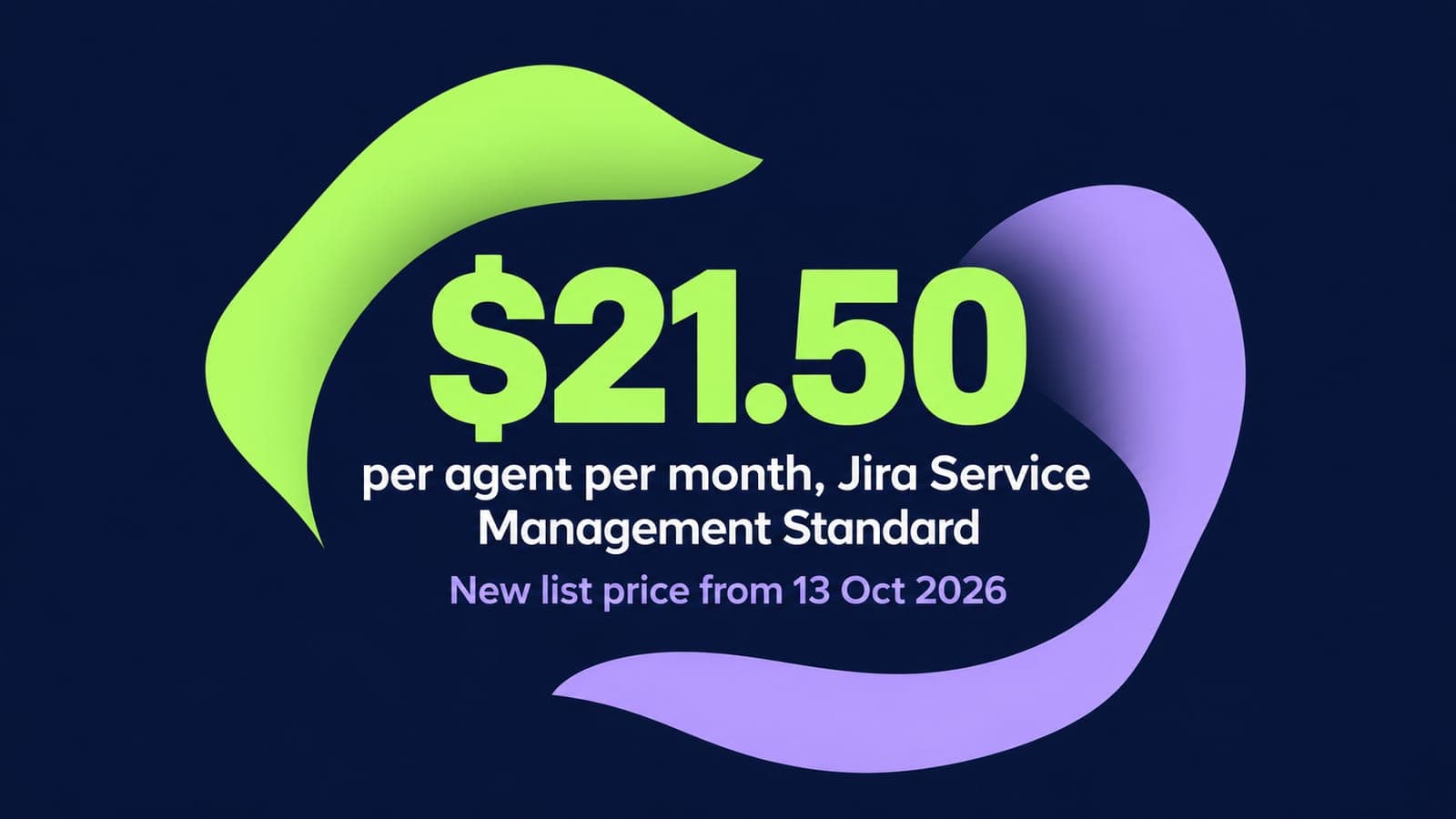 Pricing and costs
Jira Service Management Pricing 2026: Plans, Per-Agent Costs and Hidden Fees
14 min read
Related routes
Other routes we run





Built for your security review, from the first call.
Read how we handle your dataSOC 2 Type II
Independently audited controls over how we handle your data.
GDPR compliant
Data processing agreement available.
HIPAA compliant
Business associate agreement available.

Start your Jira Service Management move with 100 of your records.
Scope my migrationFree sample migration of 100 of your records, plus a fixed quote within 24 hours.