Pylon API Rate Limits: Every Endpoint, Explained (2026)
Pylon API rate limits for all 174 endpoints: the 30, 120 and 300 a minute tiers, 429 headers, the 365-day list window and the import API. Checked 21 Nov 2026.
 Ayush BothraFounding Member, MigrateX
Published 16 min read
On this page
- Pylon API rate limits at a glance
- How Pylon's rate limits work
- Rate-limit headers and the 429 response
- Every Pylon API endpoint by rate-limit tier
- What changed in Pylon's API in 2026
- Listing, pagination and request size
- Attachments: the 100 MB limit
- Authentication and US or EU hosts
- The import endpoints: documented, limit not published
- How to budget API calls for a bulk import
- Budgeting for reads and exports out of Pylon
- Rate-limit checklist for integration builders
- What to ask any migration vendor about Pylon's limits
- How MigrateX works with Pylon
- Pylon API rate limits FAQ
- The short version
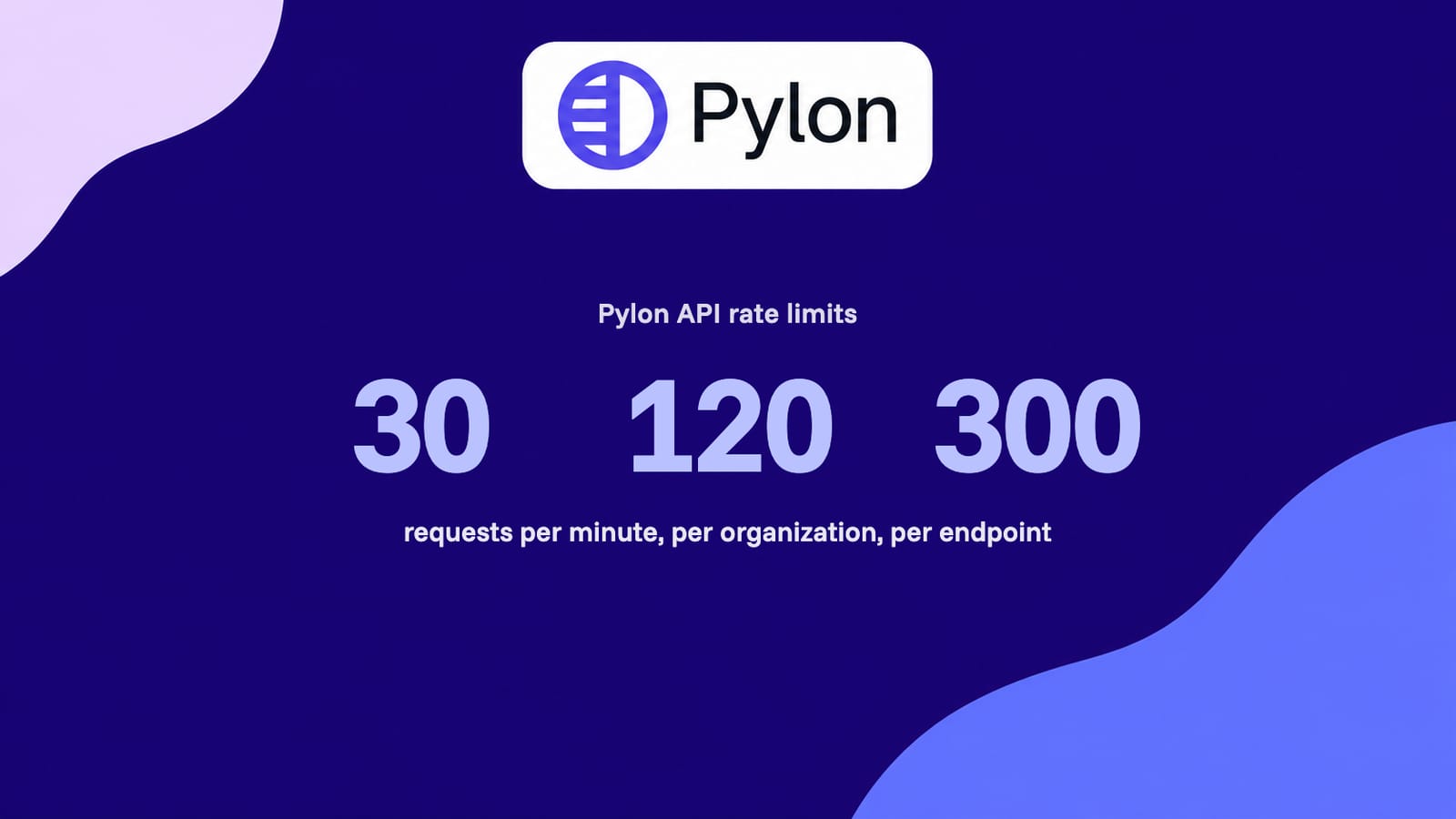
Pylon's API rate limits cap each endpoint at 30, 120 or 300 requests a minute, per organization, and every API token in the workspace shares that allowance. Creating issues, posting replies and notes, and uploading attachments sit in the 30-a-minute tier, while creating accounts, contacts and tags runs at 300 (Pylon API reference, as of 21 November 2026).
Pylon's own documentation is the source of truth, and this guide does not replace it. It puts every published limit on one page, groups all 174 operations by tier, and explains what the numbers mean when you plan a bulk import, an export or a long-running integration. Some third-party pages still quote older or lower numbers, so every figure here was re-read from Pylon's developer docs and help centre on 21 November 2026, with the source named next to it.
Pylon API rate limits at a glance
The table covers the endpoints most integrations and migrations touch. Limits are requests per minute, per organization, per endpoint, from the "Rate limit" line on each entry in Pylon's API reference, as of 21 November 2026. Pylon can raise a limit for your organization, so the X-Rate-Limit-Limit header on your own responses is the final word.
| Endpoint | What it does | Limit per minute |
|---|---|---|
GET /issues | List issues in a time window | 30 |
POST /issues | Create an issue | 30 |
PATCH /issues | Bulk update up to 100 issues | 30 |
GET /issues/{id} | Get one issue | 300 |
PATCH /issues/{id} | Update one issue (state, tags, fields) | 120 |
POST /issues/search | Search issues with filters | 120 |
GET /issues/{id}/messages | Read an issue's messages | 120 |
POST /issues/{id}/reply | Customer-facing reply | 30 |
POST /issues/{id}/note | Internal note | 30 |
POST /issues/{id}/threads | Create an internal thread | 120 |
POST /attachments | Upload a file | 30 |
POST /accounts | Create an account | 300 |
PATCH /accounts | Bulk update accounts | 120 |
POST /contacts | Create a contact | 300 |
POST /users/invite | Invite a user | 30 |
POST /teams | Create a team | 30 |
POST /tags | Create a tag | 300 |
POST /custom-fields | Create a custom field | 120 |
POST /knowledge-bases/{id}/articles | Create an article | 30 |
POST /knowledge-bases/{id}/route-redirects | Create a help centre redirect | 30 |
GET /me | Check which organization a token belongs to | 300 |
POST /import/issues | Import a historical issue with its messages | Not published |
Sources: Pylon developer docs (Issues, Messages, Attachments, Accounts, Contacts, Users, Teams, Tags, Custom fields, Knowledge base, Me) and Pylon help centre (import endpoint), as of 21 November 2026.
How Pylon's rate limits work
Pylon's rate limits page sets out three rules (as of 21 November 2026):
- Per organization. All API tokens in your organization share the same allowance. Pylon says plainly that creating more tokens does not raise it.
- Per endpoint. Each endpoint has its own allowance. Pylon's example: requests to
GET /issuesdo not count againstPOST /issues/search. - Per minute. Every endpoint uses one of three limits, 30, 120 or 300 requests a minute, "unless Pylon has raised the limit for your organization".
If an integration needs more on one endpoint, Pylon's instruction is to contact Pylon support. It does not publish a price or a process for a raise, so treat a higher limit as something you agree with Pylon in advance, not something you can assume.
Two practical consequences follow from these rules:
- Endpoints are separate buckets. A job that creates issues and a job that creates contacts do not compete, even under the same token. Two jobs that both create issues do compete, even under different tokens.
- Every token user draws from the same pool. Pylon's own advice is to remember "that every integration using your organization's tokens draws from the same allowance". A CRM sync script, a reporting job and a migration all running on API tokens share each endpoint's budget.
Rate-limit headers and the 429 response
Every Pylon API response carries three rate-limit headers, and a rejected request adds two more. From Pylon's rate limits page, as of 21 November 2026:
| Header | When it appears | What it tells you |
|---|---|---|
X-Rate-Limit-Limit | Every response | Your organization's per-minute allowance for this endpoint |
X-Rate-Limit-Remaining | Every response | How many more requests you can make to this endpoint right now |
X-Rate-Limit-Reset | Every response | Seconds until the full per-minute allowance is restored |
Retry-After | 429 only | Seconds to wait before the next request can succeed, rounded up to a whole second |
X-Retry-After | 429 only | Seconds until the full allowance is restored |
A request over the limit returns HTTP 429 with the error code rate_limited (Pylon errors page, as of 21 November 2026). Pylon notes that capacity "comes back gradually", so some requests can succeed before the X-Retry-After time has passed.
Pylon's recommended handling, in short:
- Watch
X-Rate-Limit-Remainingand slow down as it nears zero, rather than waiting for a429. - On a
429, wait at leastRetry-Afterseconds, and add backoff with jitter if429s keep coming. - Spread bulk jobs over time instead of sending bursts.
- Prefer search endpoints with filters and pagination over fetching objects one at a time.
One detail matters for monitoring. Pylon's authentication page says requests rejected for authentication or rate limits are not written to the API request logs in Settings (as of 21 November 2026). If you want to count your 429s, log them in your own client.
Every Pylon API endpoint by rate-limit tier
This is the full list. We parsed the OpenAPI definition embedded in each page of Pylon's API reference on 21 November 2026 and read the "Rate limit" line on every operation. There are 174 documented operations: 43 at 30 a minute, 70 at 120 and 61 at 300. Every operation carries a published limit.
| Object | 30 a minute | 120 a minute | 300 a minute |
|---|---|---|---|
| Issues | PATCH /issues, POST /issues/mark-spam, POST /issues/merge, GET /issues, POST /issues, POST /issue-groups, GET /issue-statuses | POST /issues/{id}/external-incidents, POST /issue-groups/{issue_group_id}/children, DELETE /issue-groups/{issue_group_id}/children/{child_issue_id}, POST /issues/{id}/ai-response, GET /issues/{id}/voice-calls, PATCH /issues/{id}, DELETE /issues/{id}, POST /issues/search, POST /issues/{id}/snooze, POST /issues/{id}/followers, POST /issues/{id}/external-issues | GET /issues/{id}, GET /issues/{id}/followers |
| Messages and threads | PATCH /issues/{id}/messages/{message_id}, POST /issues/{id}/reply, POST /issues/{id}/draft-reply, POST /issues/{id}/note, DELETE /issues/{id}/messages/{message_id} | GET /issues/{id}/messages, GET /issues/{id}/threads, POST /issues/{id}/threads, POST /issues/{id}/messages/{message_id}/redact | None |
| Attachments | POST /attachments | None | None |
| Accounts | DELETE /accounts/{id}, POST /accounts/merge | PATCH /accounts, POST /accounts/search, POST /accounts/{account_id}/relationship, DELETE /accounts/{account_id}/relationships/{relationship_id}, POST /accounts/{account_id}/notebook-blocks/{block_id}/notes | GET /accounts, POST /accounts, GET /accounts/{id}, PATCH /accounts/{id}, GET /accounts/{account_id}/relationships, GET /accounts/{account_id}/notebook-blocks/{block_id}/notes |
| Account activities | GET /activity-types | POST /accounts/{id}/activities, GET /accounts/{id}/email-activities | GET /accounts/{id}/activities |
| Account files | POST /accounts/{id}/files | None | GET /accounts/{id}/files |
| Account highlights | POST /accounts/{account_id}/highlights | PATCH /accounts/{account_id}/highlights/{highlight_id}, DELETE /accounts/{account_id}/highlights/{highlight_id} | None |
| Contacts | DELETE /contacts/{id}, POST /contacts/merge, POST /contacts/{id}/portal-invitation | POST /contacts/search | GET /contacts, POST /contacts, GET /contacts/{id}, PATCH /contacts/{id} |
| Users | POST /users/invite, GET /user-statuses | PATCH /users/{id}, POST /users/search | GET /users, GET /users/{id} |
| User roles | None | None | GET /user-roles |
| Teams | POST /teams, DELETE /teams/{id} | PATCH /teams/{id} | GET /teams, GET /teams/{id} |
| Tags | PATCH /tags/{id}, DELETE /tags/{id} | POST /tags/search | GET /tags, GET /tags/{id}, POST /tags |
| Custom fields | None | POST /custom-fields, PATCH /custom-fields/{id}, POST /custom-fields/{id}/select-options, PATCH /custom-fields/{id}/select-options, DELETE /custom-fields/{id}/select-options | GET /custom-fields, GET /custom-fields/{id} |
| Custom objects | None | POST /custom-objects/{type}/search, POST /custom-objects/{type}, PATCH /custom-objects/{type}/{id}, PATCH /custom-objects/{type}, DELETE /custom-objects/{type}/{id} | GET /custom-objects/{type}, GET /custom-objects/{type}/{id} |
| Knowledge base | POST /knowledge-bases/{id}/collections, PATCH /knowledge-bases/{id}/collections/{collection_id}, DELETE /knowledge-bases/{id}/collections/{collection_id}, POST /knowledge-bases/{id}/articles, POST /knowledge-bases/{id}/route-redirects, DELETE /knowledge-bases/{id}/route-redirects/{redirect_id}, POST /knowledge-bases/{id}/articles/{article_id}/request-review | GET /article-feedback, PATCH /knowledge-bases/{id}/themes/{theme_id}, POST /knowledge-bases/{id}/themes/{theme_id}/publish, GET /knowledge-bases/{id}/collections/{collection_id}, GET /knowledge-bases/{id}/collections, GET /knowledge-bases/{id}/articles, PATCH /knowledge-bases/{id}/articles/{article_id}, DELETE /knowledge-bases/{id}/articles/{article_id} | GET /knowledge-bases, GET /knowledge-bases/{id}, GET /knowledge-bases/{id}/themes/{theme_id}, GET /knowledge-bases/{id}/articles/{article_id}, GET /knowledge-bases/{id}/route-redirects |
| Macros | None | DELETE /macros/{id} | GET /macros/{id}, GET /macros, GET /macro-groups, PATCH /macros/{id}, POST /macros |
| Ticket forms | POST /ticket-forms/{id}/submissions | None | GET /ticket-forms, GET /ticket-forms/{id} |
| Surveys | None | POST /surveys/search | GET /surveys, GET /surveys/{id}, GET /surveys/{id}/responses, GET /issues/{id}/survey-responses |
| Feature requests | POST /feature-requests/merge | POST /feature-requests/search, PATCH /feature-requests/{id}, POST /feature-requests/{id}/evidence, DELETE /feature-requests/{id}, POST /feature-requests, POST /feature-requests/{id}/set-portal-visibility, POST /feature-requests/{id}/external-issues | GET /feature-requests/{id} |
| Tasks, projects, milestones | GET /task-statuses | POST /tasks/{id}/comments, PATCH /tasks/{id}/comments/{comment_id}, DELETE /tasks/{id}/comments/{comment_id}, POST /tasks/search, DELETE /tasks/{id}, POST /tasks/{id}/external-issues, POST /tasks/{id}/issues, POST /projects/search, DELETE /projects/{id}, POST /milestones/search | GET /tasks, GET /tasks/{id}, GET /tasks/{id}/comments, POST /tasks, PATCH /tasks/{id}, GET /projects/{id}, PATCH /projects/{id}, POST /projects, GET /milestones/{id}, PATCH /milestones/{id}, POST /milestones, DELETE /milestones/{id} |
| Call recordings | POST /call-recordings | PATCH /call-recordings/{id}, POST /call-recordings/search, DELETE /call-recordings/{id} | GET /call-recordings/{id} |
| AI training data | POST /training-data, POST /training-data/upload, POST /training-data/upload-content, DELETE /training-data/{id}/documents | None | GET /training-data, GET /training-data/{id} |
| Audit logs | POST /audit-logs/search | None | GET /audit-logs |
| Email suppressions | None | DELETE /email-suppressions/{id} | GET /email-suppressions |
| Me (token check) | None | None | GET /me |
Source: Pylon API reference, every operation's "Rate limit" line, parsed 21 November 2026. The /import endpoints are not in the API reference and are covered below.
Three patterns stand out in that list:
- Most single-record reads are fast.
GETby ID runs at 300 for issues, accounts, contacts, users, articles and most other objects. - Most heavy or risky writes are slow. Creating issues, messages, attachments, teams, articles and redirects, inviting users, merging records, and most deletes of accounts and contacts sit at 30.
- The issue list is slow but wide.
GET /issuesis limited to 30 a minute, but one call can return up to 20,000 issues (see the next section).
What changed in Pylon's API in 2026
Pylon's API moved quickly this year. Dated changes we could confirm on 21 November 2026:
- A 365-day list window. Pylon's conventions page now allows up to 365 days between
start_timeandend_timeonGET /issues. Third-party write-ups from early 2026 describe a 30-day maximum. Pylon has not published when the window changed. - Higher write numbers than older guides quote. Pylon's reference lists
POST /issuesat 30 a minute. Some older third-party pages quote lower figures or endpoints that no longer appear in the reference. Check the reference itself before you size a job. - A documented import endpoint. Pylon's help centre article "How do I import issues using the API?" (shown as last updated 23 days before 21 November 2026) documents
POST /import/issuesandPOST /import/issues/{id}/messagesfor history. - An updated self-serve migration tool. Pylon's help article on its Data migration tool was updated in November 2026.
- Official SDKs in beta. Pylon's SDK page lists TypeScript, Python and Go SDKs at version 0.1.0-beta.2 and says interfaces "may change between prereleases" (as of 21 November 2026).
- Region-prefixed tokens. Tokens now start with
pylon_api_(US) orpylon_api_eu_(EU). Pylon says tokens created before prefixes were introduced have none. Pylon does not say when prefixes were introduced.
Because these pages change, every number in this guide carries its check date. We will re-check them when Pylon updates its reference.
Listing, pagination and request size
Rate limits cap how often you call. These rules from Pylon's conventions page (as of 21 November 2026) decide how much each call returns:
| Rule | What Pylon documents |
|---|---|
GET /issues time window | start_time and end_time are both required, filter on created_at, and can be at most 365 days apart. Leaving either out returns 400 |
GET /issues order and size | Newest created_at first. limit defaults to 20,000, which is also the maximum |
| Other list and search endpoints | Cursor pagination. Most search endpoints default to 100 results and accept up to 1,000 |
| Paging | Send pagination.cursor back as cursor with the same filters until has_next_page is false. Cursors are opaque |
GET /issues/{id}/messages | If limit and cursor are omitted, all messages are returned |
| Request body size | JSON bodies are generally limited to 10 MiB; over that returns 413 with payload_too_large |
| Unknown fields | Ignored, not rejected. A misspelt field is dropped without an error |
| Timestamps | RFC 3339 with a timezone (Z or an offset) is required |
| Bulk issue update | PATCH /issues applies the same change to up to 100 issues per call |
Source: Pylon developer docs, API conventions, Issues and Messages pages, as of 21 November 2026.
The "unknown fields are ignored" rule deserves attention in any bulk job. A typo in a field name will not fail the request, so a job can run to the end with a field silently empty. Read a sample of records back after the first batch and compare them with what you sent.
Attachments: the 100 MB limit
Pylon's Attachments reference (as of 21 November 2026) says:
POST /attachmentstakes one file per request, sent asfileor fetched fromfile_url, and is limited to 30 requests a minute.- Files up to 100 MB (104,857,600 bytes) are supported. Larger files may be rejected (with
413, per the conventions page) and should be shared as an externally hosted link. - Executable and script files are rejected.
- The response returns a signed
url, which you pass inattachment_urlswhen you create issues or messages. attachment_urlsalso accepts any publicly reachable URL. Pylon downloads the file and stores its own copy, so a file that is already reachable does not need an upload call (Pylon API conventions, as of 21 November 2026).- Downstream delivery channels may impose smaller limits. The conventions page adds that email and chat channels may have smaller limits.
For a history import with many files, the attachment endpoint is often the busiest 30-a-minute bucket. Count files, not just tickets, when you plan.
Authentication and US or EU hosts
From Pylon's authentication page, as of 21 November 2026:
- Bearer tokens. Send
Authorization: Bearer <token>. Only Admins can create and manage API tokens, and Pylon shows a token once. - No expiry, no scopes. Tokens don't expire, and access is controlled only by the token's role. A token can have its own identity and role, or act as a user or bot and inherit that user's current role. Older tokens with no role act as Admin.
- Bots. Pylon supports bot identities so API activity is attributed to the bot, not a teammate. Bots can't sign in.
- IP allowlist. Up to 20 IP addresses or CIDR blocks per token. A request from an address not on the list returns
401withinvalid_api_token. - Two regions. US:
https://api.usepylon.com. EU:https://api.eu.usepylon.com. Both use the same endpoints and authentication. - Wrong region. A token sent to the other region's API returns
401withwrong_region_token, and the message names the correct URL. - Token check.
GET /me(300 a minute) returns the organization and user behind a token. - Request logs. Admins can view API request logs for up to 90 days per range in Settings.
Pylon's pricing page lists the REST API, "Scoped API Tokens" and webhooks on all three plans, Professional, Advanced and Enterprise. Its authentication page explains that a token's access is set by its role, with no separate scopes (both as of 21 November 2026). We did not find any statement that rate limits differ by plan; the rate limits page describes one model for every organization.
The import endpoints: documented, limit not published
Pylon documents three different ways to bring history in, and it helps to keep them apart:
- Pylon's Data Migration service, which Pylon prices by volume and runs with a migration vendor (Pylon help centre, as of 21 November 2026).
- Pylon's self-serve Data migration tool in Settings, for supported source platforms (Pylon help centre, updated in November 2026).
- The import API,
POST /import/issuesandPOST /import/issues/{id}/messages, for teams that build their own import.
The import API is the one that matters for this guide. Pylon's help article "How do I import issues using the API?" (as of 21 November 2026) says:
POST /import/issuescreates one issue with amessagesarray, which keeps conversation threading inside a single issue.- Each message takes
body_html,is_private, its owncreated_at,attachment_urls, and exactly one ofuser_id(your team) orcontact_id(the customer). - The issue requires
title,stateand at least one message (stateis, for examplenew,waiting_on_you,on_hold,closedor a custom status), plus optionalcreated_at,updated_at,first_response_time,resolution_time,tags,custom_fields,account_id,requester_id,assignee_id,team_idandexternal_refs(Zendesk ticket ID or Intercom conversation ID). issue_numbercan keep the old ticket number, if it is greater than 0, lower than your organization's current ticket counter, and not already in use.- Contacts and users must exist before you import.
POST /import/issues/{id}/messagesadds more messages to an existing issue in the same format. Pylon says imported messages "keep the timestamps you send and don't start triggers, notifications, or AI side effects".- Issues imported this way do not trigger topic generation for Knowledge Gaps or Feature Requests, and Pylon asks bulk importers to contact it through a shared Slack channel or at
migrations@usepylon.com.
What Pylon does not publish, as of 21 November 2026, is a rate limit for either import endpoint. They do not appear in the developer API reference or in the docs index (llms.txt), which is where every other limit in this guide comes from. If you plan a bulk import, ask Pylon for the import limit when you contact the migrations team, and read X-Rate-Limit-Limit on your first responses rather than assuming one of the three standard tiers.
Pylon's help article points history imports to the import endpoint because it "allows you to preserve conversation threading". By contrast, its reference describes POST /issues/{id}/reply as a customer-facing reply, visible to the requester, and the note endpoint takes no created_at.
How to budget API calls for a bulk import
Rate limits are easiest to plan as a call budget per bucket. Each endpoint is its own bucket, so the job is to count how many calls land in each one, then see which 30-a-minute buckets carry the most. We do not give time estimates here: real runs depend on the import endpoint's limit, any raise Pylon agrees, retries and what else shares your allowance.
Step 1. Count the records that drive calls. You need the number of issues, the number of follow-up messages per issue, the number of attachments, plus accounts, contacts, users, teams, tags, custom fields and articles.
Step 2. Map each record type to its endpoint and tier. For a history import, the call budget looks like this (limits from Pylon's API reference and help centre, as of 21 November 2026):
| Work | Endpoint | Calls | Limit per minute |
|---|---|---|---|
| Accounts | POST /accounts | 1 per account | 300 |
| Contacts | POST /contacts | 1 per contact | 300 |
| Agents | POST /users/invite | 1 per user, and each invite emails that person | 30 |
| Teams | POST /teams | 1 per team | 30 |
| Tags | POST /tags | 1 per tag | 300 |
| Custom fields | POST /custom-fields, POST /custom-fields/{id}/select-options | 1 per field, plus option calls | 120 |
| File uploads | POST /attachments | 1 per file you upload to Pylon (none for files already at a public URL, on the standard endpoints) | 30 |
| Issues with full history | POST /import/issues | 1 per issue, with its messages in the body | Not published |
| Extra messages on an imported issue | POST /import/issues/{id}/messages | 1 per batch of messages | Not published |
| Help centre articles | POST /knowledge-bases/{id}/articles | 1 per article | 30 |
| Help centre collections | POST /knowledge-bases/{id}/collections | 1 per collection | 30 |
| Old article URLs | POST /knowledge-bases/{id}/route-redirects | 1 per redirect | 30 |
| Spot checks | GET /issues/{id}, GET /issues/{id}/messages | Sample of records | 300 and 120 |
Source: Pylon API reference and help centre, as of 21 November 2026. The calls column is our own model of a typical import, not a Pylon statement.
Step 3. Find the heaviest 30-a-minute buckets. For most help desk histories, the heavy buckets are file uploads and, if you use them, articles and redirects. Accounts and contacts are rarely the constraint at 300 a minute. Because the import endpoints have no published limit, the issue bucket is the one unknown, and the one to ask Pylon about first.
Step 4. Leave headroom for everything else on your tokens. The allowance is per organization. If live integrations run on API tokens during an import, they share each endpoint's budget. Pause the ones you can, and pace the import from X-Rate-Limit-Remaining rather than a fixed rate.
Step 5. Plan retries as calls too. A 429 costs you a wait, and a failed write you retry costs another call in the same bucket. Keep a per-record log so a rerun only touches what failed. Our test migration checklist covers how to prove this on a sample first.
A worked call count, with no clock attached: a history of 10,000 issues with 15,000 attachments and 200 help centre articles means 10,000 import calls (limit not published), 15,000 calls in the 30-a-minute attachment bucket, and 200 calls in the 30-a-minute article bucket, plus redirects for every old article URL you keep. If those files have to be uploaded, the attachment bucket is the largest known 30-a-minute load in that example. Ask Pylon whether the import endpoint accepts public file URLs in attachment_urls, which would remove those calls.
Budgeting for reads and exports out of Pylon
Reading data out has a different shape:
| Work | Endpoint | Calls | Limit per minute |
|---|---|---|---|
| List issues | GET /issues | 1 per window of up to 365 days, up to 20,000 issues per call | 30 |
| Filtered issue sets | POST /issues/search | 1 per page of up to 1,000 on most searches | 120 |
| Messages | GET /issues/{id}/messages | 1 per issue (all messages if no limit or cursor) | 120 |
| Accounts and contacts | GET /accounts, GET /contacts | 1 per page | 300 |
| Articles | GET /knowledge-bases/{id}/articles | 1 per page | 120 |
| Files | the signed file_urls on each message | Downloads, not API calls in the table above | n/a |
Source: Pylon API conventions, Issues, Messages, Accounts, Contacts and Knowledge base pages, as of 21 November 2026.
GET /issues is the slowest list endpoint at 30 a minute, but it is rarely the constraint, because one call can return a full year of issues. The per-issue message read at 120 a minute is the bucket that grows with history. If you are weighing a move out of Pylon, our Pylon alternatives guide covers where teams go and what each platform imports.
Rate-limit checklist for integration builders
If you build a long-running Pylon integration rather than a one-off import:
- Read the headers on every call. Pace from
X-Rate-Limit-RemainingandX-Rate-Limit-Reset, not a hard-coded rate. Pylon may have raised your limit, andX-Rate-Limit-Limitwill show it. - Use a bot identity. A token that acts as a bot keeps API activity off a teammate's name.
- Pin the region. Read the token prefix and call the matching host, or handle
wrong_region_token. - Search, don't loop.
POST /issues/searchat 120 a minute with filters beats manyGET /issues/{id}calls for most sync jobs. - Make replies idempotent. Pylon's Messages reference says that retrying a reply with the same
custom_source.external_idon the same issue returns the existing message instead of creating a duplicate (as of 21 November 2026). - Choose the thread for notes. Pylon's reference says a note with no
thread_idormessage_idposts to the most recently created Slack-backed internal thread. Pass a thread explicitly. - Use external IDs on accounts and contacts. The
/accounts/{id}and/contacts/{id}paths accept an external ID in place of the Pylon ID, which saves lookup calls. - Log your own 429s. Rate-limited requests are not in Pylon's request logs.
What to ask any migration vendor about Pylon's limits
Whoever runs your import, in-house or a vendor, these questions show whether they have planned around Pylon's limits:
- Which import path will you use: Pylon's service, its self-serve tool, the import API, or the standard endpoints?
- If you use
POST /import/issues, what limit has Pylon confirmed for it, and have you told Pylon's migrations team? - How do you pace writes: from the rate-limit headers, or a fixed rate?
- Which of our live integrations share the allowance during the import, and which should we pause?
- How are attachments over 100 MB handled?
- How do you check that no field was silently dropped, given that unknown fields are ignored?
- How do you rerun only the records that failed?
For the full pre-switch list, including plan gates and notice dates, see our Pylon migration checklist. If you are still choosing a platform, our Pylon vs Plain vs Unthread vs Thena comparison covers the B2B options side by side.
How MigrateX works with Pylon
MigrateX, an AI-powered migration intelligence platform, helps you migrate your valuable support data into Pylon with 100% data fidelity. Our route pages cover moves from Zendesk, Intercom, Front and HubSpot, among other sources. We work within the limits Pylon publishes and the guidance in its help centre, and we agree the import approach with your Pylon admin before any run. The limits on our Pylon platform page are the same ones in this guide, checked on the same date.
MigrateX is SOC 2 Type II, GDPR and HIPAA compliant (see security). Send us your current platform and a rough record count, and you get a free sample migration of 100 of your records plus a fixed quote within 24 hours. See how it works, read how to migrate ticket history, or scope my migration.
Facts checked November 21, 2026 from Pylon developer docs: Rate limits, Pylon developer docs: API reference (per-endpoint rate limit lines), Pylon developer docs: Issues, Pylon developer docs: Messages, Pylon developer docs: Accounts, Pylon developer docs: Contacts, Pylon developer docs: Users, Pylon developer docs: Knowledge base, Pylon developer docs: Attachments, Pylon developer docs: Me, Pylon developer docs: API conventions, Pylon developer docs: Authentication, Pylon developer docs: Errors, Pylon developer docs: External IDs, Pylon developer docs: SDKs, Pylon docs index (llms.txt), Pylon help: How do I import issues using the API?, Pylon help: How to migrate your tickets to Pylon with the Data migration tool, Pylon help: Data Migration (service) and Pylon pricing. No vendor paid for this article. How we research
Pylon API rate limits FAQ
What are Pylon's API rate limits?
Pylon limits each API endpoint to 30, 120 or 300 requests a minute, per organization. Of its 174 documented operations, 43 are at 30, 70 at 120 and 61 at 300. Creating issues, replies, notes and attachments is 30 a minute; creating accounts, contacts and tags is 300 (Pylon API reference, as of 21 November 2026).
What are Pylon's API request limits?
Pylon's API request limits are 30, 120 or 300 requests a minute per endpoint, shared by every token in your organization. Beyond those rate limits, a request body can be up to 10 MiB, GET /issues covers at most 365 days per call, and an attachment can be up to 100 MB (Pylon developer docs, as of 21 November 2026).
Are Pylon rate limits per API token?
No. Pylon's rate limits page says limits are per organization: all API tokens in the organization share the same allowance, and creating more tokens does not raise it. Each endpoint has its own allowance, so calls to one endpoint do not use up another's (as of 21 November 2026).
What happens when you exceed Pylon's rate limit?
The request returns HTTP 429 with the error code rate_limited. The response includes Retry-After (seconds before the next request can succeed) and X-Retry-After (seconds until the full allowance is restored). Every response also carries X-Rate-Limit-Limit, X-Rate-Limit-Remaining and X-Rate-Limit-Reset (Pylon rate limits page, as of 21 November 2026).
Can Pylon raise my API rate limit?
Yes. Pylon's rate limits page says an integration that needs a higher limit on a specific endpoint should contact Pylon support, and that limits apply "unless Pylon has raised the limit for your organization". Pylon does not publish a process or price for a raise. Check X-Rate-Limit-Limit on your own responses to see the limit that applies to you (as of 21 November 2026).
How far back can the Pylon API list issues?
GET /issues needs a start_time and end_time on created_at, at most 365 days apart, and returns up to 20,000 issues per call, newest first. To read further back, call it once per window. The endpoint is limited to 30 requests a minute (Pylon API conventions and Issues reference, as of 21 November 2026).
What is the rate limit on Pylon's import API?
Not published. POST /import/issues and POST /import/issues/{id}/messages are documented in Pylon's help centre, not in its developer API reference, and no limit is stated for them as of 21 November 2026. Pylon asks bulk importers to contact it at migrations@usepylon.com, which is the place to confirm the limit.
What is the maximum file size for Pylon API attachments?
100 MB (104,857,600 bytes) per file through POST /attachments, which is limited to 30 requests a minute. Larger files may be rejected and should be shared as an external link, and email and chat channels may have smaller limits (Pylon Attachments reference, as of 21 November 2026).
Does Pylon have an EU API endpoint?
Yes. The US host is api.usepylon.com and the EU host is api.eu.usepylon.com, with the same endpoints and authentication. EU tokens start with pylon_api_eu_, and a token sent to the wrong region returns 401 with wrong_region_token (Pylon authentication page, as of 21 November 2026).
The short version
No single number describes Pylon's API. It is a set of per-endpoint buckets, shared by every token in your organization, at 30, 120 or 300 requests a minute. For a live integration, pace from the headers and search instead of looping. For a bulk import, count calls per bucket, find the heaviest 30-a-minute ones, confirm the import endpoint's limit with Pylon, and leave room for everything else on your tokens. Then test on a sample before the full run.

Written by
Ayush BothraFounding Member, MigrateX
Ayush writes about ITSM platforms, pricing and what it takes to move a service desk to a new platform without losing its history.