 GDPR compliant
 HIPAA compliant





Salesforce Sales Cloud migration
Salesforce Sales Cloud migration
Salesforce Sales Cloud holds a sales team's pipeline: Leads that convert into Accounts, Contacts and Opportunities, products priced through price books, and the Tasks, Events and emails logged against each deal. We move that pipeline from Sales Cloud into Microsoft Dynamics 365 Sales or HubSpot, bring HubSpot data into Sales Cloud, and scope other routes on a call.
Scope my migrationFree sample migration of 100 of your records, plus a fixed quote within 24 hours.
- 1000+migrations
- 15 yearsof collective experience
 SOC 2 Type IIGDPR compliantHIPAA compliant
Salesforce Sales Cloud migration at a glance
- Who it is for
- Revenue operations teams and CRM admins moving accounts, deals and activity history out of Salesforce Sales Cloud or into it, often at an edition renewal.
- What moves
- Leads, Accounts, Contacts and their extra account links, Opportunities with line items and contact roles, Tasks, Events, emails, notes, Files, Campaigns and custom objects.
- What does not move as-is
- Flows, Process Builder, workflow rules, Apex triggers, validation and duplicate rules, formula and roll-up summary fields, record types and reports. We list each one for rebuilding.
- What sets the scope
- Records per object, activities older than 365 days, the product catalogue and price books, file volume, record types, and the integrations already drawing on your API allocation.
What moves
What moves from Salesforce Sales Cloud?
MigrateX moves Leads, Accounts, Contacts, Opportunities with their products and contact roles, Tasks, Events, logged emails, notes, Files, campaign members and custom objects.
- Leads
- Accounts
- Contacts
- Opportunities
- Opportunity products
- Tasks and Events
- Emails
- Files
What does not move
What does not move from Salesforce Sales Cloud as-is
Configuration, not data. We list each item in scope so your team can rebuild it in the target.
- Flows, Process Builder, workflow rules and Apex triggers
- What we do: Metadata, not records, so no data export carries them. We list what each one does on Lead, Opportunity and Account, and your admin or partner rebuilds it in the destination.
- Formula and roll-up summary fields
- What we do: Always left out of the Data Export Service. We record each formula so the destination recalculates it, and copy today's value into a plain field on request.
Source: Salesforce Help, checked 15 Nov 2026
- Validation and duplicate rules
- What we do: Org configuration that fires on load. We list each rule with its conditions so the destination enforces the same standards.
Source: Salesforce Help, checked 15 Nov 2026
- Opportunity field history
- What we do: OpportunityFieldHistory and the other History objects are read-only in Salesforce. Current values move, and the stage-by-stage log can follow as notes or custom fields on request.
Source: Salesforce developer documentation, checked 14 Nov 2026
- Record types, sales processes and page layouts
- What we do: Configuration per user group. The destination gets its own equivalent of each before records load.
- Sales reports and dashboards
- What we do: Rebuilt on the migrated fields. Archived activities never appear in Salesforce reports, so activity totals can rise once old calls and meetings are visible in the destination.
Source: Salesforce Help, checked 15 Nov 2026
- Profiles, permission sets and sharing rules
- What we do: Configuration with no export to another platform. We hand over who sees which records today, so access is set up before cutover.
What does a Salesforce Sales Cloud migration have to handle?
A Salesforce Sales Cloud migration has to respect where Salesforce locks sales history: converted Leads are read-only, a deal's outcome follows its stage, some activity fields accept a value only on insert, files hide behind their links, and duplicate and validation rules check every API load. Each is planned with your admin before the free sample.
- Converted Leads are read-only
- Once Salesforce converts a Lead into an Account, Contact and Opportunity, the Lead is read-only, and only users with View and Edit Converted Leads can change it. Moving out, converted Leads move on request, scoped with you during the free sample, and the Accounts, Contacts and Opportunities they became carry their data either way. Moving in, only open Leads load as Leads.
Source: Salesforce developer documentation, checked 15 Nov 2026
- A deal's outcome follows its stage
- Salesforce takes no IsWon or IsClosed value on create: the StageName decides both, so a won deal loads with its closed-won stage. Every line item needs a PricebookEntryId, so Product2 records, price books and price book entries load before the first Opportunity.
Source: Salesforce developer documentation, checked 15 Nov 2026
- Activity fields that are set once
- TaskSubtype, which marks a Task as a call or an email, has no update property. An email logged outside a Case can only carry the Sent status, and Salesforce creates its Task itself. Both are set on each record before the activity load.
Source: Salesforce developer documentation, checked 15 Nov 2026
- Files are found through their links
- Salesforce warns that querying ContentVersion without an ID does not return every file, so we list files record by record through ContentDocumentLink. The SOAP API takes files of up to 50 MB, so larger files go through the REST API instead.
Source: Salesforce developer documentation, checked 15 Nov 2026
- Duplicate and validation rules check every load
- An object can have up to five active duplicate rules, each with up to three matching rules, and validation rules check the formula on every record before it saves. On Leads, Contacts and Accounts your admin and our engineer agree which rules pause for the load.
Source: Salesforce Help, checked 15 Nov 2026
- Record types split one object by team
- Record types give each user group its own sales process, picklist values and page layout, on Professional, Enterprise, Performance, Unlimited and Developer Editions. Every record type and its stage values gets an agreed home in the destination before a single deal moves.
Source: Salesforce Help, checked 15 Nov 2026
Free sample migration of 100 of your records. Fixed quote within 24 hours.
Scope my migrationMigration paths
Where can I move to or from Salesforce Sales Cloud?
Routes we run from and into Salesforce Sales Cloud. Open a route to see what migrates, or ask us about one that is not listed yet.
From Salesforce Sales Cloud
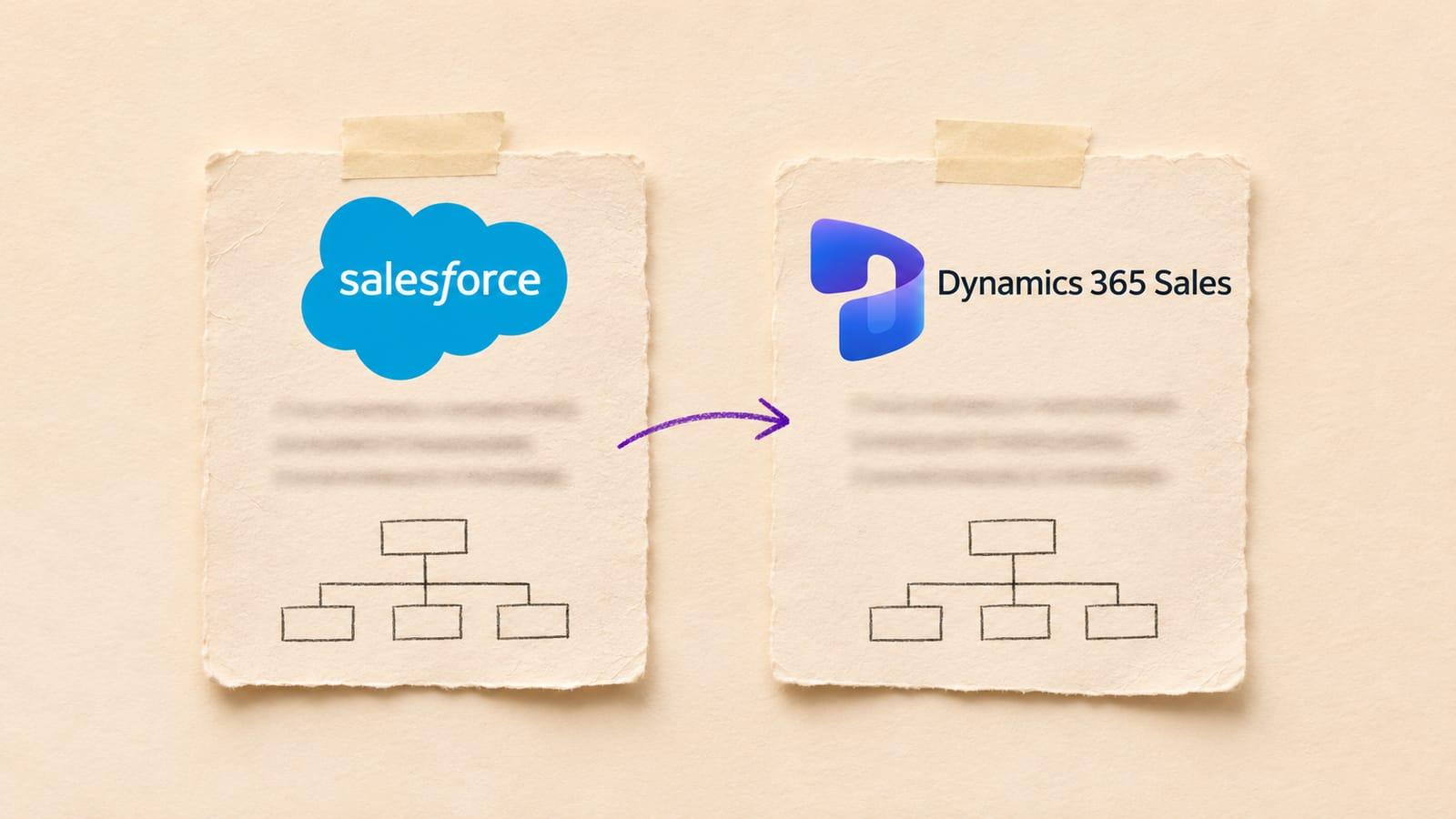
Salesforce Sales Cloud to Dynamics 365 Sales
- 12 object types mapped
- About 10 business days
Into Salesforce Sales Cloud
191 connectors, all live
Every connector is live, so Salesforce Sales Cloud can be paired with any of them. Some of the CRM platforms:
- Zoho CRM
- Pipedrive
- Freshsales
- monday CRM
- Zendesk Sell
- Attio
- Copper
- Close
- Insightly
Platform not listed?
We build new connectors in 2 to 3 days. Tell us what you run and we scope the route with you.
Timeline
Your Salesforce Sales Cloud migration, step by step
Estimated total
About 10 business days
end to end
- MigrateXwe run it
- Youyour team acts
- Bothon a call together
Preparation
Day 1-2
Scoping call
Both0.5 dayA 30 minute call with the engineer who will run the migration, to agree the objects, date ranges and volumes in scope.
Connect both platforms
You0.5 dayYou create scoped API credentials on the source and the destination. Nothing is written until you sign off the mapping.
Field mapping review
Both1 dayWe walk through every field, pipeline stage and owner mapping with your team and note the ones that need a decision.
Migration
Day 3-7
Free sample migration of 100 records
MigrateX1 dayA sample of your real records is migrated end to end so you can see the result before the full run.
You review the sample
You1 dayYour team opens the migrated records and tells us what to adjust. We rerun the sample until it is right.
Full migration
MigrateX2-3 daysThe bulk pass runs in dependency order, paced to the destination rate limit. Your team keeps working normally.
Delta sync
MigrateX0.5 dayEverything created or changed during the bulk pass is synced at cutover so nothing falls between the two systems.
Validation
Day 8-10
Validation report
MigrateX1 dayRecord counts per object and per status on both sides, plus every record that needed a default or a placeholder.
Spot checks and sign-off
You1-2 daysYour sales managers check a random sample and sign off. We stay available for two weeks after go-live.
An estimate. Record volume, API rate limits and how fast your team reviews the sample all move it.
See how it works in detailData model
Salesforce Sales Cloud data model and limits
How Salesforce Sales Cloud holds the records that move, and the vendor limits that set the pace of the migration.
How does Salesforce Sales Cloud store CRM data?
Salesforce Sales Cloud spreads one customer relationship over many linked objects. Leads convert into Accounts, Contacts and Opportunities, each Opportunity line item is priced from a PricebookEntry, and Tasks, Events and emails attach to people and deals through WhoId, WhatId and RelatedToId. A migration reads or writes them parent first.
| Object | What it holds | How it links |
|---|---|---|
| Lead | A prospect not yet qualified as a customer. | Converts into an Account, a Contact and an Opportunity. ConvertedAccountId and ConvertedContactId point at the records it became, and a converted Lead is read-only. |
| Account | An organisation or person the business deals with, such as a customer, competitor or partner. | Parent of Contacts and Opportunities. With person accounts, one record stands for an individual. |
| Contact and AccountContactRelation | A person at an account, plus the further Accounts that person is linked to. | AccountId sets the main Account. AccountContactRelation adds others, and its AccountId cannot change once created. |
| Opportunity | A sale or pending deal, with its stage and close date. | Points to an Account and a price book. IsClosed and IsWon cannot be set on create: StageName decides them. |
| OpportunityLineItem | One Product2 product on an Opportunity. | Requires a PricebookEntryId. Product2Id is read-only, so price books and their entries exist before line items load. |
| OpportunityContactRole | The role a Contact plays on an Opportunity. | Joins one Opportunity and one Contact. |
| Task | A call, to-do or logged email. Tasks and Events together are a record's activities. | WhoId points to a Contact or a Lead, WhatId to an Account, Opportunity or custom object. TaskSubtype can be set on create only. |
| Event | A meeting on the calendar. | WhoId is the Lead or Contact met. IsArchived shows whether Salesforce has archived the Event. |
| EmailMessage | An email logged through Enhanced Email, with MessageDate holding its original date. | RelatedToId points to an Account, Opportunity, Campaign or custom object. Outside Cases only the Sent status is valid. |
| Note and ContentNote | Classic notes with a body of up to 32 KB, and enhanced notes stored as Salesforce Files. | A Note hangs off any record through ParentId. A private Note is visible only to its owner and users with Modify All Data. |
| ContentVersion and ContentDocumentLink | Files on accounts and deals, one ContentVersion per version of each file. | Linked to records through ContentDocumentLink. FirstPublishLocationId records where a file was first published. |
| Campaign and CampaignMember | Marketing campaigns and the Leads or Contacts in each one. | Campaign exists only in orgs with the marketing feature, and only marketing users can reach it. |
| Custom objects | Records specific to your business, such as subscriptions or projects. | Join any object through lookups or master-detail. Up to 25 External ID fields per object by default carry source IDs. Source: Salesforce Help |
Lead
- What it holds
- A prospect not yet qualified as a customer.
- How it links
- Converts into an Account, a Contact and an Opportunity. ConvertedAccountId and ConvertedContactId point at the records it became, and a converted Lead is read-only.
Account
- What it holds
- An organisation or person the business deals with, such as a customer, competitor or partner.
- How it links
- Parent of Contacts and Opportunities. With person accounts, one record stands for an individual.
Contact and AccountContactRelation
- What it holds
- A person at an account, plus the further Accounts that person is linked to.
- How it links
- AccountId sets the main Account. AccountContactRelation adds others, and its AccountId cannot change once created.
Opportunity
- What it holds
- A sale or pending deal, with its stage and close date.
- How it links
- Points to an Account and a price book. IsClosed and IsWon cannot be set on create: StageName decides them.
OpportunityLineItem
- What it holds
- One Product2 product on an Opportunity.
- How it links
- Requires a PricebookEntryId. Product2Id is read-only, so price books and their entries exist before line items load.
OpportunityContactRole
- What it holds
- The role a Contact plays on an Opportunity.
- How it links
- Joins one Opportunity and one Contact.
Task
- What it holds
- A call, to-do or logged email. Tasks and Events together are a record's activities.
- How it links
- WhoId points to a Contact or a Lead, WhatId to an Account, Opportunity or custom object. TaskSubtype can be set on create only.
Event
- What it holds
- A meeting on the calendar.
- How it links
- WhoId is the Lead or Contact met. IsArchived shows whether Salesforce has archived the Event.
EmailMessage
- What it holds
- An email logged through Enhanced Email, with MessageDate holding its original date.
- How it links
- RelatedToId points to an Account, Opportunity, Campaign or custom object. Outside Cases only the Sent status is valid.
Note and ContentNote
- What it holds
- Classic notes with a body of up to 32 KB, and enhanced notes stored as Salesforce Files.
- How it links
- A Note hangs off any record through ParentId. A private Note is visible only to its owner and users with Modify All Data.
ContentVersion and ContentDocumentLink
- What it holds
- Files on accounts and deals, one ContentVersion per version of each file.
- How it links
- Linked to records through ContentDocumentLink. FirstPublishLocationId records where a file was first published.
Campaign and CampaignMember
- What it holds
- Marketing campaigns and the Leads or Contacts in each one.
- How it links
- Campaign exists only in orgs with the marketing feature, and only marketing users can reach it.
Custom objects
- What it holds
- Records specific to your business, such as subscriptions or projects.
- How it links
- Join any object through lookups or master-detail. Up to 25 External ID fields per object by default carry source IDs.
Source: Salesforce Help
Salesforce Sales Cloud objects that hold CRM data, as of November 2026. Source: Object Reference for the Salesforce Platform and Salesforce Help.
Which Salesforce Sales Cloud limits set the pace?
Salesforce sets API and Bulk API allowances per org over a rolling 24 hours, and every installed managed package draws on the same allowance. These are the limits and native options that decide how fast leads, deals, activities and files leave or enter Salesforce Sales Cloud, and which of them can carry a full sales history.
| Limit | Allowance |
|---|---|
| Daily API requests | Enterprise: 100,000 plus 1,000 per Salesforce licence, so 15 licences give 115,000 a day. Unlimited and Performance: 5,000 per licence. Calls from managed packages count too. |
| Long-running requests at once | 25 concurrent API requests lasting 20 seconds or more on production orgs and sandboxes; 5 on Developer Edition and trials. |
| Bulk API ingest | Up to 150,000,000 records uploaded a day across Bulk API and Bulk API 2.0, processed in chunks of 200 records, so triggers and flows fire per chunk. |
| Bulk API record size | 5,000 fields and 400,000 characters in one record, and 131,072 characters in one field. |
| Bulk API 2.0 queries | Up to 10,000 query jobs a day returning at most 1 TB in total. Each job's results can be fetched for 7 days after it completes. |
| Bulk API 2.0 access | On by default in Performance, Unlimited, Enterprise and Developer Editions, for users with the API Enabled permission. |
| Data Export Service | Needs the Weekly Data Export permission, by default held only by the System Administrator profile. Runs every 7 or 29 days (29 on Professional and Developer Edition); files download one at a time, 60 seconds apart. Source: Salesforce Help |
| Data Import Wizard | Accounts, contacts, leads, campaign members, person accounts and custom objects, up to 50,000 records, CSV only, one job at a time. Opportunities are not on its list. Source: Salesforce Help |
| Data Loader | 5,000 to 5 million records per job, on Enterprise, Unlimited, Performance, Developer and Database.com Editions. Source: Salesforce Help |
| New file versions a day | At most 200,000 ContentVersion records published in 24 hours, which caps how many account and deal files load in a day. |
| File size per version | Up to 2 GB per ContentVersion when the file is sent as a multipart REST request. |
| Sandboxes with Enterprise | 25 Developer sandboxes and 1 Partial Copy sandbox by default, and no Full sandbox. A sandbox at its storage limit stops saving data without sending an email. Source: Salesforce Help |
| API versions and login() | Versions 31.0 to 40.0 are unsupported from Summer '27 and retired from Summer '28. The SOAP login() call is scheduled to retire in Summer '27. |
| Edition names | Core replaces Enterprise, Advanced replaces Unlimited and Max replaces Agentforce 1. Salesforce's limit tables still list the legacy edition names. Source: Salesforce website |
Daily API requests
- Allowance
- Enterprise: 100,000 plus 1,000 per Salesforce licence, so 15 licences give 115,000 a day. Unlimited and Performance: 5,000 per licence. Calls from managed packages count too.
Long-running requests at once
- Allowance
- 25 concurrent API requests lasting 20 seconds or more on production orgs and sandboxes; 5 on Developer Edition and trials.
Bulk API ingest
- Allowance
- Up to 150,000,000 records uploaded a day across Bulk API and Bulk API 2.0, processed in chunks of 200 records, so triggers and flows fire per chunk.
Bulk API record size
- Allowance
- 5,000 fields and 400,000 characters in one record, and 131,072 characters in one field.
Bulk API 2.0 queries
- Allowance
- Up to 10,000 query jobs a day returning at most 1 TB in total. Each job's results can be fetched for 7 days after it completes.
Bulk API 2.0 access
- Allowance
- On by default in Performance, Unlimited, Enterprise and Developer Editions, for users with the API Enabled permission.
Data Export Service
- Allowance
- Needs the Weekly Data Export permission, by default held only by the System Administrator profile. Runs every 7 or 29 days (29 on Professional and Developer Edition); files download one at a time, 60 seconds apart.
Source: Salesforce Help
Data Import Wizard
- Allowance
- Accounts, contacts, leads, campaign members, person accounts and custom objects, up to 50,000 records, CSV only, one job at a time. Opportunities are not on its list.
Source: Salesforce Help
Data Loader
- Allowance
- 5,000 to 5 million records per job, on Enterprise, Unlimited, Performance, Developer and Database.com Editions.
Source: Salesforce Help
New file versions a day
- Allowance
- At most 200,000 ContentVersion records published in 24 hours, which caps how many account and deal files load in a day.
File size per version
- Allowance
- Up to 2 GB per ContentVersion when the file is sent as a multipart REST request.
Sandboxes with Enterprise
- Allowance
- 25 Developer sandboxes and 1 Partial Copy sandbox by default, and no Full sandbox. A sandbox at its storage limit stops saving data without sending an email.
Source: Salesforce Help
API versions and login()
- Allowance
- Versions 31.0 to 40.0 are unsupported from Summer '27 and retired from Summer '28. The SOAP login() call is scheduled to retire in Summer '27.
Edition names
- Allowance
- Core replaces Enterprise, Advanced replaces Unlimited and Max replaces Agentforce 1. Salesforce's limit tables still list the legacy edition names.
Source: Salesforce website
Salesforce limits that shape a Sales Cloud migration, as of 15 November 2026. Source: Salesforce Help and the Salesforce Developer Limits and Allocations Quick Reference, linked per row.
Facts checked 15 Nov 2026. Sources: Salesforce developer documentation, Salesforce Help and Salesforce website.
Salesforce Sales Cloud migration questions
Still unsure? Ask us on the scoping call.
What does a Salesforce Sales Cloud migration cost?
The cost of a Salesforce Sales Cloud migration follows the objects and history in scope: Leads, Accounts, Contacts, Opportunities with their line items, and the Tasks, Events, emails and Files around them. Archived activities, record types, price books and custom objects add scope. MigrateX migrates 100 of your records free first, then sends a fixed quote within 24 hours.
How long does a Salesforce Sales Cloud migration take?
A typical Salesforce Sales Cloud migration runs about 10 business days end to end. The pace is set by your org's daily API allocation and by how many activities and files each deal carries, since Opportunities with years of calls and emails take the longest. The free sample measures the real pace on your own records.
How do I export data from Salesforce Sales Cloud?
For a migration, export through the API, object by object. MigrateX reads Leads, Accounts, Contacts, Opportunities and activities with Bulk API 2.0 and keeps every record's Salesforce ID for the load. The Data Export Service is a backup feature that runs on a fixed cycle and is not supported in sandboxes, so it cannot feed a rehearsal.
How do I export contacts and campaign members from Salesforce?
Contacts export with their main AccountId, and AccountContactRelation records add every other Account each Contact belongs to. In the Data Export Service, person accounts sit in the contact file with only the fields contacts and person accounts share. CampaignMember records tie each Campaign to its Leads or Contacts, and they need a user with marketing access.
What happens to Salesforce activities older than a year?
They move, but only when the export asks for them. Salesforce archives Events that ended more than 365 days ago and closed Tasks due more than 365 days ago. Archived activities are never deleted, yet they are not copied into new or refreshed sandboxes. MigrateX queries them directly, so each deal keeps its full call and meeting history.
Can we keep original created dates when moving into Salesforce Sales Cloud?
Yes, on every record the migration creates. Salesforce accepts CreatedDate only at insert, from an importer holding Set Audit Fields upon Record Creation and Update Records with Inactive Owners. Professional Edition grants both through a permission set, a permission set tied to a user licence may not work through Data Loader, and CampaignMember dates need a request to Salesforce.
What access do you need to our Salesforce org?
A dedicated integration user with the API Enabled permission and access to the objects in scope: read-only when Sales Cloud is the source, create when it is the destination. Salesforce's pricing table lists Web Services API as an extra-cost add-on on Pro Suite, so API access is confirmed during your free sample. MigrateX is SOC 2 Type II, GDPR and HIPAA compliant.
Guides
Guides for a Salesforce Sales Cloud migration
Keep exploring
More on Salesforce Sales Cloud migrations
Routes from Salesforce Sales Cloud
Routes into Salesforce Sales Cloud
Related platforms
- Dynamics 365 Sales migration
- HubSpot migration
- Pipedrive migration
- Zoho CRM migration
- Zendesk migration
- Freshdesk migration
- ServiceNow migration
- Freshservice migration
- ManageEngine migration
- Jira Service Management migration
- HaloITSM migration
- Cherwell migration
- BMC Helix ITSM migration
- Salesforce Service Cloud migration
- Gorgias migration
- Intercom migration










Start with 100 of your records.
Scope my migrationFree sample migration of 100 of your records, plus a fixed quote within 24 hours.