


 GDPR compliant
 HIPAA compliant

ServiceNowJira Service Management
ServiceNow to Jira Service Management migration
ITSM specialists move your incidents, requests and requested items and change requests into Jira Service Management, check a sample with you first, and count every record on both sides.
Scope my migration
Free sample migration of 100 of your records, plus a fixed quote within 24 hours.
Last updated October 2026 · 13 object types mapped
- 1000+migrations
- 15 yearsof collective experience
 SOC 2 Type IIGDPR compliantHIPAA compliant
ServiceNow to Jira Service Management at a glance
We move incidents, requests, problems, changes, users, the knowledge base and CMDB items from ServiceNow into Jira Service Management, Confluence and Assets. Work notes stay internal and customer comments stay visible. Our ITSM team runs this route as an engineer-led migration, maps states and request types with you, and reconciles counts on both sides before cutover.
- Objects mapped
- 13
- in this route's mapping
- Typical timeline
- About 12 business days for up to 100k records
- 3 phases
- Free sample
- 100 records
- checked by your team first
- Quote
- Fixed
- within 24 hours
What moves
What moves from ServiceNow to Jira Service Management
Every record type is mapped from ServiceNow to its Jira Service Management equivalent.
- 13 included
- 2 on request
| ServiceNow | maps to | Jira Service Management | Status |
|---|---|---|---|
| Objects13 | |||
| Incidents | Incident request type | Included | |
| Requests and Requested Items | Service Request request type | Included | |
| Change Requests | Changes | Included | |
| Problems | Problems | Included | |
| Users | Customers and Agents | Included | |
| Companies | Organizations | Included | |
| Groups | Teams | Included | |
| Work Notes | Internal Comments | Included | |
| Additional Comments | Customer-visible Comments | Included | |
| Attachments | Attachments | Included | |
| Incident, Problem and Change links | Issue links | Included | |
| Knowledge Articles | Confluence pages | Included | |
| Configuration Items | Assets objects | Included | |
| Other2 | |||
| Catalog Tasks | Internal commentssc_task records under a requested item, posted as ordered internal comments. | On request | |
| CI Relationships | Assets referencesMapped per relationship type, after both objects exist. | On request | |
ServiceNowJira Service Management
Objects
- IncidentsIncident request type
- Requests and Requested ItemsService Request request type
- Change RequestsChanges
- ProblemsProblems
- UsersCustomers and Agents
- CompaniesOrganizations
- GroupsTeams
- Work NotesInternal Comments
- Additional CommentsCustomer-visible Comments
- AttachmentsAttachments
- Incident, Problem and Change linksIssue links
- Knowledge ArticlesConfluence pages
- Configuration ItemsAssets objects
Other
- Catalog TasksInternal comments
On request
sc_task records under a requested item, posted as ordered internal comments.
- CI RelationshipsAssets references
On request
Mapped per relationship type, after both objects exist.
Looking for another object?Field-level mapping is reviewed with you during scoping.
What does not move
What does not move from ServiceNow to Jira Service Management as-is
These ServiceNow items are not migrated as records; each line says what takes their place in Jira Service Management.
- SLA DefinitionsNot migrated
- In Jira Service Management: SLA goals (rebuilt)
- Not migrated
- Catalog ItemsNot migrated
- In Jira Service Management: Request types (rebuilt)
- Not migrated
- Business Rules and FlowsNot migrated
- In Jira Service Management: Automation rules (rebuilt)
- Not migrated
Free sample migration of 100 of your records. Fixed quote within 24 hours.
Scope my migrationTimeline
ServiceNow to Jira Service Management migration timeline
Estimated total
About 12 business days
for up to 100k records
- MigrateXwe run it
- Youyour team acts
- Bothon a call together
Preparation
Day 1-3
Access and scope
You1 dayYou create a ServiceNow integration user with read access to task (including its work notes and additional comments), sys_user, kb_knowledge, sc_req_item and the CMDB tables in scope, plus a Jira admin API token. We agree tables, date ranges and knowledge bases.
Schema and volume export
MigrateX1 dayWe pull record counts, choice lists, groups, attachment sizes and CI classes from ServiceNow, and work types, workflows and request types from JSM.
Mapping sign-off
Both1 dayWe send the state, priority, request type, group and Assets mapping sheet, with the created-date and SLA choices written down. You approve or amend it.
Migration
Day 4-9
People, structure and Assets
MigrateX1-2 daysOrganizations, customers, agents and teams are created, then Assets object types and objects in reference order, then Confluence spaces for the knowledge base.
Sample run
Both1 dayA few hundred incidents, requests, problems and changes with comments and attachments. You check them as an agent and as a customer before the bulk pass.
Bulk pass
MigrateX2-3 daysIssues, comments, attachments, links and CI references in batches paced to Jira's limits, checkpointed by sys_id. Knowledge articles follow as Confluence pages.
Delta and cutover
Both0.5 dayRecords changed in ServiceNow since the bulk pass are synced. You switch email channels and portal links to JSM and set ServiceNow to read-only.
Validation
Day 10-12
Reconciliation report
MigrateX1 dayCounts per object, status, request type and team on both sides, comment visibility checks, attachment counts, and a list of every default or placeholder used.
Spot checks
You1 dayYour service desk leads open a random sample of migrated issues, articles and CIs and confirm comments, attachments and links are right.
Fixes and sign-off
Both1 dayWe correct anything the spot checks raise, re-run the affected batch, and hand over the sys_id to issue key map and the mapping sheet.
An estimate. Record volume, API rate limits and how fast your team reviews the sample all move it.
Known risks
Every known risk on this route, with how we handle it
- 2 solved
- 4 handled
- 01SolvedMost critical
Work notes must not reach the customer portal
The problem
ServiceNow keeps work notes and additional comments as two separate journal fields on the task. Jira's CSV importer cannot set comment visibility, so a CSV-based migration posts every comment the same way and internal work notes can show up on the customer portal.
How we handle it
We export each journal entry in order and post it through the Service Management comment endpoint with the public flag set: work notes as internal comments, additional comments as customer-visible ones. We then open a sample of migrated requests as a customer account to confirm no work note is visible.
Source: Atlassian Support, checked 15 Nov 2026
- 02HandledMost critical
SLAs keep counting on imported closed issues
The problem
JSM calculates SLAs from issue history. Issues loaded without real history only carry a creation event, so SLA timers on resolved and closed records never stop and SLA reports fill with false breaches.
How we handle it
We add a migration flag field and exclude flagged issues from your SLA goals with a JQL condition, or bulk transition them so timers stop at import. Original ServiceNow SLA results (breached or met, target and actual times) are kept as fields on each issue for reporting.
Source: Atlassian Support, checked 15 Nov 2026
- 03HandledMost critical
The request API takes no created date
The problem
The Service Management create request API takes no created date. The CSV importer can keep the original created date, but every comment it imports into a service space becomes public. No single standard path gives both.
How we handle it
We agree the trade-off with you during scoping. Our default keeps comment visibility correct through the API and stores the original opened, resolved and closed dates in date fields, with the ServiceNow number in a searchable text field. Where created-date fidelity matters more, we load issue shells by CSV and add comments by API afterwards.
Source: Atlassian Support, checked 15 Nov 2026
- 04Handled
Request items carry catalog variables
The problem
A ServiceNow request (sc_request) fans out into one requested item (sc_req_item) per catalog item, each with its own variables and catalog tasks (sc_task). JSM has request types with form fields instead, and the catalog itself does not migrate.
How we handle it
Each requested item becomes a service request under the request type that matches its catalog item. Variables map to request type fields where a field exists, and the rest are written as a labelled table in the description. The parent REQ number goes into a field and catalog tasks become ordered internal comments.
Source: ServiceNow documentation, checked 15 Nov 2026
- 05Handled
CMDB classes do not copy straight into Assets
The problem
ServiceNow keeps CI relationships in their own table. Assets uses object schemas you design, references must point at objects that already exist, and each import generates new object keys.
How we handle it
We flatten each in-scope CI class into an Assets object type, import referenced types first, and match references by label rather than key. Relationship types are mapped to Assets reference types with direction agreed in writing. CI links on incidents and changes are set after objects exist.
Source: Atlassian Support, checked 15 Nov 2026
- 06Solved
Paced to each platform's request quotas, on different clocks
The problem
ServiceNow applies per-hour rules specific to your instance. Jira Cloud applies hourly point quotas to apps, per-second burst limits and a per-work-item write limit, which matters when one issue has hundreds of comments. A run that ignores either side stalls on HTTP 429.
How we handle it
The runner paces writes against Jira's limits, spreads comment writes on long threads, honours Retry-After on both sides and checkpoints by sys_id so an interrupted batch resumes without duplicates.
Source: Atlassian developer documentation, checked 15 Nov 2026
Technical profile
What makes this route technical
The API limits and data model differences between ServiceNow and Jira Service Management that shape the plan.
- ServiceNow Table API page size
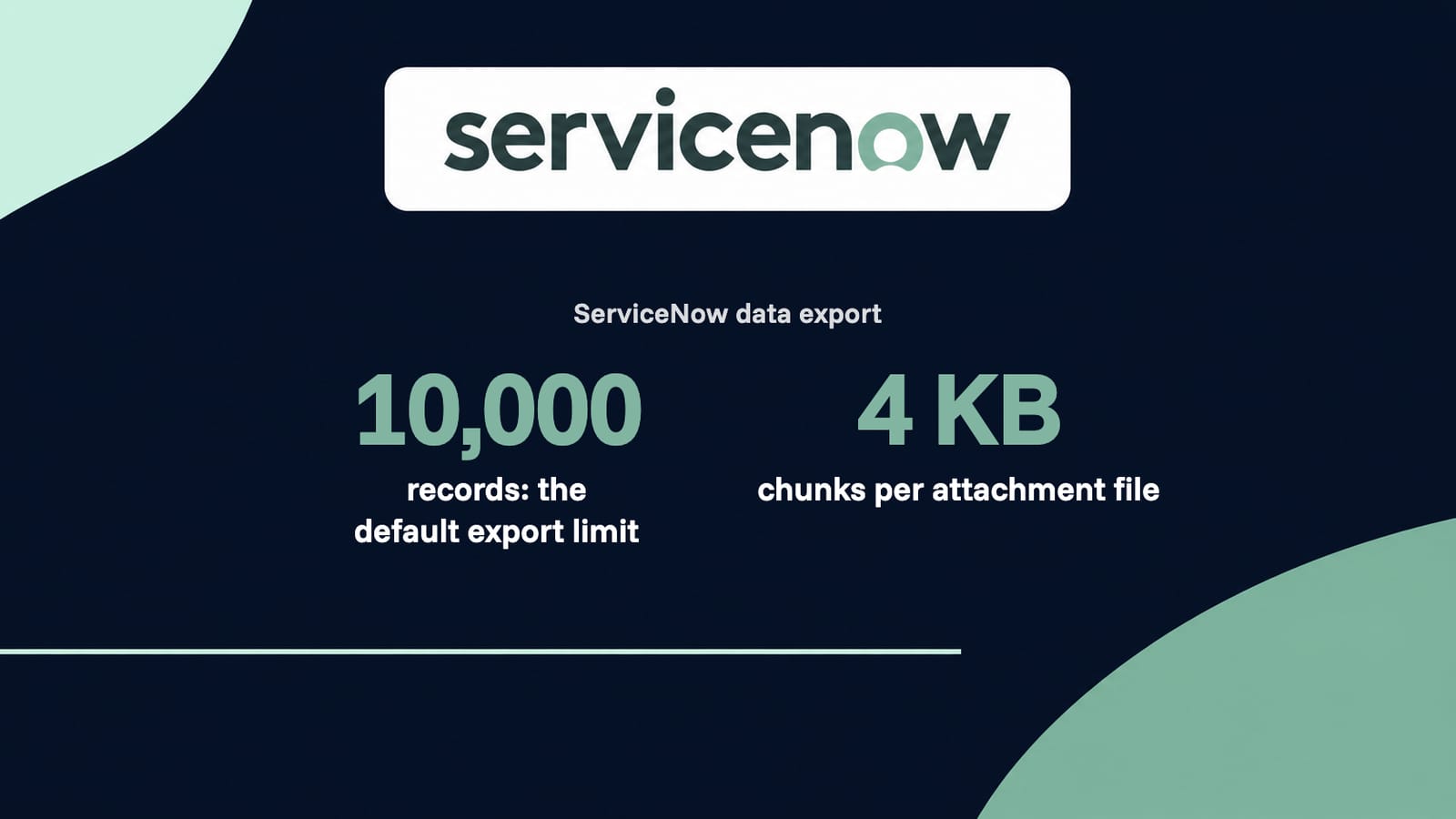
- sysparm_limit defaults to 10,000 records per request. We export in smaller pages and filter on sys_updated_on so the delta pass only reads what changed.
Source: ServiceNow documentation, checked 15 Nov 2026
- ServiceNow inbound REST rate limits
- Rate limit rules are configured per instance and count requests per hour, per user or role. Exceeding a rule returns HTTP 429 with a Retry-After header. We read your instance's rules before scheduling the export.
Source: ServiceNow documentation, checked 15 Nov 2026
- Jira Cloud REST rate limits
- Jira Cloud meters Forge, Connect and OAuth 2.0 app traffic in points per hour, holds API-token traffic to per-second burst limits, and limits writes to one work item to 20 per 2 seconds. Any exceeded limit returns HTTP 429 with a Retry-After header in seconds.
Source: Atlassian developer documentation, checked 15 Nov 2026
- Jira bulk create cap
- The bulk create issues endpoint accepts at most 50 issues per request.
Source: Atlassian developer documentation, checked 15 Nov 2026
- Attachment size on both sides
- ServiceNow allows up to 1024 MB per file by default. Jira Cloud allows 1 GB per file by default, and a site admin can raise it to a maximum of 2 GB.
Source: Atlassian Support, checked 15 Nov 2026
- Original created date
- Jira's external system CSV import keeps the original created date only if the Created column is mapped and the date format matches; otherwise it uses the import date.
Source: Atlassian Support, checked 15 Nov 2026
- Internal vs customer-visible comments
- The Service Management request comment endpoint takes a public flag, so each comment can be posted as internal or customer-visible. The CSV importer cannot set comment visibility.
Source: Atlassian developer documentation, checked 15 Nov 2026
- Knowledge base lives in Confluence
- A JSM knowledge base is built from linked Confluence spaces, folders or pages. ServiceNow articles therefore become Confluence pages, not JSM records.
Source: Atlassian Support, checked 15 Nov 2026
- Data Center end of life
- Atlassian Data Center products, Jira Service Management included, reach end of life on 28 March 2029. New JSM projects are planned on Cloud.
Source: Atlassian website, checked 15 Nov 2026
Facts checked 15 Nov 2026 against ServiceNow and Atlassian documentation. Each fact links its source.
ServiceNow to Jira Service Management questions
Still unsure? Ask the engineer who would run this migration, not a sales rep.
Is this a migration or an integration?
A migration. Many searches for ServiceNow to Jira are about a live integration that keeps tickets in sync between two running platforms. We do a one-time move of your history into JSM, followed by a delta pass at cutover, after which ServiceNow becomes read-only.
Does Atlassian have a built-in ServiceNow importer?
No. Jira Cloud can import CSV and JSON files, but there is no ServiceNow importer. We extract from the ServiceNow Table API and load through the Jira and Service Management APIs, so comment visibility, links and attachments are kept.
Do work notes stay internal?
Yes. Work notes and additional comments are separate journal fields on every ServiceNow task, so we read each entry from its own field and post work notes as internal comments and additional comments as customer-visible comments. We check a sample from a customer account before sign-off to confirm no work note reaches the portal.
Will the original created dates be kept?
The Service Management create request API takes no created date. By default we keep the original opened, resolved and closed dates in date fields. If you need the built-in created date, we can load issues by CSV first and add comments by API, and we agree that choice at scoping.
What happens to SLAs?
SLA definitions are rebuilt as JSM SLA goals, not migrated. Imported closed issues are excluded from SLA goals or transitioned so timers stop, and the original ServiceNow SLA results are kept as fields for reporting.
Where does the knowledge base go?
JSM uses Confluence spaces as its knowledge base. Each ServiceNow knowledge base becomes a Confluence space linked to your service project, and each published article becomes a page with its images and attachments.
Can the CMDB move to Assets?
Yes, for the CI classes in scope. Each class becomes an Assets object type, objects are imported in reference order, and relationships become references. Check your plan's Assets object allowance against your CI count first.
How are catalog items and request items handled?
Catalog items are rebuilt as JSM request types with form fields, usually with your admin. Each requested item then becomes a service request under the matching request type, with variables mapped to fields or written into the description.
Is there downtime?
No. We only read from ServiceNow during the bulk pass, so it stays live. At cutover we sync anything changed since the bulk run, you switch email channels and portal links, and ServiceNow becomes read-only.
How long does it take and what does it cost?
About twelve business days for up to 100k records. Large CMDB scope or long comment threads add time in the bulk pass. Cost depends on volume and objects in scope; use the pricing page to get a quote from your counts.
How it compares
Four ways to run ServiceNow to Jira Service Management
The same data, moved four different ways. This is what changes between them.
Object coverage (incidents, problems, changes, requests, KB)
MigrateX
Every object in the ServiceNow connector, plus the ones you ask for during scoping.
Automated migration software
Tickets and contacts are covered. Problems, changes and request items often are not.
Vendor CSV import
One object per file, and only the fields the export template exposes.
In-house scripts
Whatever you have time to build before the cutover date.
Work notes vs comments fidelity
MigrateX
Each entry is posted separately, private stays private, public stays public.
Automated migration software
Threads usually arrive, but per-entry author and visibility can be flattened.
Vendor CSV import
Notes collapse into one field on the ticket, if they come across at all.
In-house scripts
Possible, but it is the part teams most often run out of time for.
Attachments
MigrateX
Uploaded against the right note, and re-hosted with a link when they exceed the Jira Service Management cap.
Automated migration software
Supported up to the destination cap. Oversize files are skipped.
Vendor CSV import
Not carried by a CSV import.
In-house scripts
Needs its own download, retry and upload pipeline.
Original IDs cross-referenced
MigrateX
Every source id is stored on the destination record and handed back as a map.
Automated migration software
Often kept as a tag or a single text field.
Vendor CSV import
Lost once the file is imported.
In-house scripts
Only if you design the mapping table up front.
Delta sync before cutover
MigrateX
Included. Anything created or changed during the bulk pass is synced at cutover.
Automated migration software
Usually a paid upgrade on the top tier.
Vendor CSV import
You would re-export and re-import by hand.
In-house scripts
Requires change tracking and idempotent writes on both sides.
Rate-limit handling
MigrateX
Paced to your plan limits, honours Retry-After, and resumes from a checkpoint.
Automated migration software
Backs off, but a long run can still stall and leave partial records.
Vendor CSV import
Not applicable, and the file size limits bite instead.
In-house scripts
The most common reason a home-grown run dies overnight.
Validation report
MigrateX
Counts per object and per status on both sides, with every default and placeholder listed.
Automated migration software
A run log and an error list, rather than a reconciliation.
Vendor CSV import
Row counts in a spreadsheet.
In-house scripts
You write the reconciliation queries yourself.
Rollback plan
MigrateX
Every write is tagged, so a batch can be reversed without touching your own records.
Automated migration software
Some approaches can clear a migration, some cannot.
Vendor CSV import
Manual cleanup of everything the import created.
In-house scripts
Only if you built the tagging in from the start.
Who does the work
MigrateX
A MigrateX engineer runs it and stays on the cutover call.
Automated migration software
You run the software. Support answers tickets.
Vendor CSV import
Your admins, one file at a time.
In-house scripts
Your engineers, instead of your roadmap.
Guides
Guides for a ServiceNow to Jira Service Management migration
 For vendors and partners
Offboarding a Client From Domain-Separated ServiceNow (MSP Guide)
15 min read

 Tools and alternatives
10 Best ServiceNow Alternatives in 2026: Prices, Reviews, Migration
17 min read

 Pricing and costs
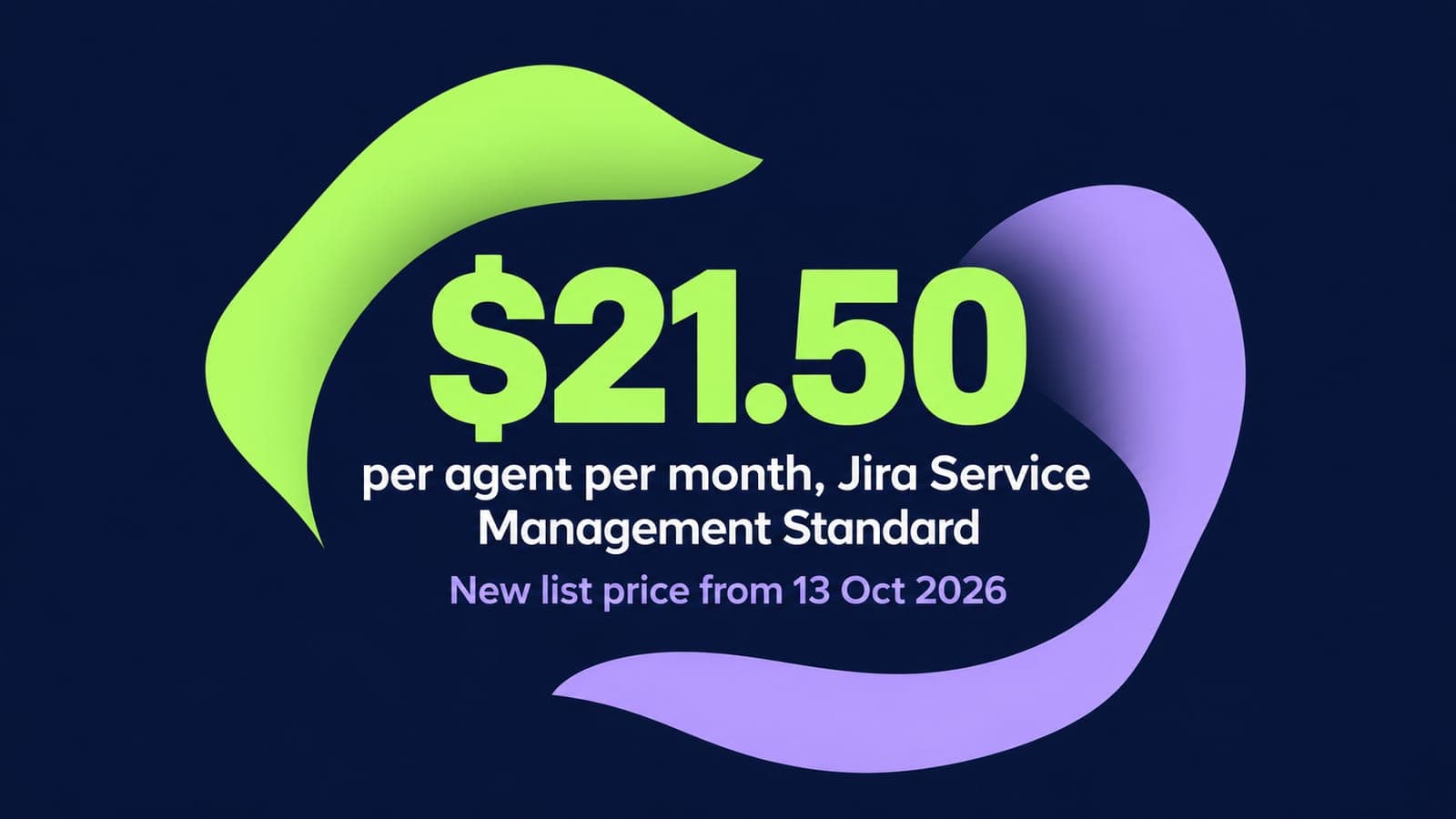
Jira Service Management Pricing 2026: Plans, Per-Agent Costs and Hidden Fees
14 min read
Related routes
Other routes we run



Built for your security review, from the first call.
Read how we handle your dataSOC 2 Type II
Independently audited controls over how we handle your data.
GDPR compliant
Data processing agreement available.
HIPAA compliant
Business associate agreement available.

Start your Jira Service Management move with 100 of your records.
Scope my migrationFree sample migration of 100 of your records, plus a fixed quote within 24 hours.