




 GDPR compliant
 HIPAA compliant


KayakoPylon
Kayako to Pylon migration
MigrateX migrates your Kayako users and Help Center articles into Pylon with AI-powered migration and 100% data fidelity, turning each conversation into an issue on its customer account. Pylon is the B2B support platform at usepylon.com.
Scope my migration
Free sample migration of 100 of your records, plus a fixed quote within 24 hours.
Last updated · 13 object types mapped
- 1000+migrations
- 15 yearsof collective experience
 SOC 2 Type IIGDPR compliantHIPAA compliant
Kayako to Pylon at a glance
MigrateX migrates your Kayako organizations, users, conversations and Help Center articles into Pylon's accounts, contacts, issues and knowledge base articles, with AI-powered mapping and 100% data fidelity. Your team checks a free sample of 100 records before the full run.
Details
- What moves
- Organizations, users, teams and conversations with their replies, notes and attachments, plus conversation fields, tags and Help Center content.
- What stays behind
- Macros, triggers and views and service level agreements. Your admin rebuilds this configuration in Pylon.
- What sets the pace
- Both sides set the pace, depending on your plans and how much history each record carries.
- What you prepare
- On Kayako: request a data dump if you want a copy. On Pylon: confirm your region.
- Objects mapped
- 12
- in this route's mapping
- Data fidelity
- 100%
- AI maps, moves and verifies
- Free sample
- 100 records
- checked by your team first
- Quote
- Fixed
- within 24 hours
How does each Kayako object land in Pylon?
Each Kayako object and the Pylon object it becomes, reviewed with you before the free sample.
- 12 moves
- 1 matched
- 3 rebuild
Conversations becomes Issues
MovesReplies becomes Messages on the issue
MovesNotes becomes Internal notes
MovesAttachments becomes Message attachments
MovesPylon accepts files up to 100 MB each.
Organizations becomes Accounts
MovesUsers becomes Contacts
MovesAgents becomes Users
MatchedRecords are assigned to users your admin has already invited to Pylon.
Teams becomes Teams
MovesConversation fields becomes Issue custom fields
MovesTags becomes Issue tags
MovesHelp Center categories becomes Knowledge base collections
MovesHelp Center sections becomes Knowledge base collections
MovesHelp Center categories and Help Center sections both land as Pylon knowledge base collections.
Help Center articles becomes Knowledge base articles
MovesConversation statuses becomes Pylon custom statuses
RebuildWhich Pylon status each Kayako one takes is agreed in the mapping review.
Macros, triggers and views becomes Rebuilt by your admin
RebuildConfiguration, not records. Your admin rebuilds them, with the Kayako set-up as the reference.
Service level agreements becomes Rebuilt by your admin
RebuildConfiguration, not records. Set up in Pylon before go-live.
Good to know
Pylon keeps its own copy of each file
Pylon downloads the file and stores its own copy.
Sources(11), checked 22 Nov 2026
- Pylon developer documentation, “Issues”
- Pylon developer documentation, “Messages”
- Pylon developer documentation, “API conventions”
- Pylon developer documentation, “Accounts”
- Pylon developer documentation, “Contacts”
- Pylon developer documentation, “Users”
- Pylon developer documentation, “Teams”
- Pylon developer documentation, “Custom Fields”
- Pylon developer documentation, “Tags”
- Pylon developer documentation, “Knowledge Base”
- Pylon documentation, “Statuses”
Which limits set the pace?
Kayako's documented read limits and Pylon's documented write limits, by plan.
Kayako reads1 limit
| Limit | Value |
|---|---|
| Per-endpoint rate limiting | Kayako may enable rate limiting for some API endpoints. |
Pylon writes3 limits
| Limit | Value |
|---|---|
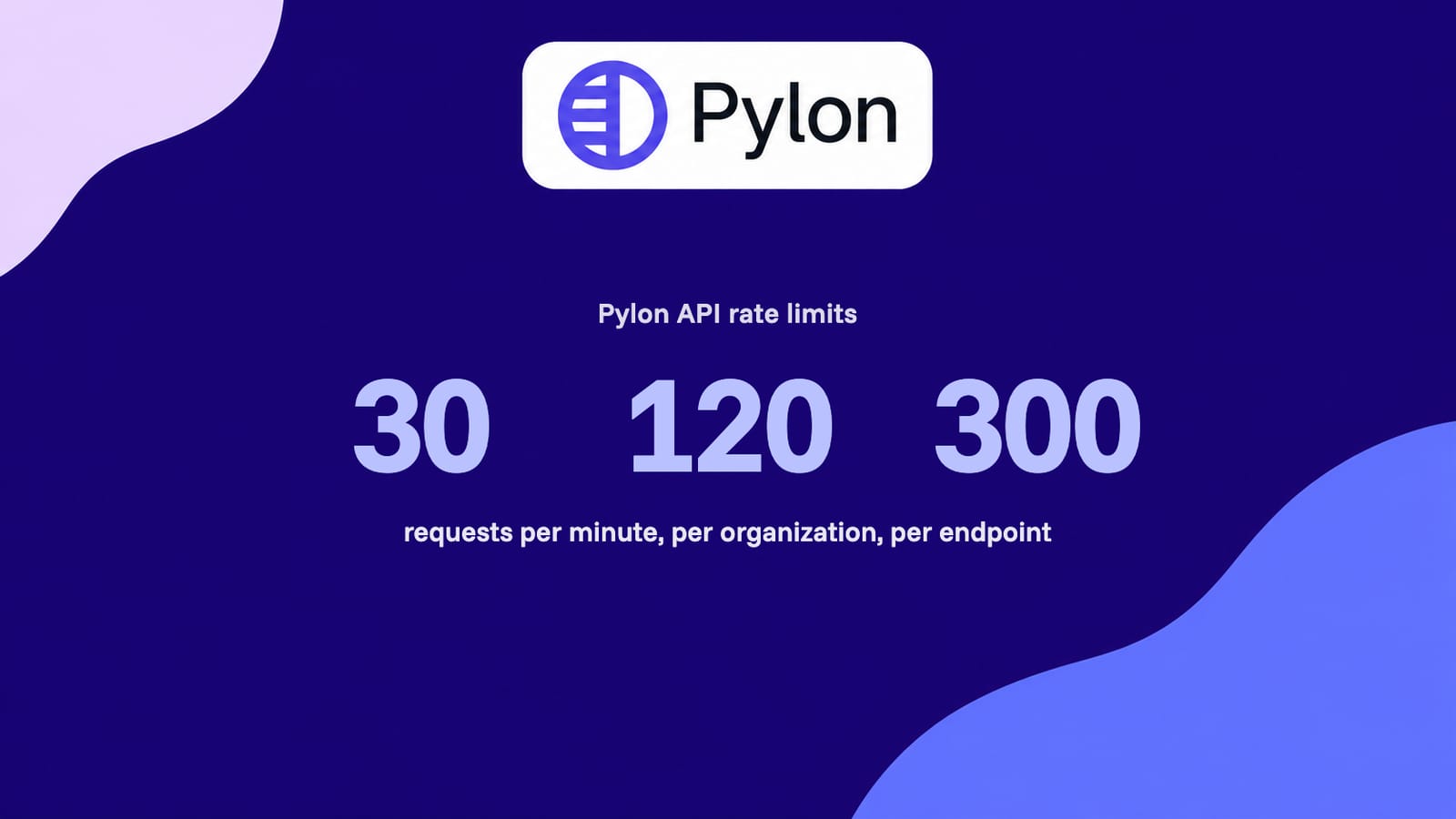
| Create an issue | 30 requests a minute. |
| Post a reply | 30 requests a minute. |
| Higher limits | If an integration needs a higher limit on a specific endpoint, Pylon asks you to contact Pylon support. |
What this means
Both sides set the pace, depending on your plans and your data, and the run is planned around both.
Timeline
Kayako to Pylon migration timeline
Dates are set with your team on the scoping call. Record volume, both platforms' rate limits and your review of the sample shape them.
Preparation
Scope
Confirm what moves and where
- Create the API token
- Request a data dump
- Confirm your region
Migration
Free sample
100 records, checked by you
Full run
AI maps, moves and verifies
Delta sync
Catches changes at cutover
Validation
Sign-off
Your team signs off
Details · what to prepare on Kayako and Pylon
Two short lists of admin work your team does once, before the free sample.
On Kayako
Request a data dump if you want a copy
The billing contact or an Owner asks Kayako Support for a full backup; Kayako charges a service fee and sends a quote.
Check two-factor on the API account
If two-factor authentication is on for the user, Basic authentication halts until a one-time password is sent.
On Pylon
Confirm your region
US or EU. Pylon API tokens are specific to a region.
Make sure a knowledge base exists
Articles and collections are created inside an existing knowledge base.
Create the API token
Only a Pylon admin can create one.
Known risks
Known risks, all handled
- 3 handled
- HandledMost critical
Emptied Kayako trash and deleted users are unrecoverable
The problem
Emptying the trash folder or permanently deleting a user cannot be undone, even during an active subscription.
How we handle it
The full run and the final catch-up run are planned inside your term.
- Handled
Each agent invited to Pylon receives an email
The problem
Pylon emails each user it invites.
How we handle it
Your admin sends the invitations; agents are matched on a screen you sign off.
- Handled
Integrations on shared Pylon tokens share rate limits
The problem
Pylon sets rate limits per organization and endpoint, so all integrations using its tokens share one allowance.
How we handle it
The load is paced from Pylon's rate-limit replies, one worker per organization.
Get your fixed quote
Tell us roughly what should move, and you get a fixed quote within 24 hours.
MigrateX customer, ServiceNow to Freshservice
“Our client had 4 years of ticket history in ServiceNow and their IT team was convinced half of it would get lost. MigrateX ran a demo migration and the client's own team verified it. That closed the conversation.”
 Mohamed FirdousFounder & Business Head, Assuretek IT Solutions
Kayako to Pylon questions
Still unsure? Ask the MigrateX team, not a sales rep.
Before you start
How do Kayako conversations become Pylon issues?
Each Kayako conversation becomes one Pylon issue on the account created from its Kayako organization, with replies as messages and notes kept internal. Archived cases, closed 30 days ago or longer, land the same way when in scope.
Who runs the migration?
MigrateX's AI maps, moves and verifies your data. Your admins set up access, and your team checks the free sample of 100 records and signs off before the full run.
Will conversations closed long ago reach Pylon?
Yes, when you include them: each older closed conversation becomes a Pylon issue on its account, with replies and notes. Kayako's cases list omits cases closed 30 days ago or longer unless archived=1 is added.
Your data
What moves from Kayako to Pylon?
Conversations move as issues, replies as messages, notes as internal notes, organizations as accounts and users as contacts, plus attachments, teams, fields, tags and Help Center content. The mapping is reviewed before the free sample.
Do macros, triggers and views move?
No. Macros, triggers, views and service level agreements are configuration, so your admin rebuilds them in Pylon, with statuses as custom statuses. The conversations and tags they acted on still move.
Will migrated Kayako conversations stay connected to their channels?
No. Each migrated conversation lands as a Pylon issue, a historical snapshot keeping content, metadata and timestamps. Channels such as email routing and Slack connections are not transferred, so new conversations arrive through channels you connect.
Security and cost
How much does a Kayako to Pylon migration cost?
You get a fixed quote within 24 hours of the scoping call, set by record volume, the objects in scope and both platforms' rate limits. A free sample of 100 records comes first.
What does the free sample include?
100 of your own Kayako records, migrated into Pylon with their replies, notes and attachments, so your team can check the mapping before the full run. The sample is free.
Is our support data safe during the migration?
MigrateX is SOC 2 Type II, GDPR compliant and HIPAA compliant. Access to Kayako and Pylon is set up with your admins, and nothing is written to Pylon until you sign off the mapping.
Guides
Guides for a Kayako to Pylon migration

Related routes
Other routes we run



SOC 2 Type II · GDPR compliant · HIPAA compliant.Read how we handle your data

Start your Pylon move with 100 of your records.
Scope my migrationFree sample migration of 100 of your records, plus a fixed quote within 24 hours.