



 GDPR compliant
 HIPAA compliant


Salesforce Service CloudPylon
Salesforce Service Cloud to Pylon migration
Pylon is the B2B support platform at usepylon.com. MigrateX migrates your Salesforce Service Cloud case history into it with AI-powered migration and 100% data fidelity.
Scope my migration
Free sample migration of 100 of your records, plus a fixed quote within 24 hours.
Last updated · 12 object types mapped
- 1000+migrations
- 15 yearsof collective experience
 SOC 2 Type IIGDPR compliantHIPAA compliant
Salesforce Service Cloud to Pylon at a glance
MigrateX migrates your Salesforce Service Cloud accounts, contacts, Cases and Knowledge into Pylon's accounts, contacts, issues and knowledge base, with AI-powered mapping and 100% data fidelity. Your team checks a free sample of 100 records before the full run.
Details
- What moves
- Accounts, contacts, users and queues, and Cases with their emails, comments, feed posts and files, plus custom fields and Knowledge articles.
- What stays behind
- Flows, assignment and escalation rules, and entitlement processes. They are configuration, not records, and your admin rebuilds them in Pylon.
- What sets the pace
- Your Salesforce org's daily API allocation, shared with every integration you run, and Pylon's write limits of 30 a minute each for issues, messages and attachments.
- What you prepare
- Edition, licence count, other integrations and where case history lives on Salesforce. Region, admin token, agent invitations, fields and Salesforce sync settings on Pylon.
- Objects mapped
- 12
- in this route's mapping
- Data fidelity
- 100%
- AI maps, moves and verifies
- Free sample
- 100 records
- checked by your team first
- Quote
- Fixed
- within 24 hours
How does each Salesforce object land in Pylon?
Each Salesforce Service Cloud object and the Pylon object it becomes. Records move; configuration is rebuilt in Pylon by your admin. Field-level mapping is reviewed with you before the free sample.
- 12 moves
- 3 rebuild
Accounts becomes Accounts
MovesHow each account links back to its Salesforce Account is settled in the mapping review.
Contacts becomes Contacts
MovesUsers becomes Users
MovesYour Pylon admin invites each agent before the run. Pylon emails every invitation.
Queues and teams becomes Teams
MovesWhich queues become Pylon teams is agreed in the mapping review.
Cases becomes Issues
MovesPylon's own Salesforce guide maps cases to issues.
Case emails becomes Messages on the issue
MovesCase comments becomes Messages and internal notes
MovesSalesforce marks each case comment as published or not, and caps it at 4,000 bytes.
Case feed posts becomes Internal notes
MovesFiles becomes Message attachments
MovesPylon accepts files up to 100 MB each.
Case custom fields becomes Issue custom fields
MovesPylon's own Salesforce guide recommends bringing only the custom fields you will use in Pylon.
Knowledge articles becomes Knowledge base articles
MovesData categories becomes Knowledge base collections
MovesPylon's own Salesforce guide maps categories to collections.
Case statuses becomes Pylon issue states
RebuildPylon custom statuses sit in its On Hold and Closed categories. Which state each Salesforce status takes is agreed in the mapping review.
Flows, assignment and escalation rules becomes Rebuilt by your admin
RebuildConfiguration, not records. Your admin rebuilds the ones you use in Pylon, with the Salesforce set-up as the reference.
Entitlement processes and milestones becomes Rebuilt by your admin
RebuildConfiguration, not records. Set up as Pylon SLA policies before go-live.
Sources(7), checked 21 Nov 2026
- Pylon Help Center, “Data Migration from Salesforce Service”
- Pylon developer documentation, users
- Pylon developer documentation, messages
- Salesforce developer documentation, “CaseComment object reference”
- Pylon developer documentation, attachments
- Pylon developer documentation, knowledge base
- Pylon documentation, statuses
What stays behind, and why?
Flows, assignment and escalation rules, and entitlement processes stay behind as configuration, and your admin rebuilds them in Pylon. Two things that help:
Good to know
Old help centre links can keep working
Pylon's knowledge base supports redirects from old paths to articles and collections.
Files up to 100 MB
Pylon accepts attachments up to 100 MB each.
Sources(2), checked 21 Nov 2026
Which limits set the pace?
Salesforce limits how many API calls your org makes in a day, and Pylon limits how fast history can be written. These are the documented allowances on each side.
Salesforce reads
| Limit | Value |
|---|---|
| Daily API allocation, per org | 100,000 plus calls per licence type, plus any purchased add-ons, every 24 hours |
| Calls per Salesforce or Platform licence | 1,000 on Enterprise and on Professional with API access; 5,000 on Unlimited and Performance. Customer Community adds none |
| What counts | Every API call to the org from every integration, Bulk API 2.0 included |
Pylon writes
| Limit | Value |
|---|---|
| How limits apply | Per organization and per endpoint, a minute, shared by every token in the workspace |
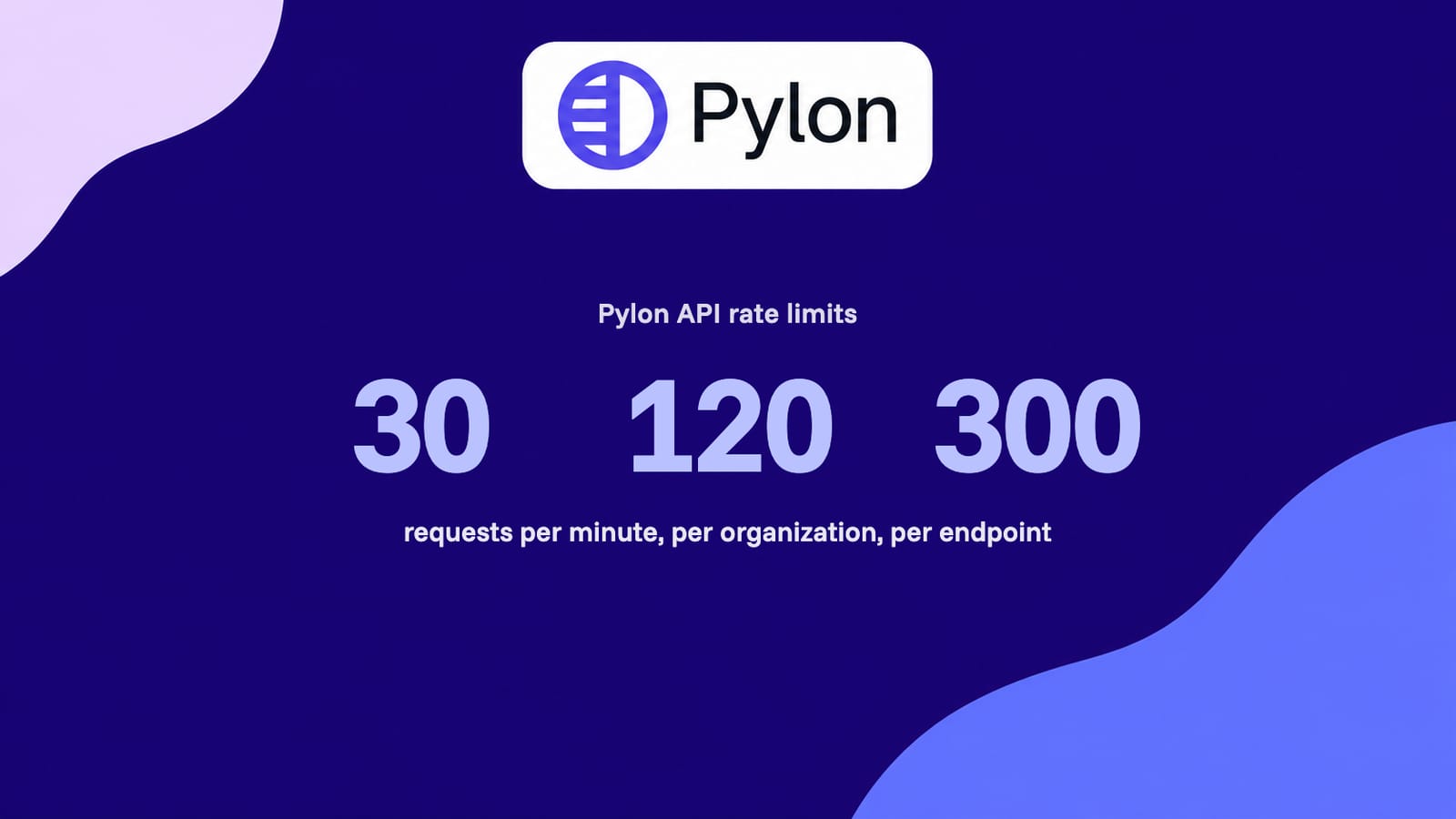
| Issues, replies, notes and attachments | 30 a minute each |
| Knowledge base, teams and user invitations | 30 a minute each |
| Issue updates and custom fields | 120 a minute each |
| Accounts, contacts and tags | 300 a minute each |
| Higher limits | Pylon support can raise the limit on a specific endpoint |
What this means
Two budgets set the pace: your Salesforce org's daily API allocation, which the migration shares with every integration you run, and Pylon's documented writes of 30 a minute each for issues, messages and attachments. The run is planned around both on the scoping call. Ask Pylon support early about a raised limit for your migration window.
Sources(12), checked 21 Nov 2026
- Salesforce developer documentation, “API Request Limits and Allocations”
- Pylon developer documentation, rate limits
- Pylon developer documentation, issues
- Pylon developer documentation, messages
- Pylon developer documentation, attachments
- Pylon developer documentation, knowledge base
- Pylon developer documentation, teams
- Pylon developer documentation, users
- Pylon developer documentation, custom fields
- Pylon developer documentation, accounts
- Pylon developer documentation, contacts
- Pylon developer documentation, tags
Timeline
Salesforce Service Cloud to Pylon migration timeline
Dates are set with your team on the scoping call. Record volume, both platforms' rate limits and your review of the sample shape them.
Preparation
Scope
Confirm what moves and where
- Create the API token
- Invite every agent
- Create custom fields
Migration
Free sample
100 records, checked by you
Full run
AI maps, moves and verifies
Delta sync
Catches changes at cutover
Validation
Sign-off
Your team signs off
Details · what to prepare on Salesforce Service Cloud and Pylon
Two short lists, in order. Most of it is admin work and a few decisions your team makes once, before the free sample.
On Salesforce
Check your edition has API access
Enterprise, Performance, Unlimited and Developer include it; Professional needs the API add-on. The user the migration connects as needs the API Enabled permission.
Count licences and list integrations
The daily allocation grows with your Salesforce and Platform licences, not total users, and every integration draws on it. Share both, so a usage cap for the window can be agreed.
Tell us where your case history lives
Email-to-Case emails, case comments, the case feed, or chat and messaging transcripts. Each Case can use several.
Flag custom objects early
Pylon's own Salesforce guide asks to hear about custom objects beyond the standard Cases model as early as possible.
Choose which Knowledge moves
Salesforce keeps draft, published and archived versions of each article, per language. Agree which versions and languages come over.
On Pylon
Confirm your region
US or EU. Pylon API tokens are specific to a region.
Create the API token
Only a Pylon admin can create one.
Invite every agent
Pylon's own Salesforce guide says your users should already be invited. Each invitation emails that agent.
Create custom fields and their options
Pylon says setting up the destination fields is the customer's responsibility.
Create any custom statuses
In the On Hold or Closed categories, the only two that take them.
Make sure a knowledge base exists
Pylon's API cannot create one.
Decide when field syncs start
Pylon says its CRM field syncs replace Pylon values with data from your CRM, and clear them where the CRM has none. Agree whether accounts move before or after you switch them on.
Agree your Salesforce sync settings
Pylon's integration syncs daily AI summaries of conversations to Salesforce accounts, filterable by source, and can add contacts to Salesforce. Ask Pylon how both treat migrated records.
Ask about raised limits
Contact Pylon support early about higher limits for the migration window.
Sources(12), checked 21 Nov 2026
- Salesforce developer documentation, “Supported Editions and Required Permissions”
- Salesforce developer documentation, “API Request Limits and Allocations”
- Salesforce developer documentation, “EmailMessage object reference”
- Pylon Help Center, “Data Migration from Salesforce Service”
- Salesforce developer documentation, “Salesforce Knowledge with SOQL and SOSL”
- Pylon developer documentation, authentication
- Pylon Help Center, “Data Migration to Pylon”
- Pylon documentation, statuses
- Pylon developer documentation, knowledge base
- Pylon Help Center, “How does CRM attribute syncing work?”
- Pylon documentation, “Salesforce integration”
- Pylon developer documentation, rate limits
Known risks
Known risks, all handled
- 4 handled
- HandledMost critical
A Case's history can sit in four places
The problem
Salesforce keeps a Case's conversation across the case description, Email-to-Case emails, case comments and the case feed. With Enhanced Email, each email is also stored as a Task.
How we handle it
You tell us where your history lives. Which entries make up each Pylon issue is settled with you in the mapping review and checked in the free sample.
- Handled
Your Salesforce API allocation is shared
The problem
Salesforce sets one daily API allocation per org and enforces it against every API call made to the org, Bulk API included. A migration that uses it up can disrupt your other integrations.
How we handle it
A usage cap for the migration window is agreed with your admin on the scoping call, from your edition, licence count and the integrations you run.
- Handled
If you connect Pylon's Salesforce integration, account links matter
The problem
When its Salesforce integration is connected, Pylon links each Pylon account to a Salesforce Account whose Website field contains the same domain by default, then falls back to the account name. It never uses freemail domains, and it also offers custom matching on a field.
How we handle it
How migrated accounts link back to their Salesforce Accounts is decided with your admin in the mapping review, before the free sample.
- Handled
Pylon's rate limits are shared by your whole workspace
The problem
Pylon sets its rate limits per organization and per endpoint, so every token and integration in the workspace draws on the same allowance during the run.
How we handle it
The load is paced from measured signals, Pylon's responses and its rate-limit replies, never from fixed delays alone, with one worker per Pylon workspace.
Get your fixed quote
Tell us roughly how much history you have and what should move. The quote is set by record volume, the objects in scope and both platforms' rate limits, and you get a fixed quote within 24 hours.
Salesforce Service Cloud to Pylon questions
Still unsure? Ask the MigrateX team, not a sales rep.
Before you start
Can Salesforce stay our CRM after support moves to Pylon?
Pylon documents a Salesforce integration that links Pylon accounts to Salesforce Accounts and syncs the account and contact fields you choose (Pylon documentation, checked 21 November 2026). Which Salesforce records are in scope, and how the migration connects to your org, is agreed with your admin on the scoping call.
Does the migration use our Salesforce API allocation?
Yes. Salesforce counts REST, SOAP, Bulk API and Bulk API 2.0 calls against one daily allocation per org: 100,000 plus calls per licence type, shared by every integration. Share your edition, your Salesforce and Platform licence counts and the integrations you run, and a usage cap for the window is agreed on the scoping call.
Who runs the migration?
MigrateX's AI maps, moves and verifies your data, with 100% data fidelity. Your admins set up access on both sides, and your team reviews the free sample of 100 records, tells us what to adjust and signs off before the full run starts.
What does our Pylon admin set up first?
Confirm your region, create the API token, invite every agent, create custom fields with their options, add any custom statuses in the On Hold or Closed categories and make sure a knowledge base exists. Agree your Salesforce sync settings, and ask Pylon support early about raised rate limits for the window.
Your data
What moves from Salesforce Service Cloud to Pylon?
Accounts and contacts move to Pylon accounts and contacts, users stay users and queues become teams. Cases become issues with their emails, case comments, feed posts and files, plus custom fields. Knowledge articles and data categories move into Pylon's knowledge base. The full mapping is reviewed with you before the free sample.
Do case emails, comments and feed posts come across?
You choose which are in scope. Salesforce keeps a Case's conversation across the description, Email-to-Case emails, case comments and the case feed, and with Enhanced Email each email is also a Task. Tell us where your history lives; which entries make up each Pylon issue is settled in the mapping review.
Do flows, assignment rules and entitlements move?
No. Flows, assignment and escalation rules and entitlement processes are configuration, not records, so your admin rebuilds the ones you use in Pylon, using the Salesforce set-up as the reference. Doing it before go-live means the rules your team relies on are in place on the first day in Pylon.
Security and cost
How much does a Salesforce Service Cloud to Pylon migration cost?
You get a fixed quote within 24 hours of the scoping call. It is set by your record volume, the objects and options in scope and the rate limits on both platforms. Before you commit, MigrateX runs a free sample migration of 100 of your records so your team can check the result.
What does the free sample include?
100 of your Salesforce Service Cloud records, migrated into Pylon so your team can open them and check the mapping, including the case history and any files you put in scope. You tell us what to adjust before the full run starts. The sample is free.
Is our support data safe during the migration?
MigrateX is SOC 2 Type II, GDPR compliant and HIPAA compliant, with a data processing agreement and a business associate agreement available. Access to Salesforce and Pylon is set up with your admins, and nothing is written to Pylon until you sign off the mapping.
Guides
Guides for a Salesforce Service Cloud to Pylon migration

Related routes
Other routes we run


SOC 2 Type II · GDPR compliant · HIPAA compliant.Read how we handle your data

Start your Pylon move with 100 of your records.
Scope my migrationFree sample migration of 100 of your records, plus a fixed quote within 24 hours.