


 GDPR compliant
 HIPAA compliant
CherwellJira Service Management
Cherwell to Jira Service Management migration
ITSM specialists move your incidents, service requests and problems into Jira Service Management, check a sample with you first, and count every record on both sides.
Scope my migration
Free sample migration of 100 of your records, plus a fixed quote within 24 hours.
Last updated November 2026 · 15 object types mapped
- 1000+migrations
- 15 yearsof collective experience
 SOC 2 Type IIGDPR compliantHIPAA compliant
Cherwell to Jira Service Management at a glance
A Cherwell to Jira Service Management migration turns incidents and service requests into work items, Note journals into internal comments and Customer Request journals into public comments. Ivanti lists Cherwell Service Management with an end-of-life date of 31 December 2026, and 30 December is the last day of normal licensed access. Cherwell stays live until the final delta sync.
- Objects mapped
- 15
- in this route's mapping
- Typical timeline
- About 10 business days end to end, planned back from 30 December
- 3 phases
- Free sample
- 100 records
- checked by your team first
- Quote
- Fixed
- within 24 hours
- Who it is for
- IT teams on Cherwell Service Management that must be off it before Ivanti's 31 December 2026 end of life and have chosen Jira Service Management as the next platform.
- What does not move
- One-Step Actions, Blueprints, forms, SLA definitions and dashboards are configuration. We list each one for your Jira admin to rebuild as automation rules, workflows and goals.
- What sets the scope
- Incident and journal volume, how customised your Business Objects are, linked files on a share, the number of CI types, and the date by which you must be live.
What moves
What moves from Cherwell to Jira Service Management
Incidents and service requests become work items of the matching request type, Note journals become internal comments, Customer Request journals become public comments, and Configuration Items become Assets objects.
- 15 included
| Cherwell | maps to | Jira Service Management | Status |
|---|---|---|---|
| Incidents | Work items, incident request typeRecords classified as incidents. The classification decides the type. | Included | |
| Service requests | Work items, service request typeThe same Cherwell object as incidents, split by Service, category and subcategory. | Included | |
| Problems | Work items of type ProblemEach Cherwell problem becomes one work item of type Problem. | Included | |
| Specifics Form answers | Fields on the work itemThe forms do not move; the answers on each record do. | Included | |
| Changes | Work items of type ChangeMapped with the status values agreed on the scoping call. | Included | |
| Tasks | Sub-tasksSupporting objects, read through their parent's relationship. | Included | |
| Journal - Note | Internal commentsPosted with the public flag off, with the analyst and time written into the text. | Included | |
| Journal - Customer Request | Public commentsWhat customers wrote in the CSM Portal stays visible to them. | Included | |
| Journal - Mail History | Public comments, or internal by agreementChosen on the scoping call, per mailbox if needed. | Included | |
| Imported attachments | AttachmentsDownloaded per file and attached to the work item. | Included | |
| Customers | CustomersCustomers need no Jira licence. Created before any work item. | Included | |
| Analysts and teams | Licensed agents and teamsMatched by email. Former analysts are named in the comment text instead. | Included | |
| Configuration Items (Computer, Printer and other types) | Assets objects, one object type per CI typeReferenced types are loaded first. | Included | |
| Knowledge Articles and their journals | Confluence pagesJournals become page comments by agreement. | Included | |
| Lookup objects | Field optionsLookup values become the option lists of the matching fields. | Included |
CherwellJira Service Management
- IncidentsWork items, incident request type
Records classified as incidents. The classification decides the type.
- Service requestsWork items, service request type
The same Cherwell object as incidents, split by Service, category and subcategory.
- ProblemsWork items of type Problem
Each Cherwell problem becomes one work item of type Problem.
- Specifics Form answersFields on the work item
The forms do not move; the answers on each record do.
- ChangesWork items of type Change
Mapped with the status values agreed on the scoping call.
- TasksSub-tasks
Supporting objects, read through their parent's relationship.
- Journal - NoteInternal comments
Posted with the public flag off, with the analyst and time written into the text.
- Journal - Customer RequestPublic comments
What customers wrote in the CSM Portal stays visible to them.
- Journal - Mail HistoryPublic comments, or internal by agreement
Chosen on the scoping call, per mailbox if needed.
- Imported attachmentsAttachments
Downloaded per file and attached to the work item.
- CustomersCustomers
Customers need no Jira licence. Created before any work item.
- Analysts and teamsLicensed agents and teams
Matched by email. Former analysts are named in the comment text instead.
- Configuration Items (Computer, Printer and other types)Assets objects, one object type per CI type
Referenced types are loaded first.
- Knowledge Articles and their journalsConfluence pages
Journals become page comments by agreement.
- Lookup objectsField options
Lookup values become the option lists of the matching fields.
Looking for another object?Field-level mapping is reviewed with you during scoping.
What does not move
What does not move from Cherwell to Jira Service Management as-is
One-Step Actions, Blueprints, Specifics Forms, SLA definitions and dashboards are Cherwell configuration, so your Jira admin rebuilds them from the list we hand over.
- Mail History, SLM History, Queue History and Remote Support History journalsOn request
- In Jira Service Management: Internal comment summarySystem-generated trails, kept as one internal summary for each record.
- On request
- ApprovalsOn request
- In Jira Service Management: Comment or field recording the decisionApproval is a supporting object, read through its parent record.
- On request
- Linked files and linked URLsOn request
- In Jira Service Management: Links in a commentA linked file sits on a network path, not in CSM.
- On request
- CI relationshipsOn request
- In Jira Service Management: Assets referencesLoaded after the types they point to.
- On request
- One-Step Actions and Automation ProcessesNot migrated
- In Jira Service Management: Automation rules and workflowsCherwell's own automation, rebuilt by your Jira admin. Ivanti says nothing on its public pages about exporting them to another vendor's platform.
- Not migrated
- BlueprintsNot migrated
- In Jira Service Management: Spaces, work types and fieldsBusiness object definitions, forms, grids and relationships live in Blueprints. They are configuration, so the Jira side is built instead.
- Not migrated
- Specifics FormsNot migrated
- In Jira Service Management: Request type formsThe forms are configuration. The answers on each record move as fields.
- Not migrated
- SLA definitions and running timersNot migrated
- In Jira Service Management: SLA goalsRebuilt as Jira SLA goals. Past breaches stay readable in the SLM History summary.
- Not migrated
- Dashboards and saved searchesNot migrated
- In Jira Service Management: Dashboards and filtersRebuilt in Jira.
- Not migrated
Free sample migration of 100 of your records. Fixed quote within 24 hours.
Scope my migrationTimeline
Cherwell to Jira Service Management migration timeline
Estimated total
About 10 business days
end to end, planned back from 30 December
- MigrateXwe run it
- Youyour team acts
- Bothon a call together
Preparation
Day 1-2
Scoping call and deadline plan
Both0.5 dayWe agree the cutover date counted back from 30 December, which Business Objects and date ranges move, and how the classification tree maps to request types.
Connect Cherwell and Jira
You0.5 dayYou create a REST API client ID in CSM Administrator and give us a Jira administrator account on the target site. Early loads go to a test space.
Schema and mapping
Both1 dayWe read the schema of every Business Object in scope. Classification to request types, lookups to field options, and CI types to Assets object types are agreed, and your Jira admin builds what is missing.
Migration
Day 3-7
Free sample
MigrateX1 day100 of your records, chosen for the longest journal threads, a service request with a Specifics Form and a linked attachment, loaded into the test space end to end.
You review the sample
You1 dayYour analysts open the work items as an agent and as a portal customer, and check Note journals, Customer Request journals, times and fields.
Full load
MigrateX2-3 daysCustomers, analysts, teams and CI types first, then incidents, requests, problems and changes, then journals, tasks and files, throttled to your working hours.
Delta sync
MigrateX0.5 dayRecords changed in Cherwell since the full load are applied to the same work items, so nothing is created twice.
Validation
Day 8-10
Reconciliation report
MigrateX1 dayRecords against work items per object and year, journals against comments, attachments against files, with every linked file that was not reachable listed.
Sign-off before the licence ends
You1-2 daysYour leads check a random sample, SLA goals are switched on, and Cherwell stays read-only until you agree.
An estimate. Record volume, API rate limits and how fast your team reviews the sample all move it.
Known risks
Every known risk on this route, with how we handle it
- 1 solved
- 7 handled
- 01HandledMost critical
Ivanti puts the last day of normal access at 30 December, not 31
The problem
Ivanti's licence article makes 30 December 2026 the last day of normal access, a day before end of life and timed by the CSM server's time zone. No public Ivanti page says what happens to hosted tenants or their data after the date.
How we handle it
The final export and delta sync are planned to finish before 30 December, counted back on the scoping call. What applies to your tenant or install afterwards is confirmed with your Ivanti account team, and any Cherwell data you want kept outside Jira is scoped with you during the free sample.
Source: Ivanti Community, checked 15 Nov 2026
- 02SolvedMost critical
Cherwell's own export cannot carry the history
The problem
A Cherwell grid export holds only fields in a 1:1 relationship, so one-to-many journals and tasks do not come out with their incidents, and long fields are cut at 300 characters by default.
How we handle it
The export runs through the Cherwell REST API, reading every journal and task relationship of each record. Counts per Business Object are reconciled against grids in CSM.
Source: Ivanti documentation, checked 15 Nov 2026
- 03Handled
Service requests are incidents until the classification says otherwise
The problem
Cherwell keeps incidents and service requests in one Business Object, told apart by the Service, category and subcategory tree. Loaded as they are, every service request arrives in Jira as an incident.
How we handle it
The classification tree is mapped to Jira request types before the run, so a record classified as a service request gets a service request type. Answers on Specifics Forms become fields on the work item.
Source: Ivanti documentation, checked 15 Nov 2026
- 04Handled
Note journals must stay internal, Customer Request journals must not
The problem
A Cherwell Note journal is what analysts wrote, and a Customer Request journal is what customers entered in the CSM Portal. On the Jira side, the CSV importer publishes every comment and the comment endpoint names the caller as author.
How we handle it
Work items are loaded by CSV with the Created column mapped, so each keeps its Cherwell created date. Note journals then go through the comment endpoint as internal comments, with the original analyst and time written into the text, and Customer Request journals become public comments. The system trails (History, SLM History, Queue History and Remote Support History) become one internal summary for each record, or are left out.
Source: Ivanti documentation, checked 15 Nov 2026
- 05Handled
Some Cherwell attachments are links to a file share
The problem
A linked file sits on a network path and is not stored in the CSM database. The REST API downloads imported files, and a linked file is reachable only from a machine that can see its path.
How we handle it
Imported files are downloaded per file and attached in Jira. Linked files are collected from the file share separately where reachable, or kept as links in a comment, and every one is listed in the reconciliation report.
Source: Ivanti documentation, checked 15 Nov 2026
- 06Handled
There is no published pace, and heavy queries slow your analysts
The problem
Ivanti gives no request limit for the REST API, and says complex queries run against the CSM database can slow the application for its users. An export that runs flat out in office hours is felt by every analyst.
How we handle it
The export is throttled during working hours so analysts keep working. On premises, the REST API application pool idle time-out is raised as Ivanti recommends for long operations.
Source: Ivanti documentation, checked 15 Nov 2026
- 07Handled
Closed Cherwell incidents come into Jira with no history to stop the clock
The problem
A closed Cherwell incident loaded by CSV carries only its creation event, so Jira Service Management keeps its SLA counting, and the SLM History journal that records Cherwell's own breaches has no live timer to land in.
How we handle it
SLA goals are enabled only after the load, and the SLM History journal is kept as an internal comment summary so past breaches stay readable.
Source: Atlassian Support, checked 15 Nov 2026
- 08Handled
Configuration items load type by type, with relationships last
The problem
A Cherwell Configuration Item is a group object made of CI types such as Computer, Printer and Telephony Equipment. Jira Assets needs an object type that others refer to imported before them, so a flat load of every CI breaks the references.
How we handle it
Each CI type becomes an Assets object type, referenced types are loaded first, and CI relationships are written as references once both ends exist.
Source: Atlassian Support, checked 15 Nov 2026
Technical profile
What makes this route technical
Cherwell is read through its REST API because a grid export leaves journals behind, and Jira Service Management decides what an imported comment can show to a customer.
- Cherwell end of life: 31 December 2026
- Ivanti's End of Life page lists Cherwell Service Management (CSM) with an end-of-life date of 31 December 2026, and lists Cherwell Asset Management with the same date.
Source: Ivanti Community, checked 15 Nov 2026
- Cherwell licence: 30 December is the last day of normal access
- Ivanti says a Cherwell Service Management licence expires at midnight at the start of its expiry date, so for an expiry date of 31 December 2026, 30 December 2026 is the final day of normal licensed access, timed by the CSM server's time zone.
Source: Ivanti Community, checked 15 Nov 2026
- Cherwell after the date: no updates, no official support
- An Ivanti employee's pinned post says Cherwell Service Management gets no product updates and no official support after 31 December 2026, and that Ivanti strongly encourages customers to plan a migration to Ivanti Neurons for ITSM.
Source: Ivanti Community, checked 15 Nov 2026
- Ivanti lists Cherwell products as discontinued
- Ivanti's company history page lists Cherwell products as discontinued and says Cherwell IT Service Management is available as Ivanti ITSM, part of Ivanti Neurons.
Source: Ivanti website, checked 15 Nov 2026
- Exporting from Cherwell: incidents and requests share one object
- Cherwell Service Management stores incidents and service requests together in the Incident Business Object, and the Service, category and subcategory classification tells which one a record is.
Source: Ivanti documentation, checked 15 Nov 2026
- Exporting from Cherwell: seven default journal types
- Cherwell Service Management has seven default incident journal types: Note, Customer Request, History, Mail History, SLM History, Queue History and Remote Support History. Customer Requests are created by customers in the CSM Portal.
Source: Ivanti documentation, checked 15 Nov 2026
- Exporting from Cherwell: a grid export cannot carry journals
- A Cherwell Desktop Client grid export includes fields of the object and of objects in a 1:1 relationship only, cuts long fields at 300 characters unless that is switched off, and its Excel option exports only the rows shown.
Source: Ivanti documentation, checked 15 Nov 2026
- Exporting from Cherwell: the REST API reads records, related records and files
- The Cherwell REST API finds records with getsearchresults, reads them in bulk with getbusinessobjectbatch, reads child records such as journals one relationship at a time with getrelatedbusinessobject, and downloads imported files with getbusinessobjectattachment.
Source: Ivanti documentation, checked 15 Nov 2026
- Exporting from Cherwell: no published request limit
- Ivanti documents rate limiting for one Cherwell REST API endpoint, the one for third-party reporting Saved Searches, and gives no number. It warns that many complex queries at once can slow CSM for its users.
Source: Ivanti documentation, checked 15 Nov 2026
- Exporting from Cherwell: a linked file is not in the database
- Cherwell Service Management attachments are either imported into the CSM database or linked, and a linked file can only be opened by users who can reach its file path.
Source: Ivanti documentation, checked 15 Nov 2026
- Importing into Jira: a CSV makes every comment public
- Jira Cloud's CSV importer accepts a comment as date;account ID;text, and then makes every comment public in a Jira Service Management space.
Source: Atlassian Support, checked 15 Nov 2026
- Importing into Jira: the comment API keeps visibility and sets the author
- Jira Service Management's Create request comment endpoint sets a comment as public or internal and records the calling user as its author.
Source: Atlassian developer documentation, checked 15 Nov 2026
Facts checked 15 Nov 2026 against Ivanti and Atlassian documentation. Each fact links its source.
Cherwell to Jira Service Management questions
Still unsure? Ask the engineer who would run this migration, not a sales rep.
Can we migrate from Cherwell to Jira Service Management before Cherwell end of life?
Yes, if the final export and delta sync finish before 30 December 2026, the last day of normal licensed access Ivanti gives for the 31 December end of life. The plan is counted back from that date on the scoping call, and the free sample takes one day of it.
What is the last day we can use Cherwell, and what happens to our data after 31 December 2026?
30 December 2026 is the final day of normal licensed access, according to Ivanti's licence article, and Ivanti provides no product updates or official support after 31 December. No public Ivanti page says what happens to hosted tenants or their data after the date, so confirm it with your Ivanti account team.
Do Cherwell journals move with their incidents, and do Note journals stay internal?
Yes. Cherwell journals are child records, read through each incident's relationship, so they move with it. Note journals arrive as internal comments and Customer Request journals as public comments, and you check a work item as a portal customer on the free sample.
How are Cherwell incidents and service requests split into Jira request types?
By the classification on each record. Cherwell keeps both in the Incident Business Object and tells them apart by Service, category and subcategory, so we map that tree to Jira request types before the run. A record classified as a service request gets a service request type.
Can our customised Cherwell business objects and fields move?
The data does, the definitions are rebuilt. Business Objects, fields, forms and relationships live in Blueprints, which are configuration. We read the schema of every object in scope from the REST API, agree the Jira work types and fields with you, and move the values of each record.
Do Cherwell CIs and their relationships move into Jira Assets?
Yes. Each CI type, such as Computer or Printer, becomes an Assets object type, and relationships become references on request. Jira requires the object types that others point to to be imported first, so types load in order and references come last.
What happens to One-Step Actions?
They are rebuilt, not moved. One-Step Actions are Cherwell's own automation, including Automation Processes that run automatically, and Ivanti says nothing on its public pages about exporting them to another vendor's platform. We hand your Jira admin a list of each action in scope and what it does.
Do linked attachments on a network share move?
Only where we can reach the share. Imported files are downloaded through the REST API. A linked file sits on a network path outside CSM and is opened only by users who can reach that path, so it is collected from the share, or kept as a link in a comment, and listed in the reconciliation report.
Is Jira Service Management a better landing place than Ivanti Neurons for ITSM?
That depends on what else your company runs, not on the data move. Ivanti names Ivanti Neurons for ITSM as the platform it encourages Cherwell customers to plan a migration to. Jira Service Management suits teams that already work in Jira and Confluence. We move your data to whichever platform you pick.
What does a Cherwell to Jira Service Management migration cost?
The price is set by what moves: incidents and requests and the journals and files on them, how customised your Business Objects are, CI types and articles. You get a fixed quote within 24 hours of the scoping call, after a free sample migration of 100 of your records.
How it compares
Four ways to run Cherwell to Jira Service Management
The same data, moved four different ways. This is what changes between them.
Object coverage (incidents, problems, changes, requests, KB)
MigrateX
Every object in the mapping on this page, plus the ones you ask for during scoping.
Automated migration software
Tickets and contacts are covered. Problems, changes and request items often are not.
Vendor CSV import
One object per file, and only the fields the export template exposes.
In-house scripts
Whatever you have time to build before the cutover date.
Work notes vs comments fidelity
MigrateX
Each entry is posted separately, private stays private, public stays public.
Automated migration software
Threads usually arrive, but per-entry author and visibility can be flattened.
Vendor CSV import
Notes collapse into one field on the ticket, if they come across at all.
In-house scripts
Possible, but it is the part teams most often run out of time for.
Attachments
MigrateX
Uploaded against the right note, and re-hosted with a link when they exceed the Jira Service Management cap.
Automated migration software
Supported up to the destination cap. Oversize files are skipped.
Vendor CSV import
Not carried by a CSV import.
In-house scripts
Needs its own download, retry and upload pipeline.
Original IDs cross-referenced
MigrateX
Every source id is stored on the destination record and handed back as a map.
Automated migration software
Often kept as a tag or a single text field.
Vendor CSV import
Lost once the file is imported.
In-house scripts
Only if you design the mapping table up front.
Delta sync before cutover
MigrateX
Included. Anything created or changed during the bulk pass is synced at cutover.
Automated migration software
Usually a paid upgrade on the top tier.
Vendor CSV import
You would re-export and re-import by hand.
In-house scripts
Requires change tracking and idempotent writes on both sides.
Rate-limit handling
MigrateX
Paced to your plan limits, honours Retry-After, and resumes from a checkpoint.
Automated migration software
Backs off, but a long run can still stall and leave partial records.
Vendor CSV import
Not applicable, and the file size limits bite instead.
In-house scripts
The most common reason a home-grown run dies overnight.
Validation report
MigrateX
Counts per object and per status on both sides, with every default and placeholder listed.
Automated migration software
A run log and an error list, rather than a reconciliation.
Vendor CSV import
Row counts in a spreadsheet.
In-house scripts
You write the reconciliation queries yourself.
Rollback plan
MigrateX
Every write is tagged, so a batch can be reversed without touching your own records.
Automated migration software
Some approaches can clear a migration, some cannot.
Vendor CSV import
Manual cleanup of everything the import created.
In-house scripts
Only if you built the tagging in from the start.
Who does the work
MigrateX
A MigrateX engineer runs it and stays on the cutover call.
Automated migration software
You run the software. Support answers tickets.
Vendor CSV import
Your admins, one file at a time.
In-house scripts
Your engineers, instead of your roadmap.
Guides
Guides for a Cherwell to Jira Service Management migration
 Pricing and costs
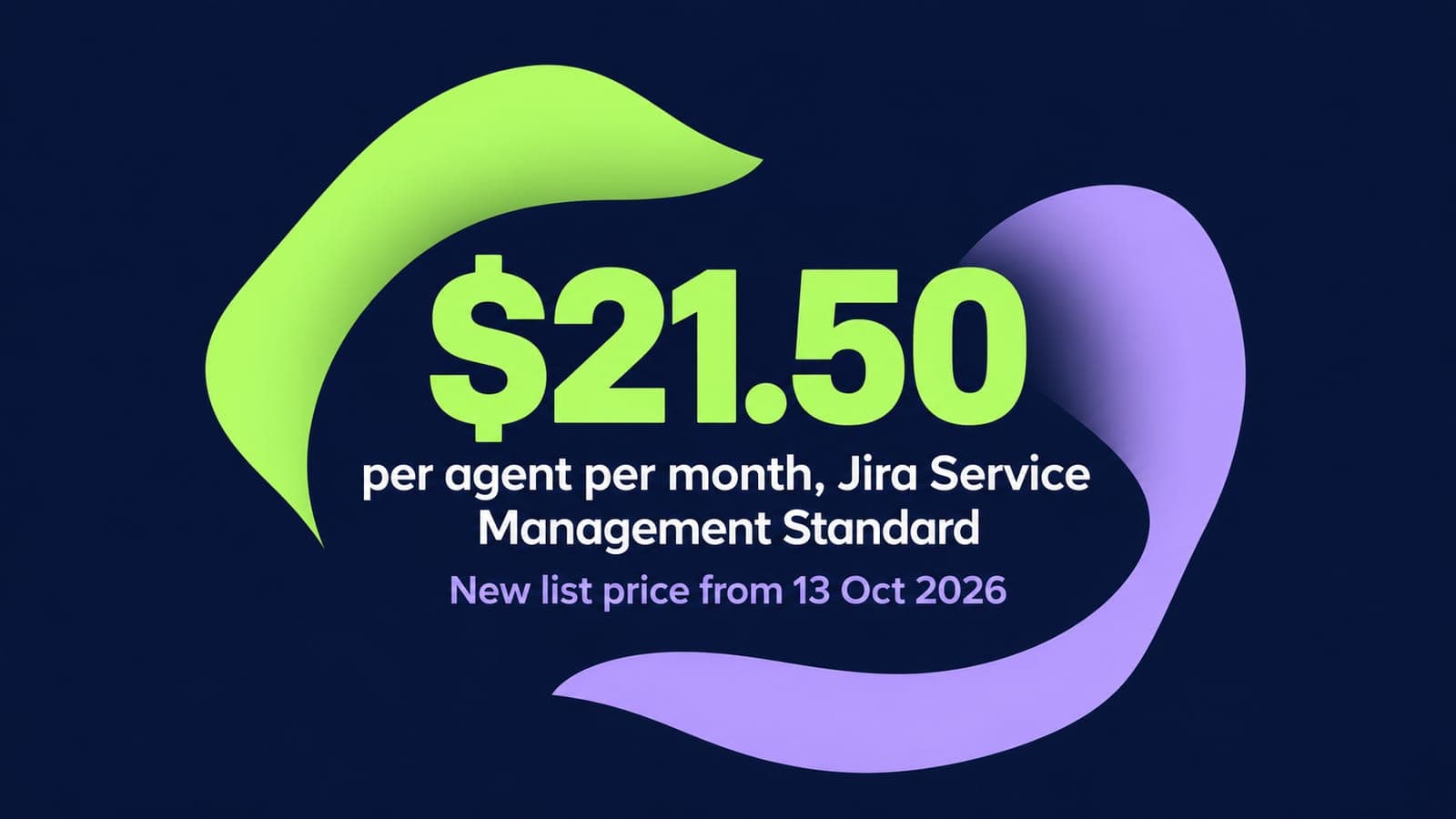
Jira Service Management Pricing 2026: Plans, Per-Agent Costs and Hidden Fees
14 min read
Related routes
Other routes we run



Built for your security review, from the first call.
Read how we handle your dataSOC 2 Type II
Independently audited controls over how we handle your data.
GDPR compliant
Data processing agreement available.
HIPAA compliant
Business associate agreement available.

Start your Jira Service Management move with 100 of your records.
Scope my migrationFree sample migration of 100 of your records, plus a fixed quote within 24 hours.