


 GDPR compliant
 HIPAA compliant
FreshserviceJira Service Management
Freshservice to Jira Service Management migration
ITSM specialists move your incidents, service requests and problems into Jira Service Management, check a sample with you first, and count every record on both sides.
Scope my migration
Free sample migration of 100 of your records, plus a fixed quote within 24 hours.
Last updated November 2026 · 13 object types mapped
- 1000+migrations
- 15 yearsof collective experience
 SOC 2 Type IIGDPR compliantHIPAA compliant
Freshservice to Jira Service Management at a glance
A Freshservice to Jira Service Management migration turns incidents and service requests into work items with the right request type, replies into public comments and private notes into internal comments. The hard part is the read side: Freshservice lists a month of tickets and ten conversations by default. Freshservice stays live until the final delta sync.
- Objects mapped
- 13
- in this route's mapping
- Typical timeline
- About 10 business days end to end
- 3 phases
- Free sample
- 100 records
- checked by your team first
- Quote
- Fixed
- within 24 hours
- Who it is for
- IT teams on Freshservice that are moving their service desk to Jira Service Management, often so requests sit on the same Jira site as engineering work.
- What does not move
- Automation, SLA policies, catalog forms and portal layout are configuration. We list each one for your Jira admin to rebuild as automation rules, goals and request types.
- What sets the scope
- Ticket and conversation volume, your Freshservice plan (it sets the read pace), the number of workspaces, catalog items in use, and how many assets and articles come with the tickets.
What moves
What moves from Freshservice to Jira Service Management
Incidents and service requests become work items, replies and public notes become public comments, private notes become internal comments, and requesters become customers.
- 13 included
| Freshservice | maps to | Jira Service Management | Status |
|---|---|---|---|
| Incidents | Work items, incident request typeLoaded by CSV, so the original created date is kept. The request type is set by its numeric ID. | Included | |
| Service requests | Work items, service request typeAnswers given on the catalog form become fields on the work item. | Included | |
| Problems | Work items of type ProblemFreshservice problem management starts on the Pro plan, so this applies to accounts on Pro and above. | Included | |
| Changes | Work items of type ChangeMapped with the change type and status you agree on the scoping call. | Included | |
| Replies and public notes | Public commentsPosted in order through the comment endpoint, with the original author and time at the top of the text. | Included | |
| Private notes | Internal commentsPosted through the comment endpoint with the public flag off, so they never reach the portal. | Included | |
| Attachments | AttachmentsAttached to the work item or the comment where they sat. | Included | |
| Requesters | CustomersCustomers need no Jira licence. Created before any work item, so each request has its reporter. | Included | |
| Departments | OrganizationsEach requester is added to the organization made from their Freshservice department. | Included | |
| Agents | Licensed agentsOnly people who still work requests need a licence. Former agents are named in the comment text instead. | Included | |
| Agent groups | TeamsMatched to teams or to an assignee group field in each space. | Included | |
| Assets, asset types and relationships | Assets objects, object types and referencesTypes that other types refer to are imported first, and relationships last. | Included | |
| Solution categories, folders and articles | Confluence space, parent pages and pagesThe Confluence space is linked to the service space as its knowledge base. | Included |
FreshserviceJira Service Management
- IncidentsWork items, incident request type
Loaded by CSV, so the original created date is kept. The request type is set by its numeric ID.
- Service requestsWork items, service request type
Answers given on the catalog form become fields on the work item.
- ProblemsWork items of type Problem
Freshservice problem management starts on the Pro plan, so this applies to accounts on Pro and above.
- ChangesWork items of type Change
Mapped with the change type and status you agree on the scoping call.
- Replies and public notesPublic comments
Posted in order through the comment endpoint, with the original author and time at the top of the text.
- Private notesInternal comments
Posted through the comment endpoint with the public flag off, so they never reach the portal.
- AttachmentsAttachments
Attached to the work item or the comment where they sat.
- RequestersCustomers
Customers need no Jira licence. Created before any work item, so each request has its reporter.
- DepartmentsOrganizations
Each requester is added to the organization made from their Freshservice department.
- AgentsLicensed agents
Only people who still work requests need a licence. Former agents are named in the comment text instead.
- Agent groupsTeams
Matched to teams or to an assignee group field in each space.
- Assets, asset types and relationshipsAssets objects, object types and references
Types that other types refer to are imported first, and relationships last.
- Solution categories, folders and articlesConfluence space, parent pages and pages
The Confluence space is linked to the service space as its knowledge base.
Looking for another object?Field-level mapping is reviewed with you during scoping.
What does not move
What does not move from Freshservice to Jira Service Management as-is
Workflow Automator rules, SLA policies, catalog item definitions and portal layout are configuration, so your Jira admin rebuilds them from the list we hand over.
- Ticket activitiesOn request
- In Jira Service Management: Comment summaryJira writes its own changelog, so the Freshservice activity log can be kept as one internal comment per ticket.
- On request
- ReleasesOn request
- In Jira Service Management: Work items of a release work typeNeeds a release work type in the target space before the load.
- On request
- WorkspacesOn request
- In Jira Service Management: Service spacesOne space per workspace, or merged by agreement.
- On request
- Workflow Automator and business rulesNot migrated
- In Jira Service Management: Automation rules and workflowsConfiguration, rebuilt by your Jira admin from the list we hand over.
- Not migrated
- SLA policiesNot migrated
- In Jira Service Management: SLA goals and calendarsFreshservice SLA management starts on the Growth plan. Each policy is documented so it can be rebuilt as a goal.
- Not migrated
- Service catalog item definitionsNot migrated
- In Jira Service Management: Request typesThe forms are rebuilt as request types with fields. Answers on past requests move as data.
- Not migrated
- Portal layout and email templatesNot migrated
- In Jira Service Management: Portal and notification settingsSet up again in the Jira Service Management portal and notification settings.
- Not migrated
Free sample migration of 100 of your records. Fixed quote within 24 hours.
Scope my migrationTimeline
Freshservice to Jira Service Management migration timeline
Estimated total
About 10 business days
end to end
- MigrateXwe run it
- Youyour team acts
- Bothon a call together
Preparation
Day 1-2
Scoping call
Both0.5 dayWe agree which workspaces, ticket types and date ranges move, and whether Freshservice activities are kept as a comment summary.
Connect Freshservice and Jira
You0.5 dayYou share a Freshservice API key from an admin account and a Jira administrator account on the target site. Early loads go to a test space.
Status and request type mapping
Both1 dayFreshservice statuses to Jira workflow statuses, catalog items to request types. Your Jira admin builds any that are missing, and we read their IDs.
Migration
Day 3-7
Free sample in the test space
MigrateX1 day100 of your records, chosen for the longest threads, the most private notes and a service request with catalog answers, loaded end to end.
You review the sample
You1 dayYour team opens the work items as an agent and as a portal customer, and checks comment order, visibility, authors and the SLA panel.
Full load
MigrateX2-3 daysCustomers, organizations and agents first, then work items, then comments and attachments, with Freshservice read in updated_since windows and Jira written inside its limits.
Delta sync
MigrateX0.5 dayTickets changed in Freshservice since the full load are updated in Jira on the same reference, so nothing is created twice.
Validation
Day 8-10
Reconciliation report
MigrateX1 dayTickets against work items per status and year, conversations against comments, catalog answers against fields, attachments against files.
Sign-off and SLA switch-on
You1-2 daysYour leads check a random sample, SLA goals are switched on, and Freshservice stays read-only until you agree.
An estimate. Record volume, API rate limits and how fast your team reviews the sample all move it.
Known risks
Every known risk on this route, with how we handle it
- 3 solved
- 5 handled
- 01HandledMost critical
Private notes stay private, or authors stay named, not both in one pass
The problem
Freshservice private notes are for agents only. On the Jira side, the CSV importer keeps each comment's author and date but publishes it, and the comment endpoint keeps it internal but names the caller as author.
How we handle it
Work items are loaded by CSV with the Created column mapped, so each keeps its original created date. Every reply and note is then posted through the comment endpoint with its Freshservice visibility, and the original author and time open each comment's text. You open the free sample as a portal customer before the full load.
Source: Atlassian developer documentation, checked 15 Nov 2026
- 02SolvedMost critical
A default Freshservice export holds a month and ten replies
The problem
A Freshservice export built on the API defaults returns last month's tickets and the first ten messages of each, and nothing in the result says the rest is missing.
How we handle it
The export walks updated_since windows back to your oldest ticket and reads every conversation through its own endpoint. We count tickets and conversations per year against what Freshservice reports before anything is loaded.
Source: Freshservice API documentation, checked 15 Nov 2026
- 03Handled
What customers typed into catalog forms is not on the ticket
The problem
When someone orders a laptop or asks for access through the Freshservice service catalog, their answers are stored on the requested item. A ticket-only export keeps the request and drops what was asked for.
How we handle it
We read the requested items per request and write each answer into a field on the Jira work item. The catalog forms themselves are rebuilt as request types by your Jira admin from a list we hand over.
Source: Freshservice support documentation, checked 15 Nov 2026
- 04Handled
Closed Freshservice tickets can arrive in Jira with SLAs still counting
The problem
Resolved and Closed Freshservice tickets are finished work, but Jira Service Management works SLAs out from history a CSV-loaded request does not have. Without a plan, years of old work show as breached.
How we handle it
SLA goals are switched on after the load, or their conditions exclude migrated work items, whichever your admin prefers. The Freshservice SLA outcome for each ticket is kept in a field for reporting.
Source: Atlassian Support, checked 15 Nov 2026
- 05Handled
Statuses and request types have to exist before the first row
The problem
Jira's CSV importer cannot create status values, and it needs each request type's numeric ID. Freshservice statuses such as Open, Pending, Resolved and Closed, plus any custom ones, have no automatic match in a Jira workflow.
How we handle it
Every Freshservice status and every catalog item in scope is mapped to an existing Jira status and request type on the scoping call, and the request type IDs are read from your space before the sample run.
Source: Atlassian Support, checked 15 Nov 2026
- 06Solved
Freshservice's own plan decides how fast tickets come out
The problem
Freshservice allows 40 to 140 List All Tickets calls a minute by plan, and each conversation thread, requested item and attachment costs another call from the same account-wide allowance. A Starter or Growth account reads far slower than one on Pro.
How we handle it
The export is paced to your plan with headroom left for your own integrations, so agents keep working in Freshservice. It starts first, and Jira is loaded in step behind it.
Source: Freshservice API documentation, checked 15 Nov 2026
- 07Handled
A Freshservice workspace has no single Jira equivalent
The problem
Freshservice workspaces give IT, HR or Facilities their own area inside one account. Jira Service Management splits work into service spaces, each with its own request types, workflows and customers, so one workspace can become one space or several workspaces can share one.
How we handle it
We list the workspaces on the scoping call and agree one space per workspace unless you want them merged. Agent groups are matched to teams inside each space.
Source: Freshservice API documentation, checked 15 Nov 2026
- 08Solved
A ticket with a long thread is loaded slowly on purpose
The problem
Jira Cloud's per-work-item write limit means a Freshservice ticket with hundreds of replies and attachments cannot be written in a burst.
How we handle it
Comments are queued per work item and sent inside the window, with the Retry-After value honoured when Jira answers 429. The longest threads are loaded first so they are not the last thing left on the day of cutover.
Source: Atlassian developer documentation, checked 15 Nov 2026
Technical profile
What makes this route technical
Freshservice meters the export through per-plan calls a minute and a 30-day default list window, and Jira Service Management decides what an imported comment can show to a customer.
- Exporting from Freshservice: the ticket list stops 30 days back
- Freshservice's List All Tickets endpoint returns only tickets created in the past 30 days unless updated_since is passed, so a default call on an account with years of history sees one month of it.
Source: Freshservice API documentation, checked 15 Nov 2026
- Exporting from Freshservice: a ticket read shows ten conversations
- Embedding conversations in a Freshservice ticket read returns at most ten, oldest first. The full thread comes from the List All Conversations of a Ticket endpoint, one ticket at a time.
Source: Freshservice API documentation, checked 15 Nov 2026
- Exporting from Freshservice: ticket listing has its own per-minute cap
- Freshservice caps List All Tickets at 40 calls a minute on Starter, 70 on Growth, 120 on Pro and 140 on Enterprise, inside overall limits of 100, 200, 400 and 500 calls a minute counted across the whole account.
Source: Freshservice API documentation, checked 15 Nov 2026
- Exporting from Freshservice: catalog answers sit on the requested item
- Freshservice stores Service Request item fields with the requested item rather than the ticket, so its standard ticket exports do not include them.
Source: Freshservice support documentation, checked 15 Nov 2026
- Exporting from Freshservice: the built-in export has no conversations
- The Freshservice ticket list exports CSV or Excel files of at most 10,000 tickets, emailed to the user, and these standard exports hold ticket-level data without conversations or internal notes.
Source: Freshservice support documentation, checked 15 Nov 2026
- Importing into Jira: a CSV makes every comment public
- Jira Cloud's CSV importer turns every comment in the file public once the import into a Jira Service Management space finishes. A CSV comment can still carry its original date and author as date;account ID;text.
Source: Atlassian Support, checked 15 Nov 2026
- Importing into Jira: the comment endpoint keeps visibility, not the author
- Jira Service Management's Create request comment endpoint sets each comment as public or internal and records the calling user as the author.
Source: Atlassian developer documentation, checked 15 Nov 2026
- Importing into Jira: SLAs are worked out from history
- Jira Service Management calculates SLAs from work item history, and a work item loaded by CSV has no history beyond its creation event, so the SLA on a closed request keeps counting.
Source: Atlassian Support, checked 15 Nov 2026
- Importing into Jira: a CSV sets the request type by ID
- Jira Service Management sets the request type of a work item imported by CSV through its numeric request type ID, not its name.
Source: Atlassian Support, checked 15 Nov 2026
- Importing into Jira: one work item takes 20 writes every 2 seconds
- Jira Cloud limits writes to a single work item to 20 per 2 seconds and 100 per 30 seconds, which sets how fast one long comment thread can be loaded.
Source: Atlassian developer documentation, checked 15 Nov 2026
Facts checked 15 Nov 2026 against Freshservice and Atlassian documentation. Each fact links its source.
Testimonials
What our customers say
“We've done ServiceNow to Freshservice, HaloITSM to Freshservice, even a Freshservice to JSM move. Honestly I was nervous about the ServiceNow one because of the dataset size. But it just... worked. No drama.”

Charles Manuel
CEO, FreshIdeas.ai
Freshservice to Jira Service Management questions
Still unsure? Ask the engineer who would run this migration, not a sales rep.
Can we migrate from Freshservice to Jira Service Management with full ticket history?
Yes, every Freshservice ticket moves with every reply and note, because the export reads each thread through its own conversations endpoint and walks updated_since windows back to your first ticket instead of using the API defaults. Ticket and conversation counts are reconciled before the load.
Will Freshservice private notes stay internal in Jira Service Management?
Yes, Freshservice private notes are posted as internal comments through the Jira Service Management comment endpoint, never through the CSV importer. You confirm it on the free sample by opening the work items as a portal customer.
Do original authors and dates survive on comments?
As text, yes. The Jira Service Management comment endpoint records the caller as author and takes no date, so the original Freshservice author and time open each comment. The work item itself keeps its original created date, because it is loaded by CSV with the Created column mapped.
How do Freshservice service catalog items become Jira request types?
Each Freshservice catalog item in use becomes a Jira request type, built by your Jira admin from our list before the load. What customers answered on each form is read from the requested item and written into fields on the work item.
Will SLAs on migrated closed tickets show as breached in Jira?
No, as long as SLA goals are switched on after the load or exclude migrated work items, because Jira Service Management would otherwise keep counting on closed history. The Freshservice SLA outcome of each ticket is kept in a field for reporting.
Do Freshservice assets move into Jira Assets with their relationships?
Yes, on request: Freshservice asset types become Assets object types, assets become objects and relationships become references. Jira needs a referenced object type imported first, so types load in dependency order and relationships come last.
Does the Freshservice knowledge base move into Confluence?
Yes, Freshservice solution categories, folders and articles become a Confluence space with parent pages and pages, linked to the service space as its knowledge base. Who can read them is set by the Confluence space's permissions, so your Confluence admin sets those after the load.
We have several Freshservice workspaces: can each become its own service space?
Yes, one Jira service space per Freshservice workspace is the default, each with its own request types and teams, and workspaces with the same process can be merged into one space. The reconciliation report is split by workspace.
Will Freshservice requesters need Jira licences after the move?
No. Freshservice requesters become Jira Service Management customers, and customers need no Jira licence. Only Freshservice agents who still work requests take a licensed agent seat.
What does a Freshservice to Jira Service Management migration cost?
The price is set by what moves: tickets and the conversations and attachments on them, catalog items, workspaces, assets and articles. Your Freshservice plan also matters, because it sets the read pace. A free sample migration of 100 of your records comes first, and the fixed quote follows within 24 hours of the scoping call.
How it compares
Four ways to run Freshservice to Jira Service Management
The same data, moved four different ways. This is what changes between them.
Object coverage (incidents, problems, changes, requests, KB)
MigrateX
Every object in the mapping on this page, plus the ones you ask for during scoping.
Automated migration software
Tickets and contacts are covered. Problems, changes and request items often are not.
Vendor CSV import
One object per file, and only the fields the export template exposes.
In-house scripts
Whatever you have time to build before the cutover date.
Work notes vs comments fidelity
MigrateX
Each entry is posted separately, private stays private, public stays public.
Automated migration software
Threads usually arrive, but per-entry author and visibility can be flattened.
Vendor CSV import
Notes collapse into one field on the ticket, if they come across at all.
In-house scripts
Possible, but it is the part teams most often run out of time for.
Attachments
MigrateX
Uploaded against the right note, and re-hosted with a link when they exceed the Jira Service Management cap.
Automated migration software
Supported up to the destination cap. Oversize files are skipped.
Vendor CSV import
Not carried by a CSV import.
In-house scripts
Needs its own download, retry and upload pipeline.
Original IDs cross-referenced
MigrateX
Every source id is stored on the destination record and handed back as a map.
Automated migration software
Often kept as a tag or a single text field.
Vendor CSV import
Lost once the file is imported.
In-house scripts
Only if you design the mapping table up front.
Delta sync before cutover
MigrateX
Included. Anything created or changed during the bulk pass is synced at cutover.
Automated migration software
Usually a paid upgrade on the top tier.
Vendor CSV import
You would re-export and re-import by hand.
In-house scripts
Requires change tracking and idempotent writes on both sides.
Rate-limit handling
MigrateX
Paced to your plan limits, honours Retry-After, and resumes from a checkpoint.
Automated migration software
Backs off, but a long run can still stall and leave partial records.
Vendor CSV import
Not applicable, and the file size limits bite instead.
In-house scripts
The most common reason a home-grown run dies overnight.
Validation report
MigrateX
Counts per object and per status on both sides, with every default and placeholder listed.
Automated migration software
A run log and an error list, rather than a reconciliation.
Vendor CSV import
Row counts in a spreadsheet.
In-house scripts
You write the reconciliation queries yourself.
Rollback plan
MigrateX
Every write is tagged, so a batch can be reversed without touching your own records.
Automated migration software
Some approaches can clear a migration, some cannot.
Vendor CSV import
Manual cleanup of everything the import created.
In-house scripts
Only if you built the tagging in from the start.
Who does the work
MigrateX
A MigrateX engineer runs it and stays on the cutover call.
Automated migration software
You run the software. Support answers tickets.
Vendor CSV import
Your admins, one file at a time.
In-house scripts
Your engineers, instead of your roadmap.
Guides
Guides for a Freshservice to Jira Service Management migration

 Pricing and costs
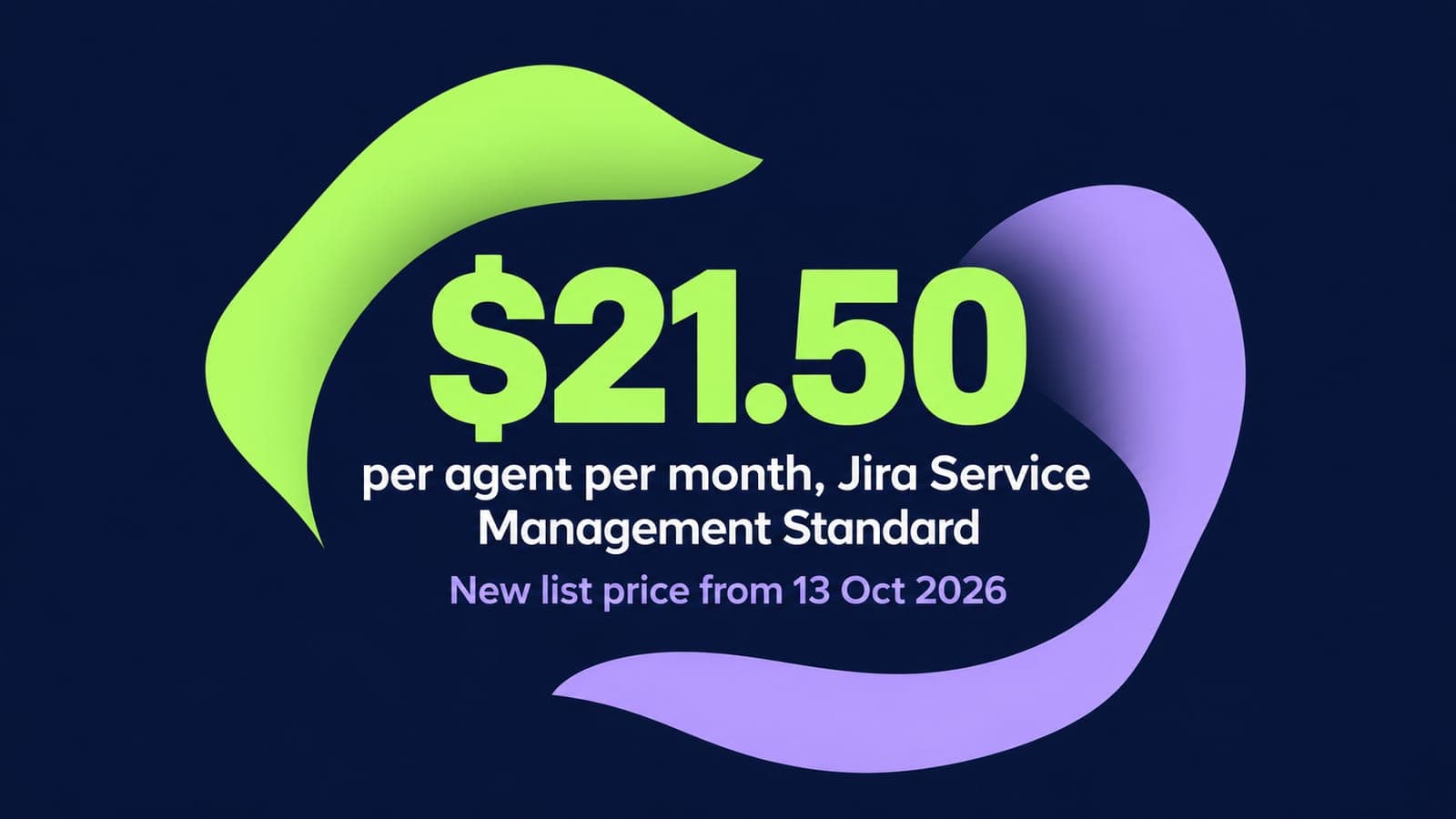
Jira Service Management Pricing 2026: Plans, Per-Agent Costs and Hidden Fees
14 min read
Related routes
Other routes we run



Built for your security review, from the first call.
Read how we handle your dataSOC 2 Type II
Independently audited controls over how we handle your data.
GDPR compliant
Data processing agreement available.
HIPAA compliant
Business associate agreement available.

Start your Jira Service Management move with 100 of your records.
Scope my migrationFree sample migration of 100 of your records, plus a fixed quote within 24 hours.