ServiceNow MSP Exit Plan: Who Owns Your Instance and Data
Changing ServiceNow MSPs? Your data is kept up to 45 days after the contract ends, then removed. Who owns the instance and a 90-day exit plan.
 Ayush BothraFounding Member, MigrateX
Published 14 min read

On this page
- Why is this question coming up now?
- Is the ServiceNow instance ours or the provider's?
- What do you actually get when the contract ends?
- Why isn't the MySQL dump enough?
- What happens to a domain-separated instance at exit?
- What should the exit clause say?
- What does a 90-day ServiceNow exit plan look like?
- Can we keep ServiceNow and just change provider?
- How have other teams moved off ServiceNow without losing history?
- How MigrateX handles a ServiceNow MSP exit
- ServiceNow MSP exit FAQ
- Get your exit plan in one call
- Changelog
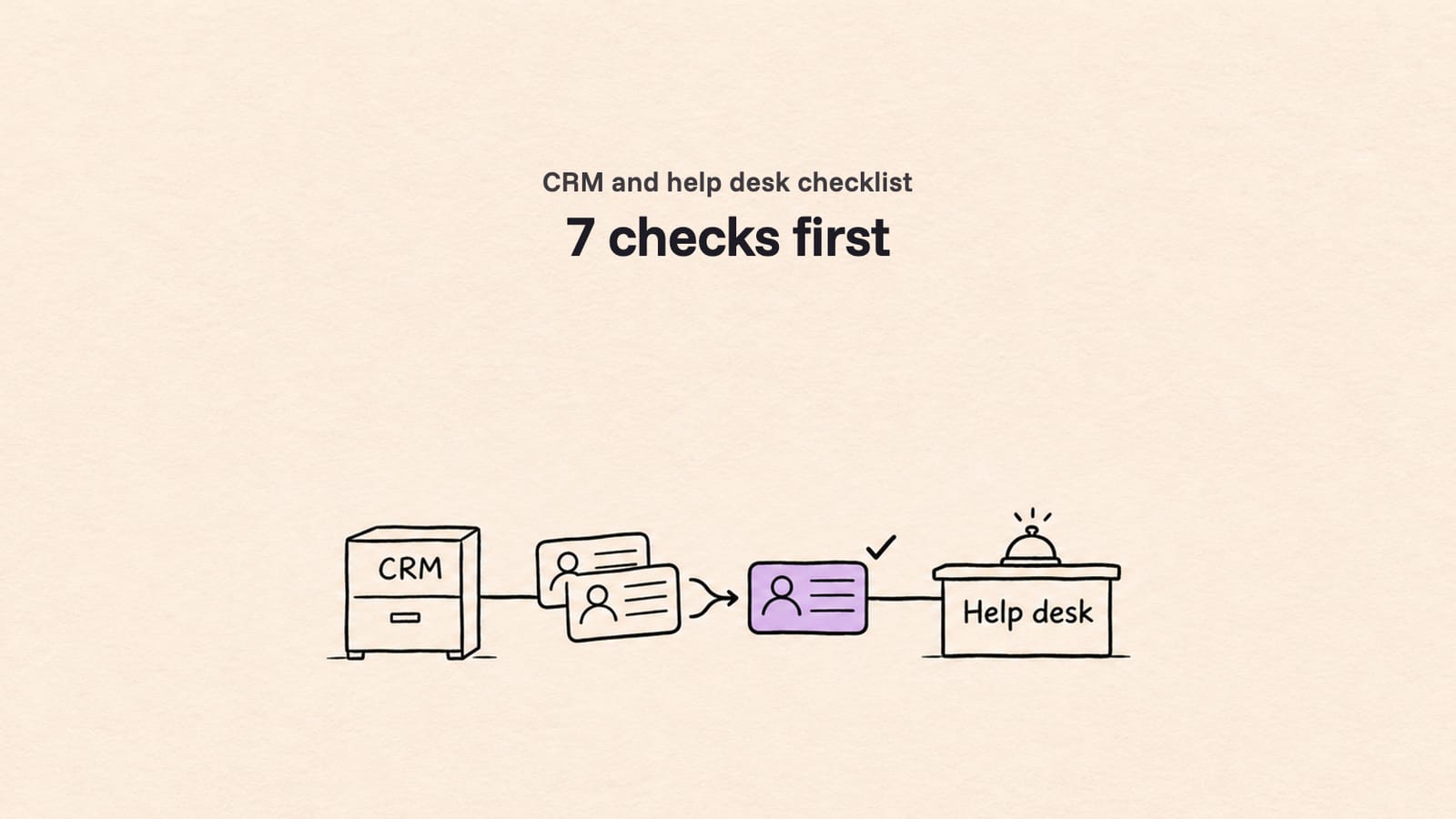
If your ServiceNow is run or licensed through Kyndryl or another managed service provider (MSP), get your data out before the contract ends, not after. First find out whether you own the instance or are a domain inside the provider's shared one. Then agree the export format in writing and test it on real records at least 45 days before the end date. ServiceNow's standard terms, as published in public-sector listings, keep data for only up to 45 days after a contract ends.
This guide is for IT leaders and ServiceNow platform owners who are re-tendering a managed service, bringing it in-house, cutting scope, or facing a renewal that moves them to a higher tier. It applies to Kyndryl and to any ServiceNow MSP. If you are planning the move to a new platform itself, start with our ServiceNow migration guide.
Why is this question coming up now?
Many organizations run ServiceNow through a managed service, and the contract terms that govern data at exit are often years old. Two pieces of Kyndryl news this month have put the relationship on the agenda for renewal reviews, whether you plan to stay, expand or change provider.
- 9 Nov 2026: Kyndryl announced an expanded partnership with ServiceNow and the availability of Kyndryl Autonomous Operations for ServiceNow, powered by Kyndryl Bridge, on the ServiceNow Store. Kyndryl describes it as co-developed with ServiceNow.
- 4 Nov 2026: Kyndryl reported its second quarter of fiscal 2027: revenue of about $3.7 billion, down 1.9% year over year (0.8% in constant currency), and $4.1 billion of signings in the quarter.
None of this changes your contract. But a new offering, a renewal or a re-tender is the right moment to answer one question that most teams cannot answer from memory: if we left tomorrow, what would we get, in what format, and by when? The rest of this post is how to answer it.
Is the ServiceNow instance ours or the provider's?
It depends on two things: who signed the subscription with ServiceNow, and whether your records live in a dedicated instance or in a domain of a shared, domain-separated instance. A ServiceNow URL with your company name in it tells you neither. Check the contract chain and ask the provider directly.
A ServiceNow Community thread from November 2024 put it well. The accepted answer called "MSP" a marketing term and said the useful questions are about the instance itself: is it single-tenant or multi-tenant, is it hosted by ServiceNow, was it licensed directly or through a reseller, and who holds the SLA. It also noted that a *.service-now.com address "reveals nothing" about tenancy or licensing.
Kyndryl, for example, runs this model. An AWS blog post from September 2022 says "Kyndryl has a domain-separated environment in ServiceNow in which they can host multiple enterprise customers." Many MSPs also manage instances their clients own outright, so you need to know which one you are on.
The ownership decision tree
Work through these four questions in order. Write down the answer and the document that proves it.
| Question | If the answer is... | What it means at exit |
|---|---|---|
| 1. Who signed the subscription with ServiceNow? | You (direct, or through a reseller with your name on the order) | The instance is yours to keep. You can change provider and keep the platform, or export on your own terms. |
| The provider | You are using the provider's subscription. What you get at exit comes from your MSP contract, not from ServiceNow. | |
| 2. Single-tenant or multi-tenant? | Single-tenant (a dedicated instance for you) | The whole database is your data. A full export or a hand-over of the instance is possible. |
| Multi-tenant (domain-separated) | Your records share tables with other clients. Any export has to be filtered by domain, and a full database dump is not yours to receive. | |
| 3. Where is it hosted? | ServiceNow's cloud | ServiceNow's own retention and export terms apply to whoever holds the subscription. |
| Provider-hosted or on-premise | The provider's backup and deletion rules apply. Ask for them in writing. | |
| 4. Who holds the SLA? | ServiceNow, with you | You can raise exit and export requests with ServiceNow yourself. |
| The provider | Every exit request goes through the provider, on the provider's timeline. |
Reading the result: if you signed with ServiceNow and have a single-tenant instance, you are in the strongest position: you can swap providers and keep everything in place. If the provider signed and you are a domain in a shared instance, you are in the weakest: your data leaves only as an extract the provider produces, so the contract clause is everything.
What do you actually get when the contract ends?
By default, you get what your contract says and not much more. For a subscription held directly with ServiceNow, its standard terms, as published in public-sector listings, give up to 45 days after contract end to request a full database export in MySQL format. For an MSP contract, the export clause is negotiated and often vague.
Here is what the ServiceNow terms in Fujitsu's UK G-Cloud listing say. Your own order form may differ, so check it.
| Term | What the listing says |
|---|---|
| Retention after contract end | "ServiceNow retains customer data for up to 45 days from the end of a contract." |
| Export | "ServiceNow exports the entire database in a MySQL format." The customer can FTP the files and gets import instructions. |
| Deletion | "After 45 days, all data from the customer instances is removed from ServiceNow servers." |
| Extra time | One extension of the subscription for up to six months, paid in advance at the monthly rate plus a 10% surcharge. |
Two things follow from this:
- The 45 days belong to the subscriber. If your provider holds the subscription, it is the provider who can ask ServiceNow for the export, and the dump would be of the provider's whole instance. In a domain-separated instance, that would include other clients' data, so you should not expect to receive it.
- Your MSP contract sets your real deadline. It may promise an export "in a standard format" with no detail, or only for a set number of days after termination. Treat anything not written down as not promised.
Why isn't the MySQL dump enough?
A MySQL dump is a copy of the database, not a usable archive. It holds every table, with no screens and no search, and keeps notes, history and files apart from their tickets. To read one incident with its work notes and attachments, you must load the dump into a database server and rejoin several tables.
What that looks like in practice:
- It may not load cleanly. In a ServiceNow Community thread from April 2025, an admin with a dump of an expired instance tried to import it into MySQL and hit error "1069 too many keys specified". By November 2025 they wrote: "we could not gain access to any of the data once the instances were decommissioned."
- Notes live in their own table. Comments and work notes are stored in
sys_journal_field, linked to the ticket by itssys_id, not inside the incident row. - History lives in another. Field changes (who reassigned it, when the priority changed) are in the audit tables such as
sys_audit, keyed by the record'ssys_id. - Files are split into pieces. Attachments are recorded in
sys_attachment, with the file content stored in chunks insys_attachment_doc. Getting a usable PDF back means reassembling it. - References are IDs. Assignment groups, callers, configuration items and categories appear as 32-character
sys_idvalues, not names. You need the reference tables loaded too. - There is no one left to ask. After decommission there is no instance to compare against, so you cannot check whether anything is missing.
A dump is a useful last-resort backup. It is not a plan. The plan is an extract you have tested, in a format your next platform or archive can read, taken while the source is still live.
What happens to a domain-separated instance at exit?
You have three realistic routes: the provider extracts your domain's records for you, ServiceNow's Domain Migration Tool turns a clone into a dedicated instance, or a migration team reads your domain through the API and loads it into the new platform. Which one fits depends on where you are going next.
| Route | What it does | Good for | Limits |
|---|---|---|---|
| Provider extract | The provider exports your domain's records to files | Archive, or input to a migration | Format and completeness depend on the provider; often CSV or XML without history or files |
| Domain Migration Tool | Converts a requested clone of the shared instance into a dedicated instance with your domain's data | Staying on ServiceNow in your own instance | You must request the clone and ask ServiceNow to activate the plugin; data and process separation must both be enabled; it does not create another domain-separated instance |
| API extract and load | Reads your domain's records, notes, history and files and loads them into the target | Moving to a new provider's instance or a different platform | Needs a service account scoped to your domain, agreed with the provider |
One field note from our own projects: when extracting from a shared instance, the service account must be scoped to your domain, never to the global domain. ServiceNow's documentation warns that records in the global domain are visible to everyone. An account with the wrong scope either misses records or reads other clients' data. Our post on ServiceNow domain separation migration goes deeper on this route.
What should the exit clause say?
A good exit clause names the format, the scope and the proof. Ask for every item below in writing, ideally as a contract annex, and get the provider to confirm each one by the 90-day mark. If you are re-tendering, put the same list into the RFP so the next provider signs up to it on day one.
Use this as your exit-clause checklist:
- Export format. A named format (for example JSON or CSV per table, plus files) or a live API extract, not "a standard format".
- Scope by table. Incidents, requests and request items, problems, changes, tasks, users, groups and any custom tables, listed by name.
- Journal. Every comment and work note, with author, time and whether it was public or internal.
- Audit history. Field-level history for each record, not only the current values.
- Attachments with ticket links. Every file, with the ticket it belongs to, the original file name and the uploader.
- Original sys_ids and timestamps. Keep
sys_id,number,sys_created_on,sys_created_by,sys_updated_onand resolution times as they are, so history and SLA reports stay true. - CMDB relationships. Configuration items with their relationships (the
cmdb_rel_cilinks), not a flat list of assets. See our ServiceNow CMDB guide. - Knowledge. Articles with versions, images, categories and the links between articles.
- Domain filter. For shared instances, written confirmation that the export covers all records in your domain and its child domains, and nothing else.
- Test extract sign-off. A sample extract on real records that you check and sign off before the full run.
- Dates and access. The latest date for the full extract, read access until you have validated it, and a deletion certificate after.
- Cost. Whether the extract is included in the fee or charged as a project.
What does a 90-day ServiceNow exit plan look like?
Work backwards from the contract end date. Ninety days out, confirm ownership and the exit clause. At 60 days, run and sign off a test extract. At 45 days, start the full extract so it is validated well before the end. On the end date, freeze, run a final delta and keep read access until sign-off.
| When | What to do | Done when |
|---|---|---|
| 90 days before | Run the ownership decision tree. Pull the MSP contract and the ServiceNow order form. Count records by table and attachment volume. Send the exit-clause checklist to the provider. Decide the target: new provider's instance, a dedicated instance, another platform, or an archive. | You know who owns what, and the provider has the checklist |
| 60 days before | Agree the export method and a service account. Run a test extract on real records, including the oldest, the largest attachments and tickets with long note threads. Check notes, history, files, timestamps and CMDB links. | You have signed off the test extract |
| 45 days before | Start the full extract (or the migration's full run). Validate counts per table, sample records field by field, and check that every attachment opens and links to its ticket. | Counts match and exceptions are listed |
| 14 days before | Fix exceptions. Agree the freeze window with the service desk. Plan the final delta of records changed since the full run. | Exceptions are closed or accepted in writing |
| End date | Freeze changes, run the final delta, switch users to the new platform. Keep read access to the old data until validation is signed off. | You have a signed reconciliation report |
| After | Get the deletion confirmation. Archive the reconciliation report with the contract. | The file is closed |
Why start the full extract at 45 days and not later? Because 45 days is the longest window the ServiceNow terms above give after contract end, and your MSP contract may give less. Finishing before the end date means you never depend on that window at all. Our test migration checklist and data migration validation guides cover the test and validation steps in detail.
What to have ready for the exit-readiness call
You don't need all of this, but each item makes the call more useful:
- The contract end date and notice period
- Who signed the ServiceNow subscription, if you know
- Whether you are on a dedicated or a shared, domain-separated instance
- Rough record counts for incidents, requests, changes and problems, and how many years of history
- Where the data is going: another provider, your own instance, another platform or an archive
- The exit or termination clause from your managed-service contract
Can we keep ServiceNow and just change provider?
Yes, if the subscription is in your name. You can move the managed service to a new provider or in-house and keep the instance as it is. If the provider holds the subscription, you need either a new instance of your own, filled from an extract, or a move to a different platform.
| Your situation | Typical path |
|---|---|
| You own the subscription, single-tenant | Change provider, keep the instance. Transfer admin access and documentation. |
| Provider owns it, you want to stay on ServiceNow | Buy your own subscription, then move your domain's data in: Domain Migration Tool, or an API extract and load into the new instance. |
| You want to leave ServiceNow | Extract and load into the new platform, for example ServiceNow to Freshservice or ServiceNow to Jira Service Management. |
| Merging into another ServiceNow you already run | Instance-to-instance load with original IDs kept. See merging ServiceNow instances. |
If budget is the reason for the review, our guide to ServiceNow pricing and the list of ServiceNow alternatives help frame the options.
How have other teams moved off ServiceNow without losing history?
Covia, an industrial minerals company in the US and Mexico, moved from ServiceNow to Freshservice with MigrateX: more than 1.03 million records with full history, including 369,000+ in one weekend, nine years of service desk history and records in English and Spanish. Their Service Desk Supervisor, Gary Huck, said: "As far as the data goes, the MigrateX team has it handled." Read the Covia story.
Metro Systems, an IT services partner in Thailand, delivered a ServiceNow to Freshservice move for a publicly listed energy group through us: 19,970 records in a full run of 136 minutes, with fields mapped and demoed within 12 hours. Read the Metro Systems story.
How MigrateX handles a ServiceNow MSP exit
MigrateX is an AI migration platform, and ITSM experts review every step. For an MSP exit, that means we start with what your contract and instance allow, then extract and move every ticket, note and file while the source is still live.
- Exit-readiness review. We go through your ownership chain and exit clause with you and tell you what you can get, and what to ask for.
- Free 100-record extract. Before you commit, we extract 100 of your real records, with work notes, audit history and attachments linked to their tickets, so you can see what a full export would contain. Fixed quote within 24 hours.
- Domain-aware extraction. For shared instances, we work with your provider on a service account scoped to your domain.
- Original IDs and dates kept. Original numbers,
sys_idreferences and timestamps are carried across or mapped, so SLA history and audit trails still make sense. - Any target. Another provider's ServiceNow instance, your own new instance, or another platform: we have 191 connectors, all live, and build new ones in 2 to 3 days. See the ServiceNow connector.
- Proof at sign-off. 100% data fidelity, checked with a reconciliation report you sign. Every production cutover has a rollback plan.
- Security your provider can review. SOC 2 Type II, GDPR and HIPAA compliant, with a DPA available. See security and how it works.
- For partners. If you are the incoming MSP, we can run the move white-label under your name. See partners.
Facts checked November 11, 2026 from Kyndryl press release, 9 Nov 2026, Kyndryl Q2 fiscal 2027 results, ServiceNow terms in Fujitsu's G-Cloud listing, ServiceNow docs: domain separation explained, ServiceNow docs: Domain Migration Tool, ServiceNow Community: MSP instance ownership, ServiceNow Community: viewing data from an expired instance and AWS Cloud Operations Blog, Sep 2022. No vendor paid for this article. How we research
ServiceNow MSP exit FAQ
How long does ServiceNow keep data after a contract ends?
ServiceNow's standard terms, as published in public-sector listings such as Fujitsu's UK G-Cloud listing, keep customer data for up to 45 days after a contract ends, then remove it. Within that window the subscriber can request a full database export in MySQL format. Check your own order form, and remember that if an MSP holds the subscription, the window is theirs.
What is a domain-separated MSP instance?
It is one ServiceNow instance that a provider runs for several client organizations, with each client's data, processes and admin rights kept in its own domain. Each separated record carries a sys_domain value. The instance and usually the subscription belong to the provider, so a client's exit depends on the extract the provider agrees to produce.
Is a ServiceNow MySQL dump a good backup?
It is a last-resort copy, not a working backup. It has to be loaded into a database server, and admins report import errors. Notes, history and attachments sit in separate tables linked by sys_id, and files are stored in chunks. A tested extract in a readable format, taken while the instance is live, is far safer.
Can we move from Kyndryl to another ServiceNow MSP and keep our history?
Yes. If you own the subscription, the instance can stay as it is and only the managed service changes. If the provider owns it, your records need to be extracted, with notes, audit history and attachments, and loaded into the new instance with original numbers and dates kept. Agree the extract in writing before giving notice.
When should we start planning a ServiceNow exit?
At least 90 days before the contract end date, and earlier if the notice period is long. That gives time to confirm ownership, agree the exit clause, run and sign off a test extract around 60 days out, and start the full extract by about 45 days out, so it is validated before the end date.
Does the Domain Migration Tool work for leaving an MSP?
It can, if you want to stay on ServiceNow in your own dedicated instance. ServiceNow's documentation says you request a clone, ask ServiceNow to activate the plugin, and need data and process separation enabled. It does not move data into another provider's shared instance or into a different platform.
Get your exit plan in one call
Book a 30-minute exit-readiness call: we'll tell you what your contract and instance give you, and run a free 100-record extract; fixed quote within 24 hours. Book your exit-readiness call, or if you are the incoming provider, talk to us about partnering.
Related reading: export every ServiceNow record, migrate ticket history, stop losing attachments at cutover, write a data migration RFP.
Changelog
- 11 Nov 2026: First published.

Written by
Ayush BothraFounding Member, MigrateX
Ayush writes about ITSM platforms, pricing and what it takes to move a service desk to a new platform without losing its history.