Merge ServiceNow Instances Without Losing sys_ids or Timestamps
Merge two ServiceNow instances without a clone: a conflict matrix, load order, how to keep sys_ids and timestamps, and how to prove nothing was lost.
 Ayush BothraFounding Member, MigrateX
Published 17 min read
On this page
- Can you clone a ServiceNow instance to merge two instances?
- Is Instance Data Replication right for a one-time instance merge?
- What conflicts come up when you merge two ServiceNow instances?
- How do you preserve sys_id and timestamps when loading records?
- What order should you load records in?
- How do you verify a ServiceNow instance merge?
- Should an acquired business unit run Flow by ServiceNow instead?
- What should you have ready for the call?
- Proof: ServiceNow data at scale
- How MigrateX handles a ServiceNow instance merge
- ServiceNow instance merge FAQ
- Changelog
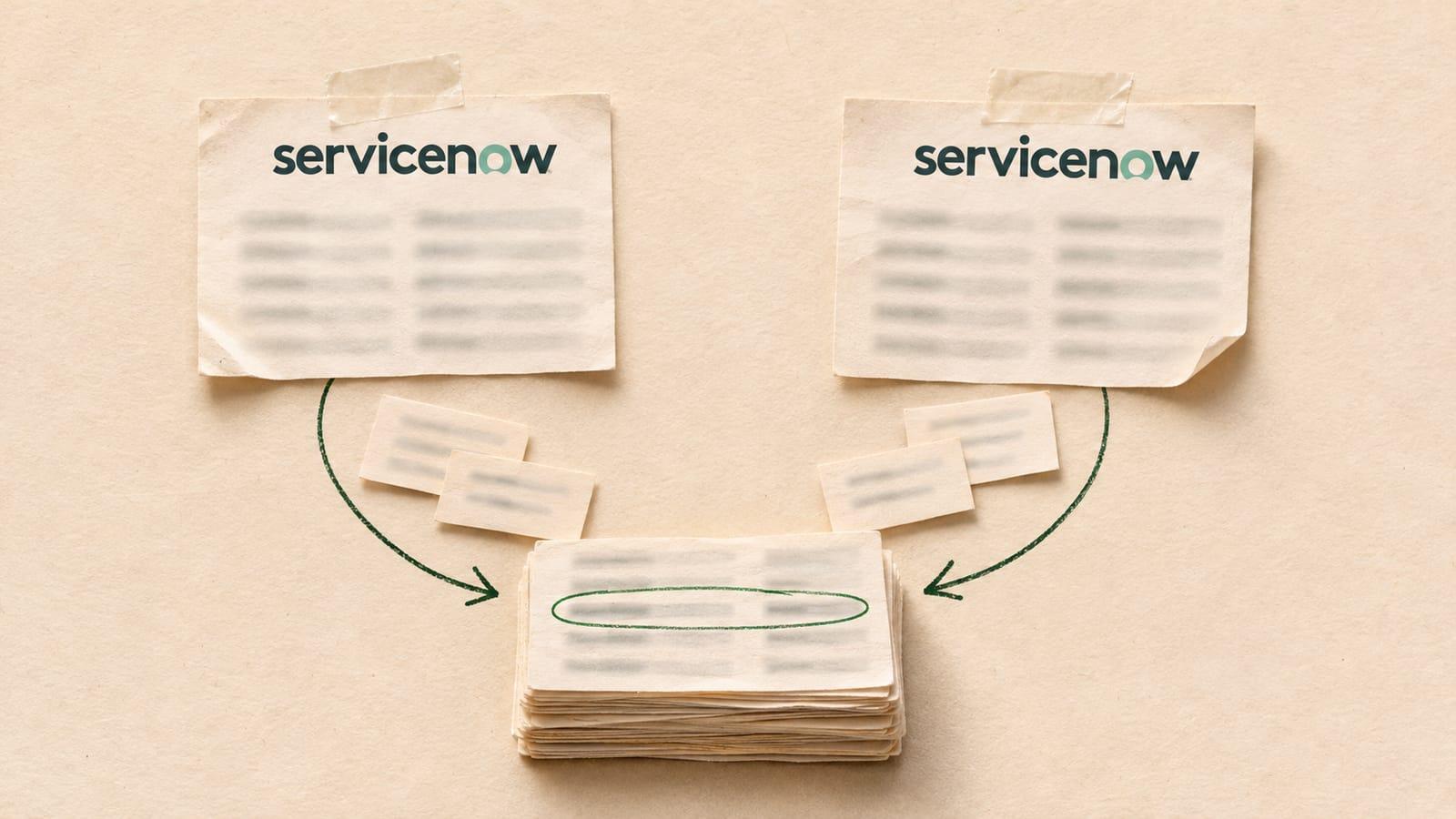
Merging two ServiceNow instances means choosing one production instance to survive and moving the other's records into it, with each record keeping its sys_id, created and updated timestamps, authors, work notes, audit history and attachments. A clone cannot do this, because it overwrites the target. Instance Data Replication (IDR) is built for ongoing sync, not a one-time move. What works is a scripted or import set load with system fields protected, run in dependency order and verified by per-table counts and checksums.
This guide is for ServiceNow platform owners and IT leaders after an acquisition or reorganization, with two production instances and one mandate: get to one. It covers ServiceNow instance consolidation end to end: the merge-conflict matrix, the load order, the mechanics that preserve record identity, and the checks that prove the merge worked. It also covers the newer option ServiceNow pitches for acquisitions: running the acquired unit on Flow by ServiceNow instead of merging. For moves into or out of ServiceNow from another tool, start with our ServiceNow migration guide instead.
Can you clone a ServiceNow instance to merge two instances?
No. A ServiceNow clone copies the source instance's database onto the target and replaces what was there. You can exclude tables from the clone or preserve chosen target tables, but you end up with one instance's operational data, not both. Cloning is the right tool for refreshing sub-production instances, not for consolidating two production ones.
ServiceNow's cloning documentation spells out the two controls, and neither one merges:
| Clone control | What ServiceNow's docs say it does | Why it does not merge |
|---|---|---|
| Exclude a table | No data for that table is cloned from source to target, and existing target data in that table is removed | The target loses its own rows instead of keeping them |
| Data preserver | Target data is stored before the clone and restored after it; preservers must be defined on the source instance | You get the target's rows back in place of the source's, so each table holds one side or the other |
| Exclude plus preserve | Keeps only the target's records in a table | Still one side per table, never both |
| Legacy clone engine | Cannot preserve data from extended tables, relationships, hierarchies between tables or dot-walked queries | Task tables are extended tables, so incidents, changes and requests are exactly what it cannot preserve |
The docs also warn that the user and login tables must be preserved or excluded as a set, or people may not be able to log in after a clone. That warning alone tells you a clone is a replacement operation. In an October 2025 ServiceNow Community thread about moving operational data from one production instance to another, the poster ruled out a clone for the same reason, and wanted sys_ids preserved so references stayed intact. Nobody in the thread explained how to do that. The rest of this guide does.
Is Instance Data Replication right for a one-time instance merge?
Usually not. Instance Data Replication is a paid ServiceNow plugin that syncs chosen tables from a producer instance to consumer instances, with an optional one-time seed. It is designed to keep data consistent across instances that both stay live. For a merge, its exclusions bite: it does not replicate most user and system tables, which hold the history you need.
Here is what ServiceNow's IDR documentation says, and what each point means for a merge:
| IDR fact (ServiceNow docs) | What it means for a merge |
|---|---|
| Producer replication sets define the tables and columns to send; consumer sets receive them | One direction at a time, scoped table by table |
| Seeding copies existing producer data to consumers and "must not take longer than seven days" | Large task histories need careful batching |
| IDR "does not replicate metadata tables, child metadata tables, and most user and system tables" | Journal entries, audit rows and other sys_ tables need another route. Check the excluded-tables reference for your release |
| "Avoid using IDR to replicate a series of large attachments on a regular basis" | Years of files are better moved directly |
| Edge Encrypted, Field Encryption and Password (2-Way Encrypted) fields cannot be replicated | Encrypted fields need their own plan |
In the same October 2025 Community thread, one ServiceNow expert wrote that "IDR can be used but it's paid plugin", and another said it "would not be the right approach for one time migration." IDR earns its cost when two instances will run side by side for a long time. If the goal is one instance, you pay for a sync you switch off after the move, and you still need another way to bring the history across.
What conflicts come up when you merge two ServiceNow instances?
Every merge hits five collisions: record numbers that repeat across instances, people who exist in both, assignment groups and choice values with the same names but different meanings, duplicate configuration items, and configuration that differs between the two. Each needs a survivorship rule, agreed before the first load, that says which record wins and what happens to the loser.
The merge-conflict matrix
In this table, "surviving instance" is the one you keep, and "incoming instance" is the one you retire. The rules are the defaults we start from in our own ServiceNow instance merges; each project adjusts them.
| Conflict | Why it happens | Survivorship rule |
|---|---|---|
| Same record number (INC0010042 in both) | Each instance keeps its own counter per table in the Counter [sys_number_counter] table, and ServiceNow's docs note numbering does not enforce uniqueness by default | Surviving records keep their numbers. Incoming records keep their original number in a legacy field and in the correlation ID, then either get a distinct prefix or a new number from the surviving counter. Never let two live records share a number |
| Same person in sys_user twice | Both instances created a user for the same employee, often with different user names (jsmith vs john.smith) | Match on employee number, then email, then user name. The surviving record wins; every reference to the incoming user is repointed to it |
| Author strings that no longer match | sys_created_by and sys_updated_by store the user name as text, not a reference | Rewrite the incoming user name to the surviving user name on tasks, journal entries and audit rows, so "Created by" still resolves to a real person |
| Same assignment group name, different team | "Service Desk" exists in both instances but means two teams | Merge only when it is truly one team after the reorganization. Otherwise rename the incoming group with a business-unit suffix and keep its members and history |
| Overlapping choice values | The same field has different custom choices, or the same value means different things (state 7, category "network") | Build a value-to-value map per table and field from sys_choice. Add missing choices to the surviving instance; inactive choices for history are fine. Never load a value the surviving instance cannot display |
| Duplicate CIs | The same server, application or network device was discovered or imported into both CMDBs | Load CIs through the Identification and Reconciliation Engine so identification rules decide match or insert. The surviving CI keeps its sys_id; incoming relationships and task links repoint to it |
| Same sys_id in both instances | Base system records ship with the same sys_id on every instance; custom records almost never collide | Same table and same sys_id means the same base record: keep the surviving one and do not insert. A collision on a custom record is a red flag to investigate by hand |
| Custom fields with the same name, different type | Both teams added u_region, one as a string and one as a reference | Rename one field in the surviving configuration before loading, and map the incoming values to it |
| Different SLA definitions | Each instance measured response and resolution its own way | Load historical task SLA records as history; do not restart timers on closed tasks. New SLA definitions apply from cutover |
| Companies, locations and departments duplicated | Both instances hold the same offices and cost centers | Same rule as users: match on a stable key, survivor wins, repoint references |
Why sys_id is the key to everything
Every reference in ServiceNow points at a sys_id: the caller on an incident, the parent of a task, the record a journal entry, audit row or attachment belongs to. If you keep each incoming record's sys_id, all of those links survive the move without rewriting. If you let the surviving instance mint new sys_ids, you have to rebuild every reference by hand, and anything you miss becomes an orphan.
How do you preserve sys_id and timestamps when loading records?
Insert each record with its original sys_id set before the insert, turn off automatic system-field stamping so your created and updated values stick, and turn off business rules and engines so the load does not fire notifications, assignments or new audit rows. In a scripted load, the GlideRecord methods are setNewGuidValue(), autoSysFields(false) and setWorkflow(false).
ServiceNow's GlideRecord API reference describes the three methods this way:
| Method | What ServiceNow's API reference says | Why a merge needs it |
|---|---|---|
| setNewGuidValue(guid) | "Sets the sys_id value for the current record." | The incoming record keeps its sys_id, so every reference to it still resolves. Community developers note it applies to new records only, not updates |
| autoSysFields(false) | "Enables or disables the update to the fields sys_updated_by, sys_updated_on, sys_mod_count, sys_created_by, and sys_created_on." The docs add it is "often used for manually updating field values on a record while leaving historical information unchanged." | Your original created and updated dates and authors are kept instead of being stamped with the load time and the integration user |
| setWorkflow(false) | "Enables or disables running business rules, script engines, or audits." | No emails to requesters about years-old tickets, no reassignment rules, and no fake audit rows saying the integration user changed everything today |
One detail catches teams out: autoSysFields() is documented in the global GlideRecord API but is not listed in the scoped GlideRecord API. Run the load in the global scope, or test in your release that the method behaves as you expect in a scoped application.
A minimal scripted insert, for one incident, looks like this:
// Global scope. src holds one record exported from the incoming instance.
var gr = new GlideRecord('incident');
gr.initialize();
gr.setNewGuidValue(src.sys_id);        // keep the original sys_id
gr.autoSysFields(false);               // keep the stamps set below
gr.setWorkflow(false);                 // no business rules, engines or audit rows
gr.setValue('number', src.new_number); // per your numbering rule
gr.setValue('caller_id', mapUser(src.caller_id));
gr.setValue('state', mapChoice('incident', 'state', src.state));
gr.setValue('sys_created_on', src.sys_created_on);
gr.setValue('sys_created_by', mapUserName(src.sys_created_by));
gr.setValue('sys_updated_on', src.sys_updated_on);
gr.setValue('sys_updated_by', mapUserName(src.sys_updated_by));
gr.setValue('sys_mod_count', src.sys_mod_count);
gr.insert();
Because setWorkflow(false) turns off engines, setting work_notes or comments on the record does not create journal entries. Load journal rows into sys_journal_field directly in a later step, with their own original sys_id, author and timestamp.
Can a ServiceNow import set do the same?
Yes, for most tables, with two settings. First, clear "Run business rules" on the transform map. ServiceNow describes that option as controlling whether business rules, workflows, approval engines, auditing and field normalization run while the transform inserts or updates the target table. Second, use coalesce to control insert versus update, so a rerun updates records instead of duplicating them.
ServiceNow's import set coalesce documentation gives the rules you have to design around:
- All coalesce fields must match. With several coalesce fields, every value must match between staging and target for the row to update.
- No match means insert. "If no matching record is found, then a new record is created in the target table."
- Several matches means the first one wins. Only the first matching target record is updated, so coalesce on fields that are unique, such as the original sys_id.
- Conditional coalesce lives on the sys_id field map. Its source script must return the sys_id of the target record to update.
Import sets are a good fit for reference data and moderate volumes: users, groups, locations, companies and choice lists. For hundreds of thousands of tasks plus their journal and audit rows, a scripted or API-driven load gives you finer control over batching, retries and the system fields above. Test whichever route you choose on a sub-production copy, and check the created dates on the loaded records before you trust it. Our test migration checklist covers what to check.
What order should you load records in?
Load in dependency order: anything a record references must already exist when that record arrives. That means configuration first, then people and groups, then CIs, then parent tasks, child tasks, and finally the history tables that hang off tasks: journal, audit and attachments. Loading out of order creates empty references that are hard to find later.
| Step | What loads | Key tables | Why it goes here |
|---|---|---|---|
| 1 | Configuration | Custom tables and fields, sys_choice, number formats, form and list layouts (as update sets) | Incoming data needs somewhere to land, and every choice value must exist before records use it |
| 2 | Users and groups | core_company, cmn_location, cmn_department, sys_user, sys_user_group, sys_user_grmember, roles | Every task, journal entry and audit row points at a person or a group |
| 3 | CIs | cmdb_ci and its child classes, then cmdb_rel_ci | Tasks reference CIs, and relationships need both ends to exist |
| 4 | Parent tasks | problem, change_request, sc_request, then incident | Incidents point at problems and changes; requests own their items |
| 5 | Child tasks | incident_task, change_task, problem_task, sc_req_item, sc_task, task_ci, historical task_sla | Each child references a parent loaded in step 4 |
| 6 | Journal | sys_journal_field (comments and work notes, keyed to the parent sys_id) | The parent record must exist, with its original sys_id |
| 7 | Audit | sys_audit (field-level change history, keyed by document key) | ServiceNow builds history sets from the audit table when a user creates a record or views its history, so the record's History view rebuilds from these rows |
| 8 | Attachments | sys_attachment and sys_attachment_doc, or the Attachment API | Each file links to its record by table name and table sys_id |
| 9 | Delta and cutover | Records created or changed on the incoming instance since the bulk load | Agents keep working on the old instance until the final sync |
Two notes on steps 7 and 8. ServiceNow's docs say history sets are generated from the audit table as needed, and advise against reporting on history sets. Load sys_audit, not sys_history_set, and let the platform rebuild the history view. For attachments, keep the incoming file's link to the original sys_id. Our post on preventing a lost attachment flood at cutover covers the failure modes, and how to migrate ticket history goes deeper on journal and audit data.
If the incoming instance uses domain separation, decide which domain each record lands in before step 2; our guide to domain-separated ServiceNow migrations explains why loading as a global admin puts everything in the global domain. For getting the full data set out of the incoming instance, see how to export all records from ServiceNow.
How do you verify a ServiceNow instance merge?
Compare per-table record counts and per-record checksums across three sides: the incoming instance, the surviving instance before the merge, and the surviving instance after it. For each table, before plus incoming minus agreed duplicates must equal after. Then hash the fields that matter on every record and compare the hashes, so you prove the content matched, not just the count.
Per-table counts
Run counts by table, and break the big tables down by year and state, so a gap points at where it happened.
| Table | Surviving before | Incoming | Merged as duplicates | Expected after | Actual after |
|---|---|---|---|---|---|
| sys_user | A | B | Matched users | A + B - matched | Count |
| sys_user_group | A | B | Merged groups | A + B - merged | Count |
| cmdb_ci (per class) | A | B | Reconciled CIs | A + B - reconciled | Count |
| incident, change_request, problem, sc_req_item, sc_task | A | B | 0 | A + B | Count |
| sys_journal_field (per element) | A | B | 0 | A + B | Count |
| sys_audit | A | B | 0 | A + B | Count |
| sys_attachment (count and total size) | A | B | 0 | A + B | Count |
Task tables should merge no records at all. If an incident count is short, something was coalesced that should have been inserted.
Per-record checksums
For each task, build a string from the fields that must not change (sys_id, number, state, priority, assignment group, caller, sys_created_on, sys_created_by, sys_updated_on, short description) after applying your mapping rules, hash it on both sides, and compare. Do the same for journal entries (parent sys_id, element, author, timestamp, text) and attachments (table sys_id, file name, size, a hash of the file content). Any mismatch is an exception with a record ID, which someone fixes and signs off.
Finish with a reference check: no reference field on the surviving instance should point at a sys_id that does not exist. Our guide to data migration validation shows how to turn these checks into a sign-off report.
Should an acquired business unit run Flow by ServiceNow instead?
Sometimes, as a stopgap. ServiceNow launched Flow by ServiceNow on 1 October 2026 as an AI service desk in Slack, Teams and email, and names "newly acquired business units that need rapid deployment" as a use. It can give an acquired unit a working desk in a day. It does not consolidate two instances or absorb the acquired unit's history.
ServiceNow says Flow can be "up and running in a day", with general availability for North America and EMEA expected in Q4 2026. ServiceNow's Community FAQ from 29 September 2026 describes Flow as a standalone product on its own multi-tenant cloud, with optional bidirectional sync to an existing instance, and says customers who need change management, problem management or a CMDB-driven process stay on ITSM. We found no public documentation on exporting or retaining Flow data. Our post on Flow by ServiceNow and your ticket data covers that question.
| Question | Run Flow as a satellite desk | Consolidate into one instance |
|---|---|---|
| Does the acquired unit need change, problem or CMDB processes? | No: a simple request and incident desk is enough | Yes: ServiceNow says these stay on ITSM |
| Does it already run its own ServiceNow instance with years of history? | Flow does not take that history; it still needs a home | Merge the history into the surviving instance |
| How fast does it need a working desk? | Days | Weeks, with a planned cutover |
| Is the arrangement temporary (divestiture likely, integration undecided)? | Good fit: low commitment while you decide | Premature until the operating model is settled |
| Do leaders need one set of reports across the group? | Only through sync or separate reporting | One instance, one data model, one report set |
| Do you want to stop paying for two production instances? | Not if the old instance stays up for history | Yes, once the incoming instance is retired |
| Will agents move between the two organizations' queues? | Separate tools, separate queues | Shared groups and routing |
A common pattern: run Flow for the acquired unit's front line while the integration plan settles, and merge the acquired unit's existing ServiceNow history into the surviving instance so nothing stays stranded on an instance you are paying to keep alive.
What should you have ready for the call?
Bring as much of this as you have. Rough numbers are fine:
- Which instance survives, and the target date to retire the other
- ServiceNow release on both instances, and whether either uses domain separation
- Record counts per table on the incoming instance (tasks, journal, audit, attachments), even rough ones
- The tables in scope: ITSM only, or also CMDB, HR, catalog or custom applications
- Known overlaps: shared users, same-named groups, duplicate CIs
- Your numbering preference for incoming records
- Any retention or legal hold rules on the incoming data
- A read-only service account on both instances (for the free trial merge)
Proof: ServiceNow data at scale
Covia, an industrial minerals company operating in the US and Mexico, moved off ServiceNow with us: 1.03M+ records with full history, 369K+ of them in one weekend, nine years of service desk history, in English and Spanish. That project went from ServiceNow to Freshservice, and the same work sat underneath: reading every task, journal entry, audit row and attachment out of ServiceNow and keeping its author and dates. Gary Huck, Service Desk Supervisor at Covia: "As far as the data goes, the MigrateX team has it handled. Scope it right, and they'll make sure everything gets across, so you can focus your energy on the workflows." Read the Covia story.
Metro Systems, an IT services partner in Thailand, delivered a ServiceNow to Freshservice move for an energy group through us: 19,970 records in 136 minutes. See the Metro Systems story.
How MigrateX handles a ServiceNow instance merge
ServiceNow-to-ServiceNow moves are part of what we do, including merging two production instances into one. MigrateX is an AI migration platform, and ITSM experts review every step, from the conflict report to cutover.
- Conflict report first. Before anything loads, we read both instances and list every collision from the matrix above (numbers, users, groups, choice values, CIs, custom fields), each with a proposed survivorship rule for you to approve.
- Identity kept. Incoming records keep their sys_ids, created and updated timestamps and authors, with work notes, comments, audit history and attachments attached to the right record.
- Dependency-ordered loads. Configuration, people and groups, CIs, parent and child tasks, then journal, audit and attachments, with a delta sync so agents keep working on the old instance until cutover.
- Proof at sign-off. Per-table counts, per-record checksums and a reference check, in a reconciliation report with every exception closed. We hold ourselves to 100% data fidelity.
- A rollback plan ready for every production cutover.
- Security your auditors accept. SOC 2 Type II, GDPR and HIPAA compliant, with a DPA available. See security and how it works.
- Partners welcome. Systems integrators and MSPs can run the merge under their own brand. See partners.
We've completed 1,000+ migrations. More on our ServiceNow migration services, and on how we handle the CMDB.
Facts checked November 11, 2026 from ServiceNow docs: data preservation on cloning target instances, ServiceNow docs: exclude a table from cloning, ServiceNow docs: exploring Instance Data Replication, ServiceNow Community: migrating operational data from Prod A to Prod B without a clone (Oct 2025), ServiceNow docs: GlideRecord (global) API, ServiceNow docs: GlideRecord (scoped) API, ServiceNow docs: import set coalesce, ServiceNow docs: history sets, ServiceNow docs: record numbering, ServiceNow docs: Identification and Reconciliation Engine, ServiceNow newsroom: Introducing Flow by ServiceNow (1 Oct 2026) and ServiceNow Community: What is Flow by ServiceNow (29 Sep 2026). No vendor paid for this article. How we research
ServiceNow instance merge FAQ
Can I merge two ServiceNow instances with a clone?
No. A clone copies the source instance over the target. Excluded tables lose the target's data, and data preservers restore chosen target tables instead of the source's, so each table ends up holding one side, never both. Use cloning to refresh sub-production instances, and a scripted or import set load to merge production data.
Is Instance Data Replication a good way to consolidate ServiceNow instances?
Rarely, for a one-time merge. IDR is a paid plugin that syncs chosen tables from a producer to consumer instances. ServiceNow's docs say it does not replicate most user and system tables, and advise against using it for large attachments regularly. It fits two instances that stay live side by side, not a move to one instance.
Can a ServiceNow import set keep the original sys_id?
It can, if you design the transform for it. Clear "Run business rules" on the transform map so auditing and engines stay off, and coalesce on a unique key such as the original sys_id so reruns update instead of duplicating. Test on a sub-production copy and check that created dates and authors survived before loading production volumes.
Will the History view work on merged records?
Yes, if you load the audit rows. ServiceNow generates history sets from the sys_audit table when a user views a record's history, so loading sys_audit with each row's document key pointing at the record's original sys_id lets the platform rebuild the history. Do not load sys_history_set directly.
What happens to duplicate incident numbers when two instances merge?
Both instances number incidents from their own counter, so the same number usually exists twice, and ServiceNow does not enforce number uniqueness by default. Keep surviving numbers as they are. Give incoming records a distinct prefix or new numbers, and store the original number in a legacy field and the correlation ID so people can still search for it.
How do you handle the same user in both instances?
Match people on a stable key, such as employee number, then email, then user name. The surviving instance's user record wins, every reference to the incoming user is repointed to it, and the text fields sys_created_by and sys_updated_by are rewritten to the surviving user name, so authorship still resolves.
Should an acquired company use Flow by ServiceNow instead of merging?
Flow can give an acquired unit a service desk in a day, and ServiceNow pitches it for newly acquired business units. It runs on its own cloud and ServiceNow says change, problem and CMDB processes stay on ITSM. If the acquired unit already has its own ServiceNow instance, its history still needs a home.
Merging two instances is a one-time move, and nobody wants to find a missing year of work notes after the old instance is gone. Book a free 100-record trial merge from both instances: we'll show you every conflict before you commit, and send a fixed quote within 24 hours.
Changelog
- 11 Nov 2026: First published.

Written by
Ayush BothraFounding Member, MigrateX
Ayush writes about ITSM platforms, pricing and what it takes to move a service desk to a new platform without losing its history.