ServiceNow Export to Excel Stops at 10,000 Rows: Get Everything
ServiceNow data export stops at 10,000 rows and leaves work notes, audit history and attachments behind. See what each route misses and how to get it all.
 Ayush BothraFounding Member, MigrateX
Published 14 min read
On this page
- Why does ServiceNow export stop at 10,000 rows?
- What does each ServiceNow export route miss?
- Where do work notes, history and attachments live in ServiceNow?
- How do you export all records with the ServiceNow Table API?
- What do you get from ServiceNow at contract end?
- Pre-export checklist
- Proof: full ServiceNow history, moved
- How MigrateX handles a ServiceNow export
- ServiceNow data export FAQ
- Changelog
A ServiceNow data export stops at 10,000 rows because list exports fall back to the glide.ui.export.limit system property, which defaults to 10,000 records. Raising it only fixes the row count. Work notes and comments live in sys_journal_field, field history in sys_audit and files in sys_attachment and sys_attachment_doc, so a list export leaves them all behind. To get every ticket out with its full conversation, history and files, read those tables through the Table API and Attachment API, page by page, inside your instance's rate limits.
This guide is for ServiceNow platform owners and IT leaders who are leaving, archiving or moving to another tool, and for system integrators scoping an exit. It covers what each export route misses, which table holds what, the paging math, and a checklist to run before you start. For the full migration plan, see our ServiceNow migration guide.
Why does ServiceNow export stop at 10,000 rows?
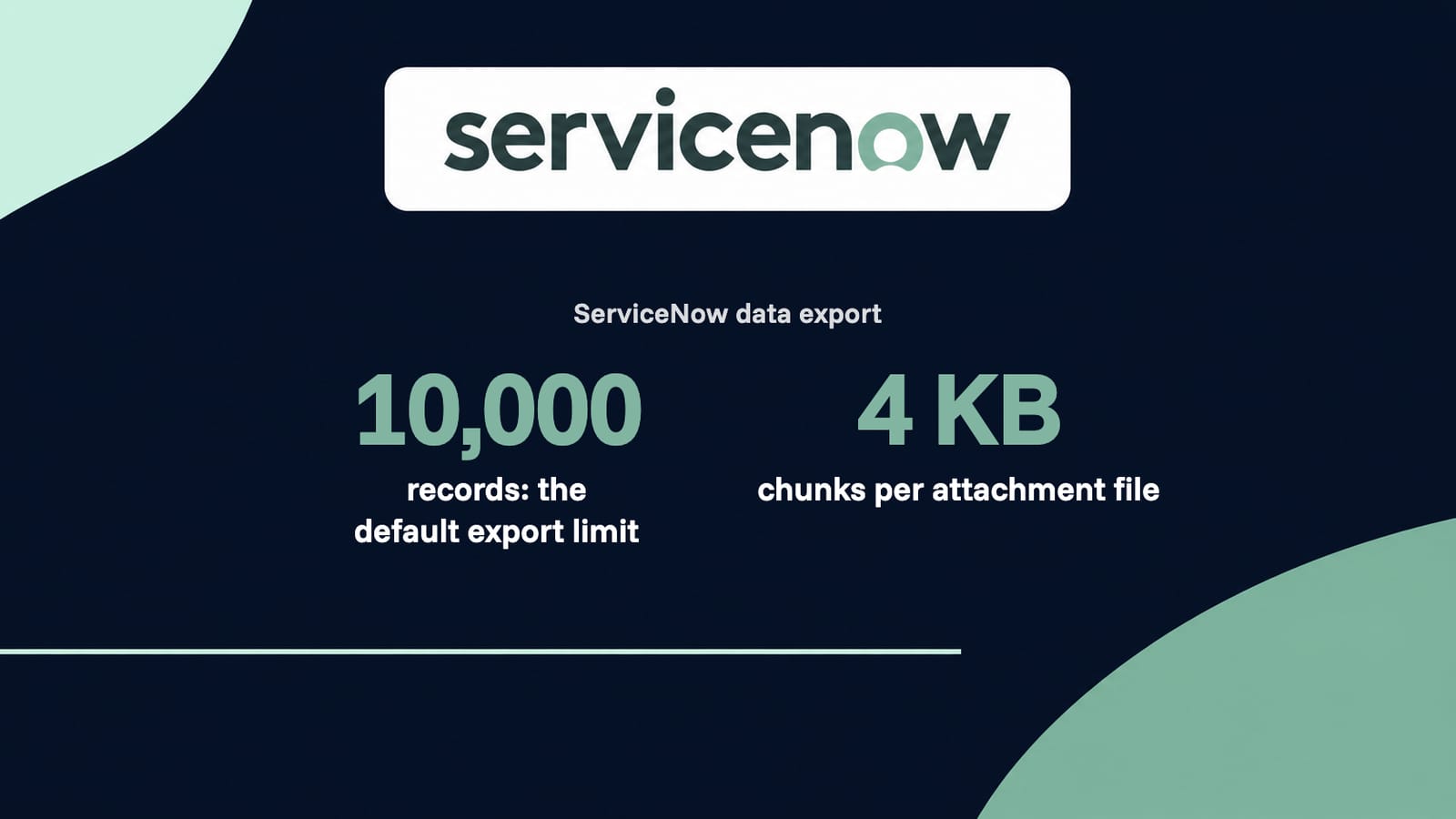
ServiceNow caps list exports to protect instance performance. Each format has its own property (glide.csv.export.limit, glide.xlsx.export.limit, glide.xml.export.limit, glide.json.export.limit), and when that property is not set, the export falls back to glide.ui.export.limit, which defaults to 10,000 records, per ServiceNow's export limits documentation.
Three more limits catch people out:
| Limit | What it does | Source |
|---|---|---|
glide.ui.export.limit | Fallback row cap for every list export format, default 10,000 | ServiceNow docs, Export limits |
| Excel cell cap | Excel exports are limited to fewer than 500,000 cells, so a wide table stops well before 10,000 rows | ServiceNow docs, Export limits |
| Visible fields only | A list export includes only the columns in the current view, unless the URL adds sysparm_default_export_fields=all | ServiceNow docs, Export directly from a URL |
glide.ui.export.warn.threshold | Above this count, the user chooses between waiting and getting the export by email | ServiceNow docs, Export limits |
An admin can raise the limits under System Properties > Import Export, and ServiceNow warns that limits above the defaults may affect system performance. Even at a higher cap, a list export to Excel or CSV is a flat table of the fields you chose. It is a report, not a copy of your records.
What does each ServiceNow export route miss?
Every built-in route misses something. List exports to CSV or Excel miss conversations, history and files. XML carries record IDs but not reliably the journal. Export Sets copy one table at a time. The Table API can reach everything but costs calls. The MySQL dump at contract end has everything in raw form, and very little you can open.
Here is the matrix we use when scoping an exit. "Yes" means the route carries that data for a full table without custom work.
| Export route | Work notes and comments | Audit history | Attachments | Display values | Record IDs (sys_id) |
|---|---|---|---|---|---|
| List export (CSV, Excel) | No as separate entries; at best, flattened text if you add a journal column | No | No | Yes, what the list shows | Only with sysparm_default_export_fields=all |
| XML export | Inconsistent: Community users report sys_journal_field is sometimes included, sometimes not | No | No | No, stored values; references come out as sys_ids | Yes |
| Export Sets (to a MID Server) | Only if you build a separate export definition on sys_journal_field | Only with a separate definition on sys_audit | No files, only rows | Depends on the format and fields | Yes, if you include the field |
| Table API | Yes, by querying sys_journal_field | Yes, by querying sys_audit | Metadata from sys_attachment; files through the Attachment API | Yes, with sysparm_display_value=all (both values) | Yes |
| MySQL dump at contract end | Yes, raw rows | Yes, raw rows | Yes, as chunks in sys_attachment_doc that you must reassemble | No, references are sys_ids you must resolve | Yes |
Two rows need more context.
XML is the format admins use to move a handful of records between instances. It carries stored values, so it is useful for a rebuild, but each export is still subject to the same row limit (glide.xml.export.limit, falling back to glide.ui.export.limit), and history lives elsewhere.
Export Sets pair an export definition (a table or view, its fields and a filter) with a file format and a destination on a MID Server. They can run on a schedule, export only changed records based on sys_created_on or sys_updated_on, and split a large job into parallel files. They solve volume, not shape: each definition still exports one table, and the files land on the MID Server, so you still need a step to move them.
Where do work notes, history and attachments live in ServiceNow?
A ticket in ServiceNow is spread across several tables. The incident row holds the current field values. Work notes and comments are separate rows in sys_journal_field. Every field change is a row in sys_audit. Files are a metadata row in sys_attachment plus data chunks in sys_attachment_doc. A complete export reads all of them and joins them back by sys_id.
| Table | What it holds | How it links to the ticket |
|---|---|---|
task and its children (incident, sc_req_item, change_request, problem, sc_task) | The current value of every field on the record | sys_id is the record's permanent ID; number is the human ID |
sys_journal_field | One row per work note, additional comment or other journal entry, with author and time | element_id = parent sys_id, name = parent table, element = work_notes or comments |
sys_audit | One row per field change: old value, new value, who and when | documentkey = parent sys_id, tablename, fieldname |
sys_history_set, sys_history_line | The History view the UI shows | Built on demand from audit and journal data, so they are not a complete record (Fivetran's ServiceNow docs) |
sys_attachment | File metadata: name, content type, size, parent table and record | table_name + table_sys_id = the parent ticket |
sys_attachment_doc | File data, in 4 KB chunks | sys_attachment = the file's sys_id; position = chunk order |
sys_user, sys_user_group | People and groups referenced by tickets, including departed agents | Reference fields store their sys_ids |
sys_choice | The labels behind choice fields such as state, priority and category | name + element + value |
task_sla | SLA records attached to each task | task = parent sys_id |
sys_email | Inbound and outbound email logged against records | instance = parent sys_id |
Two details trip up most homegrown exports.
- History tables are not the history.
sys_history_linerows exist only for records whose history someone has viewed. Exportsys_auditandsys_journal_fieldinstead, then rebuild the timeline from them. - Insert history can be missing. If the
glide.sys.audit_insertsproperty was false, there is no audit row for the moment a record was created. Usesys_created_onandsys_created_byon the record itself.
How are ServiceNow attachments stored?
ServiceNow's attachment documentation says each file creates a metadata record in sys_attachment, and the file data is stored in sys_attachment_doc in 4 KB chunks. To export attachments, either call the Attachment API, which returns the whole binary file by the attachment's sys_id, or read the chunks in position order and reassemble them.
The Attachment API is the simpler route: GET /api/now/attachment/{sys_id}/file returns the file. Use the sys_id of the sys_attachment row, not the ticket's sys_id, and take the file name and content type from the metadata row, because the binary response alone does not carry them. Admins on the ServiceNow Community describe the chunks as gzipped and then base64-encoded, so rebuilding from sys_attachment_doc means decoding and unzipping each file.
Plan for size. The com.glide.attachment.max_size property sets the largest file an instance accepts, in megabytes; ServiceNow's attachment limit documentation gives 1024 (1 GB) as the recommended maximum. A single ticket can hold a file that large, and the target system may accept far less.
How do you export all records with the ServiceNow Table API?
The ServiceNow Table API returns up to sysparm_limit records per call, which defaults to 10,000. To export a full table, repeat the call and add the limit to sysparm_offset each time until a call returns no records. Ask for sysparm_display_value=all to get both the stored value and the display value of every field.
A minimal call for incidents:
GET /api/now/table/incident
  ?sysparm_query=ORDERBYsys_created_on
  &sysparm_display_value=all
  &sysparm_exclude_reference_link=true
  &sysparm_limit=1000
  &sysparm_offset=0
Then the same call with sysparm_offset=1000, 2000 and so on. Four rules keep it complete:
- Sort on a stable field. Order by
sys_created_on(or sys_id) so records do not shift between pages while agents keep working. - Do not trust a huge page. ServiceNow's Table API reference warns that unusually large
sysparm_limitvalues can affect performance. Pages of 1,000 to 2,000 rows are a common choice. - Offsets slow down on big tables. A ServiceNow Community answer recommends keyset paging for very large tables: filter on
sys_created_ongreater than the last value you received, instead of an ever-growing offset. - Pull related tables the same way. Query
sys_journal_fieldwithelement_idin your ticket sys_ids,sys_auditwithdocumentkey, andsys_attachmentwithtable_sys_id.
How many API calls does a full export take?
Divide each table's row count by your page size, then add one call per attachment file. Then divide the total by the hourly limit your instance enforces. ServiceNow applies rate limits through rules in the sys_rate_limit_rules table, set per hour for all users, a role or a single user, and it does not document one default for every instance.
Here is a worked example. The volumes and the rate limit rule are illustrative; replace them with your own counts.
| Data | Rows | Page size (sysparm_limit) | Calls |
|---|---|---|---|
| Incidents | 1,200,000 | 1,000 | 1,200 |
| Journal entries (about 6 per ticket) | 7,200,000 | 1,000 | 7,200 |
| Audit rows (about 20 per ticket) | 24,000,000 | 1,000 | 24,000 |
| Attachment metadata | 300,000 | 1,000 | 300 |
| Attachment files (one call per file) | 300,000 | n/a | 300,000 |
| Total | 332,700 |
Under a rate limit rule of 5,000 requests per hour for the export user, 332,700 calls take about 66.5 hours, close to three days of non-stop running. Two things stand out:
- Attachments dominate. Files are one call each, so they are about 90% of the calls in this example. Count
sys_attachmentrows before anything else. - Bigger pages help less than you think. Raising
sysparm_limitto 10,000 cuts the table calls from 32,700 to 3,270, but the 300,000 file calls stay, and very large pages can time out.
When a request is over the limit, ServiceNow returns HTTP 429 Too Many Requests with an X-RateLimit-Reset header giving the reset time, plus X-RateLimit-Limit and X-RateLimit-Rule. Your script must wait and retry, not skip. ServiceNow's docs also say request counts are committed every 30 seconds, so a new rule can take up to 30 seconds to take effect. Admins report hitting 429 errors from concurrency even under a high hourly rule, so keep parallel threads modest.
What do you get from ServiceNow at contract end?
ServiceNow's standard terms, as published in public-sector listings such as the UK G-Cloud marketplace, say ServiceNow exports the entire database in MySQL format, the customer can FTP the files, and ServiceNow keeps customer data for up to 45 days after the contract ends before removing it. Your contract may differ, so check it.
The same listing offers one extension of the subscription for up to six months, prepaid at the expiring monthly fee plus 10%. That extension is often cheaper than trying to work with the dump afterward, because the dump is raw:
- It does not open like a ServiceNow instance. One ServiceNow Community user who imported a decommissioned instance's MySQL files into a local MySQL install hit error 1069 ("too many keys specified") and could not recover the data.
- Attachments are chunks. Files sit in
sys_attachment_docand must be decoded and reassembled, then re-linked to tickets throughsys_attachment. - References are sys_ids. Every assignee, group and category is an ID you must resolve against
sys_user,sys_user_groupandsys_choice. - Nobody can check it against the live instance. Once the instance is gone, there is no way to confirm a record or a file is complete.
The safest plan is to export from the live instance while you still have it, and treat the contract-end dump as a backup.
Pre-export checklist
Run this before the first call. It decides how long the export takes and what it will miss.
- Count every table in scope. Tickets by table,
sys_journal_fieldrows,sys_auditrows,sys_attachmentrows and total attachment size. - List the task tables you actually use. Incidents, requested items, catalog tasks, changes, problems, plus custom tables extending
task. - Create a dedicated export user with read access to every table in scope, so its rate limit rule and audit trail are separate.
- Check
sys_rate_limit_rulesfor rules that apply to that user or its roles. The lowest applicable count wins. - Record the export properties (
glide.ui.export.limitand the format-specific ones) before and after any change, and get change approval if you raise them. - Decide on display values. Use
sysparm_display_value=allso you keep both the sys_id and the label. - Include departed users and inactive groups, or their history resolves to blank names.
- Check
glide.sys.audit_insertsso you know whether creation events exist insys_audit. - Agree a file size rule for attachments larger than the target system accepts.
- Plan a delta. Export by
sys_updated_onso records changed after the bulk run are picked up before cutover. - Note your contract end date and the 45-day window in your contract, if it has one.
- Reconcile counts per table, journal entries per ticket and files per ticket, source against export. Our guide to data migration validation lists the checks.
Proof: full ServiceNow history, moved
Covia, an industrial minerals company in the US and Mexico, moved from ServiceNow to Freshservice with MigrateX: more than 1.03 million records with full history, more than 369,000 of them in one weekend, covering nine years of history in English and Spanish. Gary Huck, Service Desk Supervisor at Covia: "If we'd done it ourselves, we'd be looking at months just for the data export, let alone ingesting and translating it." Read the Covia story.
Metro Systems, an IT services partner in Thailand, delivered a ServiceNow to Freshservice move for a publicly listed energy group through us: 19,970 records in a full run of 136 minutes. Read the Metro Systems story.
How MigrateX handles a ServiceNow export
MigrateX is an AI migration platform, and ITSM experts review every step. For a ServiceNow export or exit, that means:
- Every table, joined back together. We read tickets,
sys_journal_field,sys_auditand attachments, and rebuild each record with its conversation, field history and files, keeping original authors and timestamps. - Inside your rate limits. We size the job from your table counts and your
sys_rate_limit_rules, and back off on 429 responses instead of dropping records. - Proof before you pay. A free sample of 100 of your records, then a fixed quote within 24 hours.
- Any destination. Another ServiceNow instance (instance-to-instance moves are supported), Freshservice, Jira Service Management or an archive. We have 191 connectors, all live, and build new ones in 2 to 3 days. See the ServiceNow platform page and routes such as ServiceNow to Freshservice and ServiceNow to Jira Service Management.
- Reconciled, with a rollback plan. We count every record source to target and hand over a reconciliation report; every production cutover has a rollback plan. We deliver 100% data fidelity and have completed 1,000+ migrations.
- For partners. Systems integrators and MSPs can run the export under their own brand with our white-label delivery.
- Security. MigrateX is SOC 2 Type II, GDPR and HIPAA compliant, with a DPA available (see security).
If your instance sits inside an MSP's shared, domain-separated platform, read our guides on leaving a Kyndryl-hosted ServiceNow with your data and domain-separated ServiceNow migrations. Consolidating two instances instead? See how to merge ServiceNow instances.
What to have ready for the call
You do not need all of this, but each item makes the quote faster and firmer:
- Your instance's release family (for example, Yokohama or Zurich)
- Tables in scope and rough record counts per table
- Rough count and total size of attachments
- Years of history you need to keep
- Where the data is going: another tool, another instance or an archive
- Your contract end date or go-live date
- One table and a date range for the free 100-record sample
Facts checked November 11, 2026 from ServiceNow docs: Export limits, ServiceNow docs: Export directly from a URL, ServiceNow docs: Export sets, ServiceNow docs: Table API, ServiceNow docs: Inbound REST API rate limiting, ServiceNow docs: Attachment API, ServiceNow docs: Attachment limit properties, ServiceNow terms as published on the UK G-Cloud marketplace, ServiceNow Community: viewing data from an expired instance, ServiceNow Community: when sys_journal_field is included in XML and Fivetran docs: missing sys_history_line updates. No vendor paid for this article. How we research
ServiceNow data export FAQ
How do I export more than 10,000 records from ServiceNow?
Either raise the export limit properties, export in batches with filters, or use the Table API. An admin can raise glide.ui.export.limit or a format-specific property under System Properties > Import Export, with a performance warning from ServiceNow. For a complete export, page through the Table API with sysparm_limit and sysparm_offset, which pages through the whole table.
How do I export ServiceNow data to Excel?
Right-click a list column header, choose Export, then Excel. The export includes only the columns in the current view and stops at the export limit, 10,000 rows by default, and Excel exports are also capped at under 500,000 cells. Excel suits reports. For a migration or archive, use the Table API instead.
How do I export work notes and comments from ServiceNow?
Export the sys_journal_field table, filtered by name (the ticket's table) and element (work_notes or comments). Each row is one entry with its author and time, and element_id is the parent ticket's sys_id. A list export of the ticket table does not give you these as separate, dated entries.
How do I export attachments from ServiceNow?
List the files from sys_attachment filtered by table_name and table_sys_id, then download each one with the Attachment API (GET /api/now/attachment/{sys_id}/file, using the attachment's sys_id). The file data itself is stored in 4 KB chunks in sys_attachment_doc, which is why list and XML exports do not include files.
Does the ServiceNow Table API have a rate limit?
Rate limits are set per instance through rules in sys_rate_limit_rules, counted per hour for all users, a role or a single user. ServiceNow does not publish one default that applies everywhere. Over the limit, the API returns HTTP 429 with an X-RateLimit-Reset header, so check the rules that apply to your export user before sizing the job.
Can I export audit history from ServiceNow?
Yes, from the sys_audit table, where documentkey is the record's sys_id and each row holds the field name, old value, new value, user and time. Do not rely on sys_history_line: those rows are built only when someone views a record's history. sys_audit can be very large, so count it first.
What happens to my ServiceNow data when the contract ends?
Under ServiceNow's standard terms as published in public-sector listings, ServiceNow exports the full database in MySQL format for you to download by FTP and removes data after up to 45 days. The dump is raw tables, not a working instance, so export from the live instance first and check the terms in your own contract.
Changelog
- 11 Nov 2026: First published.

Written by
Ayush BothraFounding Member, MigrateX
Ayush writes about ITSM platforms, pricing and what it takes to move a service desk to a new platform without losing its history.