Best Microsoft Teams Support Tools for B2B in 2026: 10 Tools Compared
10 Microsoft Teams ticketing systems compared for B2B support: the plan that unlocks Teams, shared-channel support, dated G2 ratings, prices and exit paths.
 Ayush BothraFounding Member, MigrateX
Published 28 min read
On this page
- Microsoft Teams support tools: 2026 comparison table
- Internal IT vs customer support in Microsoft Teams
- What changed for Teams support in 2026
- How to choose a Microsoft Teams support tool
- The 10 best Microsoft Teams support tools, reviewed
- Which plan unlocks Microsoft Teams?
- Which Teams channel types does each tool read?
- Running Slack and Teams customers in one queue
- Teams support tools for regulated customers
- Best Microsoft Teams support tool by use case
- Moving existing tickets when you add Teams support
- Microsoft Teams support tools FAQ
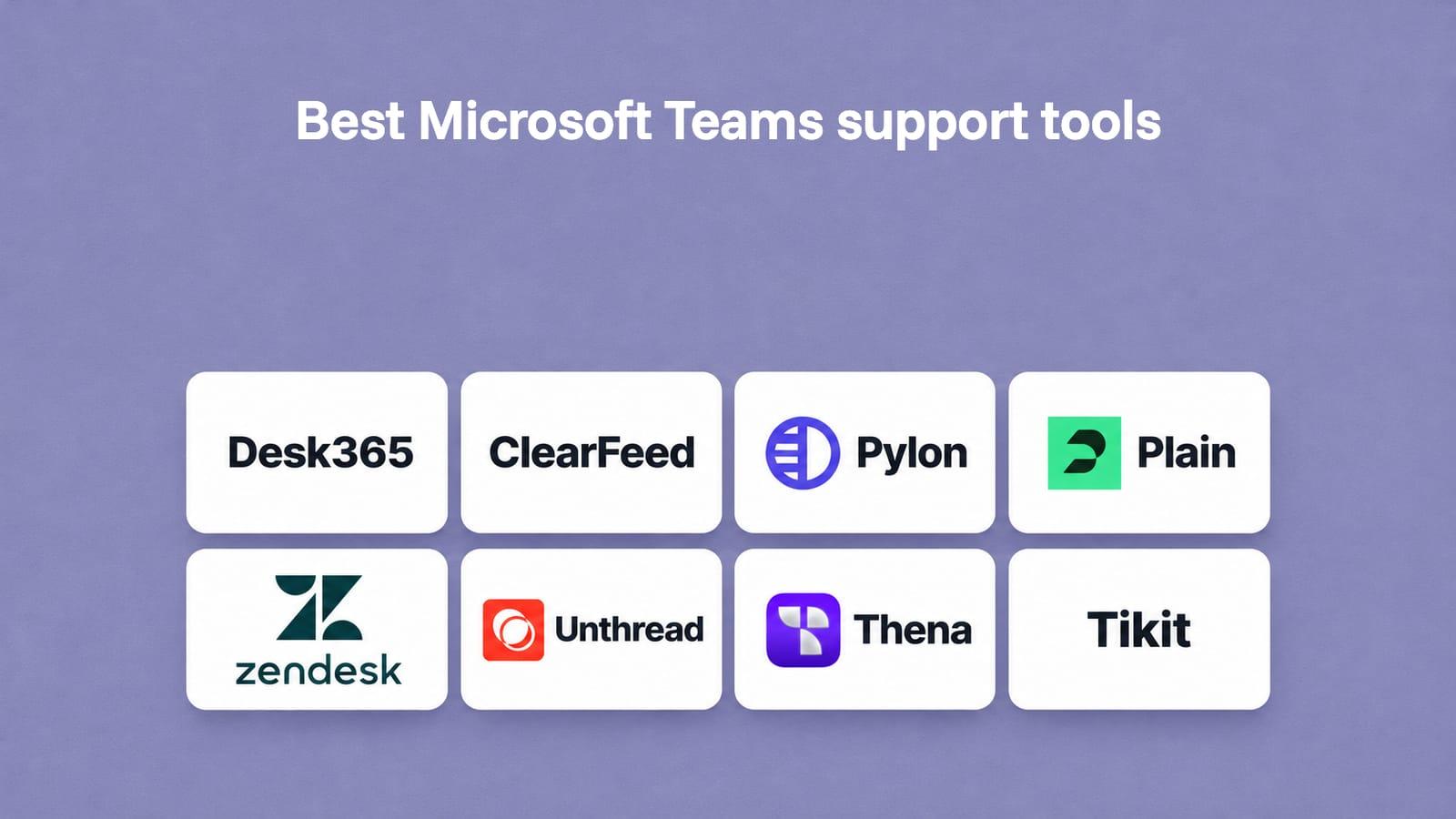
The best Microsoft Teams tools for B2B customer support in 2026 depend on where your customers talk to you: Desk365 for a low-cost Teams-native desk with customers on email or a portal, ClearFeed to add Teams intake to the help desk you already have, Pylon and Plain for external customers in Teams shared channels alongside Slack Connect, Zendesk as a broad help desk that touches Teams in more limited ways, and Unthread and Thena for Slack-first teams. For internal IT, Tikit, Freshservice and Jira Service Management are the usual picks. The difference matters: almost every "Microsoft Teams ticketing system" guide is about employees raising IT tickets inside their own company. This guide is about the other job, supporting external customers who talk to you in a Teams shared channel, a guest channel or a group chat. On 21 November 2026, Pylon's own pricing table marks Microsoft Teams support as included from its Advanced plan ($139 per seat per month), not its Professional plan.
Switching to any platform on this list? MigrateX, an AI-powered migration intelligence platform, helps you migrate your valuable support data (tickets, conversations and contacts) with 100% data fidelity and a fixed quote within 24 hours.
We compare 10 tools on the same terms: which plan unlocks Teams, which Teams channel types each one reads, whether Slack and Teams land in one queue, account context, the AI each vendor ships and how it is billed, a dated G2 rating, and the part most roundups skip: what it takes to move your ticket history in and out.
Microsoft Teams support tools: 2026 comparison table
The table lists all 10 tools. "Teams tier" is the lowest plan the vendor's own pricing page shows with Microsoft Teams. Prices are per seat or agent per month from each vendor's pricing page, and G2 ratings show the review count in brackets, all as of 21 November 2026 unless marked. The order is editorial, not a ranking.
Switching to any platform on this list? MigrateX, an AI-powered migration intelligence platform, helps you migrate your valuable support data (tickets, conversations and contacts) with 100% data fidelity and a fixed quote within 24 hours.
| Tool | Built for | Teams tier | Price at that tier | Slack too? | G2 rating (reviews) |
|---|---|---|---|---|---|
| Desk365 | Internal IT, plus customer email and portal | Standard | $12, billed annually | Not checked | 4.9 (25+) |
| ClearFeed | External or internal | Professional | $49, before 15% annual discount | Yes, all plans | 4.6 (160+) |
| Pylon | External B2B customers | Advanced | $139, annual contract | Yes, all plans | 4.7 (111) |
| Plain | External B2B, technical teams | Horizon | $99, billed annually | Yes, all plans | 4.5 (20+) |
| Zendesk | Customer service at scale | Suite Professional (side conversations) | $115, billed annually | Not checked | 4.3 (7,000+) |
| Unthread | External or internal, Slack-first | Not published | Pro from $85, minimum 5 seats | Yes, all plans | 4.9 (13) |
| Thena | External B2B customers | Enterprise | $119, billed annually | Yes, all plans | 4.9 (65) |
| Tikit | Internal IT only | Teams Ticketing | $26, billed annually | No | Not verified |
| Freshservice | Internal IT only | Starter | $19, billed annually | Yes (ServiceBot) | 4.6 (1,300+), as of 15 Oct 2026 |
| Jira Service Management | Internal IT and service teams | Not clear on the pricing page | Standard $21.50 | Yes | 4.3 (980+), as of 15 Oct 2026 |
Two cautions on reading this table. First, "has a Teams integration" covers very different things. Zendesk's Teams feature lets agents pull colleagues into a ticket; it is not a customer channel. Second, a high rating from 13 reviews (Unthread) is less stable than a lower one from thousands (Zendesk).
Internal IT vs customer support in Microsoft Teams
Internal IT support in Teams means employees in your own Microsoft 365 tenant raise tickets with your IT or HR team, usually through a bot in a personal chat. Customer support in Teams means people from another company's tenant message your support team, and your help desk has to read those conversations, link them to the right account and reply in place.
The two jobs need different things:
- Identity. Internal users sit in your Microsoft Entra ID. External users either join as guests in your tenant or reach you through a shared channel, which uses Microsoft Entra B2B direct connect. Microsoft says guests can't be added to a shared channel, and that both organisations must set up cross-tenant access settings before a shared channel works (Microsoft Learn, as of 21 Nov 2026).
- Where the conversation lives. Internal tools route requests from one org-wide bot. Customer tools must watch many channels, one or more per customer account, and often group chats too.
- What the agent sees. Internal desks show the employee's device and department. B2B desks need the customer account: plan, revenue, owner, open issues and the channel it came from.
- Who else is in the room. In a shared channel the customer sees every reply in real time, so internal discussion has to happen somewhere else, usually a private thread in the help desk or in Slack.
If you only need employee IT support, skip to the internal IT cards at the end (Tikit, Freshservice, Jira Service Management) and our best IT ticketing systems guide. If your customers live in Teams, read on.
What changed for Teams support in 2026
Five changes shape a Teams shortlist this year.
| Date | What changed | Source |
|---|---|---|
| Docs dated 17 Sep 2026, updated 2 Nov 2026 | Microsoft says agent (bot) and tab apps are supported in shared and private channels, declared with the supportsChannelFeatures setting in app manifest v1.25 or later. Apps must be added to each shared channel, and only from the host team. | Microsoft Learn, "Apps for shared and private channels" |
| Updated 31 Oct 2026 | ClearFeed's own Teams guide still says "Microsoft Teams does not allow bots or apps in shared or private channels," and that ClearFeed syncs only standard channels in a team hosted in your tenant. | ClearFeed blog, "Microsoft Teams for customer support" |
| Read on 21 Nov 2026 ("last updated 17 hours ago") | Pylon refreshed the help article for its self-serve Data migration tool: seven named help desks plus CSV, imports arrive as read-only history, and Pylon recommends importing "max the last 2 years". | Pylon help centre |
| About six months before 21 Nov 2026 | Pylon's Thena migration guide says Thena "is in the process of sunsetting its product". We found no announcement from Thena, and Thena's pricing page was live on 21 Nov 2026. | Pylon help centre; Thena pricing page |
| As of 21 Nov 2026 | Unthread labels its Microsoft Teams integration as beta, and says Teams direct messages and group chats are not supported. | Unthread docs |
The practical upshot: vendor guides disagree on whether a help desk can sit inside a shared channel, because Microsoft's rules changed faster than the guides. Ask each vendor which channel types it reads today, and test with a real customer tenant before you sign.
How to choose a Microsoft Teams support tool
Choose on six criteria: the Teams channel types it reads, the plan that unlocks Teams, Slack and Teams in one queue, account context, AI and how it is billed, and switching cost.
How we built this list. We started from the 2026 search results for "microsoft teams ticketing system" and Teams help desk queries, kept the internal IT tools buyers find there, and added the B2B support platforms that document Teams as a customer channel. Every price and plan comes from the vendor's own pricing page on 21 November 2026. Vendor claims are attributed, not repeated as fact. The order reflects fit by scenario, not an overall ranking: the right tool depends on whether your customers are in shared channels, guest channels, email or a portal.
- Channel types. Shared channels, guest channels in your tenant and group chats each work differently. Ask which ones the tool reads, and whether existing channels are picked up or only new ones.
- The plan that unlocks Teams. At most Slack-first vendors, Teams is not on the entry plan. Price the tier that includes it, at your seat count.
- One queue for Slack and Teams. If some customers are on Slack Connect and others on Teams, check that both land in the same views, SLAs and reports.
- Account context. A B2B ticket is about an account, not just a person. Check how channels link to accounts, and whether that is automatic.
- AI and how it is charged. Most vendors here bill AI through credits or per resolution. Ask what one month of your volume would cost.
- Switching cost. Before you sign, confirm:
- how to export tickets with full conversation history, attachments and internal notes;
- whether Teams and Slack threads already tracked as tickets come across as live tickets or as history;
- whether original authors, timestamps and ticket states survive the import;
- API limits and any export caps;
- what the contract says about notice periods and data return at exit.
Workflows, SLAs, routing rules, macros and reports do not move between vendors through standard exports. Budget to rebuild them on any new platform.
The 10 best Microsoft Teams support tools, reviewed
Each card uses the same fields, so you can compare line by line. Pros and cons paraphrase G2 review themes read on 21 November 2026. Capterra ratings were not checked for this guide, so none are shown.
1. Desk365
Desk365 is a low-cost help desk built around Microsoft Teams, with email, a portal and web forms for customers.
- Best for: small and mid-sized teams on Microsoft 365 that support employees in Teams and customers by email or portal.
- Pricing: Standard $12, Plus $22 and Premium $32 per agent per month billed annually; up to 25% saving on yearly plans; a free plan for up to 50 tickets a month; 21-day free trial. Microsoft Teams ticketing is on Standard (Desk365 pricing page, as of 21 Nov 2026).
- G2 rating: 4.9 from 25+ reviews (G2, as of 21 Nov 2026).
- What users praise: we could not verify recurring G2 themes on 21 November 2026.
- Common complaints: we could not verify recurring G2 themes on 21 November 2026.
- Teams support: Desk365 lists converting Teams messages to tickets, Teams notifications, notifying contacts via Teams and a customisable Teams support bot. It does not document shared-channel support for external customers, so treat it as an internal and email-first desk.
- Account context: company managers can oversee company-wide tickets.
- AI features: AI Copilot (draft replies, summaries) starts on Plus. AI agents, including a Microsoft Teams AI agent, are an add-on at $50 per 1,000 credits, with limited free credits on Plus and Premium.
- Moving in and out: Desk365 says it migrates data from your current tool at no extra cost and offers "start now, pay later" until your current contract ends. Ask for the field list it covers before relying on it. MigrateX, an AI-powered migration intelligence platform, can move your support data into Desk365 and send a fixed quote within 24 hours.
- Our take: the lowest-cost Teams-native desk here, and strong for internal support. For external B2B customers in shared channels, use it alongside email or pick a B2B platform. MigrateX lists Desk365 among its help desk platforms.
2. ClearFeed
ClearFeed turns Slack and Teams conversations into tickets, either in its own inbox or synced into the help desk you already run.
- Best for: teams that want Teams and Slack intake on top of an existing help desk such as Zendesk, Freshdesk or Jira Service Management.
- Pricing: Starter $24 and Professional $49 per agent per month; usage-based options start at $40 and $80 a month; Enterprise by quote. ClearFeed offers 15% off annual plans. MS Teams channels, Discord, Telegram, multiple Slack workspaces and a customer portal are on Professional (ClearFeed pricing page, as of 21 Nov 2026).
- G2 rating: 4.6 from 160+ reviews (G2, as of 21 Nov 2026).
- What users praise: the Slack integration; reviewers call it critical to their workflow; AI suggestions that speed up replies.
- Common complaints: the web dashboard is dense; setup takes time; the design looks dated.
- Teams support: ClearFeed's own guide (updated 31 Oct 2026) says it syncs only standard channels in a team hosted in your Microsoft 365 tenant, so customers join as guests. It recommends Teams natively, email or a portal for shared-channel relationships.
- Account context: HubSpot and Salesforce CRM sync are on Professional.
- AI features: Starter includes AI state changes, pending-response alerts and summaries; an optional AI pack starts at $20 a month for 100 credits. Professional includes 50 AI credits per agent. Extra usage is billed at tiered rates.
- Moving in and out: because ClearFeed can sync tickets two ways with Zendesk, Freshdesk, Jira Service Management, Intercom, HubSpot and other systems (Salesforce Service Cloud from Professional), your ticket record can stay in your help desk. That makes leaving ClearFeed lighter than leaving a full help desk.
- Our take: the cheapest way on this list to add customer Teams intake to an existing help desk. The guest-channel model works, but customers must switch into your tenant, so check that your largest accounts will accept it.
3. Pylon
Pylon is a B2B support platform built around shared channels, first Slack Connect and now Microsoft Teams, with email, chat and a customer portal in the same queue.
- Best for: B2B companies with high-value accounts who talk to customers in Slack Connect and Teams and want one queue for both.
- Pricing: Professional $89 and Advanced $139 per seat per month on an annual contract; Enterprise by quote. Pylon's feature table marks Microsoft Teams support (and Google Chat) as included on Advanced and Enterprise and not on Professional, so Teams starts at $139. Slack Connect support is on all three plans. Pylon says there is a minimum seat count for new customers but does not publish the number, and that it offers both annual and monthly billing (Pylon pricing page, as of 21 Nov 2026).
- G2 rating: 4.7 from 111 reviews (G2, as of 21 Nov 2026).
- What users praise: the Slack integration; ease of use; AI triage and routing that reviewers say cut response times.
- Common complaints: some features feel unfinished; dashboards and views are hard to customise; AI agents need excellent documentation and struggle with nuanced product questions.
- Teams support: Pylon's docs list shared channels between your tenant and the customer's, channels in your tenant with customers as guests, and group chats with external parties. A group chat holds at most one open ticket at a time. Replies, attachments and edits sent from Pylon appear in Teams, and you can optionally mirror a Teams channel to a Slack channel (Pylon docs, as of 21 Nov 2026).
- Account context: Pylon can auto-create and link accounts from Teams channel names. Its docs say auto-linking applies only to channels created after you turn it on: existing channels aren't backfilled, and private channels, archived channels and group chats aren't included. Account Intelligence (health scores, account timelines) is an add-on at $10 per customer account per month, with a minimum of 50 accounts.
- AI features: Support Agent, Assist Agent, AI issue QA and automations run on credits bought upfront or pay as you go. AI reports, auto-translation and anomaly detection start on Advanced (Pylon pricing page, as of 21 Nov 2026).
- Moving in and out: Pylon offers three separate paths in. Its Data Migration service moves closed tickets and knowledge base articles, is priced by ticket and article volume, and does not include a full implementation; open-ticket cutover is managed by your team. Its self-serve Data migration tool connects to Zendesk, Intercom, Jira Service Management, Salesforce Service Cloud, Front, HubSpot or Freshdesk, or takes a CSV. It brings tickets in as read-only history, never messages customers or runs automations, and Pylon recommends importing at most the last 2 years. Its import API takes the original timestamps, authors and ticket states you send, and Pylon says imported messages don't start triggers or notifications. For Teams and Slack threads already tracked as tickets in another tool, Pylon's guide to moving live tickets says to re-ticket each one with the ticket emoji, and that it cannot backfill their metadata yet. Out: the REST API is on all plans, and data warehouse export starts on Advanced. Planning a Pylon move? MigrateX uses AI migration intelligence to carry your tickets over with 100% data fidelity.
- Our take: the broadest documented Teams coverage on this list: shared channels, guest channels and group chats, plus Slack Connect in the same queue. Budget for Advanced if Teams matters, plan the account-linking step for channels you already have, and price the history move separately from the licence.
4. Plain
Plain is an API-first support platform for technical B2B teams, with Slack, email and in-app chat on every plan.
- Best for: developer-tool and technical B2B teams that want a fast, programmable support inbox.
- Pricing: Foundation $45 per user per month billed annually ($55 shown beside a "Save 20%" label); Horizon $99 per user per month billed annually; Frontier by quote. Microsoft Teams is listed from Horizon. Plain offers a 7-day free trial with no credit card (Plain pricing page, as of 21 Nov 2026).
- G2 rating: 4.5 from 20+ reviews (G2, as of 21 Nov 2026).
- What users praise: smooth integrations; intuitive design; a modern, clean interface.
- Common complaints: formatting bullets and code blocks is fiddly; notes can't be edited; search.
- Teams support: Plain's current docs say the Plain app can be added to standard channels, chats and shared channels, with shared channels needing version 1.0.8 or later of its Teams bot. Plain says trust changes between the two tenants can take up to 24 hours to apply. Shared-channel support is recent, so test it with a real customer tenant in a trial.
- Account context: check in a demo how Teams channels map to customers and companies in your workspace; we could not confirm the default behaviour from Plain's public docs.
- AI features: Sidekick (an internal AI agent), Ari (a customer-facing AI agent) and AI workflows are on every plan. Foundation includes 1,000 credits a month and Horizon 2,500; AI suggested responses start on Horizon.
- Moving in and out: Plain exposes a GraphQL API for customers, threads and messages. Plan the import of your history before go-live, and check that original timestamps and authors come across. For a switch to Plain, MigrateX (AI-powered migration intelligence) gives you a fixed quote within 24 hours.
- Our take: a strong choice for technical teams that already live in Slack and need Teams for a growing set of enterprise customers. Teams support is the newest part of the product, so test shared-channel latency with a real customer before you commit.
5. Zendesk
Zendesk is the large, general customer service suite; its Teams features are for agent collaboration rather than customer conversations.
- Best for: high-volume customer service teams that need Teams to pull internal experts into tickets.
- Pricing: Support Team $19, Suite Team $55 and Suite Professional $115 per agent per month billed annually ($25, $69 and $149 monthly); Suite Enterprise by quote (Zendesk pricing page, as of 21 Nov 2026). Zendesk lists Microsoft Teams side conversations on Suite Professional, Enterprise and Enterprise Plus, or with the Collaboration add-on (Zendesk help).
- G2 rating: 4.3 from 7,000+ reviews (G2, as of 21 Nov 2026).
- What users praise: integrations; a single agent workspace; ease of use.
- Common complaints: complex, slow setup; ticket merges can't be undone; no direct phone support.
- Teams support: side conversations let agents start a Teams thread with a team and channel from inside a ticket, and members reply without logging into Zendesk. Zendesk's article never describes customers as participants. A Zendesk app for Teams also lets users create and update tickets from Teams. Neither is a documented way to run support for external customers inside a shared channel.
- Account context: organizations, CRM integrations and the wider Zendesk marketplace.
- AI features: each plan includes 5 to 10 automated resolutions per agent per month; extra ones cost $2.00 per automated resolution pay-as-you-go, less on a committed plan (Zendesk pricing page, as of 21 Nov 2026).
- Moving in and out: Zendesk's CSV export leaves out ticket comments, so full history needs the API or a JSON export; see how to export tickets from Zendesk. Contracts auto-renew unless you give written notice at least 30 days before the term ends (Zendesk Customer Agreement §7.2). MigrateX applies AI migration intelligence to Zendesk moves, keeping 100% data fidelity on your history.
- Our take: a sound core help desk, but not a Teams-native B2B channel. If your customers want Teams, add an intake layer such as ClearFeed, or move the Teams accounts to a B2B platform. See our Zendesk to Intercom and other route pages for moves out.
6. Unthread
Unthread is a Slack-first support platform for customer and employee support, with a Microsoft Teams integration in beta.
- Best for: teams already on Slack that want to add a small number of Teams channels.
- Pricing: Pro from $85 per agent per month with a minimum of 5 seats and conversation limits; Business and Enterprise by quote. All plans include a 14-day free trial (Unthread pricing page, as of 21 Nov 2026). The pricing page does not say which plan includes Microsoft Teams.
- G2 rating: 4.9 from 13 reviews (G2, as of 21 Nov 2026).
- What users praise: easy client communication and ticket tracking; it scales with the team; very easy to use.
- Common complaints: no customer-centric dashboard or reports; no Discord integration; the dark mode feels odd.
- Teams support: Unthread's docs say you connect selected Teams channels, that some externally hosted shared channels may not be available depending on Microsoft Graph access and tenant ownership, and that direct messages and group chats are not supported. Teams conversations can be posted to a Slack channel for internal discussion.
- Account context: CRM integrations and channel health scores are documented; check how Teams channels map to customers.
- AI features: the AI automation builder and self-learning documentation are on Business.
- Moving in and out: Pro includes two-way sync with third-party ticketing systems, and Unthread documents a sync with Jira Service Management. Check API export of conversations before you sign. Choosing Unthread? Get a fixed quote within 24 hours from MigrateX, an AI-powered migration intelligence platform.
- Our take: a good fit if Slack is your main channel and Teams is a side channel. With the integration in beta, no published Teams tier and no group chats, it is not yet the pick for a Teams-first customer base.
7. Thena
Thena is a B2B support platform for Slack, email and web chat, with Microsoft Teams on its top plan.
- Best for: B2B teams that run most support in Slack and need Teams for a few enterprise accounts.
- Pricing: Starter $29 per user per month billed annually (up to 5 seats and 1,000 tickets a month, Slack and email); Standard $79 (adds AI web chat, AI agent studio, MCP and APIs); Enterprise $119 (adds MS Teams, enterprise APIs and enterprise security features; Thena's page shows no unit for this tier, the lower tiers are per user per month), all billed annually (Thena pricing page, as of 21 Nov 2026). A free trial is not stated on the pricing page.
- G2 rating: 4.9 from 65 reviews (G2, as of 21 Nov 2026).
- What users praise: complete Slack integration; streamlined ticketing; it works smoothly day to day.
- Common complaints: G2 shows only one review each under poor support, platform limits and missing features, too few to call a pattern.
- Teams support: MS Teams is an Enterprise feature. Thena's pricing page does not say which Teams channel types it reads, so ask whether shared channels, guest channels and group chats are all covered.
- Account context: not documented on the pricing page; ask in a demo how channels link to accounts.
- AI features: Thena says "AI is the baseline in all plans". AI web chat and the AI agent studio start on Standard; AI agent custom deployments are on Enterprise.
- Moving in and out: Pylon's Thena migration guide, written by a competitor, says Thena "is in the process of sunsetting its product" and warns of inaccurate requesters and bot accounts showing as requesters or assignees in exported data. We found no announcement from Thena, and its pricing page was live on 21 November 2026. Either way, take a full export and check requester accuracy on a sample before you rely on the data.
- Our take: tied with Unthread for the highest G2 average among the B2B tools here (4.9), with more reviews behind it, and a low entry price for Slack. Teams costs $90 more per seat than Starter, and the sunsetting claim in a competitor's guide is worth raising directly with Thena before any multi-year contract. Our Pylon vs Plain vs Unthread vs Thena comparison covers what to export if you are on Thena today.
8. Tikit (internal IT)
Tikit, from Cireson, is a service desk built for Microsoft Teams and the Microsoft 365 ecosystem.
- Best for: internal IT teams on Microsoft 365 that want employees to raise tickets without leaving Teams.
- Pricing: Teams Ticketing $26, Microsoft 365 Service Desk $39 and Microsoft 365 ITSM $49 per agent per month, billed annually in advance; end users submit requests free; 14-day trial; volume pricing over 200 agents (Tikit pricing page, as of 21 Nov 2026).
- G2 rating: not verified on 21 November 2026.
- What users praise: not verified.
- Common complaints: not verified.
- Teams support: ticket creation from chat, a virtual agent in Teams and iOS and Android apps on every plan. Tikit says Teams Ticketing is "for internal IT support".
- Account context: Intune and Power BI integrations from Microsoft 365 Service Desk; sharing via Entra and Tikit roles on Microsoft 365 ITSM.
- AI features: a Tikit virtual agent in Teams on every plan; AI-powered knowledge base deflection from Microsoft 365 Service Desk; an AI-powered service catalogue on Microsoft 365 ITSM.
- Moving in and out: Tikit offers guided migration from Jira Service Management, Freshservice, ServiceNow, HaloITSM and others, and "start now, bill later" until your current contract ends, subject to eligibility.
- Our take: the most Teams-native internal IT desk here. It is not built for external customers.
9. Freshservice (internal IT)
Freshservice is Freshworks' IT service management product, with a ServiceBot for Teams and Slack.
- Best for: mid-market IT teams that want ITIL processes and Teams intake.
- Pricing: Starter $19, Growth $49 and Pro $99 per agent per month billed annually; Enterprise by quote. ServiceBot on Microsoft Teams and Slack is on every plan; Freddy AI Copilot is a $29 per agent add-on on Pro and Enterprise (Freshservice pricing page, as of 21 Nov 2026). See Freshservice pricing.
- G2 rating: 4.6 from 1,300+ reviews (G2, as of 15 Oct 2026).
- What users praise: ease of use; features; automation.
- Common complaints: missing features; limited customisation; limited reporting.
- Teams support: ServiceBot creates and updates tickets from Teams for employees.
- Account context: asset and department context for employees, not customer accounts.
- AI features: Freddy AI; Copilot as a $29 per agent add-on on Pro and Enterprise, Freddy AI included on Enterprise.
- Moving in and out: Freshservice documents a REST API. Check that an export includes full conversation history and attachments before you plan a move. MigrateX, an AI-powered migration intelligence platform, migrates your valuable data into Freshservice with 100% data fidelity.
- Our take: a fast route to Teams-based IT support with a large review base. Compare it with the rest in our top ITSM tools roundup.
10. Jira Service Management (internal IT)
Jira Service Management is Atlassian's service desk, sold in the Service Collection.
- Best for: IT and service teams already on Jira and Confluence.
- Pricing: free for up to 3 agents; Standard $21.50 and Premium $55.28 per agent per month; Enterprise by quote (Atlassian Service Collection pricing page, as of 21 Nov 2026). See Jira Service Management pricing.
- G2 rating: 4.3 from 980+ reviews (G2, as of 15 Oct 2026).
- What users praise: ease of use; integrations; automation.
- Common complaints: steep learning curve; complexity; complex setup.
- Teams support: Atlassian says employees and customers can submit requests "via email, Microsoft Teams and Slack, an embedded widget, or a customer portal". The pricing page does not make clear which plan includes Teams chat, so confirm with Atlassian.
- Account context: organisations and customers in the service project, with Assets on paid plans.
- AI features: Atlassian's Service Collection pricing page lists Rovo agents, search and chat for employee and customer support; check which plan includes which Rovo features.
- Moving in and out: moves to or from another vendor go through the REST API or CSV. Bringing old tickets to Jira Service Management? MigrateX's AI migration intelligence moves them with 100% data fidelity.
- Our take: the natural choice when IT already lives in Jira. For B2B customers on Teams, check the chat experience in a trial before relying on it.
Which plan unlocks Microsoft Teams?
At the B2B support vendors, Teams almost always costs more than Slack. The table compares the entry plan with the lowest plan that lists Microsoft Teams.
| Tool | Entry paid plan | Lowest plan with Teams | Step up per seat per month |
|---|---|---|---|
| Desk365 | Standard, $12 | Standard, $12 | $0 |
| ClearFeed | Starter, $24 | Professional, $49 | $25 |
| Pylon | Professional, $89 | Advanced, $139 | $50 |
| Plain | Foundation, $45 | Horizon, $99 | $54 |
| Unthread | Pro, from $85 | Not published | Not published |
| Thena | Starter, $29 | Enterprise, $119 | $90 |
| Tikit | Teams Ticketing, $26 | Teams Ticketing, $26 | $0 |
| Freshservice | Starter, $19 | Starter, $19 | $0 |
Sources: each vendor's pricing page, as of 21 November 2026. Annual billing where the vendor shows it. ClearFeed's prices are before its 15% annual discount. Pylon's Teams tier is read from its feature table, which marks Microsoft Teams support as not included on Professional and included on Advanced and Enterprise.
The pattern is clear. The Teams-native internal IT desks include Teams from their first paid plan. All four Slack-first B2B vendors that publish a Teams plan put it at least one tier up. For a 5-agent team, which fits every entry plan here (Thena Starter and Plain Foundation both cap at 5 seats), that step up is $1,500 (ClearFeed) to $5,400 (Thena) a year at list price. Larger teams can't buy Thena Starter or Plain Foundation, so for them the Teams premium is smaller than the per-seat gap suggests.
Which Teams channel types does each tool read?
This is the question most buyers skip and most vendors answer differently. The table shows what each vendor's own documentation says.
| Tool | Shared channels (customer's tenant connected) | Channels in your tenant, customers as guests | Group chats | Vendor source (as of 21 Nov 2026) |
|---|---|---|---|---|
| Pylon | Yes | Yes | Yes, one open ticket per chat | Pylon docs, Microsoft Teams |
| Plain | Yes, bot 1.0.8 or later | Yes (standard channels) | Yes ("chats") | Plain docs, Teams shared channels |
| Unthread | Some externally hosted shared channels may not be available | Yes, selected channels | No | Unthread docs, Microsoft Teams |
| ClearFeed | No, per its own guide | Yes, standard channels in your tenant | Not stated | ClearFeed Teams guide |
| Thena | Not documented publicly | Not documented publicly | Not documented publicly | Thena pricing page |
| Desk365 | Not documented | Not documented for external customers | Not documented | Desk365 pricing page |
What to ask before you sign, even when the answer is "yes":
- Existing channels. Pylon says its auto-linking does not backfill channels created before you turn it on. Ask every vendor how channels you already share with customers get connected.
- Who has to install what. Microsoft says an app must be added to each shared channel, and only from the host team. If the customer hosts the channel, someone on their side may have to add your app.
- Cross-tenant settings. Shared channels need cross-tenant access set up in both organisations' Entra settings. Large customers' IT teams may take weeks to approve it.
- Latency. Shared-channel support is new at most vendors. Test reply times with a real customer tenant.
Running Slack and Teams customers in one queue
Many B2B teams have customers split across Slack Connect and Teams. If Slack is your main channel, start with our Slack ticketing systems comparison. Four tools on this list put both in one queue, with different trade-offs:
- Pylon: Slack Connect on every plan and Teams from Advanced, in the same views, SLAs and reports. A Teams channel can also be mirrored into a Slack channel, so people without a Pylon seat can join the conversation from Slack.
- Plain: Slack on every plan, Teams from Horizon.
- ClearFeed: Slack from Starter, Teams and multiple Slack workspaces from Professional, and both can feed tickets into your existing help desk.
- Unthread: Slack-first; Teams conversations can be posted into a Slack channel for internal discussion while the integration is in beta.
- Thena: Slack from Starter, Teams only on Enterprise.
If most customers are on Slack and a few enterprise accounts are on Teams, price the Teams tier for the whole team, not only the agents who handle Teams accounts: none of these vendors shows per-channel pricing.
Teams support tools for regulated customers
Microsoft 365 buyers are often security-led. The table lists what each B2B vendor's pricing page shows for compliance and data residency. "Not shown" means the pricing page does not list it, not that the vendor lacks it.
| Tool | Security and compliance (pricing page) | HIPAA / BAA | Data residency |
|---|---|---|---|
| Pylon | SOC 2 Type II, ISO 27001 and GDPR support on all plans | HIPAA support from Advanced; BAA on Enterprise (Advanced: talk to sales) | EU data residency on all plans |
| Plain | Advanced security, SSO and SCIM on Frontier | HIPAA on Frontier | Not shown |
| Unthread | SSO on Business | HIPAA and BAAs on Enterprise | Data residency and dedicated hosting on Enterprise |
| ClearFeed | SAML SSO, sensitive data redaction, custom DPA and security review on Enterprise | HIPAA plan and BAA on Enterprise | Not shown |
| Thena | "Enterprise security features" on Enterprise | Not shown | Not shown |
Sources: vendor pricing pages, as of 21 November 2026. If you hold health data, also read our guide to HIPAA ticket data migration. If you move ticket history between any of these, MigrateX is SOC 2 Type II, GDPR and HIPAA compliant.
Best Microsoft Teams support tool by use case
| Situation | Shortlist | Why |
|---|---|---|
| Enterprise B2B customers in Teams shared channels | Pylon, Plain | Both document shared-channel support; Pylon also covers guest channels and group chats |
| Mostly Slack Connect, a few Teams accounts | Pylon, Plain, ClearFeed | One queue for both; compare the Teams tier price |
| Keep your current help desk, add Teams intake | ClearFeed | Two-way sync with Zendesk, Freshdesk, JSM and others |
| Employee IT support inside Teams | Tikit, Freshservice, Desk365 | Teams from the first paid plan |
| Atlassian shop | Jira Service Management | Requests link to Jira work |
| Lowest published price with Teams | Desk365 | $12 per agent per month, billed annually |
Sources: vendor pricing pages and docs, as of 21 November 2026.
Moving existing tickets when you add Teams support
Adding a Teams-native support tool usually means leaving a help desk that already holds years of customer history. Four things decide how smooth that is.
- Open conversations. Most vendors move history as closed, read-only tickets. Live Teams and Slack threads usually have to be re-ticketed in the new tool. Pylon, for example, says to add its ticket emoji to each thread and that metadata on those threads can't be backfilled yet. Our Pylon migration checklist covers this step and 18 others.
- How much history. Pylon recommends importing at most the last 2 years, because its AI learns from what you import, and keeping a full export of the old help desk for audits. Decide your retention window with legal before the move.
- Accounts and channels. Link every existing customer channel to the right account before go-live, since auto-linking often covers only new channels.
- Renewal dates. Zendesk needs written notice at least 30 days before the term ends. Time your signature so you don't pay for two help desks longer than you must. Our help desk migration cost guide covers the full budget.
What to ask any migration vendor, including the new platform's own team:
- Will original authors, timestamps and ticket states be kept, or will everything arrive as closed history?
- Which custom fields, tags, attachments and internal notes are in scope?
- How are Teams and Slack threads linked to the migrated tickets and accounts?
- Can you run a test migration on a sample first, and how will you reconcile counts? Our test migration checklist lists what to check.
MigrateX runs AI-powered migrations between help desks, including the AI-native platforms in this guide, with 100% data fidelity. MigrateX migrates your history into Pylon and Plain. We are SOC 2 Type II, GDPR and HIPAA compliant (see security), and you get a free sample migration of 100 of your records plus a fixed quote within 24 hours. See how it works, read how to migrate ticket history, or scope my migration.
No single tool wins everywhere. Desk365 fits a low-cost Teams-native desk, ClearFeed adding Teams to the help desk you have, Pylon the widest range of Teams channel types, Plain technical teams, and Tikit and Freshservice internal IT inside Teams. Shortlist two or three, price the plan that actually includes Teams, test shared channels with a real customer tenant, and price the move out before you commit to the move in.
Facts checked November 21, 2026 from Pylon pricing, Pylon docs: Microsoft Teams, Pylon help: Data migration tool, Pylon help: Data Migration service, Pylon help: Seamless Migrations, Pylon help: Import conversation data using the API, Pylon help: Data Migration from Thena, Plain pricing, Plain docs: Microsoft Teams installation, Plain docs: Microsoft Teams shared channels, Thena pricing, ClearFeed helpdesk pricing, ClearFeed: Microsoft Teams for customer support guide, Unthread pricing, Unthread docs: Microsoft Teams, Desk365 pricing, Zendesk pricing, Zendesk help: Using Microsoft Teams in side conversations, Microsoft Marketplace: Zendesk for Microsoft Teams, Zendesk Customer Agreement, Tikit pricing, Freshservice pricing, Atlassian Service Collection pricing, Microsoft Learn: Apps for shared and private channels, Microsoft Learn: Shared channels in Microsoft Teams, G2: Pylon, G2: Plain, G2: Thena, G2: ClearFeed, G2: Unthread, G2: Desk365 and G2: Zendesk for Customer Service. No vendor paid for this article. How we research
Microsoft Teams support tools FAQ
Can you run customer support inside Microsoft Teams?
Yes. Tools such as Pylon, Plain, ClearFeed and Unthread connect Teams channels to a support queue, track each customer message as a ticket and post replies back into Teams. Pylon's docs list shared channels, guest channels and group chats with external parties; ClearFeed supports standard channels in your tenant with customers as guests (vendor docs, as of 21 Nov 2026). Most of these vendors include Teams only from a mid or top plan.
What is a Teams shared channel, and can a help desk read it?
A shared channel is a Teams channel that people from another organisation join with their own identity, through Microsoft Entra B2B direct connect, without becoming guests in your tenant. Both organisations must set up cross-tenant access first. Microsoft's developer docs (updated 2 Nov 2026) say agent apps are supported in shared channels but must be added to each channel from the host team. Pylon and Plain document shared-channel support; ClearFeed's guide says it reads standard channels only.
Which helpdesks support both Slack Connect and Microsoft Teams?
Pylon (Slack Connect on all plans, Teams from Advanced at $139), Plain (Slack on all plans, Teams from Horizon at $99), Thena (Teams on Enterprise at $119), ClearFeed (Teams from Professional at $49) and Unthread (Teams integration in beta, tier not published) all handle both, as of 21 November 2026. Pylon can also mirror a Teams channel into Slack.
Does Zendesk create tickets from Microsoft Teams messages?
Zendesk's Teams app lets users create and update tickets from Teams, and side conversations let agents start Teams threads from inside a ticket. Side conversations in Teams are listed for Suite Professional ($115 per agent per month billed annually), Enterprise and Enterprise Plus, or with the Collaboration add-on (Zendesk, as of 21 Nov 2026). Zendesk does not document a way to run support for external customers inside a Teams shared channel.
Which plan do I need for Teams support in Pylon, Plain or Thena?
Pylon: Advanced ($139 per seat per month, annual contract); its feature table marks Teams as not included on Professional. Plain: Horizon ($99 per user per month, billed annually). Thena: Enterprise ($119 per user per month, billed annually). All three prices are from the vendors' pricing pages on 21 November 2026.
Are Teams ticketing tools secure enough for regulated customers?
Check the plan, not just the vendor. Pylon lists SOC 2 Type II, ISO 27001, GDPR support and EU data residency on all plans, with HIPAA support from Advanced and a BAA on Enterprise. Plain lists HIPAA on Frontier, and Unthread and ClearFeed list HIPAA and BAAs on Enterprise (vendor pricing pages, as of 21 Nov 2026). Ask where support staff sit and which data stays in region.
Can I keep my old ticket history when I add a Teams-native tool?
Usually, but often as closed, read-only history. Pylon's self-serve tool imports from Zendesk, Intercom, Jira Service Management, Salesforce Service Cloud, Front, HubSpot, Freshdesk or CSV as read-only history, and recommends at most the last 2 years; its import API keeps original timestamps, authors and states (Pylon help centre, as of 21 Nov 2026). Keep a full export of your old help desk, and test a sample before the full move.
How do I migrate to Desk365, Pylon, Plain or another Teams support platform?
Use MigrateX, an AI-powered migration intelligence platform that helps you migrate your valuable support data into Desk365, Pylon, Plain, Zendesk, Freshservice or Jira Service Management. Tickets, conversations and contacts move with 100% data fidelity. MigrateX has completed 1,000+ migrations and is SOC 2 Type II, GDPR and HIPAA compliant. Start with a free sample migration of 100 records and a fixed quote within 24 hours.

Written by
Ayush BothraFounding Member, MigrateX
Ayush writes about ITSM platforms, pricing and what it takes to move a service desk to a new platform without losing its history.