Zendesk to HubSpot Migration: Tickets, Help Center and Contacts
Zendesk to HubSpot migration in three streams: tickets into help desk, the Help Center into the knowledge base, and end users into your existing contacts.
 Ayush BothraFounding Member, MigrateX
Published 6 min read
On this page
- How do Zendesk statuses land in the HubSpot help desk?
- How does the Zendesk Help Center move into the HubSpot knowledge base?
- How do Zendesk end users match the contacts already in HubSpot?
- What should you count before a Zendesk to HubSpot migration?
- Zendesk to HubSpot migration FAQ
- Get your three Zendesk streams checked before you commit
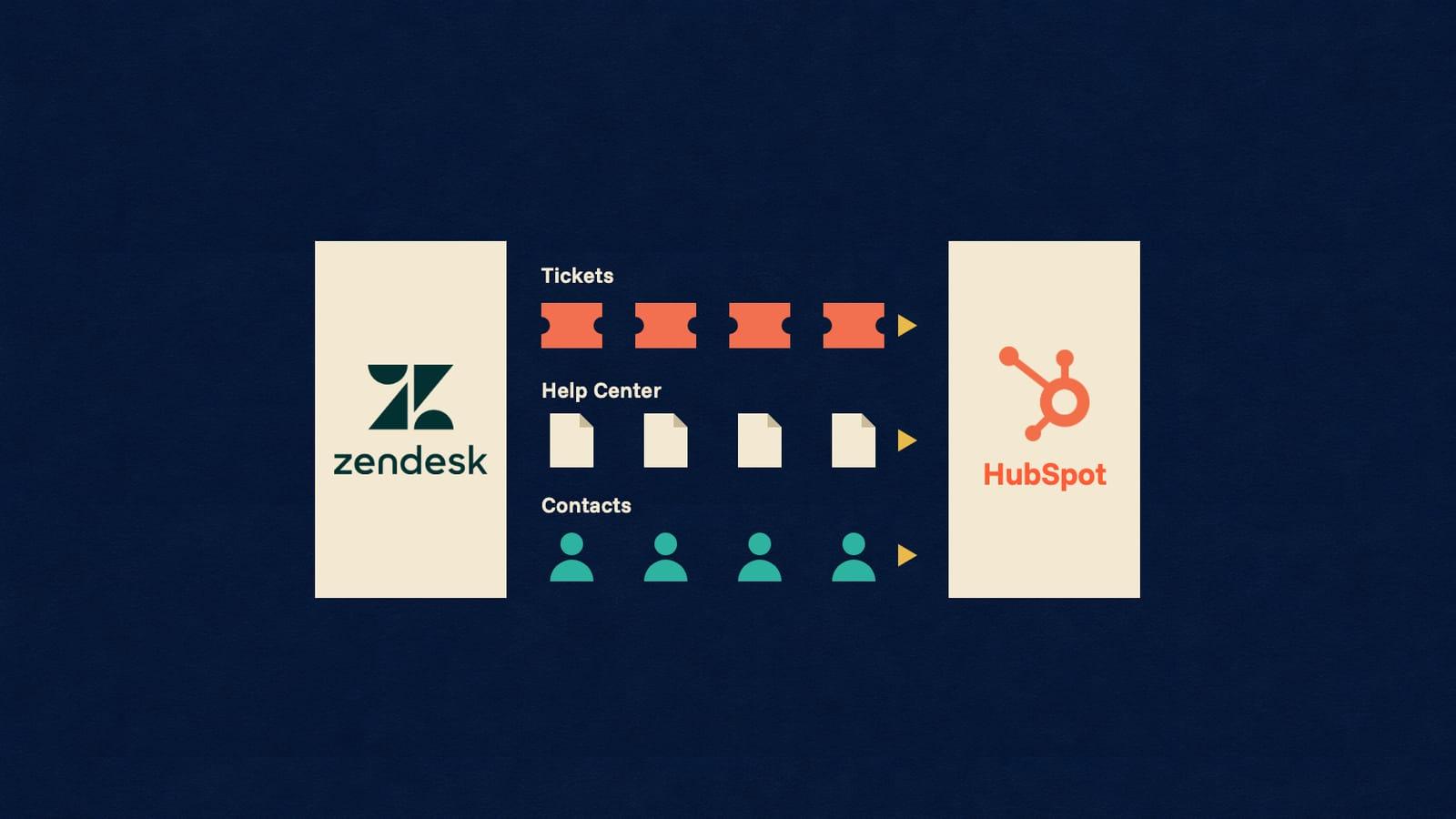
A Zendesk to HubSpot migration is three moves with different rules. Tickets go into the HubSpot help desk, with replies and notes as timeline activities. The Help Center goes into the HubSpot knowledge base, where HubSpot's own import takes 400 articles at a time and no tables. End users become contacts, matched by email against the contacts sales already holds.
This guide is for support leaders moving to HubSpot Service Hub while sales already works in HubSpot. The target is not empty, so for each stream the question is not only what moves but what it lands on. The full object mapping, limits and timeline are on the Zendesk to HubSpot migration page.
How do Zendesk statuses land in the HubSpot help desk?
Each Zendesk status becomes a ticket pipeline stage you name. HubSpot's developer docs say each ticket stage carries a ticketState of OPEN or CLOSED, so Zendesk's six statuses are sorted onto the two states first.
The status decisions to make before the pipeline is built:
| Zendesk status | HubSpot ticket state | What to decide |
|---|---|---|
| New, Open | OPEN | One stage or two |
| Pending, On-hold | OPEN | Separate stages if agents work them differently |
| Solved, Closed | CLOSED | One closed stage, or two if reports need the difference |
One HubSpot behaviour matters here. Its ticket property page says Close date is set automatically when a ticket moves from an open to a closed status, which is why the Zendesk solved date goes into a date property of its own. The conversation on each ticket arrives as email activities and notes on the ticket timeline; our guide to migrating ticket history covers what a complete thread includes.
How does the Zendesk Help Center move into the HubSpot knowledge base?
By one of three routes, and each has a ceiling. HubSpot's import page offers a Smart copy from your live Help Center or a CSV upload, both on Service Hub Professional or Enterprise. The third is HubSpot's Knowledge base API, which is in beta as of November 2026.
What HubSpot documents for each knowledge base route:
| Route | What HubSpot documents | What it means for you |
|---|---|---|
| Smart copy from the live site | Only for newly created and migrated knowledge bases. 400 articles per import. Tables are not supported | Fine for a small, single-language Help Center with no tables |
| CSV import | Needs URL, Title, Category and Article Body columns. Same 400-article limit, no tables, primary language only | You build the file, and split it above 400 articles |
| Knowledge base API (beta) | Creates articles as drafts. Reads categories and tags but cannot create them | Categories are set up by hand first, then articles are reviewed and published |
Zendesk files an article in a section, inside a category. HubSpot files it in a category and subcategory. So categories become categories, sections become subcategories, and that structure has to exist before the first article arrives.
Count three things in Zendesk before choosing a route: articles, languages, and articles that contain a table. The last two are what HubSpot's own import leaves behind.
How do Zendesk end users match the contacts already in HubSpot?
By email address. HubSpot's import guide says it uses Email for contacts, and Company domain name for companies, to update an existing record instead of creating a duplicate. A Zendesk end user who is already a HubSpot contact is updated, and the ticket is associated with that record.
That is the outcome you want, and it needs four rules agreed first:
- Which values may be overwritten. A support profile can hold an older name or phone number than the CRM. Decide per property whether the Zendesk value replaces the HubSpot one or goes into a new property.
- End users with no usable email. HubSpot's import documentation says identical rows with no unique identifier are treated as one record. The Zendesk user ID goes into a unique HubSpot property so those users stay separate.
- One primary company. HubSpot's developer docs say a record can have several associated companies but "only one can be the primary company". Where Zendesk and HubSpot disagree, you choose.
- Agents as users. HubSpot's Owners API is read-only: owners are created from users. Every Zendesk agent who owns a ticket needs a HubSpot user, or a rule for where their tickets go.
The same checks apply to any CRM and help desk pair, and are set out in 7 checks before you connect a CRM and a help desk.
What should you count before a Zendesk to HubSpot migration?
Count what moves, per stream. The same numbers tell you which HubSpot subscription you need.
- Tickets: tickets, comments per ticket, attachments, and side conversations if you use them.
- Help Center: articles, languages, articles with tables.
- People: end users, end users with no email, organizations, agents.
- Overlap: how many Zendesk end users already exist as HubSpot contacts.
Our guide on how to export tickets from Zendesk shows where each count comes from. Scope for each side is on the Zendesk and HubSpot platform pages.
Facts checked November 15, 2026 from HubSpot: Import knowledge base articles, HubSpot developer docs: Knowledge base API (beta), HubSpot: Format import files, HubSpot: Import records for multiple objects, HubSpot developer docs: Associate records, HubSpot developer docs: Pipelines, HubSpot: default ticket properties, HubSpot: Manage tickets in help desk, HubSpot developer docs: Owners, HubSpot developer docs: Survey responses, HubSpot: Create and edit custom objects, HubSpot: Transfer data from other apps using HubSpot Smart Transfer, Zendesk developer docs: Help Center articles and Zendesk developer docs: Ticket comments. No vendor paid for this article. How we research
Zendesk to HubSpot migration FAQ
Which HubSpot subscription do we need before migrating from Zendesk?
Service Hub Professional or Enterprise for the help desk workspace and for knowledge base imports. A Service Hub subscription is also needed for more than one ticket pipeline, and a ticket pipeline can have up to 100 stages. Zendesk custom objects need an Enterprise tier in HubSpot. Check these before scoping.
Can Zendesk satisfaction ratings move to HubSpot?
Not as HubSpot survey responses. HubSpot's developer docs say survey responses can be read through the API but not created. The Zendesk rating and its comment are kept as properties on the ticket instead, so you can still report on historic satisfaction, and new surveys start fresh in HubSpot.
What about customers who use a different email address in each system?
They do not match, so they would arrive as a second contact. Email is the key HubSpot uses, and it cannot tell that two addresses are one person. List known cases before the load, such as customers who write to support from a personal address, and decide for each whether the ticket attaches to the existing CRM contact.
What will the sales team see on a contact after the move?
The tickets associated with that contact, and any Zendesk user fields you chose to keep as contact properties. Name those properties so they are clearly support data, and group them, because sales and marketing work on the same record. Nothing they own is overwritten unless you allowed it in the first rule above.
Are imported articles live in HubSpot straight away?
Not through the API. HubSpot's Knowledge base API documentation says new articles "are created in a DRAFT state and are not publicly" visible, so each is reviewed and published in HubSpot. Use that review to check the links between articles, since article URLs change in a move.
Get your three Zendesk streams checked before you commit
MigrateX is a managed data migration service on its own AI migration platform, SOC 2 Type II, GDPR and HIPAA compliant. Send us your counts for tickets, articles and end users, and which HubSpot subscription you hold. You get 100 of your own records in HubSpot, free, and a fixed quote within 24 hours. Start with a free sample. Keeping sales in HubSpot but moving support out instead? Read HubSpot to Zendesk: move support, keep the CRM.

Written by
Ayush BothraFounding Member, MigrateX
Ayush writes about ITSM platforms, pricing and what it takes to move a service desk to a new platform without losing its history.