



 GDPR compliant
 HIPAA compliant


FrontFreshservice
Front to Freshservice migration
MigrateX migrates your Front contacts and knowledge base articles into Freshservice with AI-powered migration and 100% data fidelity, with each Front conversation becoming a Freshservice ticket. Freshservice is the IT service management platform at freshservice.com.
Scope my migration
Free sample migration of 100 of your records, plus a fixed quote within 24 hours.
Last updated · 12 object types mapped
- 1000+migrations
- 15 yearsof collective experience
 SOC 2 Type IIGDPR compliantHIPAA compliant
Front to Freshservice at a glance
MigrateX migrates your Front accounts, contacts, conversations and knowledge base articles into Freshservice's departments, requesters, tickets and solution articles, with AI-powered mapping and 100% data fidelity. Your team checks a free sample of 100 records before the full run.
Details
- What moves
- Accounts, contacts, teammates, workspaces and conversations with their messages, comments and attachments, plus custom fields, tags and knowledge base content.
- What stays behind
- Rules and message templates and inboxes, channels and signatures. Your admin rebuilds this configuration in Freshservice.
- What sets the pace
- Both sides set the pace, depending on your plans and how much history each record carries.
- What you prepare
- On Front: create a company API token. On Freshservice: decide on the Priority Matrix.
- Objects mapped
- 12
- in this route's mapping
- Data fidelity
- 100%
- AI maps, moves and verifies
- Free sample
- 100 records
- checked by your team first
- Quote
- Fixed
- within 24 hours
How does each Front object land in Freshservice?
Each Front object and the Freshservice object it becomes, reviewed with you before the free sample.
- 12 moves
- 3 rebuild
Conversations becomes Tickets
MovesThe total size of a ticket's attachments cannot exceed 40 MB.
Messages becomes Replies
MovesThe note on the Conversations row applies here too.
Comments becomes Private notes
MovesAttachments becomes Attachments
MovesAccounts becomes Departments
MovesContacts becomes Requesters
MovesTeammates becomes Agents
MovesWorkspaces becomes Agent groups
MovesCustom fields becomes Ticket form fields
MovesTags becomes Tags
MovesKnowledge base categories becomes Solution categories
MovesKnowledge base articles becomes Solution articles
MovesTicket statuses becomes Freshservice ticket statuses
RebuildWhich Freshservice status each Front one takes is agreed in the mapping review.
Rules and message templates becomes Rebuilt by your admin
RebuildConfiguration, not records. Your admin rebuilds them, with the Front set-up as the reference.
Inboxes, channels and signatures becomes Rebuilt by your admin
RebuildConfiguration, not records. Set up in Freshservice before go-live.
Good to know
Requesters and departments sit at account level
In Freshservice and Freshservice for Business Teams, contacts, locations and departments are kept at account level.
Sources(12), checked 23 Nov 2026
- Freshservice API documentation, “Ticket attributes”
- Freshservice API documentation, “Conversations section”
- Freshservice API documentation, “Departments”
- Freshservice API documentation, “Requesters”
- Freshservice API documentation, “Agents”
- Front developer documentation, “List teammates”
- Freshservice API documentation, “Create a group”
- Freshservice API documentation, “Service Desk API for Developers | Freshservice”
- Front developer documentation, “List teams”
- Front developer documentation, “List Conversation's custom fields”
- Freshservice API documentation, “Solution category attributes”
- Freshservice API documentation, “Solution article attributes”
Which limits set the pace?
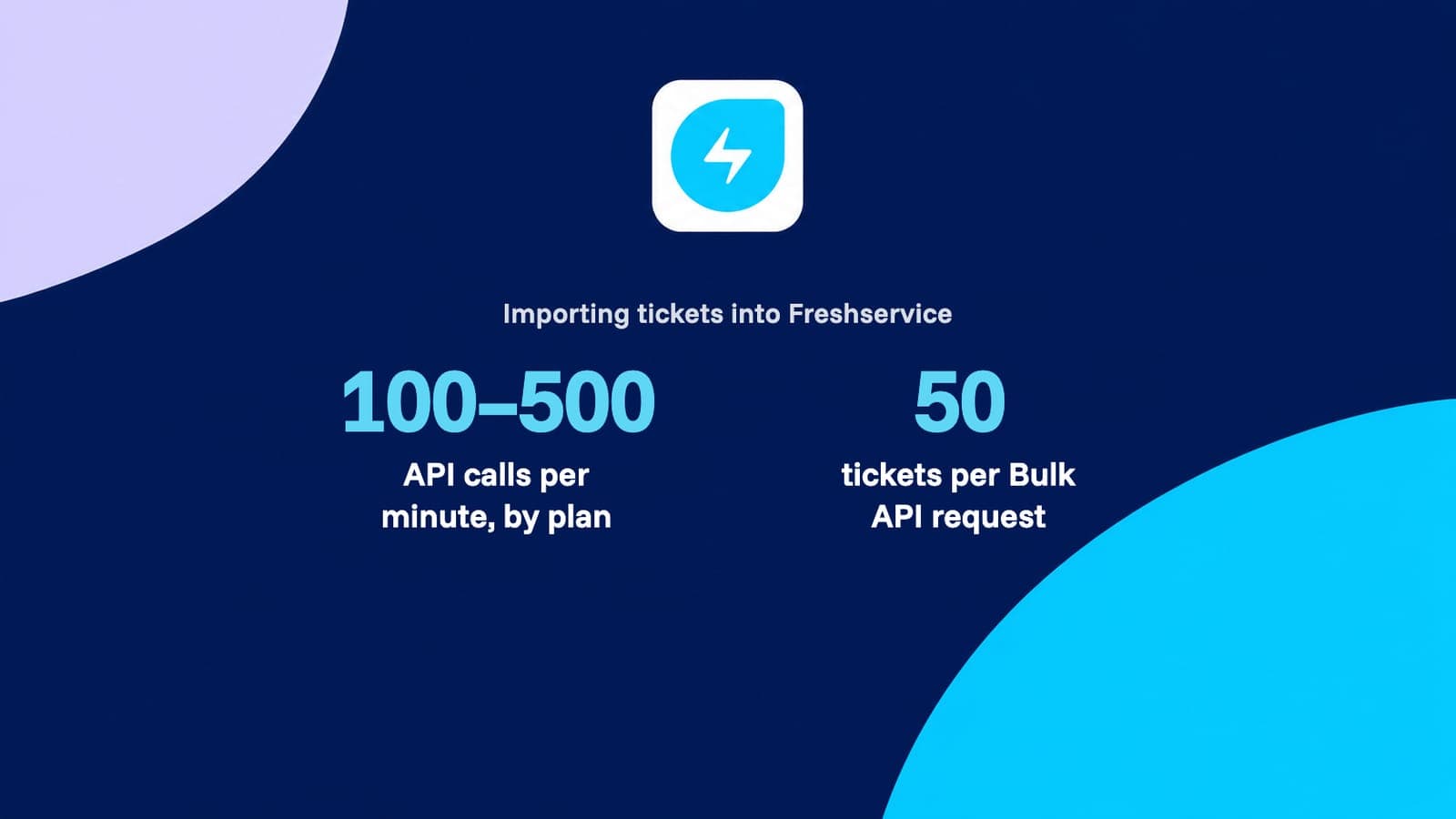
Front's documented read limits and Freshservice's documented write limits, by plan.
Front reads3 limits
| Limit | Value |
|---|---|
| Starter plan | 50 requests a minute, per company. |
| Professional plan | 100 requests a minute, per company. |
| Enterprise plan | 200 requests a minute, per company. |
Freshservice writes3 limits
| Limit | Value |
|---|---|
| View / Create / Update Ticket, requests a minute | Starter 50 · Growth 80 · Pro 140 · Enterprise 160 |
| Overall API limit, Starter | 100 calls a minute, applied account-wide whatever the number of agents or IP addresses. |
| Overall API limit, Growth | 200 calls a minute, applied account-wide whatever the number of agents or IP addresses. |
What this means
Which side is slower depends on thread length, so both sides set the pace and the run is planned around both.
Timeline
Front to Freshservice migration timeline
Dates are set with your team on the scoping call. Record volume, both platforms' rate limits and your review of the sample shape them.
Preparation
Scope
Confirm what moves and where
- Create a company API token
- Prepare an admin API key
- Decide on the Priority Matrix
Migration
Free sample
100 records, checked by you
Full run
AI maps, moves and verifies
Delta sync
Catches changes at cutover
Validation
Sign-off
Your team signs off
Details · what to prepare on Front and Freshservice
Two short lists of admin work your team does once, before the free sample.
On Front
Create a company API token
Only a Front admin can create one, under Settings > Developers. Front shows the token only when it is created, so copy it then.
Decide on individual inboxes
A teammate's individual inbox is readable only after that teammate enables API access in their own settings. Say whether individual inboxes move into Freshservice or stay in Front.
Decide on discussions and tasks
Front has three conversation types: conversations, discussions and tasks. Say whether discussions and tasks move into Freshservice as tickets or stay in Front.
Check how your accounts are set up
Front accounts carry a list of the domains associated with each company you work with.
On Freshservice
Decide on the Priority Matrix
While the Priority Matrix is on, Freshservice ignores the priority sent through the API. It is switched off under Admin > Priority Matrix.
List the workspaces in scope
Freshservice keeps each business area (IT, HR, Facilities) in its own workspace, and a ticket list shows only the primary one unless another is named.
Prepare an admin API key
Freshservice's API authenticates with an API key; basic authentication with username and password is deprecated.
Sources(6), checked 23 Nov 2026
- Front developer documentation, “API tokens”
- Front developer documentation, “List conversations”
- Front developer documentation, “List Accounts”
- Freshservice support documentation, “Why do tickets get created with priority as low even when priority value is set to “4” while creating with API?”
- Freshservice API documentation, “Workspaces”
- Freshservice API documentation, “Service Desk API for Developers | Freshservice”
Known risks
Known risks, all handled
- 3 handled
- HandledMost critical
Freshservice can email requesters as tickets are created
The problem
Freshservice can email the requester a new ticket notification.
How we handle it
Your admin makes this change in Freshservice before the free sample.
- Handled
Other Front integrations share the migration's rate limit
The problem
Front enforces its rate limit per company, not per token, so every API token your company uses shares it.
How we handle it
Your team pauses or slows heavy integrations, and the load is paced from both sides.
- Handled
Front's main recipient can change
The problem
A Front conversation's main recipient can change as messages arrive, and it can appear in more than one inbox.
How we handle it
How each one lands in Freshservice is agreed in the mapping review.
Get your fixed quote
Tell us roughly what should move, and you get a fixed quote within 24 hours.
MigrateX customer, ServiceNow to Freshservice
“Our client had 4 years of ticket history in ServiceNow and their IT team was convinced half of it would get lost. MigrateX ran a demo migration and the client's own team verified it. That closed the conversation.”
 Mohamed FirdousFounder & Business Head, Assuretek IT Solutions
Front to Freshservice questions
Still unsure? Ask the MigrateX team, not a sales rep.
Before you start
How do Front conversations become Freshservice tickets?
Each Front conversation becomes one Freshservice ticket, with messages as replies and comments as private notes. This applies whether or not the inbox uses ticketing, which Front turns on per shared inbox.
Who runs the migration?
MigrateX's AI maps, moves and verifies your data. Your admins set up access, and your team checks the free sample of 100 records and signs off before the full run.
What happens to a conversation sent between two ticketed inboxes?
Each copy becomes its own Freshservice ticket. Front keeps a separate copy in each inbox, each with its own ticket ID, so a handover between two ticketed inboxes appears as two tickets.
Your data
What moves from Front to Freshservice?
Conversations move as tickets, messages as replies, comments as private notes, contacts as requesters, teammates as agents, and tags, attachments, custom fields and knowledge base content to their Freshservice equivalents. The mapping is reviewed before the free sample.
Do rules and message templates move?
No. Rules, message templates, inboxes, channels and signatures are configuration, so your admin rebuilds them in Freshservice using the Front set-up. How Front statuses map to Freshservice statuses is agreed in the mapping review.
What happens to merged Front conversations?
A merged Front conversation becomes one Freshservice ticket with its combined history. Front keeps the alphabetically first ticket ID, and either ID finds it. If your team quotes older IDs, raise this in the mapping review.
Security and cost
How much does a Front to Freshservice migration cost?
You get a fixed quote within 24 hours of the scoping call, set by record volume, the objects in scope and both platforms' rate limits. A free sample of 100 records comes first.
What does the free sample include?
100 of your own Front records, migrated into Freshservice with their messages, comments and attachments, so your team can check the mapping before the full run. The sample is free.
Is our support data safe during the migration?
MigrateX is SOC 2 Type II, GDPR compliant and HIPAA compliant. Access to Front and Freshservice is set up with your admins, and nothing is written to Freshservice until you sign off the mapping.
Guides
Guides for a Front to Freshservice migration

Related routes
Other routes we run


SOC 2 Type II · GDPR compliant · HIPAA compliant.Read how we handle your data

Start your Freshservice move with 100 of your records.
Scope my migrationFree sample migration of 100 of your records, plus a fixed quote within 24 hours.